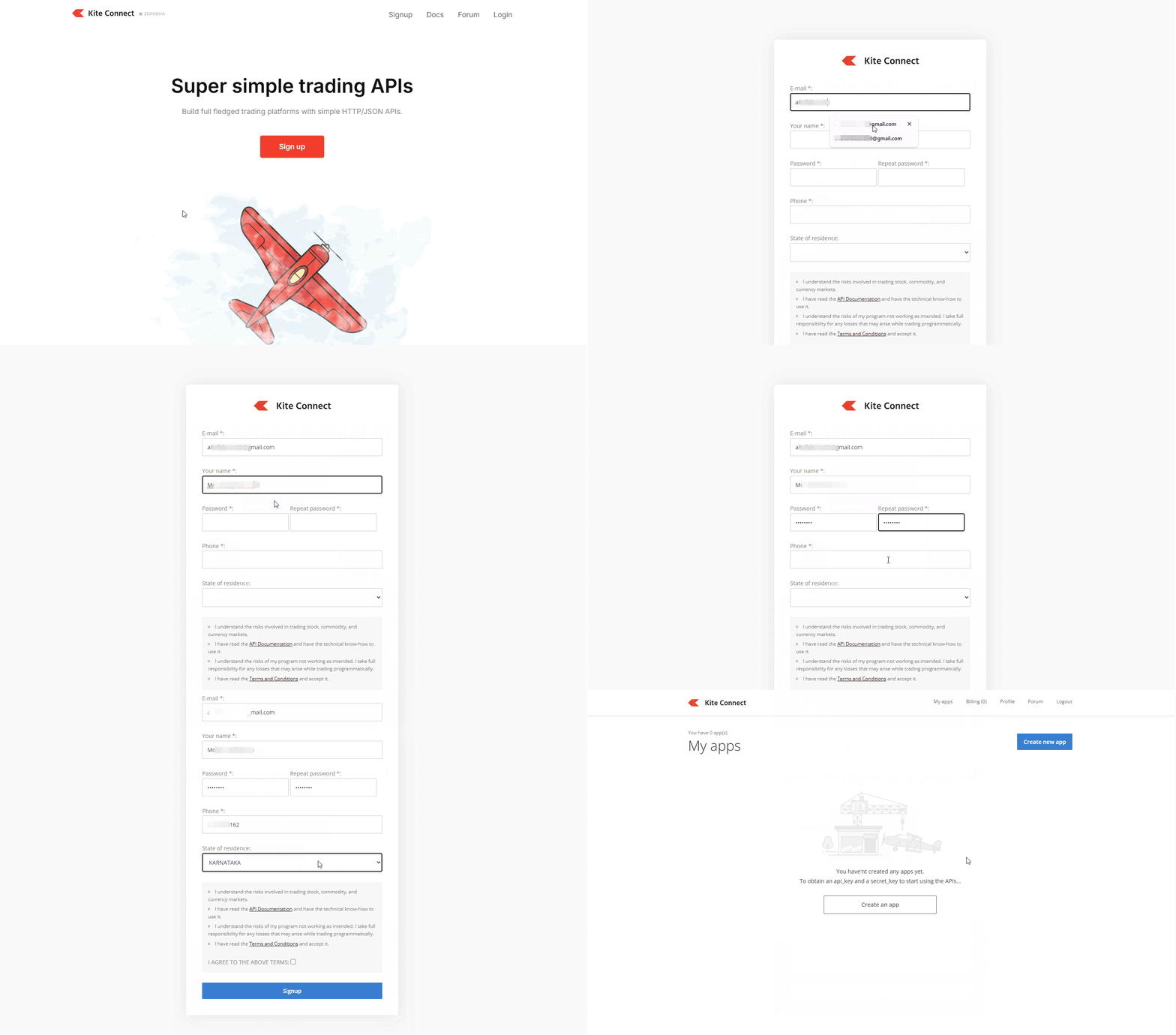
You can sign up for Kite Connect and get your API key by creating a developer account, choosing your plan, and creating an app. The process takes just a few minutes and gives you access to Zerodha's trading APIs.
Sign up for Kite Connect
Visit developers.kite.trade/signup to access the signup page.
Complete the registration form with the following details:
- Kite Connect Email: Enter your email address (preferably the one linked to your Zerodha account)
- Your Name: Enter your full name
- Password & Repeat Password: Create a strong password for your developer account
- Phone: Provide your mobile number
- State of Residence: Select your state from the dropdown menu
Tick the checkbox to agree to the Terms and Conditions, then click on Sign Up.
Choose your Kite Connect plan
You can select from two available plans:
-
Kite Connect Personal API (Free):
You can place orders and track your positions, holdings, and funds. This plan does not include live market data and historical data.
- Kite Connect (Paid) API: You get all Personal API features plus access to live market data and historical data at no additional cost. This plan costs ₹500 per month per API key.
Brokerage-based Developer Credits for monthly renewal
Effective from October 2026, paid Kite Connect users who generate ₹2,000 or more in brokerage during a calendar month receive 500 Developer Credits (worth ₹500). You can use these credits to renew your Kite Connect app subscription for the following month at no additional cost.
Zerodha evaluates eligibility automatically at the end of each calendar month. For example:
-
₹2,000 or more brokerage in September:
You receive 500 Developer Credits, covering your October subscription renewal at no additional cost.
- Below ₹2,000 brokerage in September: Regular subscription charges of ₹500 apply for your October renewal.
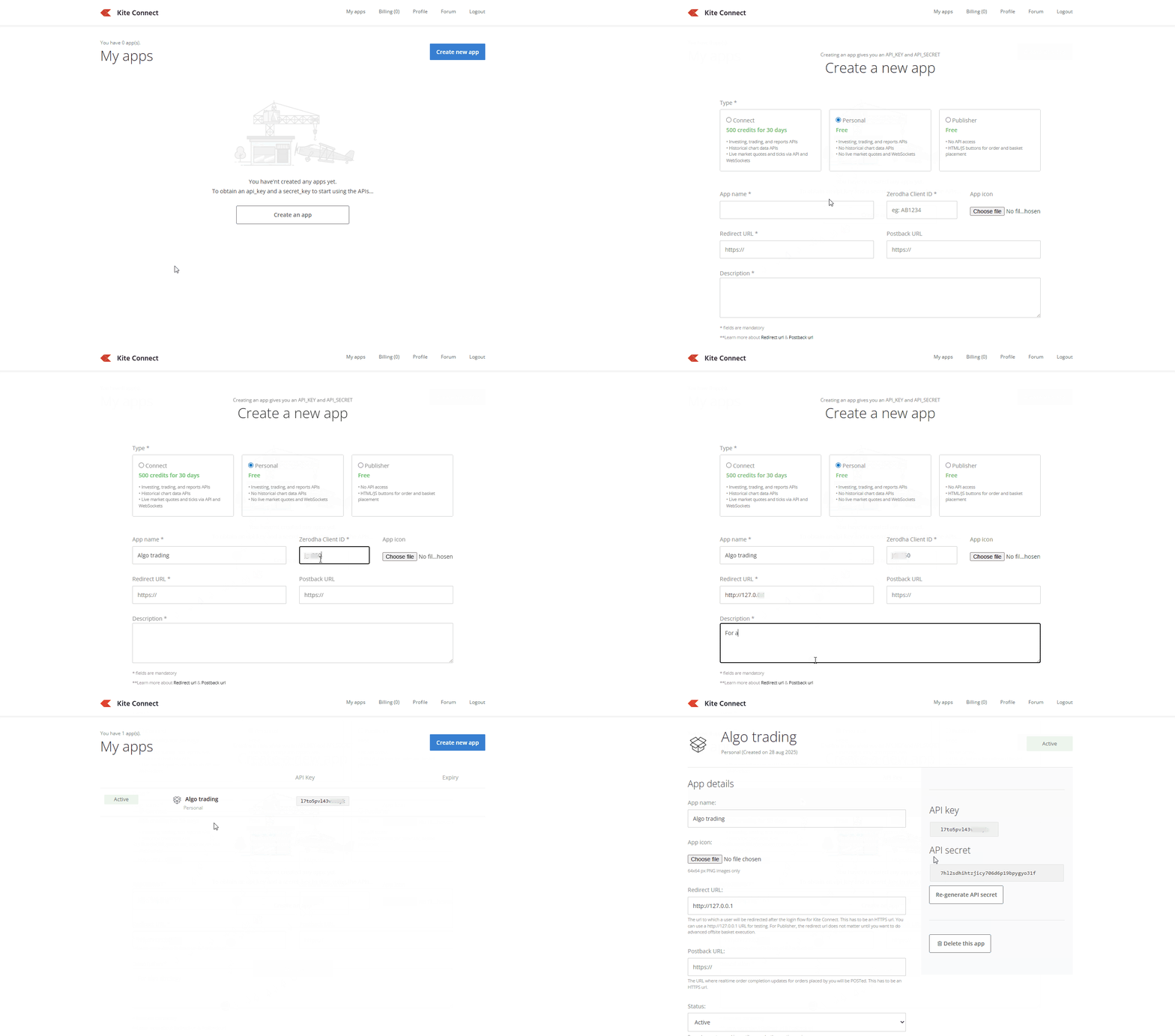
Create your app and get API credentials
After you subscribe to your chosen plan:
- Navigate to the My Apps section.
- Click on Create New App.
-
Fill in the required information:
- App Name: Enter your application's name
- Zerodha Client ID: Enter your Zerodha client ID
- Redirect URL: Enter the URL required for OAuth authentication (you can use localhost during testing, such as http://127.0.0.1:8000)
- Postback URL: Enter the URL for order update notifications (optional - postbacks trigger when you modify open orders or receive partial fills)
- Description: Provide a brief description of your app
Once you create your app, you will receive:
- API Key: Your unique identifier for API access
- API Secret: Your private authentication key (keep this secure)