


The client shall be responsible for squaring off all open positions. While Zerodha may square off positions, it is under no obligation to do so. The selection and sequence of such square-offs are at Zerodha's sole discretion. Zerodha shall not be held liable for any loss or damage resulting from exercising or not exercising this right. To learn more, see
Risk Disclosure Document (RDD).
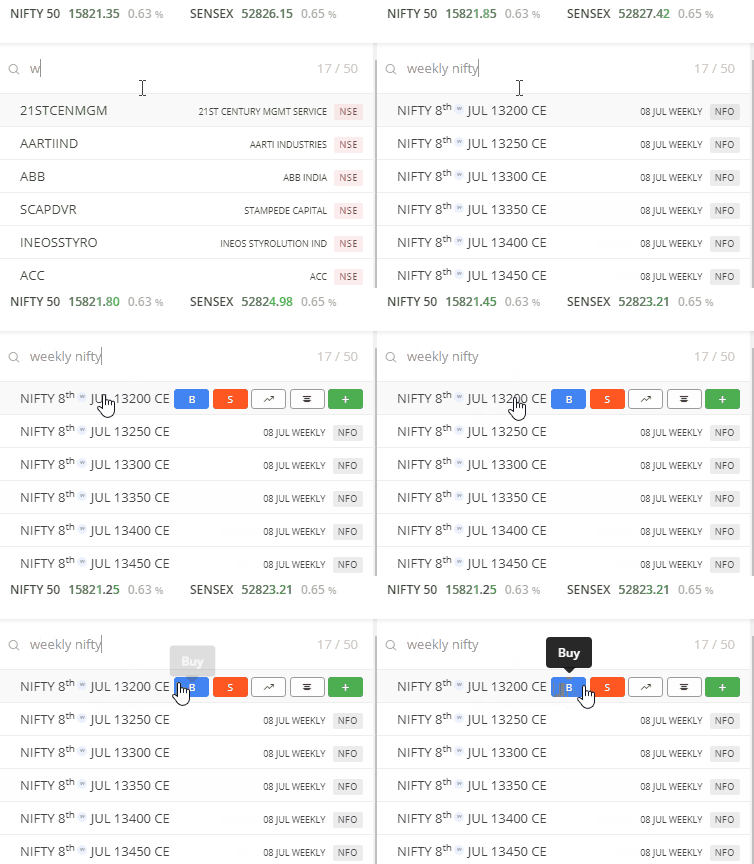
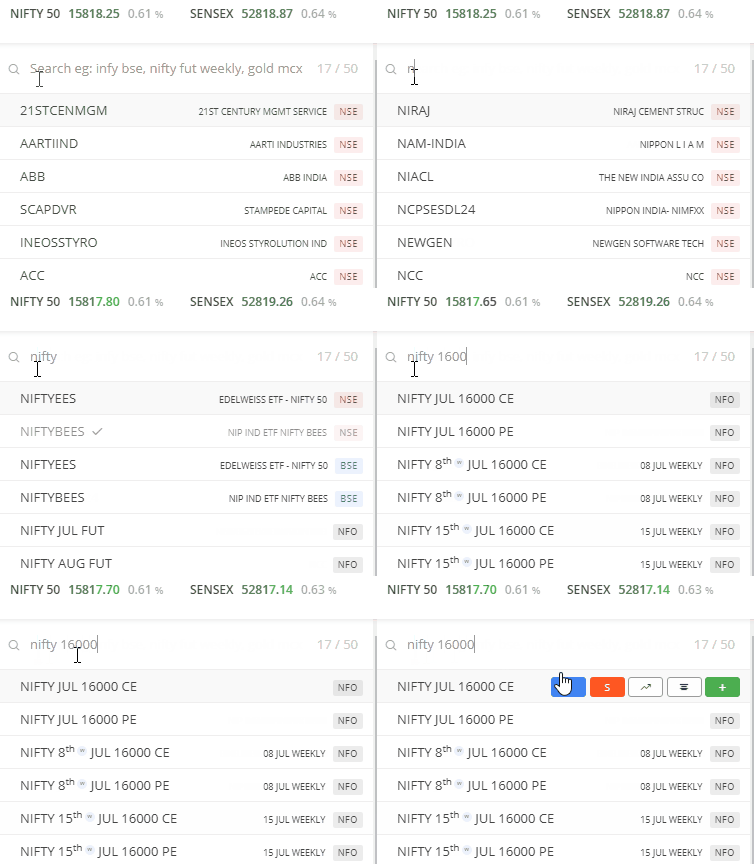
You need to enable the F&O segment for your Zerodha account to trade options. You can trade weekly Nifty contracts by adding the contract to the marketwatch. Type Nifty Weekly or the trading symbol followed by the strike price in the universal search bar. Tap or click on Buy or Sell to trade the contract.
Things to keep in mind
- Nifty weekly contracts expire every Tuesday of the week. If Tuesday is a trading holiday, the previous trading day becomes the expiry or last trading day.
- All contracts expire at normal market closing time on the expiry day or at a later time as the exchange decides.
-
The last week's contract in the marketwatch will not mention the expiry date, as these are monthly contracts and will only include the month name and strike price.