


You need a support code only when calling from an unregistered number. This four-digit identifier authenticates your identity before connecting you to Zerodha's support desk.
To access your support code, follow these steps:
Kite App
- Tap on user ID.
- Tap on Profile.
- Tap on View.
- Tap on View under Support code.

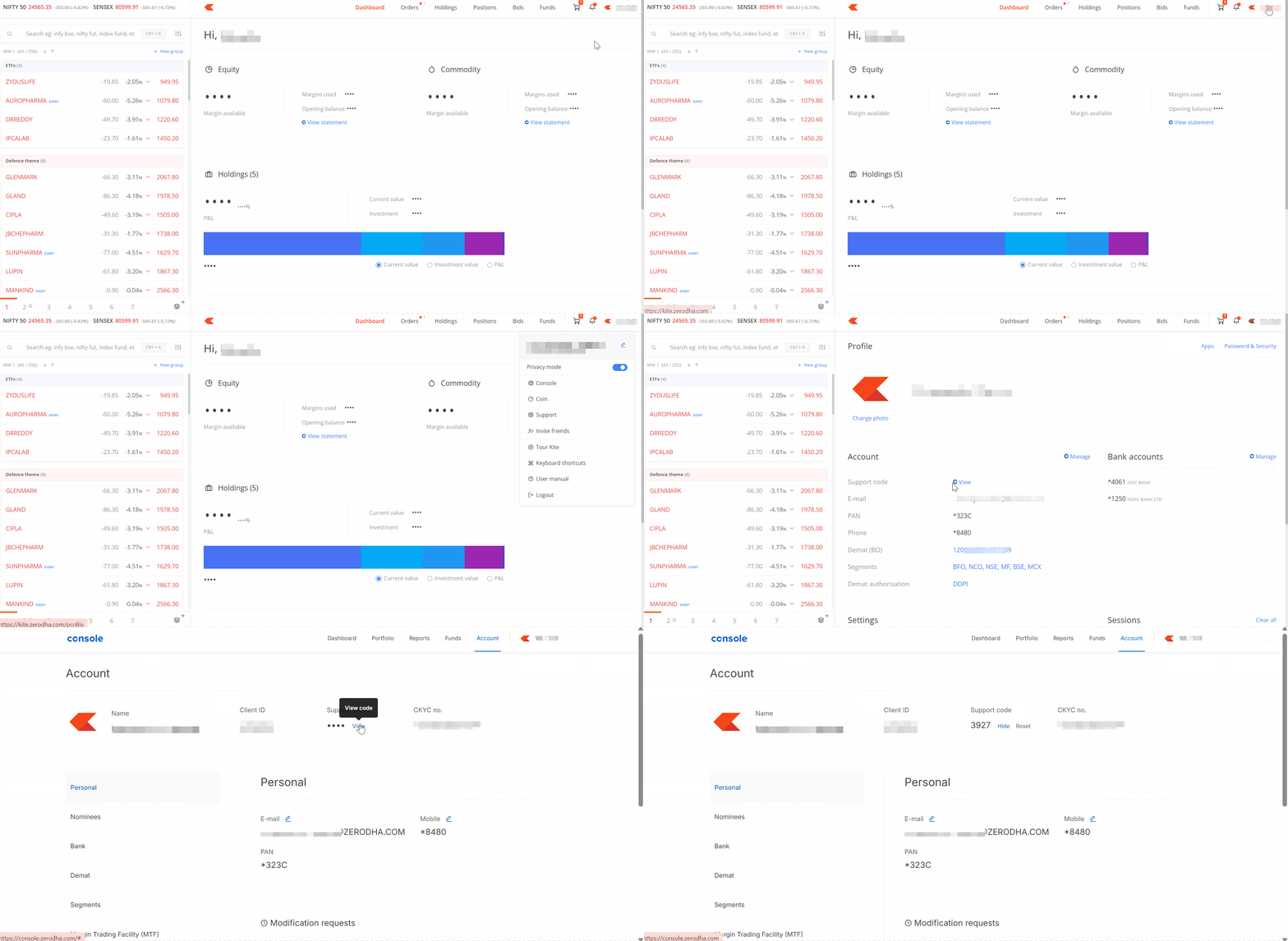
Kite web
- Login to Kite.
-
Click on your user ID and then on your name.
- Click on View and then on View again.
How to use your support code
When you call from an unregistered number, enter your registered phone number followed by your support code when prompted. For example, if your registered phone number is 9XXXXXXXXX and your support code is 0007, enter 9XXXXXXXXX0007 when the system asks for it.