


Your Central KYC (CKYC) number is a 14-digit identification number that you receive after completing the KYC process. This number links with your ID proof and is stored electronically for security.
How to find your CKYC number
On Kite app
- Tap on user ID.
- Tap on Profile.
- Tap on Manage account.
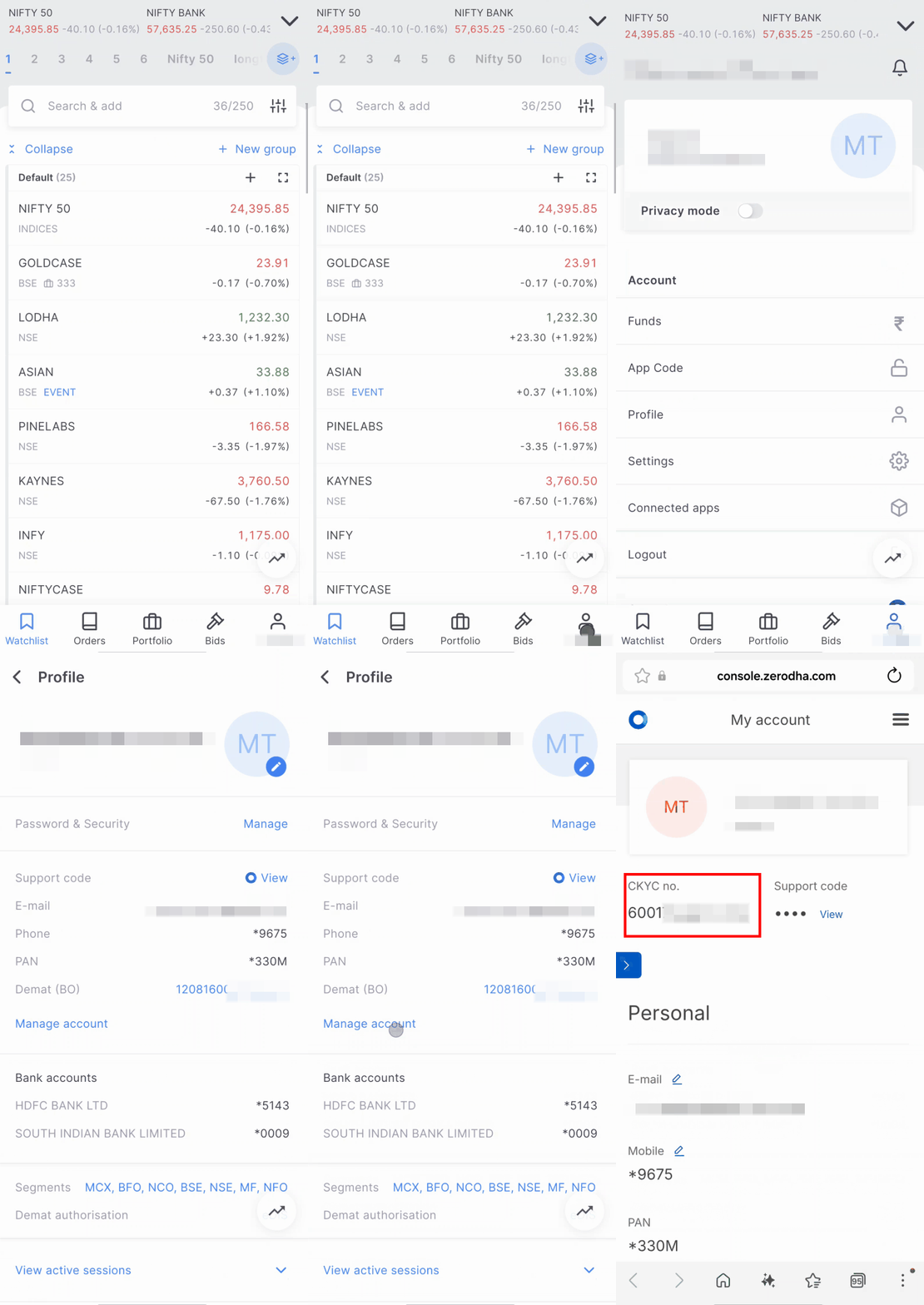
On Kite web
- Log in to console.zerodha.com.
- Click on Account.

Alternatively, you can also visit the CERSAI portal to retrieve your KYC number.
To learn more about KYC, see What is Know Your Customer (KYC), and how can the KYC status be checked?