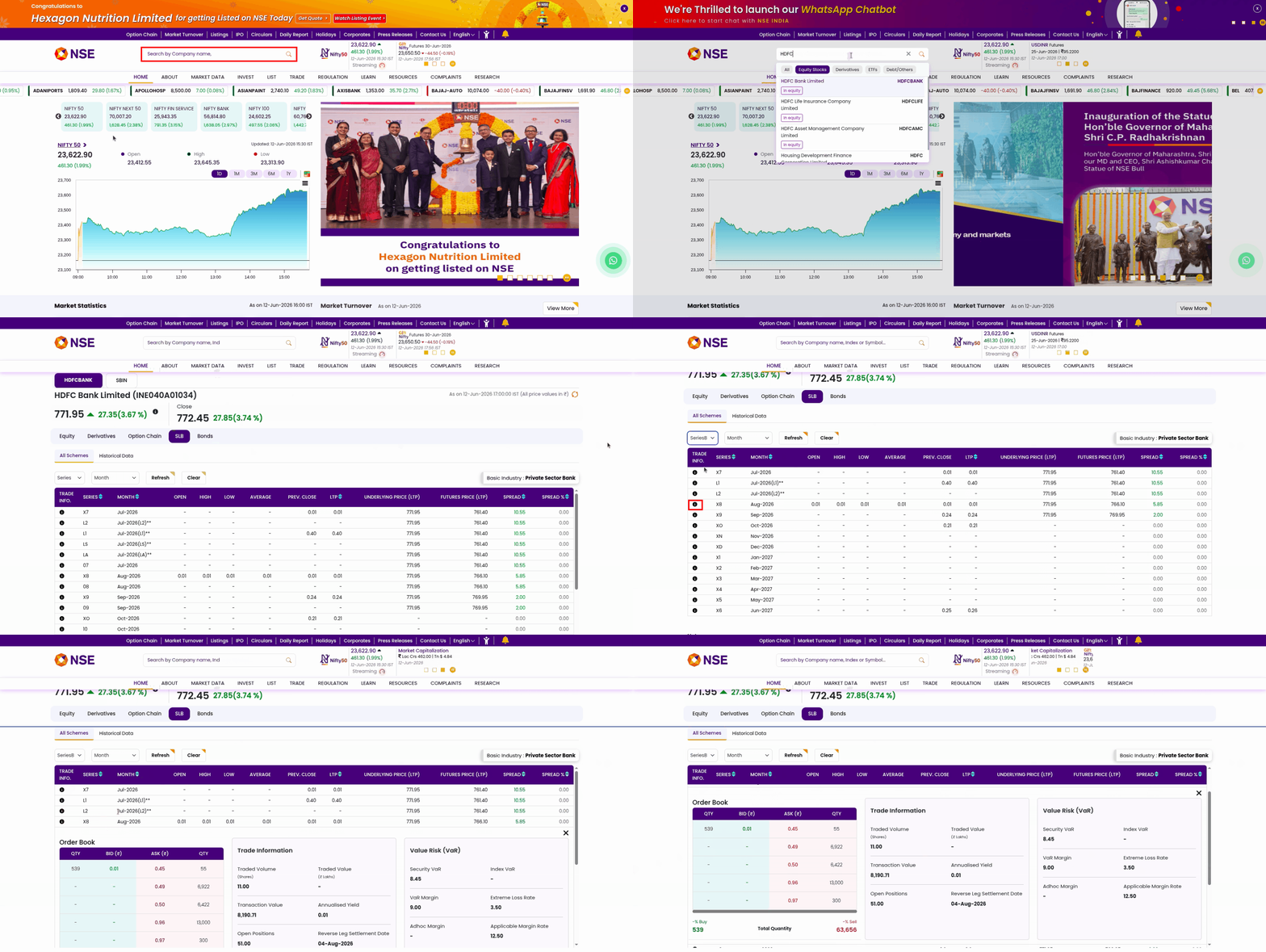
You can check SLB bids and offers by visiting nseindia.com/market-data/securities-lending-and-borrowing. Use the dropdown menu to check bids and offers for different months. Currently, Zerodha supports SLB orders only for Series B on NSE. SLB orders on BSE are not supported due to illiquidity.
You can also check the best 5 bids and asks for an SLB contract on NSE by following these steps:
- Go to the NSE India website
- Search for the desired stock using the search bar and select the stock from the results.
- On the stock page, click on the SLB (Securities Lending and Borrowing) tab.
- Apply the required filters, such as the series or contract month, to view the specific SLB contract you are interested in.
- Under the Trade Info column, click the "i" (Info) icon.
- Click on the Trade info ,The Trade Info window will display the best 5 bids, asks and other details for that SLB contract.