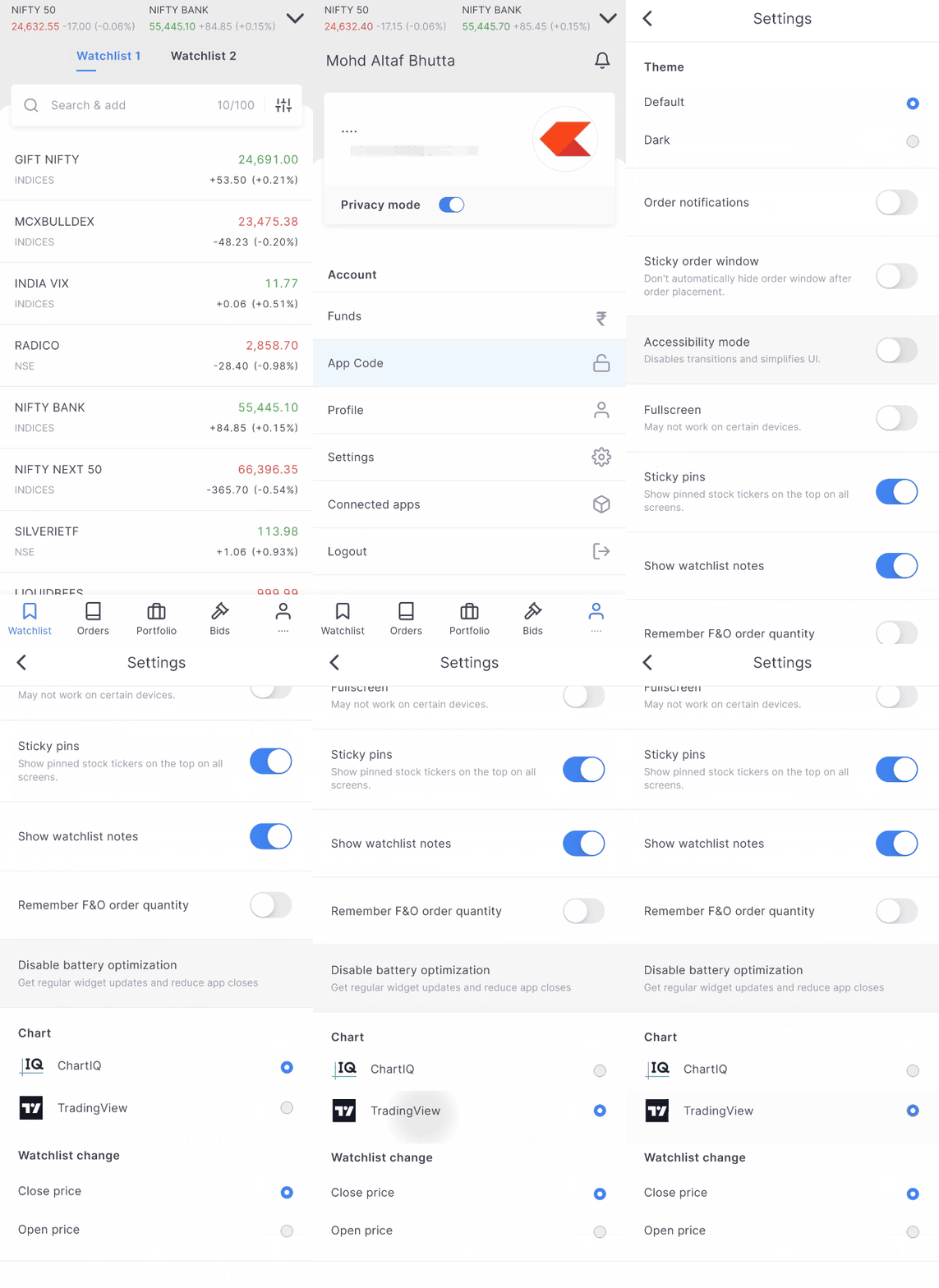
There are two charting platforms available on Kite: ChartIQ and TradingView. ChartIQ is the default charting platform.
To switch, follow these steps:
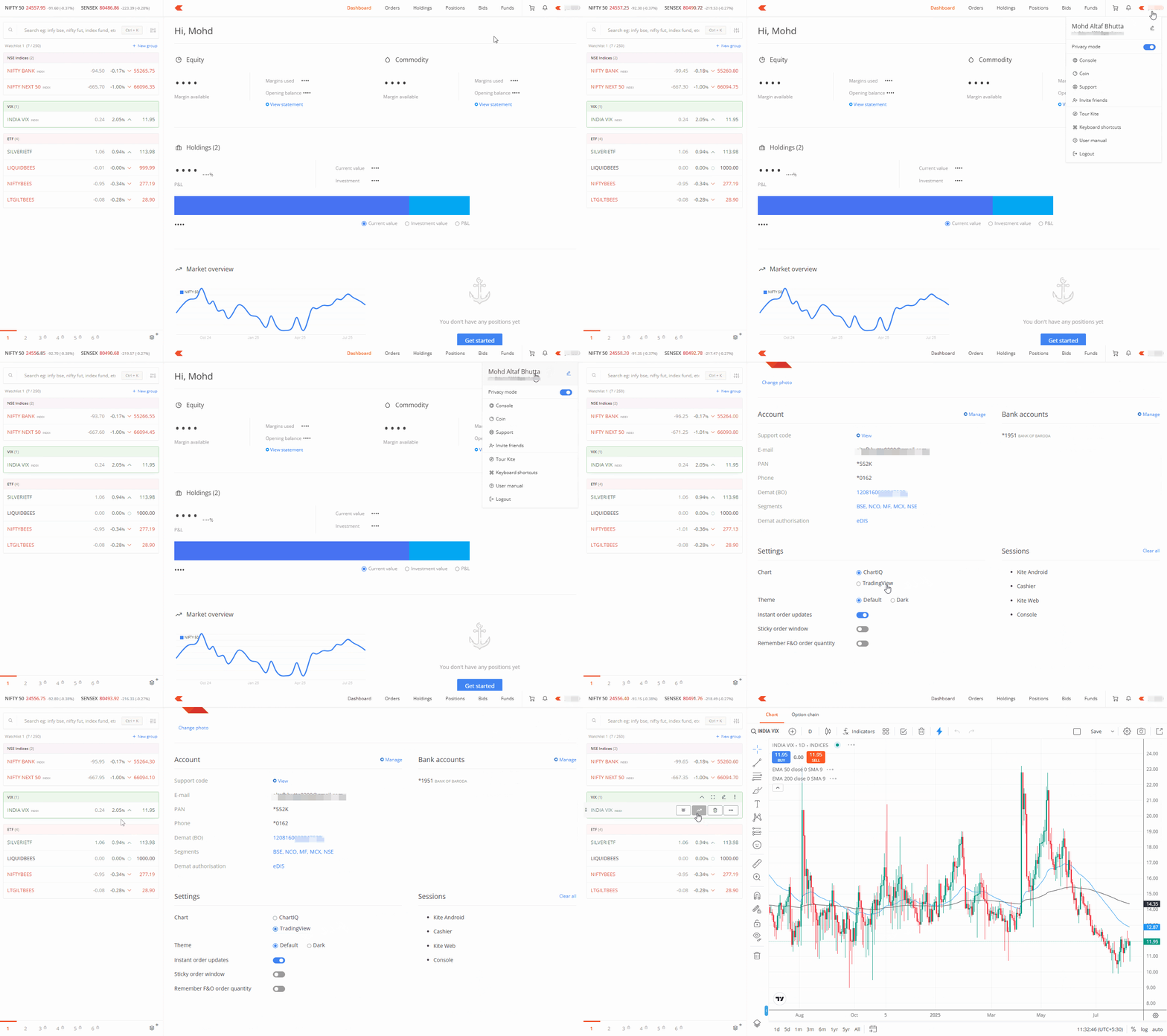
Kite web
- Click on your user ID and click on your name.
- Scroll down and select ChartIQ or TradingView.
Kite app
- Tap on your user ID.
- Tap on Settings and then tap on ChartIQ or TradingView.