


TradingView charts save default layouts on the cloud, and you can access them from any device. If you exceed the cloud storage capacity, the error "Chart preference limit reached" is displayed. However, the provided cloud storage is sufficient to save many studies and strategies.

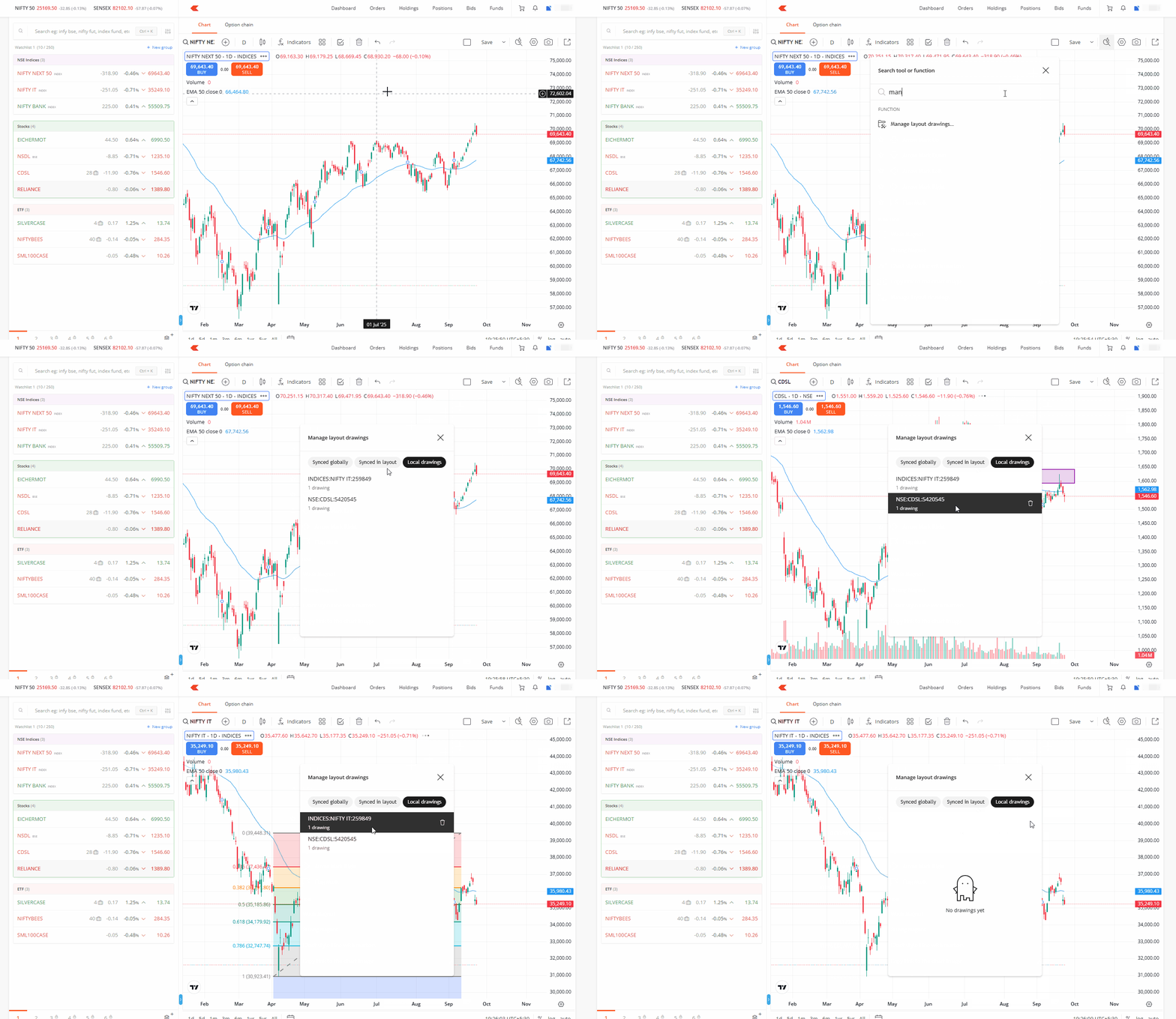
To save additional preferences, remove existing templates or drawings from your charts that you do not use. Here's how to access them:
- Click on the search icon.
- Search for Manage layouts and drawings.
- Click on the delete icon to delete the drawings that are no longer needed.
On Kite web, you can save changes made in TradingView V2 charts as a chart layout locally on your device.