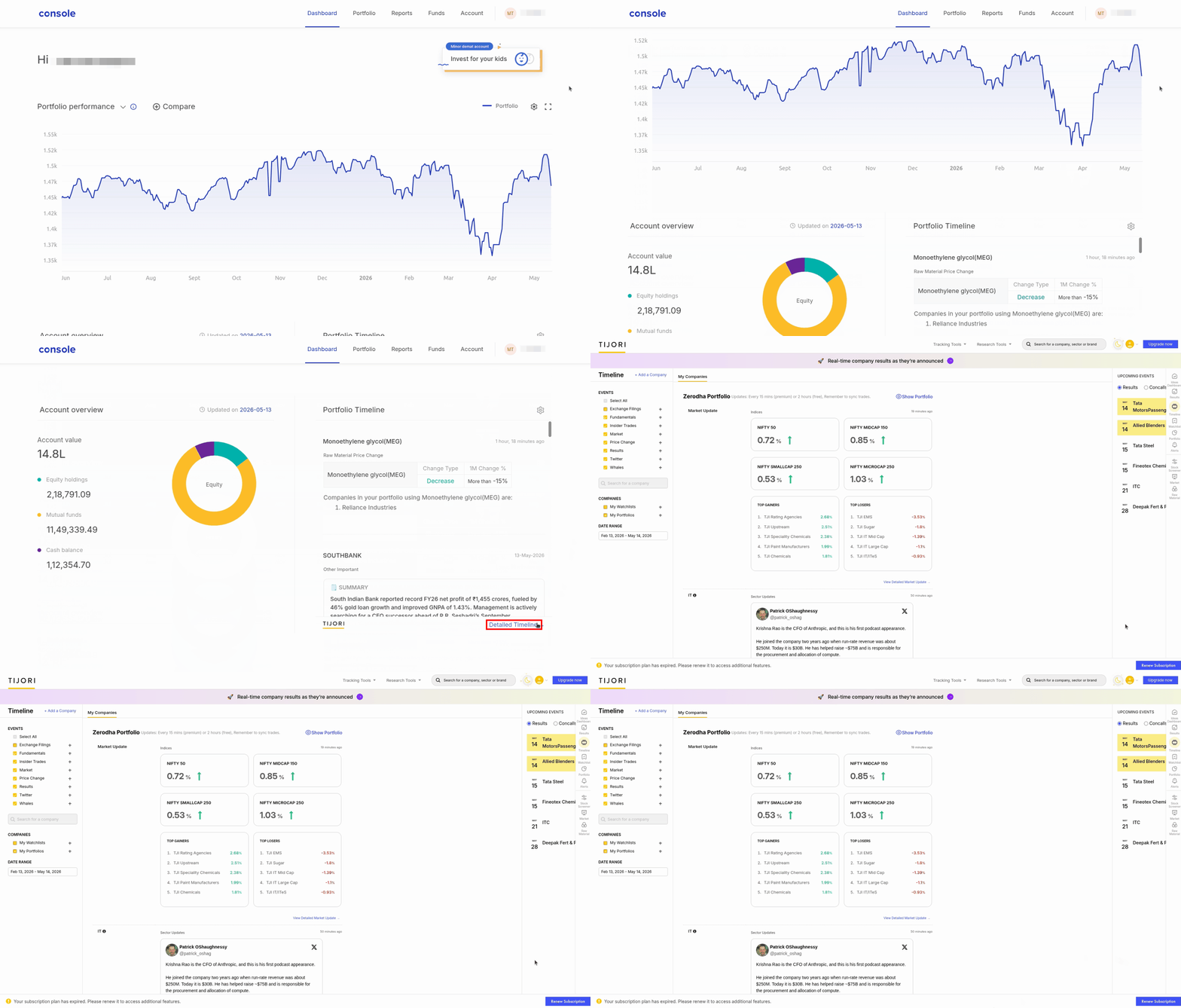
The Timeline feature on Console helps you track all important events, such as corporate actions, earnings announcements, regulatory developments, and related news, like fundamental updates on all the investments held in your demat account. This feature makes it easier for you to keep track of your investments and stay informed about the factors that could affect your stock investments.
When a company in your portfolio announces quarterly results, an AI-generated summary (powered by Tijori) appears automatically on your Portfolio Timeline. The summary covers revenue, profit, what drove the numbers, and what changed from the previous quarter.
You can access the Timeline feature by visiting console.zerodha.com.
Information displayed on Timeline
The Timeline feature displays the following information:
-
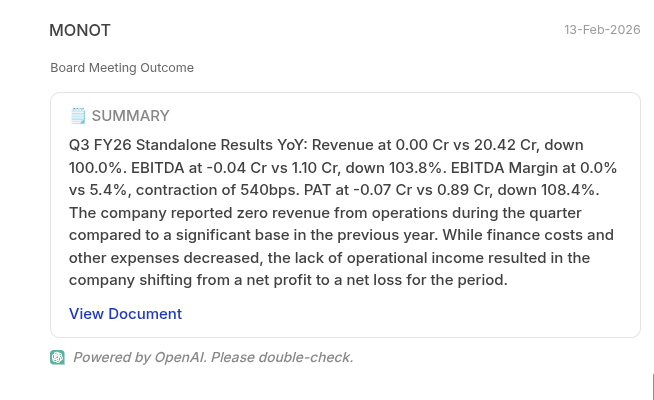
Timely updates on exchange filing by the company, including annual reports and outcomes of board meetings
-
Information about corporate actions like dividends, bonus, stock splits, buybacks, etc.

-
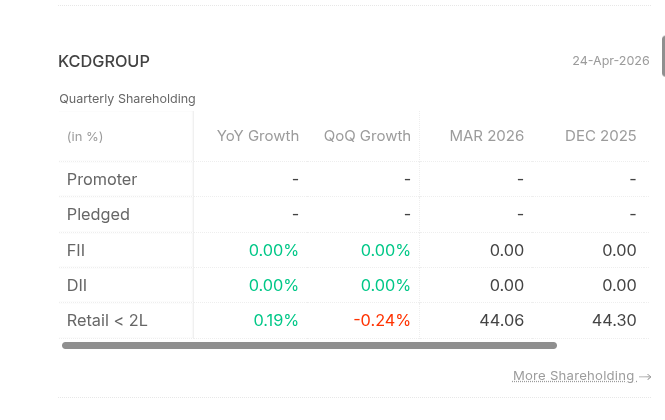
Updates on quarterly results and shareholding patterns, with quarter-on-quarter and year-on-year percentage change.
-
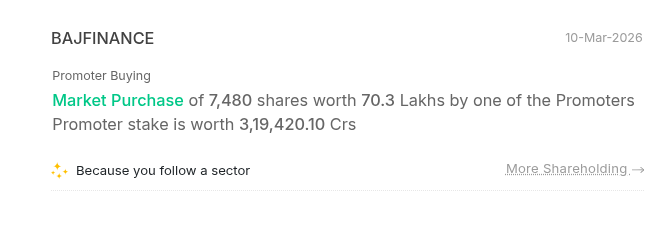
Details on insider trades, such as buying, selling, pledging, or unpledging of company shares by promoters.
-
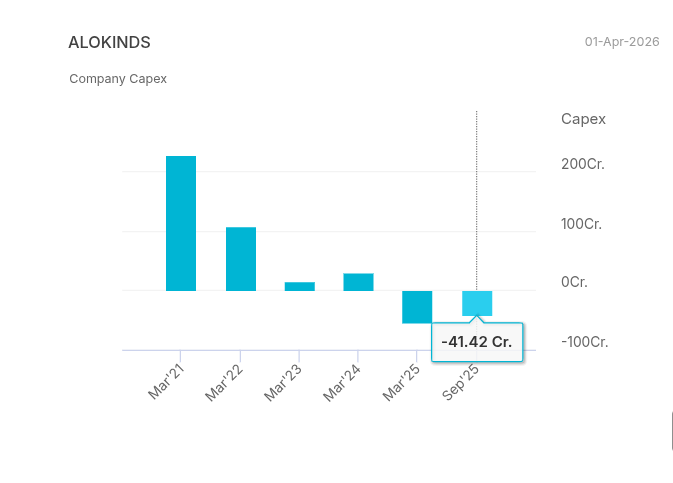
Updates on the company's net debt and capital expenditure.
-
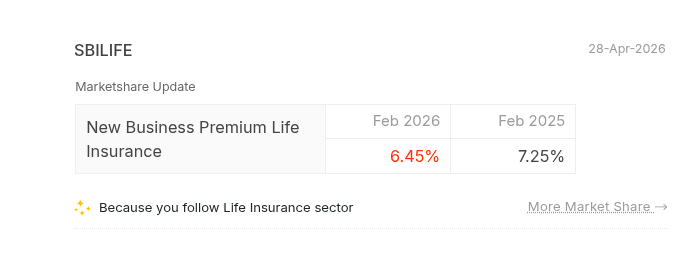
Information on the company's market share is updated based on the industry and the stocks held.
-
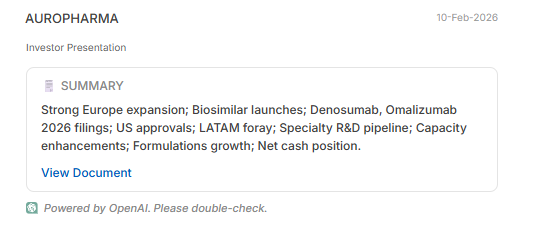
Highlights of the investor presentation.
-
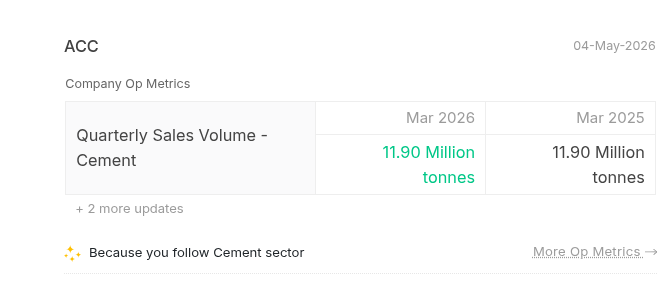
Operating metrics of the company, showcasing changes in core business numbers.
-
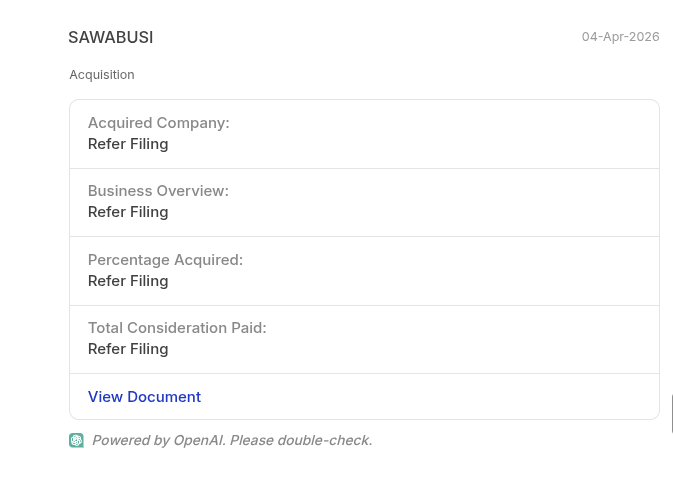
Updates on events such as acquisitions, mergers, and demergers.
-
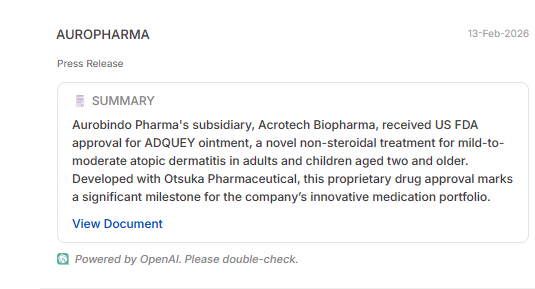
Summary of the press release.
-
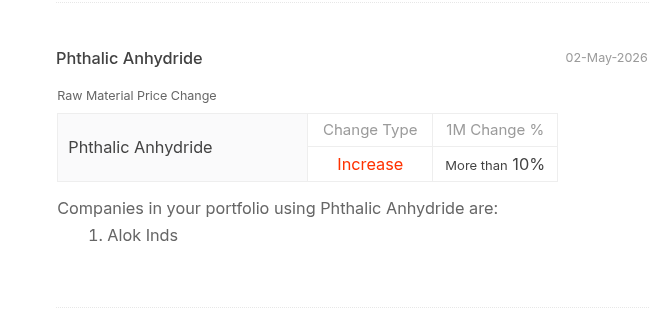
Updates on changes in raw material prices and their impact on the company's production cost and revenues.
-
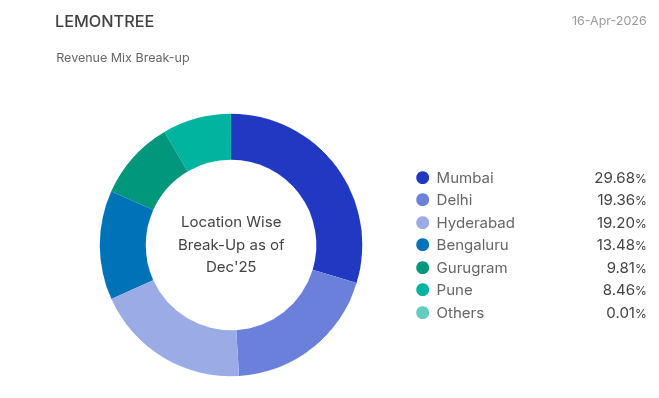
Breakdown of the company's revenue mix, showing the sources of revenues.
-
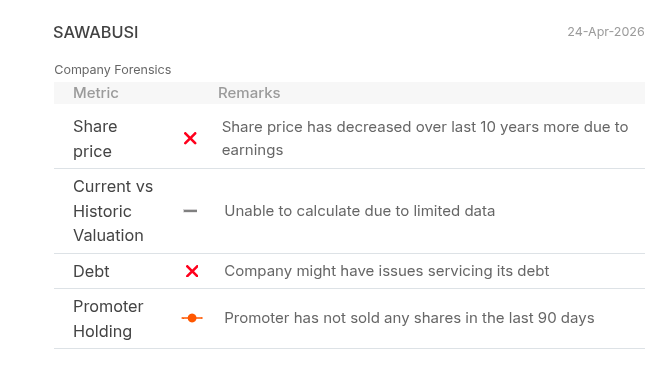
Forensics, providing insightful metrics and indicators for evaluating a company's financial health and performance.
-
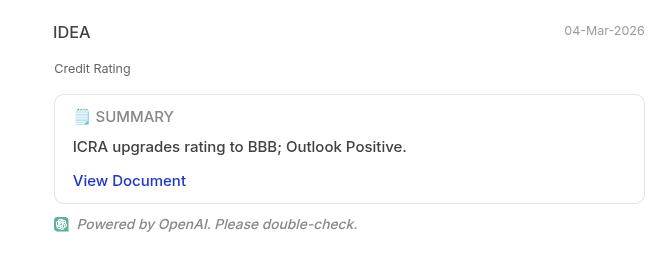
Updates on credit ratings from all three major credit rating agencies: ICRA, CRISIL, and CARE.
-
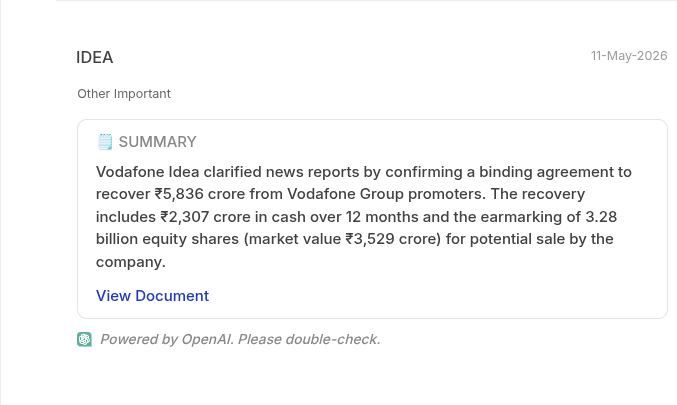
Other important updates of the business.
Following specific sectors
You also have the option to follow particular sectors, such as banks, hotels, automobiles, etc., to see their information along with your investments.
To select the sectors:
- Click on the settings icon.
- Select the sectors you want to follow.
- Click on Confirm.

You can explore the complete timeline by clicking on
Detailed Timeline.