You can watch this video in Hindi
here.
Microsavings on Coin allows you to invest small amounts daily through Micro SIPs. You can invest starting from ₹10 onwards every day, making it easier to build investment discipline with minimal amounts.Currently, you can use microsavings to invest in the Zerodha Nifty LargeMidcap 250 Index Fund, Zerodha Multi Asset Passive FoF, and Zerodha Gold ETF FoF. To start microsavings, you need to create a UPI autopay mandate.
How to create a microsavings SIP
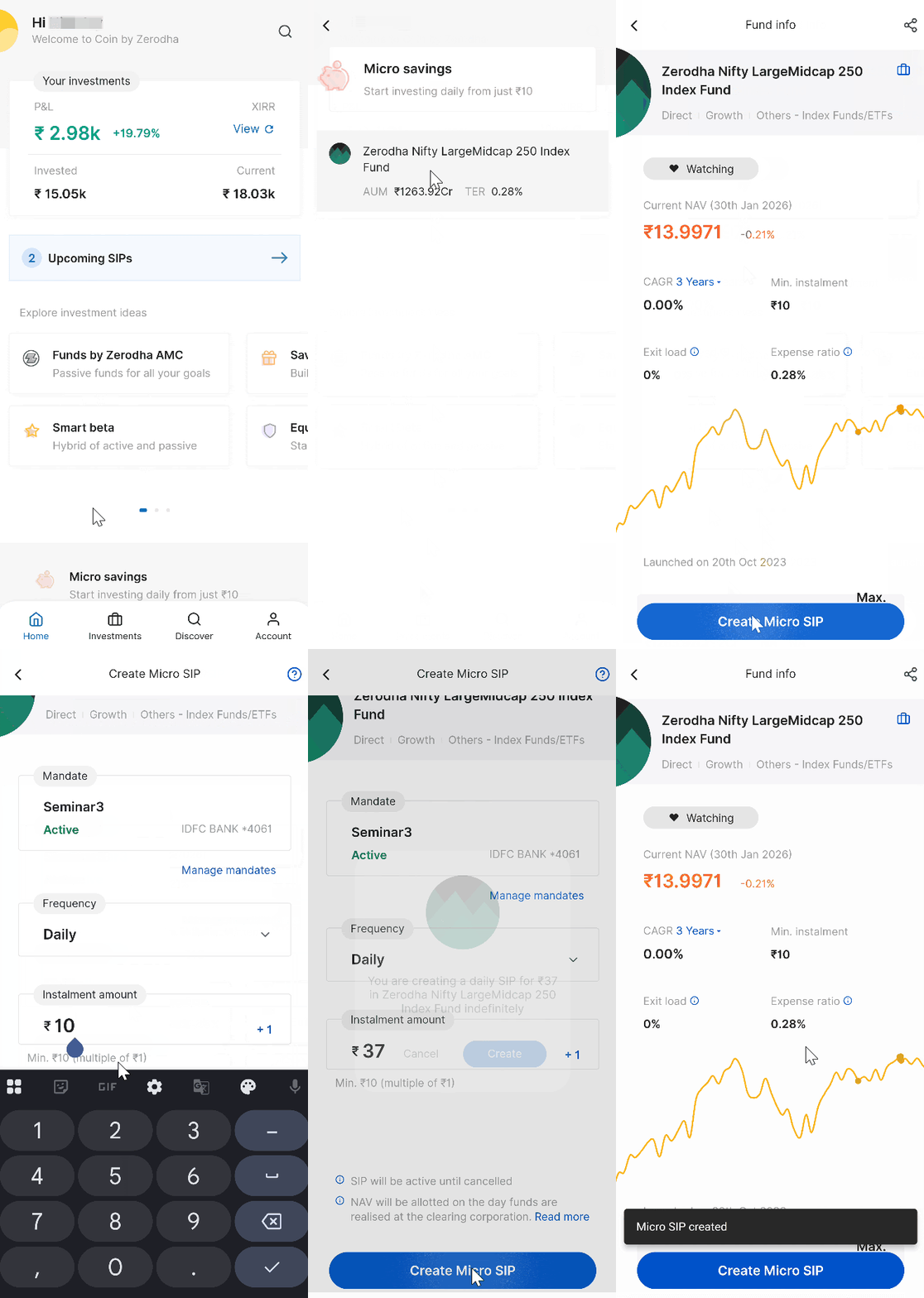
Coin app
- Tap on Microsavings.
- Tap on the fund's name and tap on Create Micro SIP.
- Select your mandate. If you have not created any mandates, tap on Manage mandates, then tap on New mandate to create one.
- Enter the amount and tap on Create Micro SIP.
- Tap on Confirm.
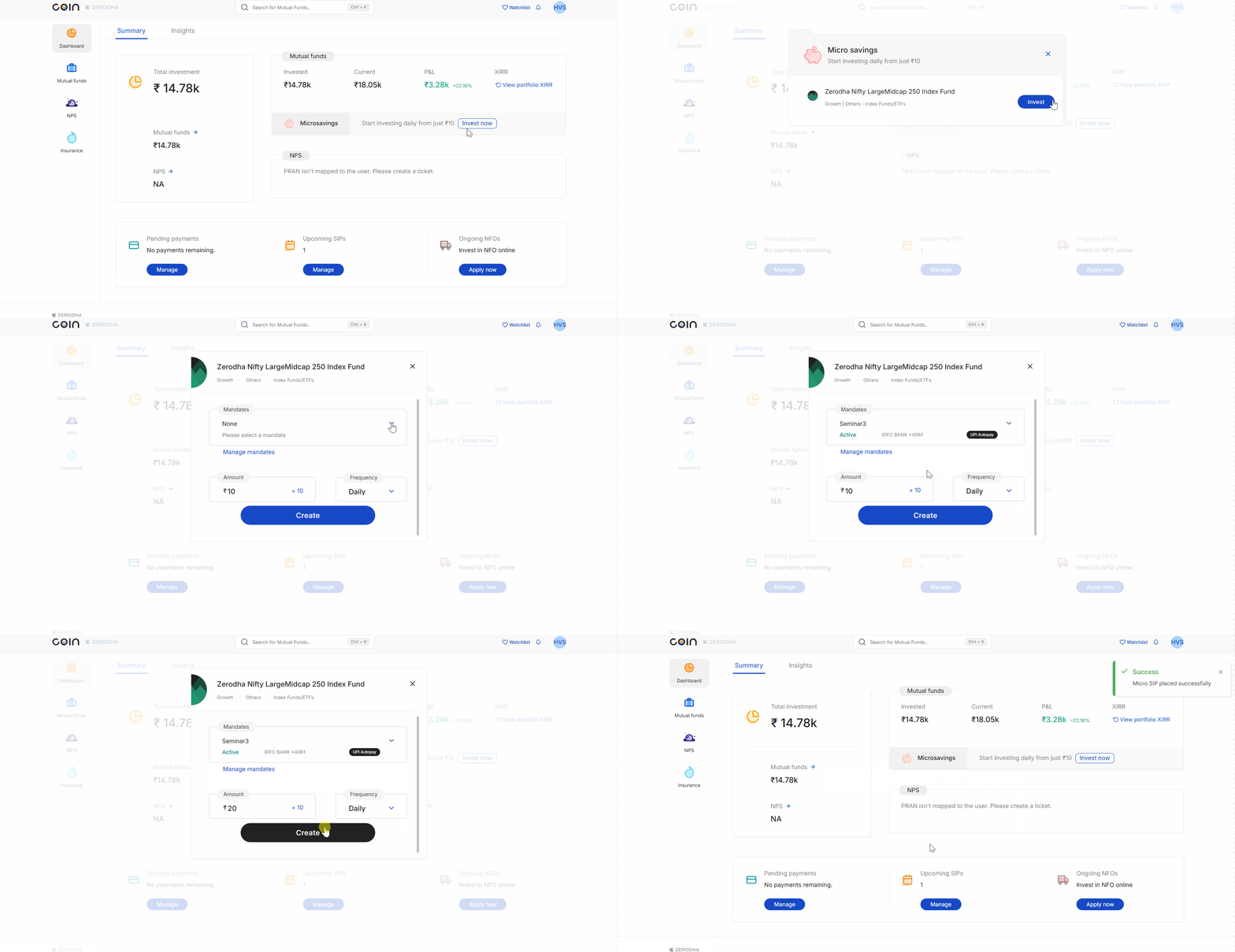
Coin web
- Log in to Coin.
- Click on Invest now beside Microsavings.
- Click on Invest.
- Select your mandate. If you have not created any mandates, click on Manage mandates, then click on New mandate to create one.
- Enter the amount and click on Create.
- Click on Confirm.
Your first SIP instalment will be executed from T+2 days onwards. The UPI autopay debit is triggered on T+1 day morning for the T+2 day execution. For example, if you create your SIP on Monday, the UPI autopay debit will be triggered on Tuesday morning, and the first instalment will be executed on Wednesday.
For daily SIPs, Zerodha daily SIPs process instalments on all days, including Saturdays and Sundays. AMC SIPs skip weekend instalments and only run on business days.
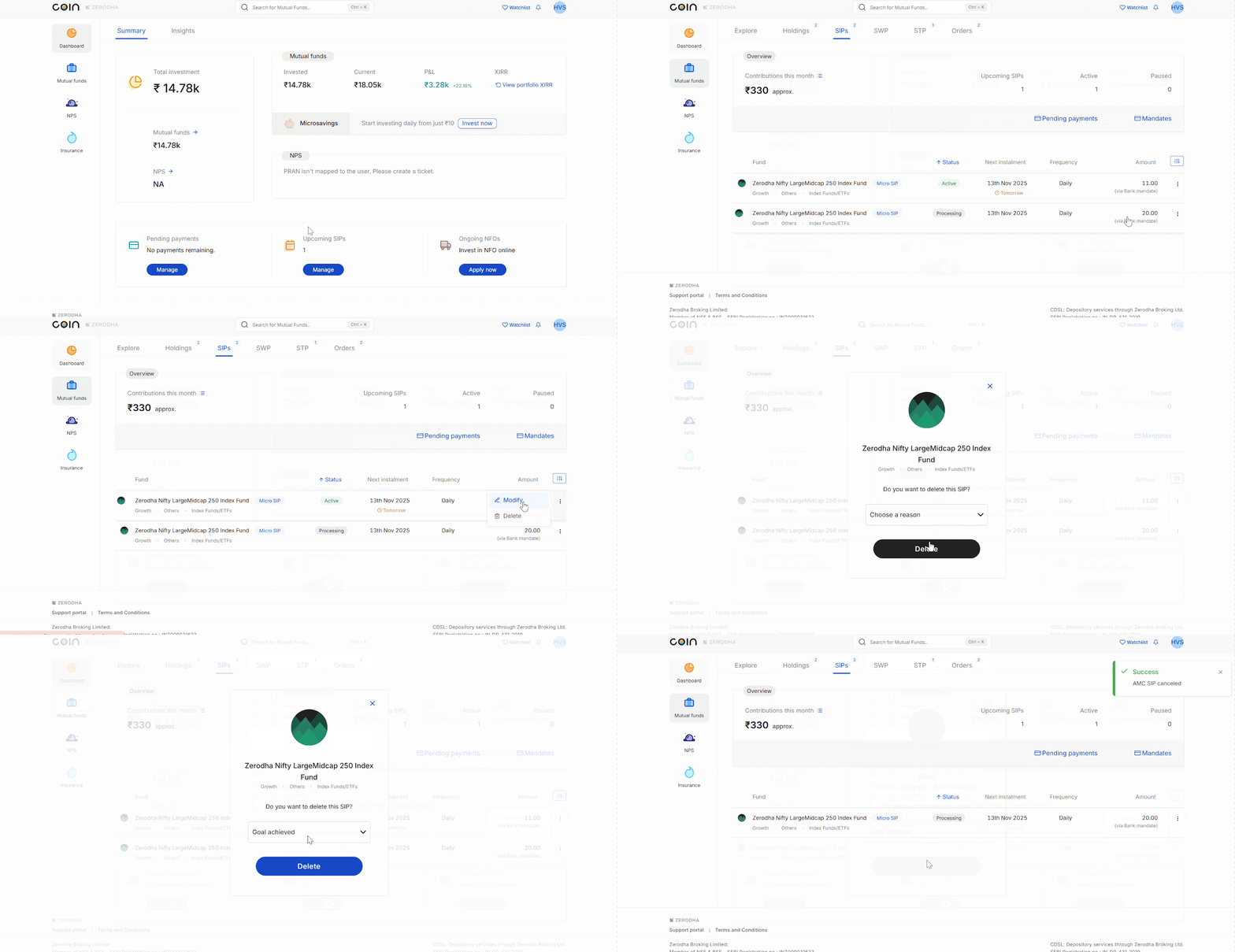
Managing your microsavings SIPs
You can track, modify, or delete your micro SIPs from the SIP section on Coin.