


A step-up SIP automatically increases your SIP amount by a predefined percentage each year. This feature helps scale your investments alongside your income. For example, if you start a SIP of ₹10,000 with a 10% step-up, your SIP amount will increase to ₹11,000 (10% of ₹10,000) in the second year and ₹12,100 (10% of ₹11,000) in the third year.
Calculate your estimated returns based on your planned step-up percentage using Zerodha's step-up SIP calculator.
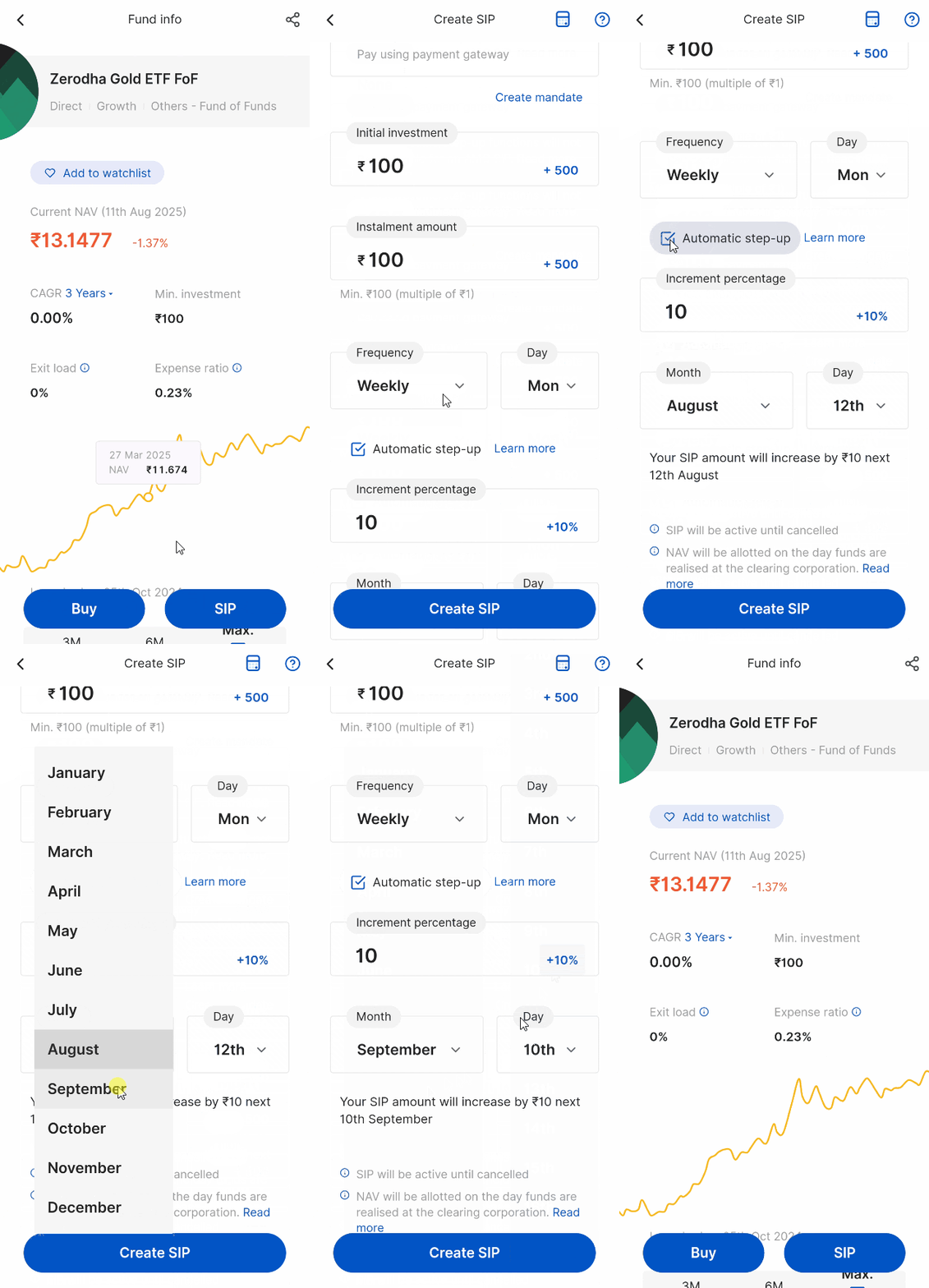
How to create a new step-up SIP on Coin app
- Select the mutual fund and tap on SIP.
-
Select a
mandate
(Optional).
-
Tap on the check box for
Automatic step-up.
- Enter the Increment percentage to select the percentage by which your SIP should increase.
- Select Month and Day.
- Tap on Create SIP.
-
Tap on
Create.
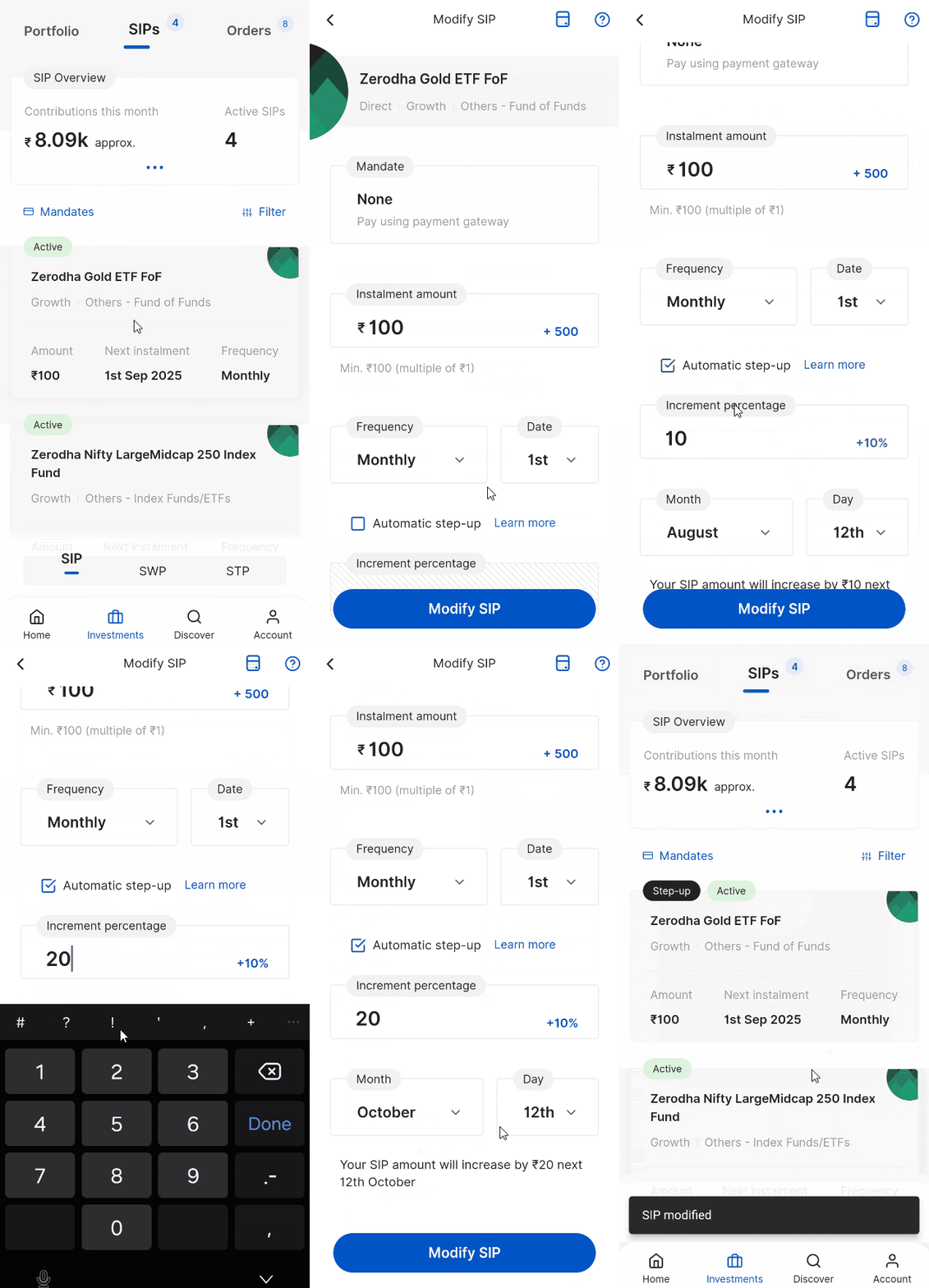
How to enable step-up on existing SIPs on Coin app
- Tap on Investments and then on SIPs.
- Tap on the fund and then on Modify.
- Enter the Increment percentage to select the percentage by which your SIP should increase.
- Select Month and Day.
- Tap on Modify SIP.
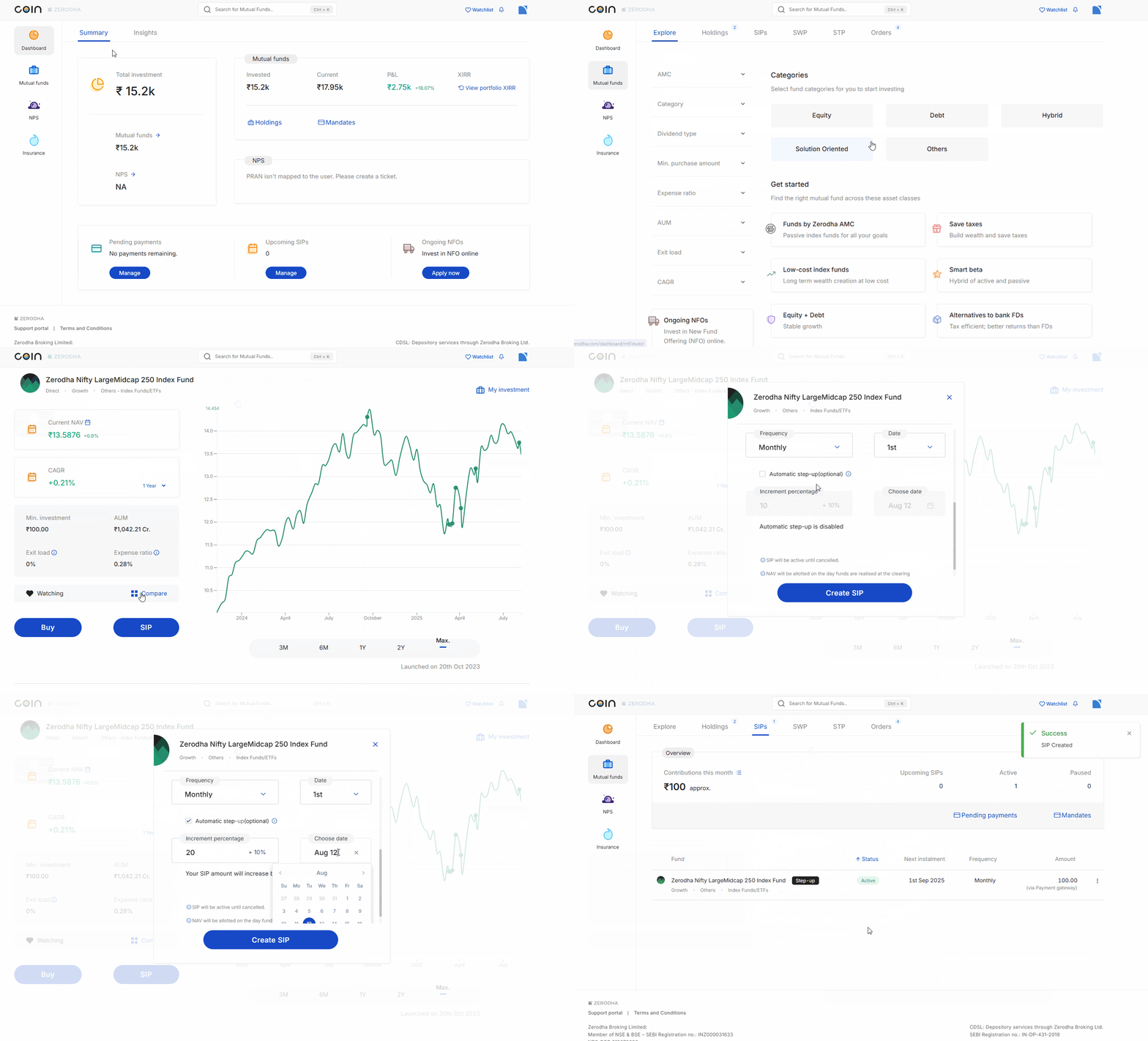
How to create a new step-up SIP on Coin web
- Log in to Coin.
- Select the mutual fund and click on SIP.
- Select a mandate (Optional).
- Click on the check box for Automatic step-up.
- Click on Increment percentage to select the percentage by which your SIP should increase.
- Select the date under Choose date.
- Click on Create SIP.
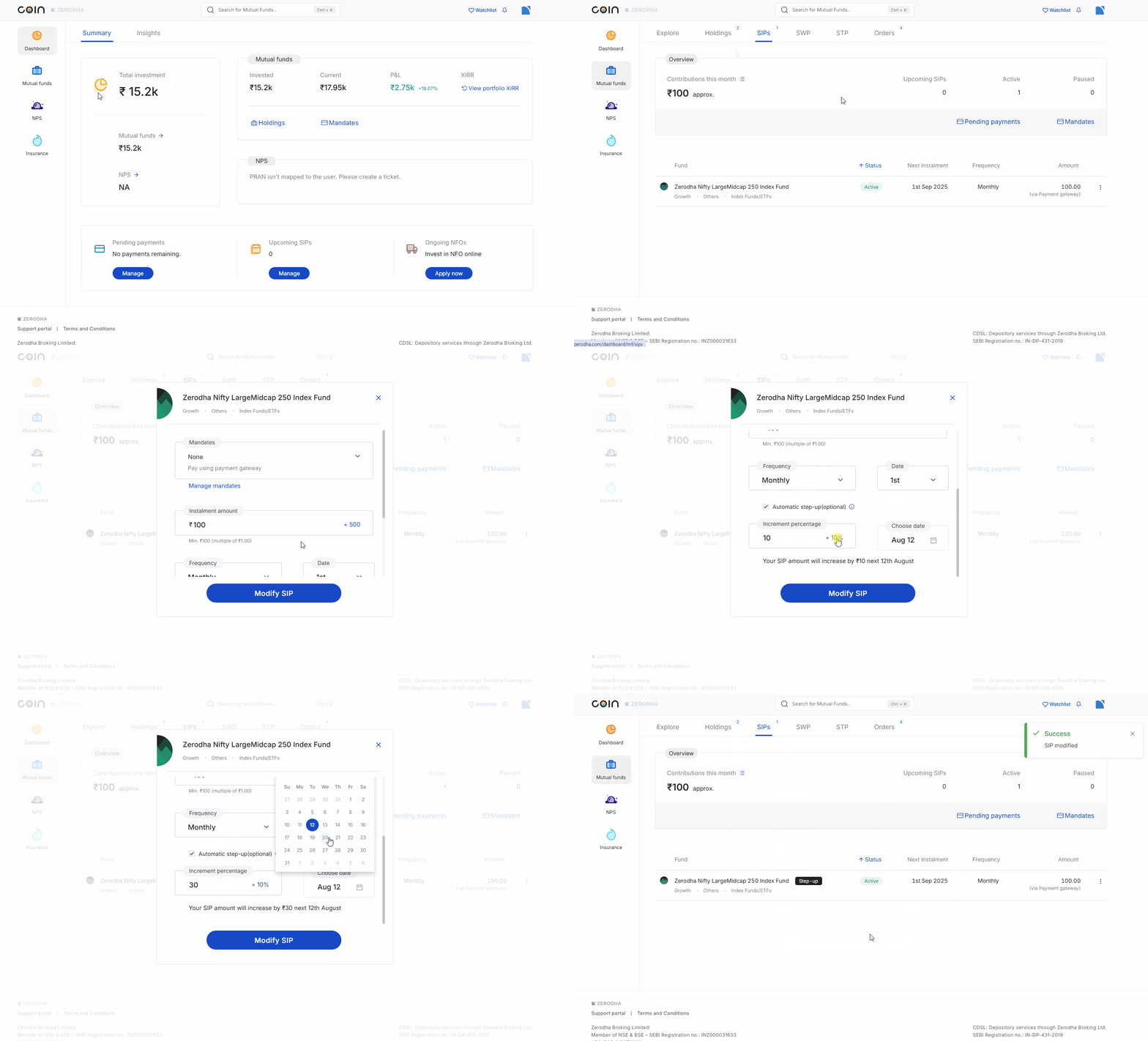
How to enable step-up on existing SIPs on Coin web
- Select the mutual fund scheme and click on Modify.
- Click on the check box for Automatic step-up.
- Click on Increment percentage to select the percentage by which the SIP should increase.
- Select the date from Choose date.
- Click on Update SIP and then on Confirm.
Things to keep in mind
- The step-up percentage multiple varies from scheme to scheme because each scheme has a unique additional purchase amount multiple.
- You will receive an email when your step-up SIP is triggered.
- You can select and unselect the automatic step-up option anytime while modifying a SIP.
- You cannot use funds in your Zerodha account for mutual fund investments. See How to complete payments for the purchase orders on Coin?
- If your step-up increment is lower than the fund's minimum investment multiple, the step-up will not be applied.
- You cannot create AMC SIP schemes as step-up SIPs because you cannot modify SIPs for these schemes.
- To ensure your SIP starts within the current month, you must set it up at least 2 days before your preferred execution date. For example, if you want your SIP to execute on the 5th of each month, you need to set it up on or before the 2nd of the current month. If you set up your SIP on the 3rd with an execution date of the 5th, it will start from the next month.