


You can invest in Fixed Deposits (FDs) directly through Coin by visiting fd.zerodha.com. Zerodha has partnered with Blostem to offer FDs from small finance banks with competitive interest rates.
Currently available banks:
- Suryoday Small Finance Bank
- Unity Small Finance Bank
- Utkarsh Small Finance Bank
- Shivalik Small Finance Bank
Steps to invest
Step 1: Access fixed deposits
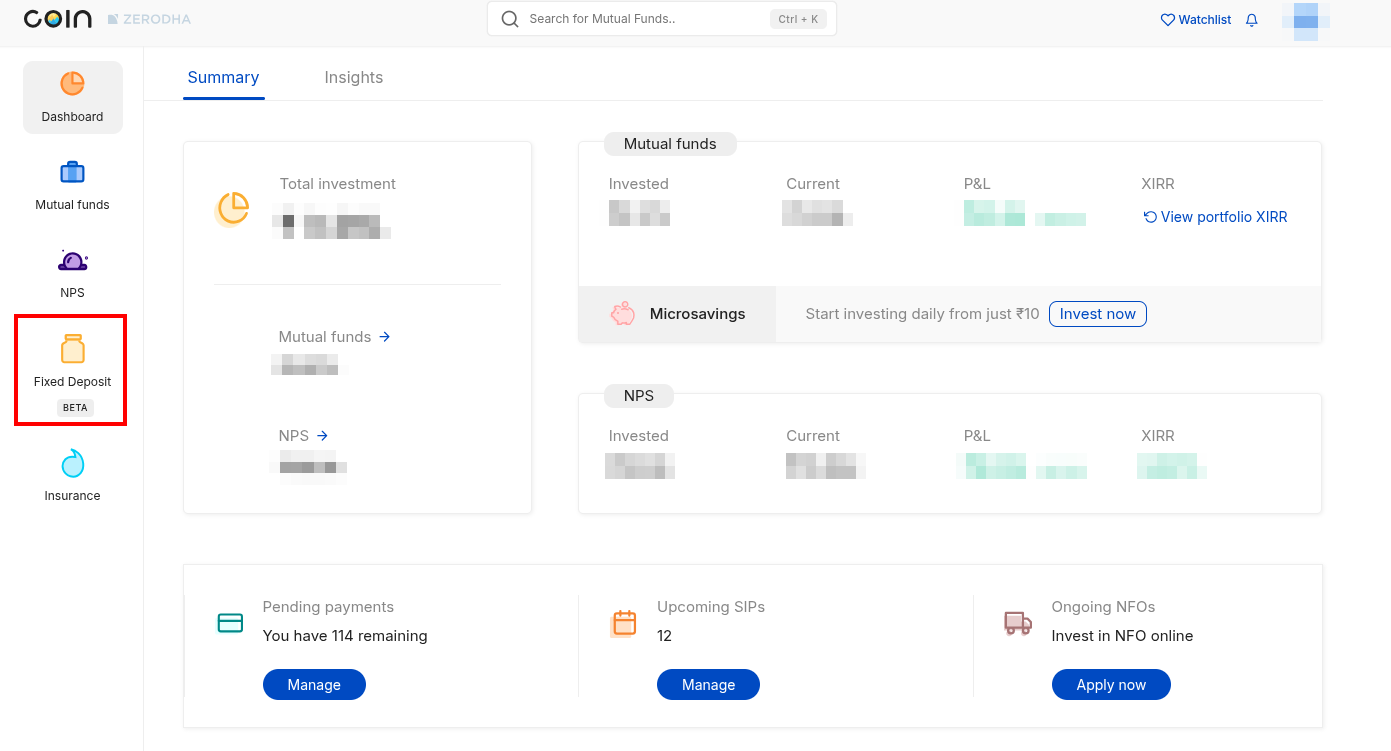
Log in using your Kite credentials. On your Coin dashboard, click on Fixed Deposit from the left menu, or visit fd.zerodha.com.
Step 2: Select your fixed deposit
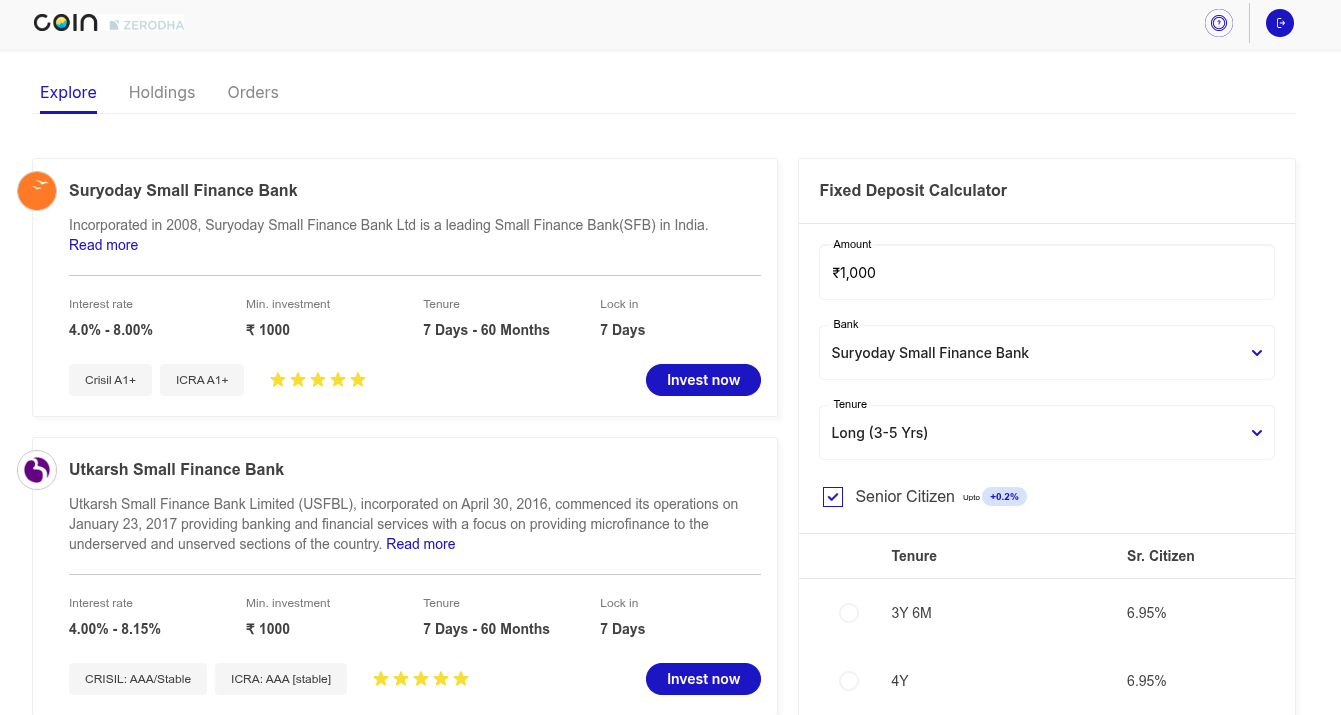
- Browse available banks and compare interest rates across different tenures.
- Use the FD calculator on the right panel to estimate returns.
- Select your preferred bank, tenure category (Short/Medium/Long), and specific tenure.
- Click on Invest Now.
Step 3: Enter investment details
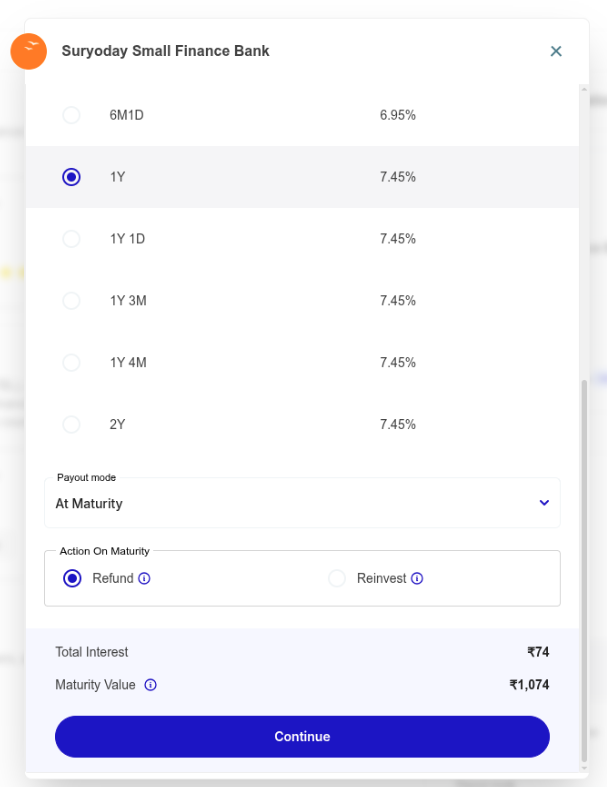
- Enter your investment amount (minimum ₹1,000).
- Select tenure, payout mode (At Maturity), and action on maturity (Refund or Reinvest).
- Review total interest and maturity value.
- Click on Continue.
Step 4: Complete bank OTP verification
- Enter your mobile number.
- Enter the OTP you received from the bank.
- Consent to share your KYC details with the bank.
Step 5: Complete KYC
You need to complete KYC separately for each bank as a one-time regulatory requirement.
- PAN verification: Enter your PAN and confirm your identity and declarations (tax residency, PEP status).
- Aadhaar verification: Enter your Aadhaar or VID number and verify via OTP sent to your Aadhaar-linked mobile number.
- Address confirmation: Confirm whether your current address matches your permanent address (fetched from Aadhaar).
- Personal information: Provide father's name, mother's name, annual income bracket, occupation type, and marital status.
- Nominee details: Add your nominee's name, relation, date of birth, email and mobile number, or skip this step and add details later.
Step 6: Add your bank account
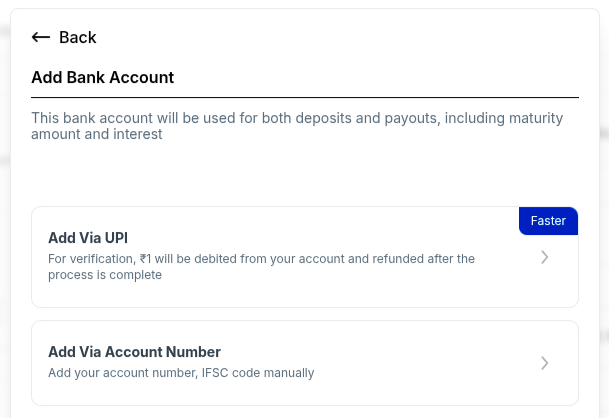
Choose your verification method:
- Via UPI (faster): Scan the QR code and pay ₹1 (refunded). The system automatically fetches your account details.
- Via account number: Enter your account number and IFSC code manually.
Confirm your bank account details and select this as your primary account for deposits and maturity payouts.
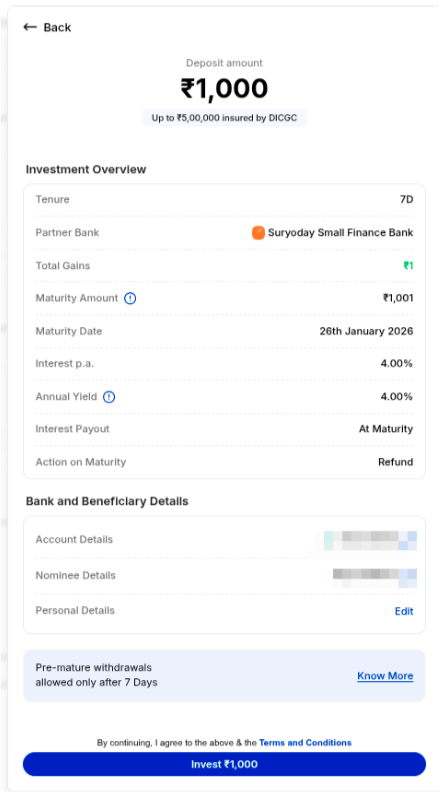
Step 7: Review and invest
Review your investment overview (deposit amount, tenure, partner bank, total gains, maturity amount, maturity date, interest rate, annual yield, payout mode, bank, and beneficiary details) and click on Invest ₹X,XXX.
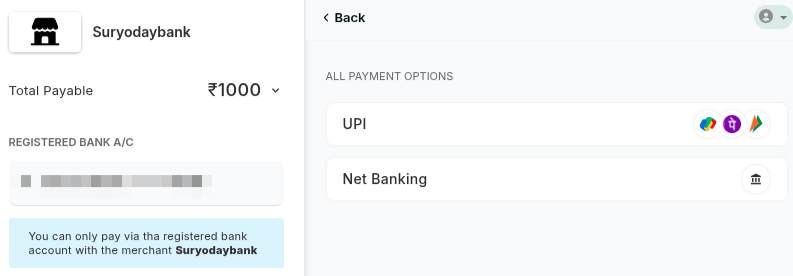
Step 8: Complete payment
Pay via UPI or net banking from your registered bank account only.
Step 9: Complete video KYC
Complete video KYC within 3 days after payment for FD booking confirmation. Keep your PAN handy during video KYC. If you do not complete video KYC within 3 days, the system automatically refunds your money.
Step 10: Receive confirmation
You will receive confirmation of your successful FD booking on WhatsApp.
Investing again with the same bank
Once you complete your first FD with a bank, subsequent investments follow a shorter process:
- Select amount, tenure, payout mode, and action on maturity, then click on Continue.
- Select your existing nominee and click on Proceed.
- Review your investment overview and click on Invest.
- Complete payment via UPI or net banking.
- Complete video KYC again.
You can view all your active FDs with maturity dates and interest details in the Holdings section.
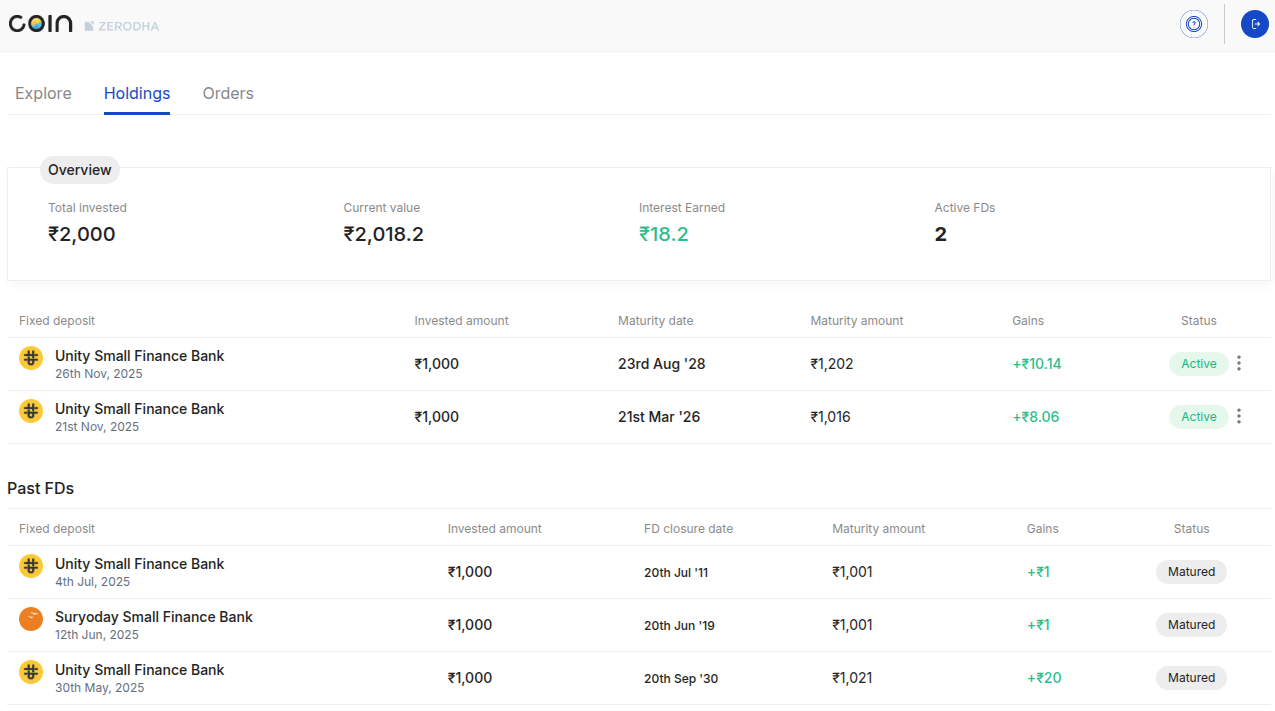
You can track the status of your FD investments and the payment status in the Orders section.
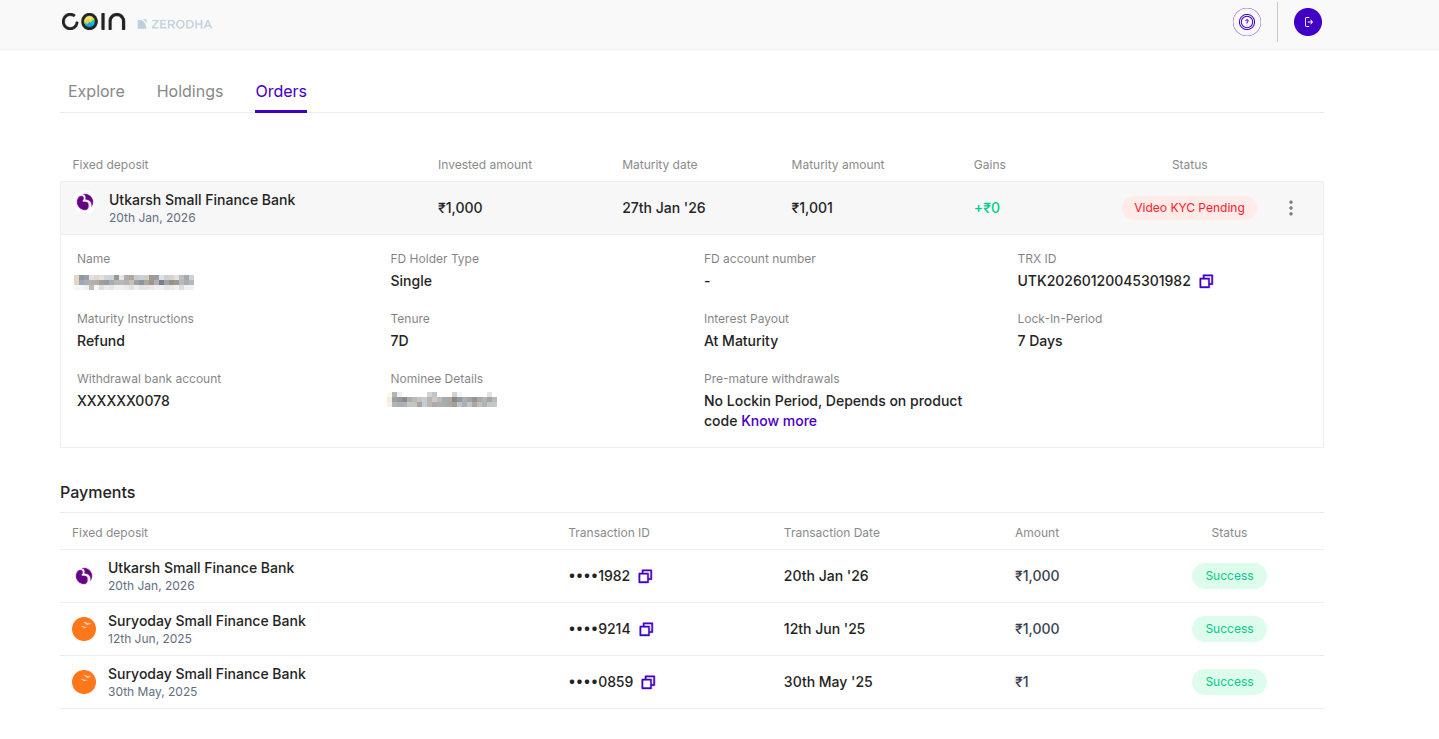
You can learn more about FDs on Coin by visiting FAQs for Fixed Deposits (FDs).