


You can make SIP payments through both the Coin app and Coin web platform by visiting the pending payments page, which displays all SIP orders awaiting payment completion.
Complete SIP payments on Coin app
To make SIP payments on the Coin app:
- Tap on Account.
- Tap on Payments.
- Tap on Pending from the dropdown.
- Tap on Pay now from the list of pending payments or tap on Bulk pay to pay for all pending payments at once.
- Check the details and select your payment mode.
- Tap on Continue.
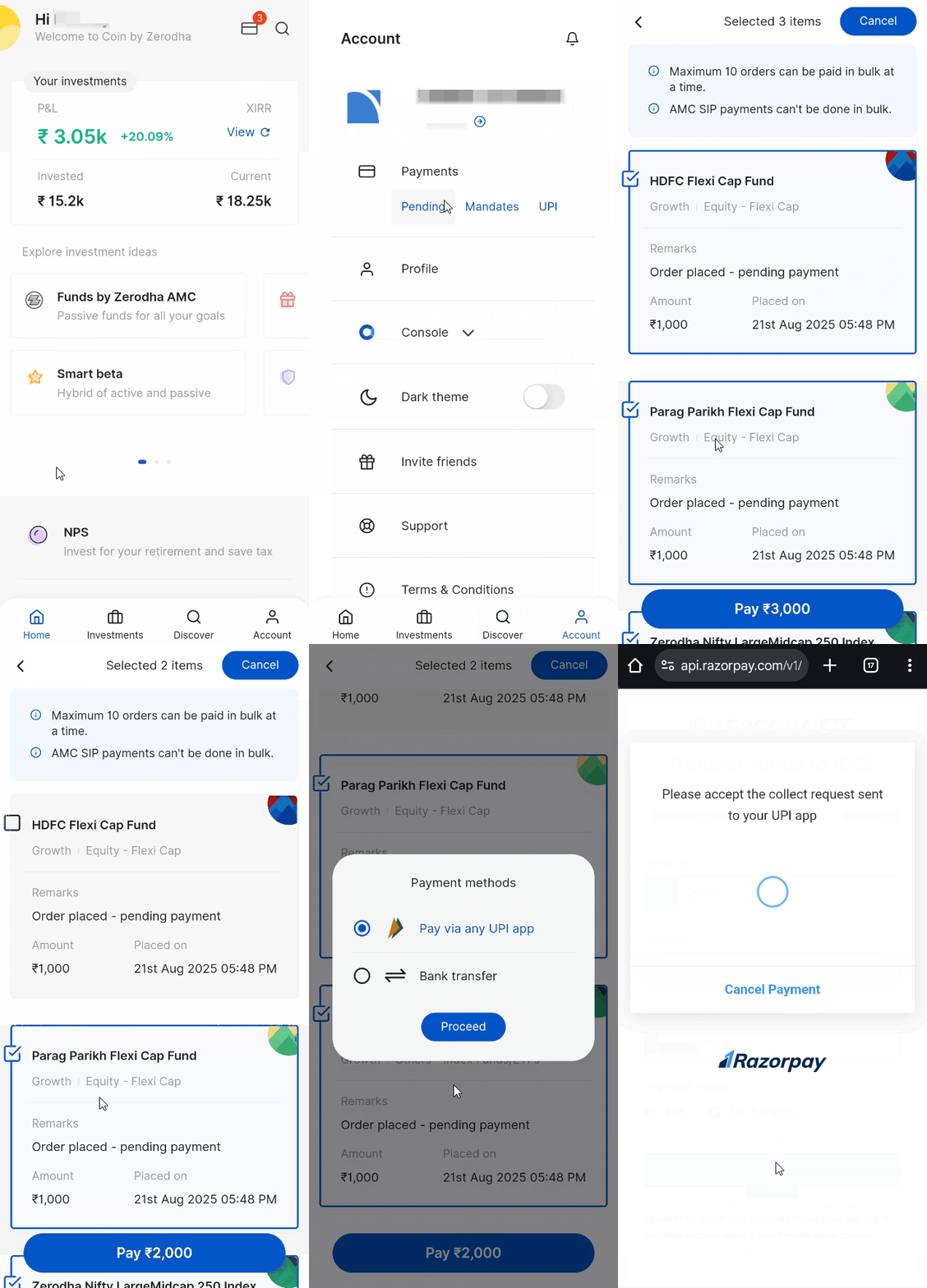
You will receive a confirmation email to your registered email address once you place the order successfully.
Complete SIP payments on Coin web
To make SIP payments on Coin web:
- Click on Account .
- Click on Pending .
- Click on Pay now for individual payments or Bulk pay to pay for up to 10 orders per transaction.
- Click on Confirm and complete the payment.
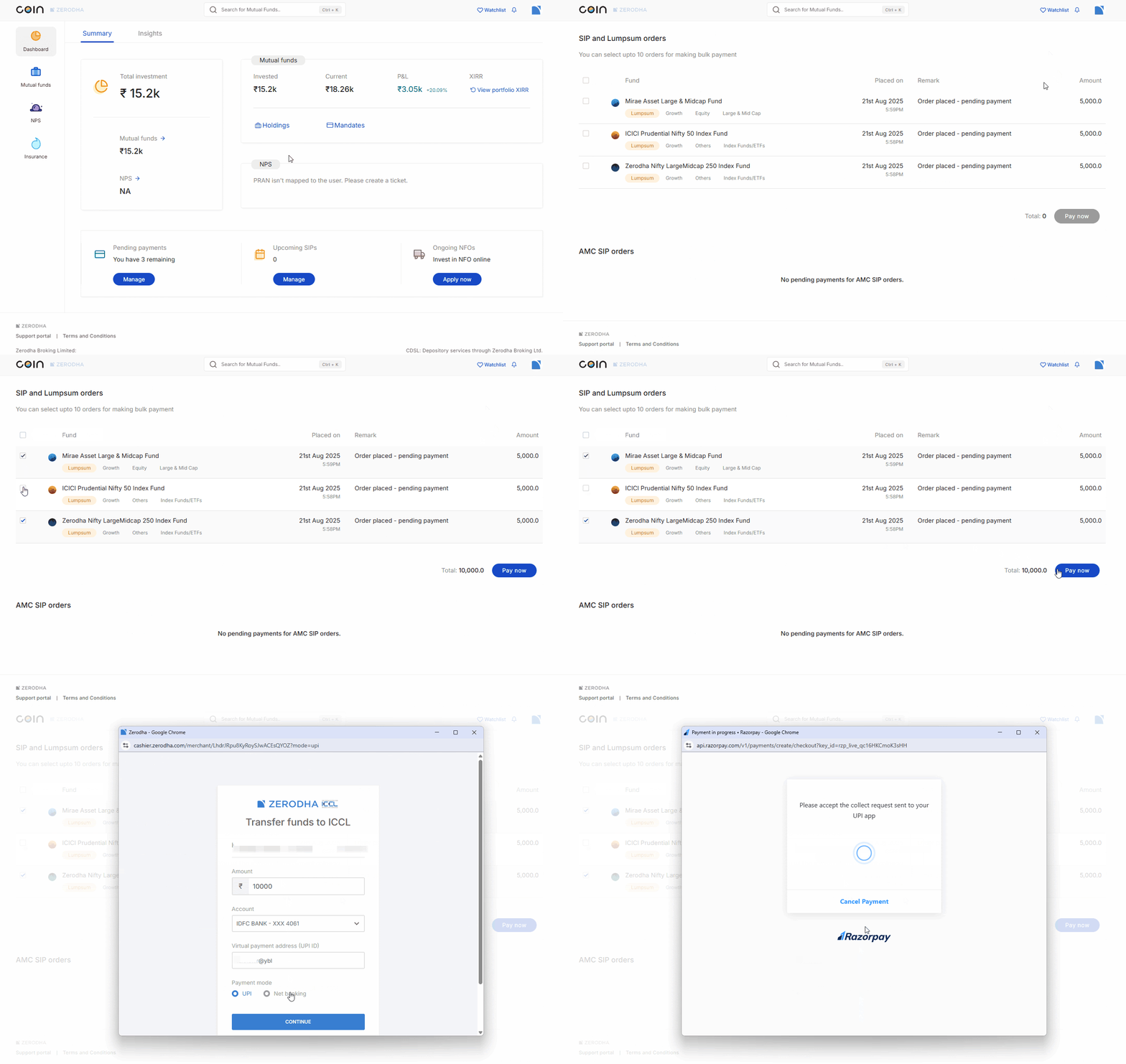
You can make bulk payments only for Coin SIP and lumpsum orders, not AMC SIPs. You must pay for AMC SIPs individually by clicking Pay now.
You will receive an email notification once your payment is successful.
You can check the status of your order from the order history section. For more information about transferring funds for pending purchase orders, see How to transfer funds for pending purchase orders on Coin?
Things to keep in mind
- Zerodha SIPs trigger on T day at 1:30 AM, and you can modify them only before this time. AMC SIPs trigger on T day at 3:15 AM and cannot be modified.
- Zerodha SIP and lumpsum orders delete automatically on T+4 calendar day if you do not complete the payment. AMC SIP and NEFT orders delete automatically on T+5 business day if you do not complete the payment.
- To ensure your SIP starts within the current month, you must set it up at least 2 days before your preferred execution date. For example, if you want your SIP to execute on the 5th of each month, you need to set it up on or before the 2nd of the current month. If you set up your SIP on the 3rd with an execution date of the 5th, it will start from the next month.
- You can add funds for mutual fund purchases using your primary or secondary bank accounts linked to Zerodha. The amount from mutual fund redemptions is credited only to your primary bank account.
-
You need an active mandate to create a new AMC SIP or modify an existing one. Any AMC SIPs you created without a mandate continue to trigger orders normally. You can
modify existing AMC SIPs to link a mandate,
or
complete payments for triggered orders
manually on Coin.