


A UPI autopay is a payment mechanism to automatically make payments for
SIPs
from the bank account, similar to a bank mandate.
Creating a UPI autopay
Coin app
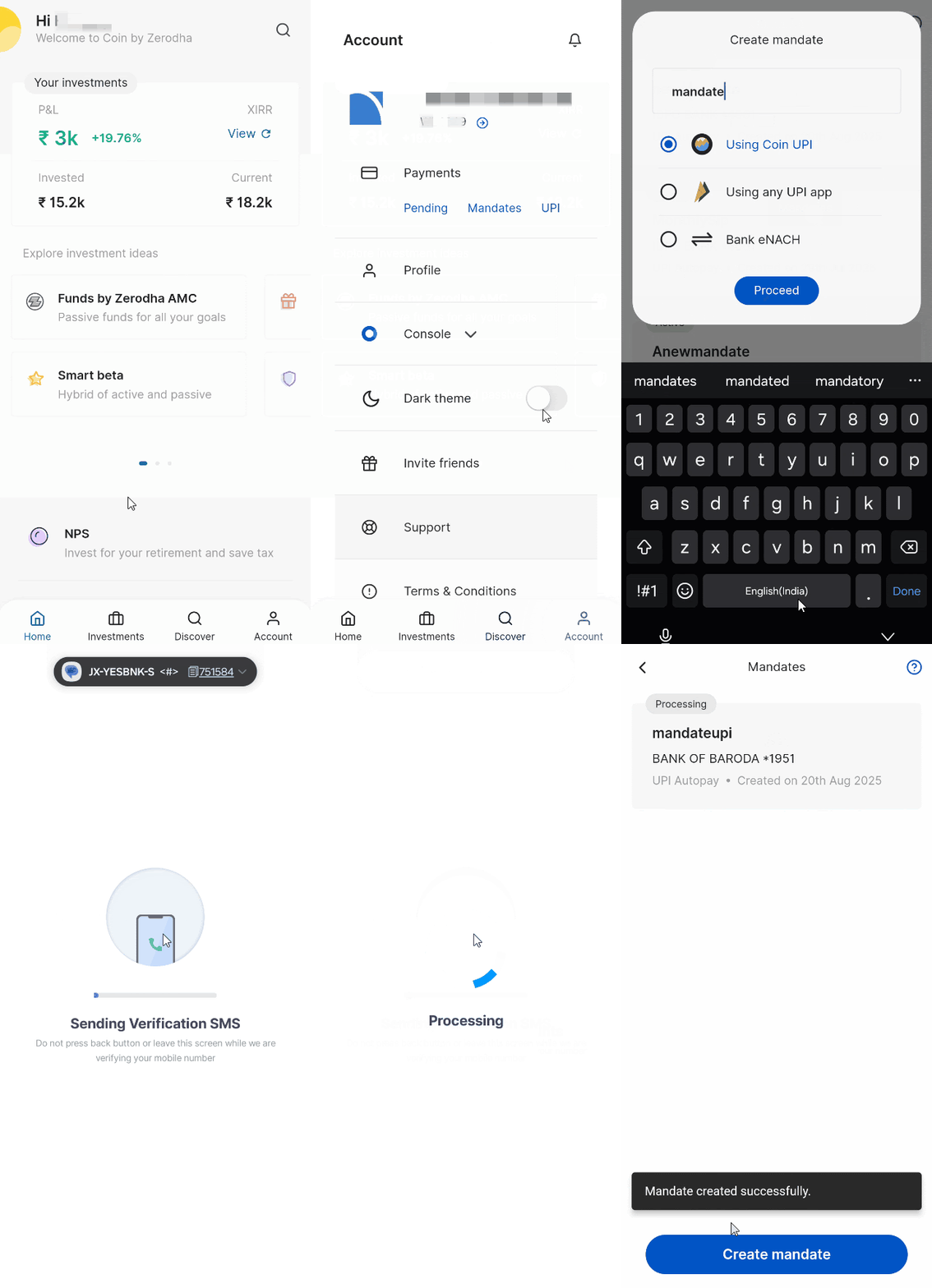
To create a new mandate on the Coin app:
- Tap on Account.
- Tap on Mandates.
- Tap on Create mandate.
- Enter the name of the mandate, select the method and tap on Proceed.
- If you have selected UPI, tap on Confirm Autopay and Pay ₹1 and enter your UPI PIN.
Coin web
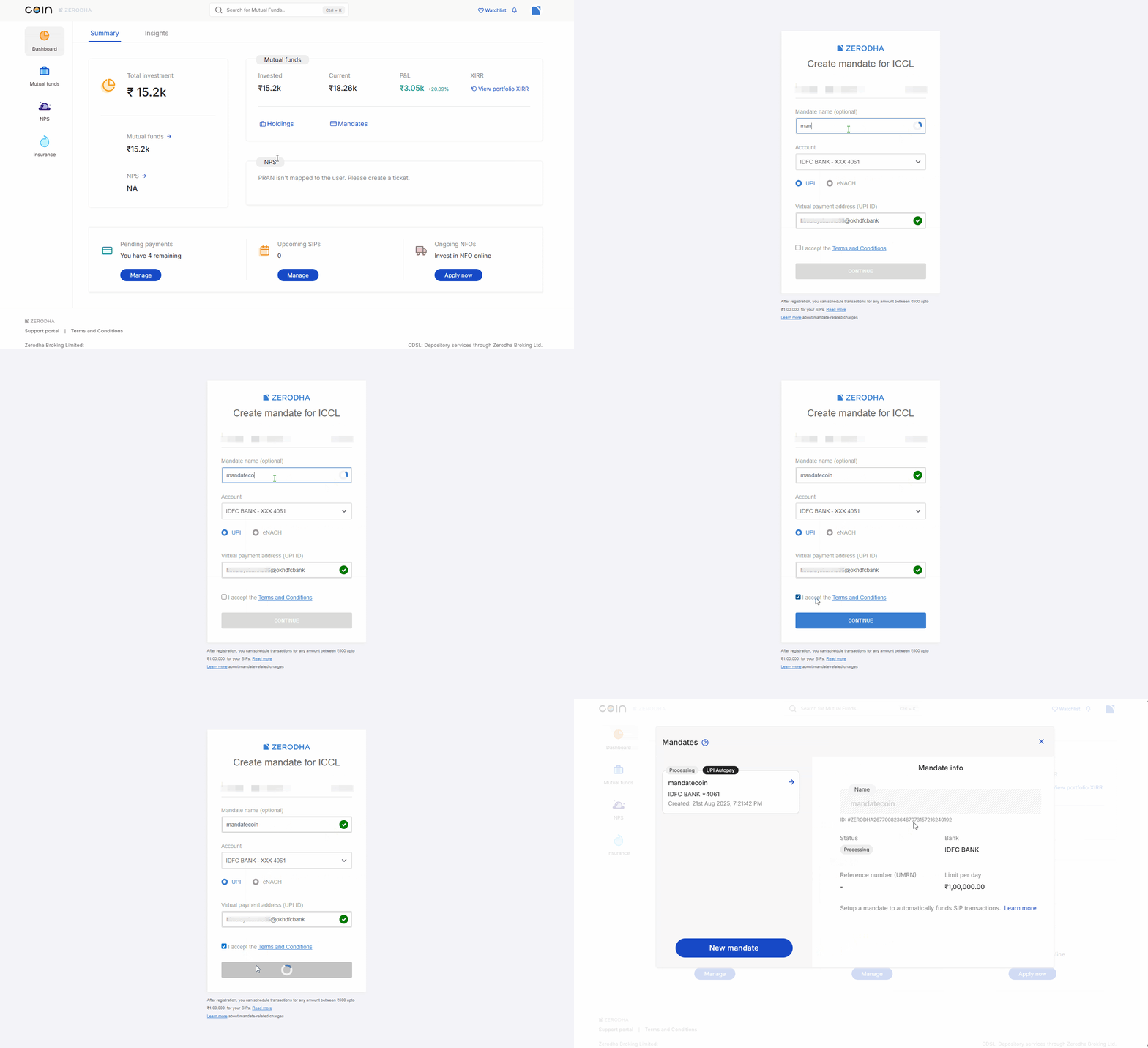
To create a new mandate on Coin web:
- Login to Coin.
- Click on profile.
- Click on Mandates.
- Click on Create a Mandate.
- Enter a mandate name if you wish to.
- Enter the UPI ID and accept the terms and conditions.
- Click on Continue.
- Accept the mandate authorisation request on the UPI app.
The UPI autopay is set up immediately unlike regular bank mandates that can take upto 72 working hours. Once the UPI autopay request is authorised on the UPI app, ₹1 is debited from the bank account and will be credited back in T+4 working days.
Linking a mandate to an existing SIP
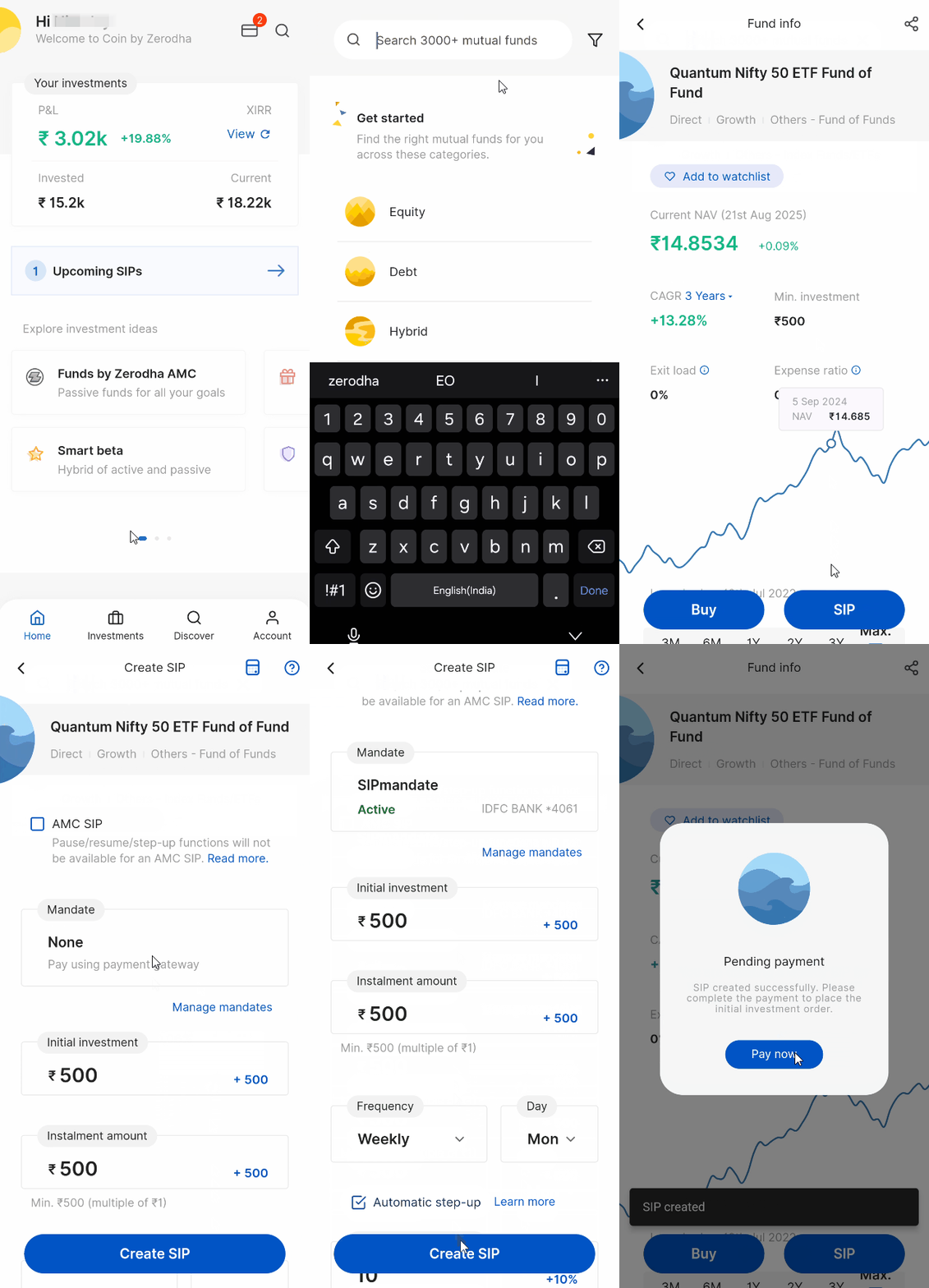
On Coin app
- Tap on Investments.
- Tap on SIPs.
- Select the SIP and tap on Modify.
- Tap on Mandate and select your mandate from the dropdown.
- Tap on Modify and then again on Modify.
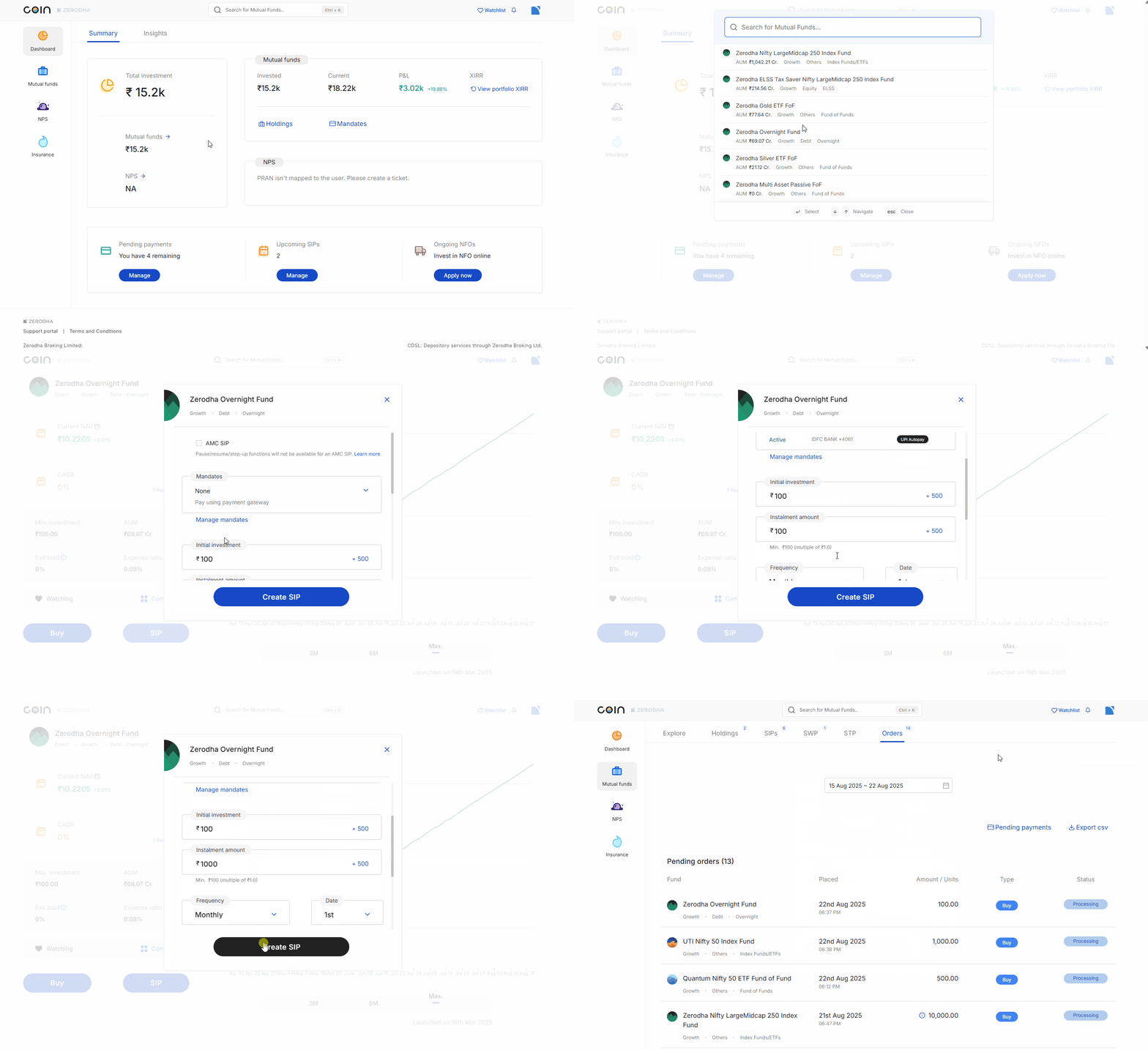
On Coin web
- Click on SIPs.
- Click on Options and then on Modify.
- Click on the dropdown under Mandates and select your mandate.
- Click on Modify SIP and then on Confirm.
You can unlink the mandate only from a Coin SIP by following the same steps and selecting None in the mandates section. You cannot unlink a mandate from an AMC SIP.
Things to keep in mind
- Maximum daily limit for UPI autopay is ₹1 lakh per day, including UPI transaction limits
-
You cannot link UPI autopay if the SIP due date is on T+1 day
- You can create UPI autopay using primary and secondary bank accounts
- Current bank accounts cannot be used to create UPI autopay
- You cannot modify or delete a SIP linked to UPI autopay two days prior to the next instalment date
- A single SIP cannot be linked to multiple mandates, but multiple SIPs can be linked to a single mandate
- SIPs will not be retried if UPI autopay payment fails
- UPI autopay is not available for NRIs and non-individual account holders (HUFs, corporates, partnerships, LLPs, etc.)
- You cannot create UPI autopay using cheques or physical mandate forms
-
You need an active mandate to create a new AMC SIP or modify an existing one. Any AMC SIPs you created without a mandate continue to trigger orders normally. You can
modify existing AMC SIPs to link a mandate,
or
complete payments for triggered orders
manually on Coin.
- To ensure your SIP starts within the current month, you must set it up at least 2 days prior to your preferred execution date. For example, if you want your SIP to execute on the 5th of each month, you need to set it up on or before the 2nd of the current month. If you set up the SIP on the 3rd with an execution date of the 5th, it will start from the next month