You can place a lump sum order on Coin through the app or web.
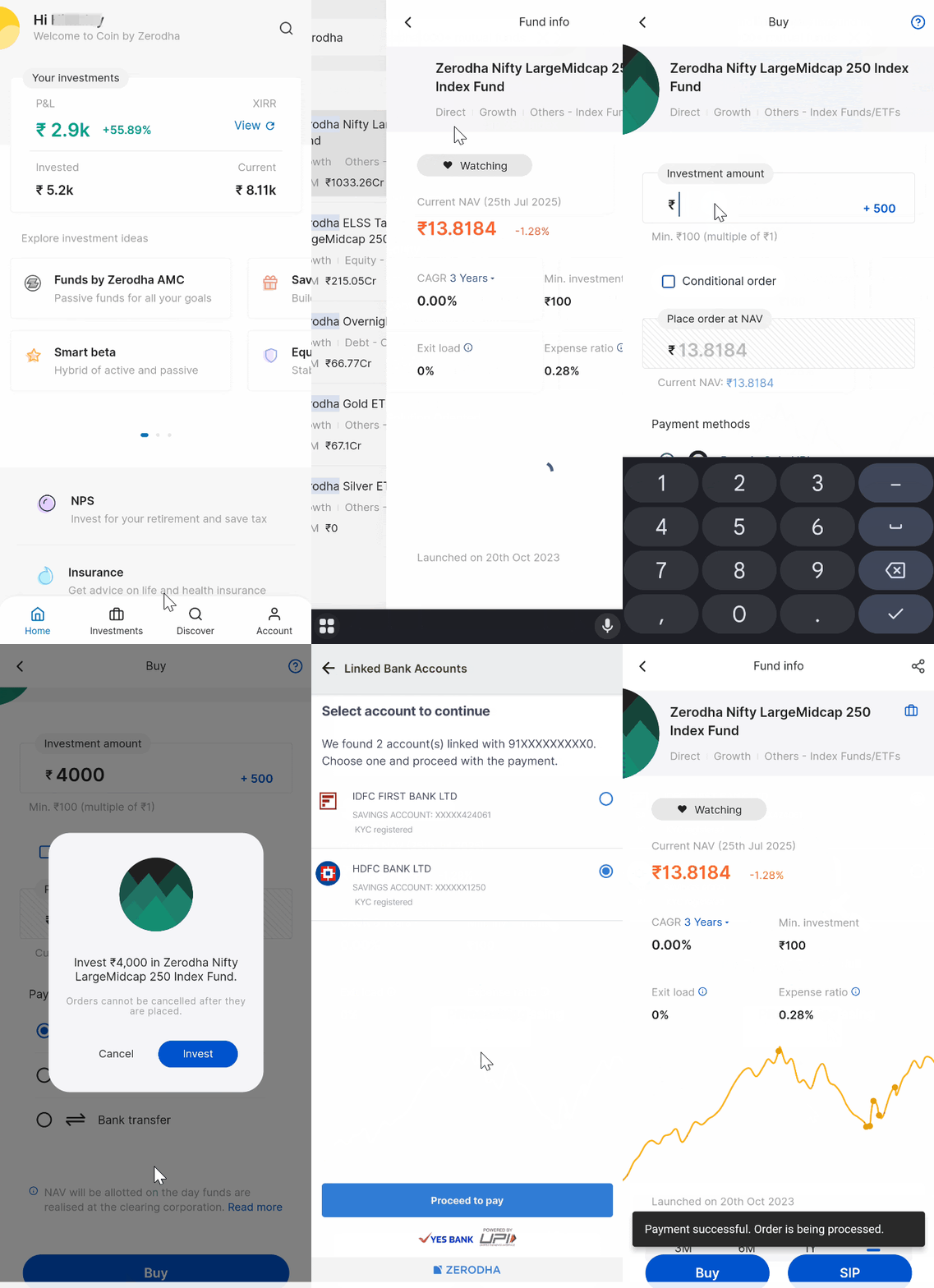
On the Coin app
- Search for the fund and tap on Buy.
- Enter your investment amount.
- Select your payment mode.
- Tap on Buy and then on Invest.
- Tap on Pay now and complete your payment.
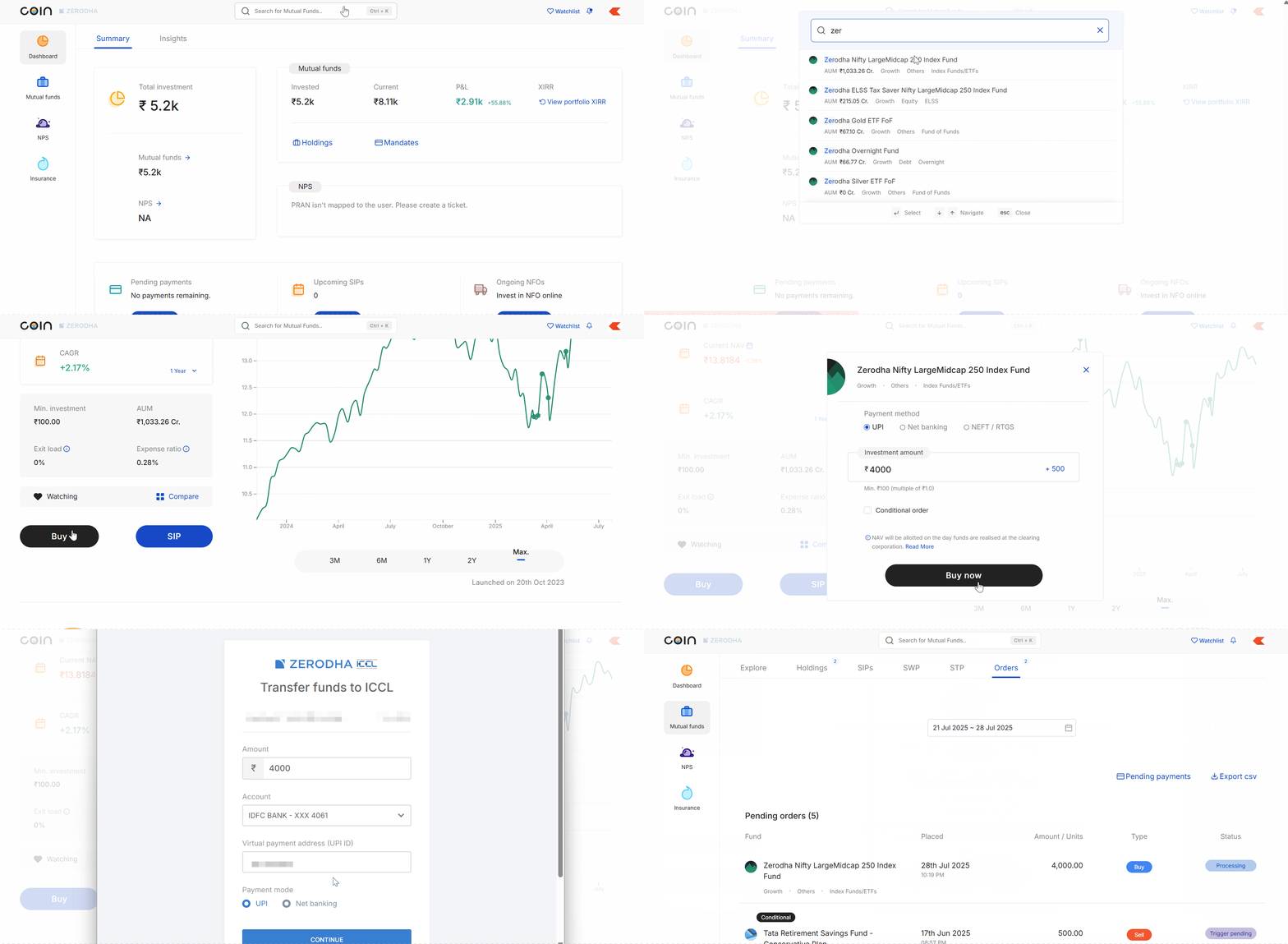
On Coin web
- Search for the fund and click on Buy.
- Select the payment method.
- Enter your investment amount.
- Click on Buy now and then on Confirm.
- Click on Pay now and complete your payment.
You can check your order status from the order history. You will receive a confirmation email to your registered email ID once you successfully place your order.
Payment and order details
- Add funds for mutual fund purchases through either your primary or secondary bank accounts linked with Zerodha. However, Zerodha credits redemption amounts only to your primary bank account.
-
You can cancel your orders directly for both buy and sell transactions. For redemption orders, you can cancel until the exchange reports them to the
RTA (Registrar and Transfer Agent).
The exchange can report redemption orders earlier than 3 PM. If an order has already been reported to the RTA and cannot be cancelled, an error will be displayed on the
Coin.
For buy orders, you can cancel after payment, but only for a limited time before the system processes your order. If the payment is completed for the order, you will receive the refund in your bank account within 5 working days.
- If you do not complete payment, Zerodha will automatically delete SIP and lump sum orders on the T+4 calendar day. Similarly, Zerodha will automatically delete AMC SIP and NEFT orders on the T+5 business day.
Order tracking
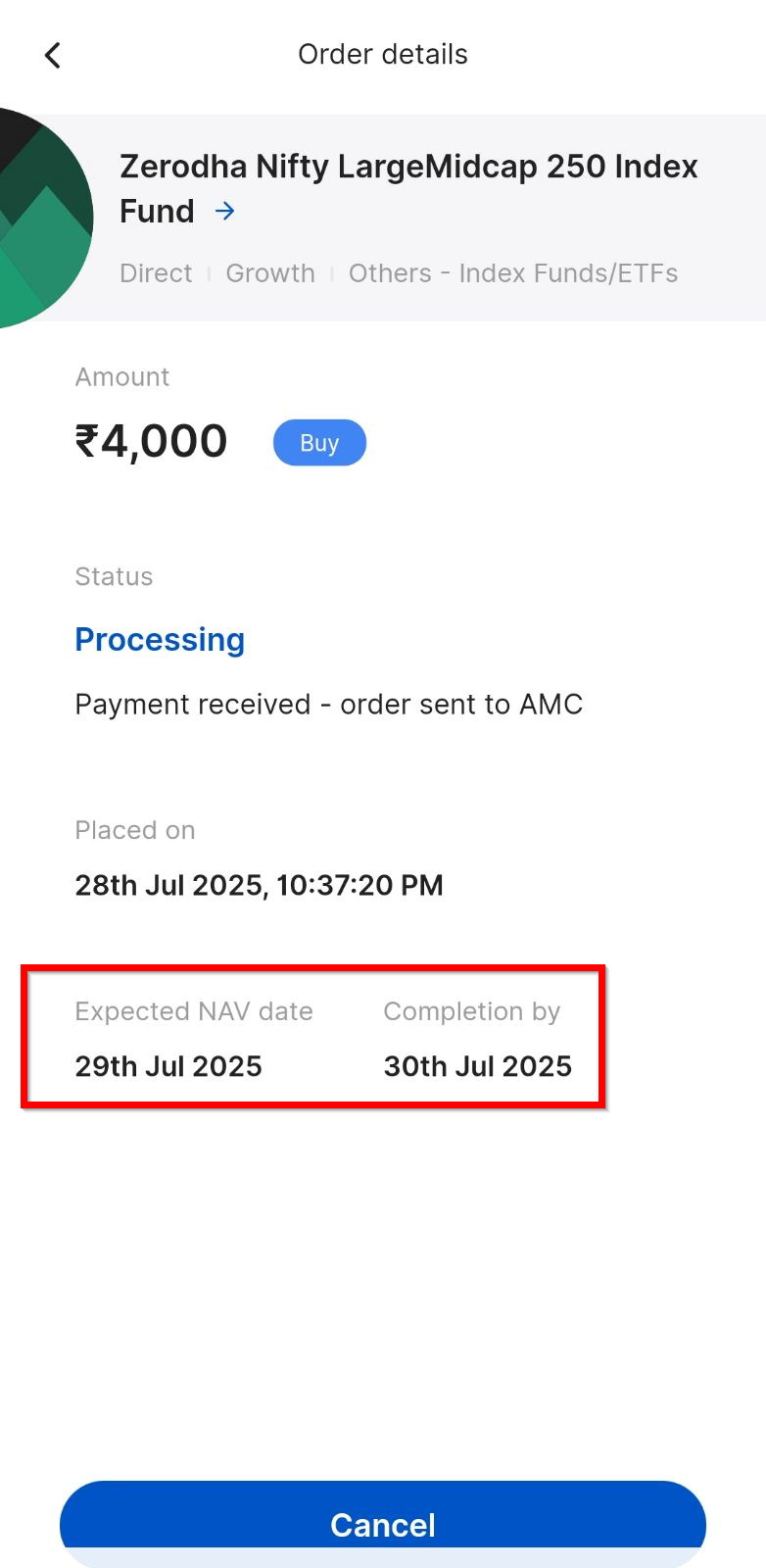
- View expected NAV dates and completion times for your purchase orders in the app. This information displays for all orders except NEFT and NFO orders.
- For redemption orders, view the expected NAV date and credit date for your funds.