


You can track your mutual fund portfolio on the Coin app by viewing your investments and accessing detailed information about each scheme.
View your portfolio
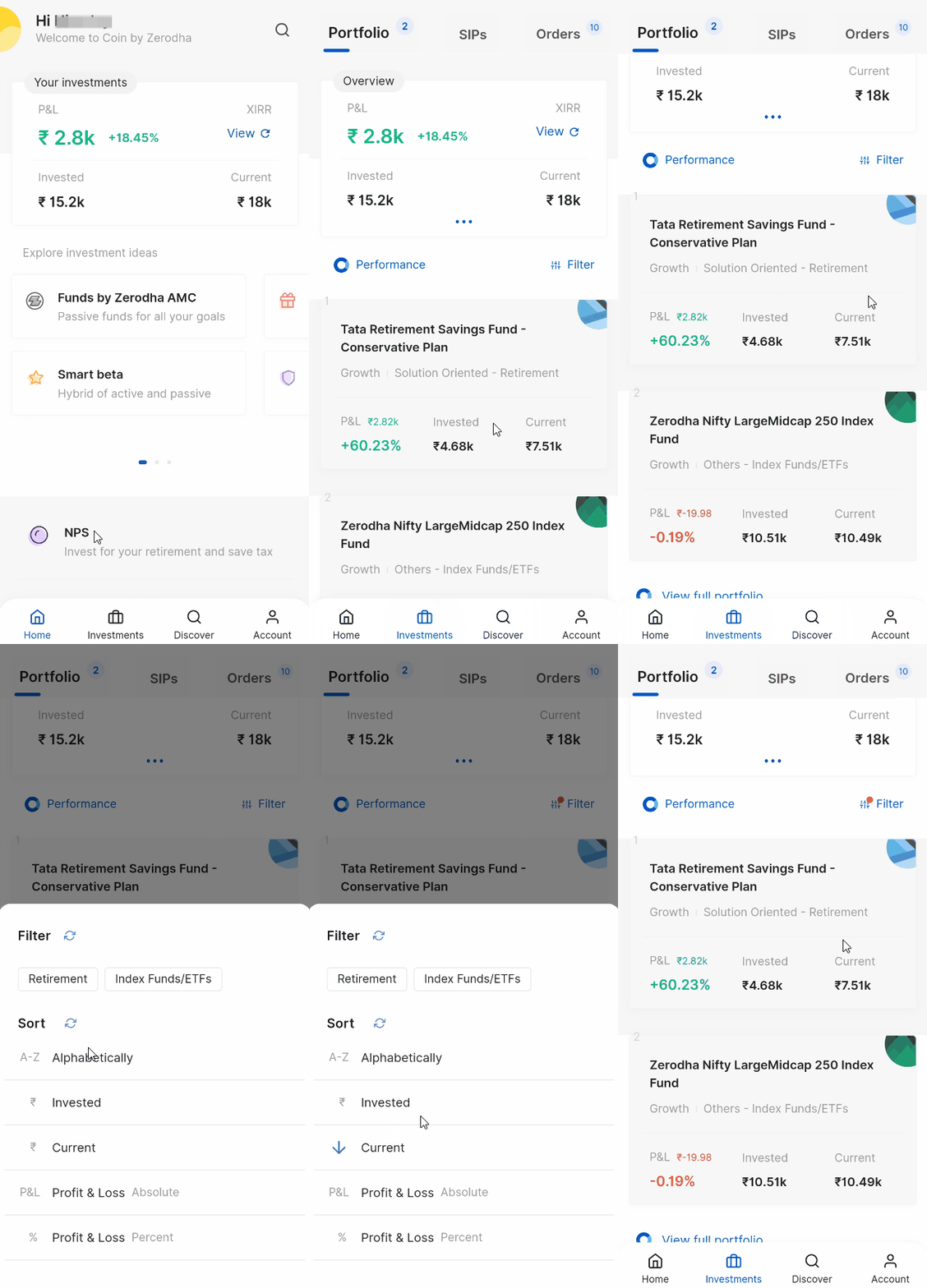
- Tap on Investments.
- Tap on Sort to organise your portfolio by Name, Invested amount, Current amount, P&L, P&L %, or Scheme type.
Check individual fund details
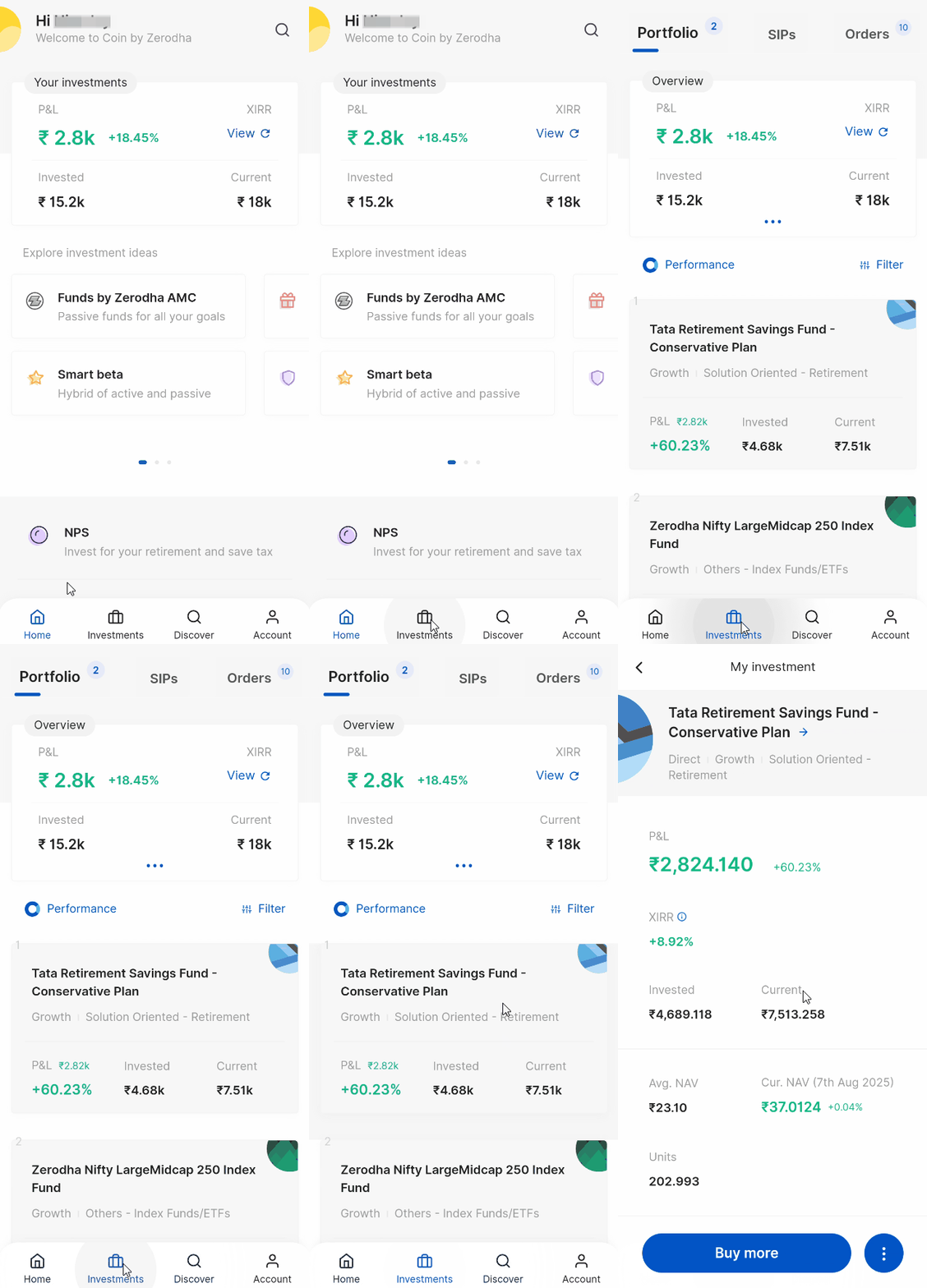
When you tap on a mutual fund, you can view:
- P&L: Your profit and loss in amount and percentage
- XIRR: The rate of return over a multi-year period
- Invested amount: Total amount you have invested
- Current amount: Present value of your investment
- Avg. NAV: Average Net Asset Value if you have made multiple investments in the same fund
- Units held: Number of units you own
- Cur. NAV: Current Net Asset Value per unit
- Folio No.: Your folio number
View transaction history
To see detailed transaction information:
- Tap on the context menu button.
- Tap on Transaction history.

Your transaction history displays:
- Total units : Number of units you hold in the mutual fund scheme
- Locked units : Units that cannot be redeemed for a specific period
- Free units : Units available for redemption
- Date : Fund allotment date
- Days : Duration of your holding period
- Amount : Investment amount
- NAV : Net Asset Value at the time of investment
- Units : Number of units allocated
- P&L : Profit and loss in monetary terms
This comprehensive view helps you monitor your mutual fund performance and make informed investment decisions.