


Zerodha has added an additional layer of order validation that rejects your order if it does not qualify for certain rules. This is done to enhance order processing speed on Kite. You cannot find such orders in the order book as Zerodha rejects them before they are sent to the exchanges. However, you can see the rejection reason in the order status notification.
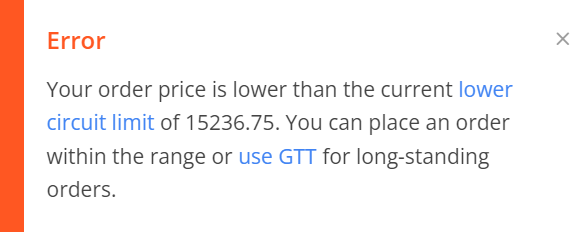
The orders are validated for the following rules:
- Freeze Quantity: Validates F&O orders which are higher than freeze quantity.
- Intraday orders: Validates intraday orders for stocks on NSE and BSE, which are not allowed for MIS/CO. The instruments allowed for intraday can be found on this list. (DOC).
- Trigger Price: Validates orders with trigger prices lower than LTP for buy orders and higher than LTP for sell orders.
- Market orders for Stock options: Blocks market orders for stock options due to illiquidity.
- AMO orders: Blocks AMO orders placed between 9:00 AM and 4:00 PM for EQ and CDS, 9:10 AM and 3:45 PM for FO.
- MCX far month contracts: Blocks far month MCX contracts that are blocked due to illiquidity.
- Orders placed beyond circuit limits: Blocks orders placed beyond circuit limits and price bands.
- Order quantity greater than 1,00,000 shares: Blocks orders placed with a quantity greater than 1,00,000.
- Market order using AMO for Index options: Blocks market orders in index options using AMO. You can place limit orders.
- Stocks in exchanges' watchlist for unsolicited SMS tips: Buy orders are blocked in stocks that are in the exchanges' watchlist for unsolicited SMS tips circulation. Visit nseindia.com/regulations/unsolicited-messages-report to view NSE’s watchlist.
- Order placed outside the allowed range: If the order is placed outside the allowed range for index options.
- Ban period: If the order is placed for the instruments that are under the ban period.
- Far away strike price: If the order is placed outside the theoretical price of the contracts.