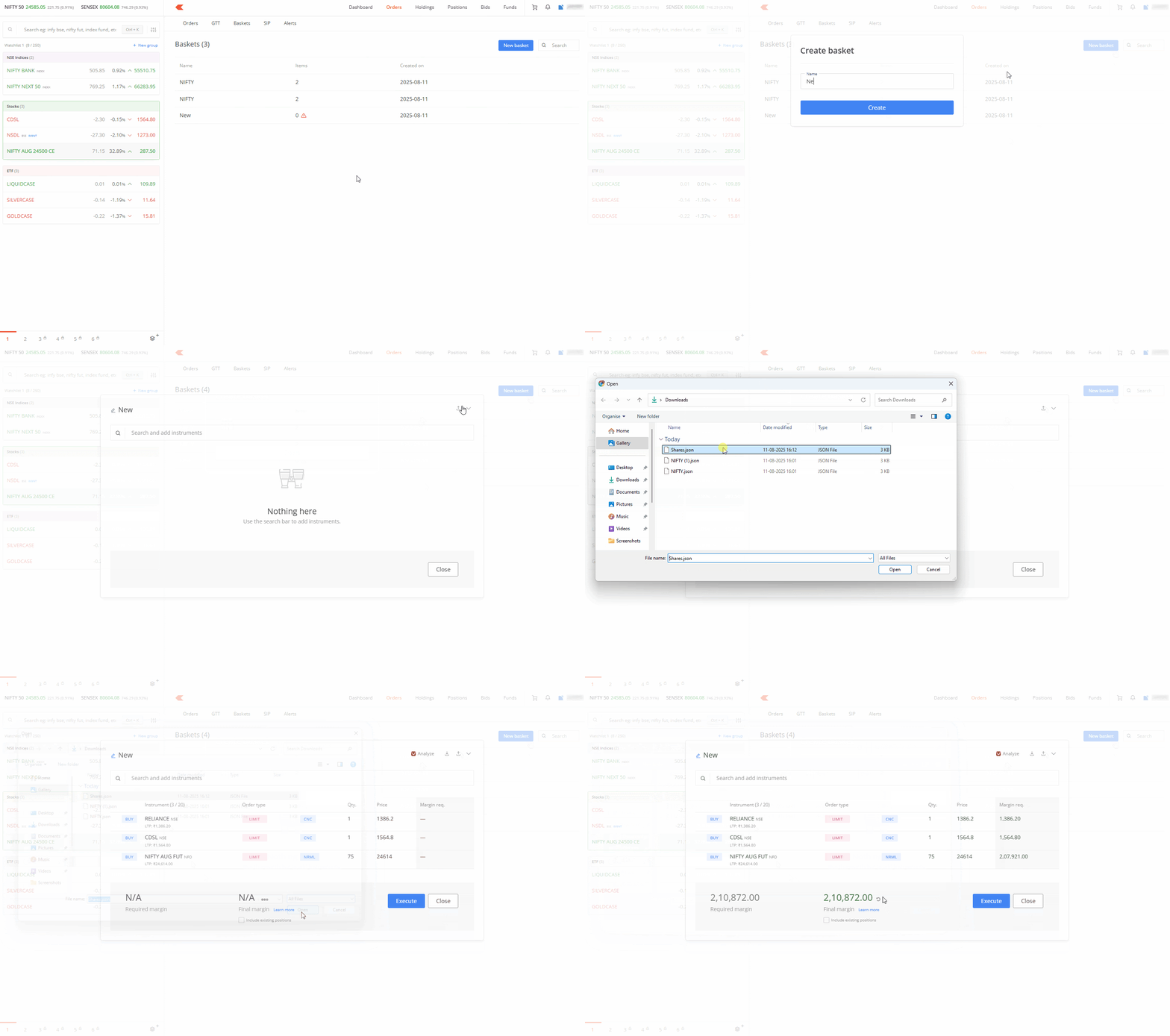
You can share basket orders created by exporting the basket and sharing it with others. The recipient can then use your basket on their Kite account by importing this basket. You can only share baskets through Kite web, not the Kite app.
Exporting a basket
- Click on Orders.
- Click on Baskets.
- Hover over a basket and click on Options.
- Click on Edit.
- Click on Export basket icon.
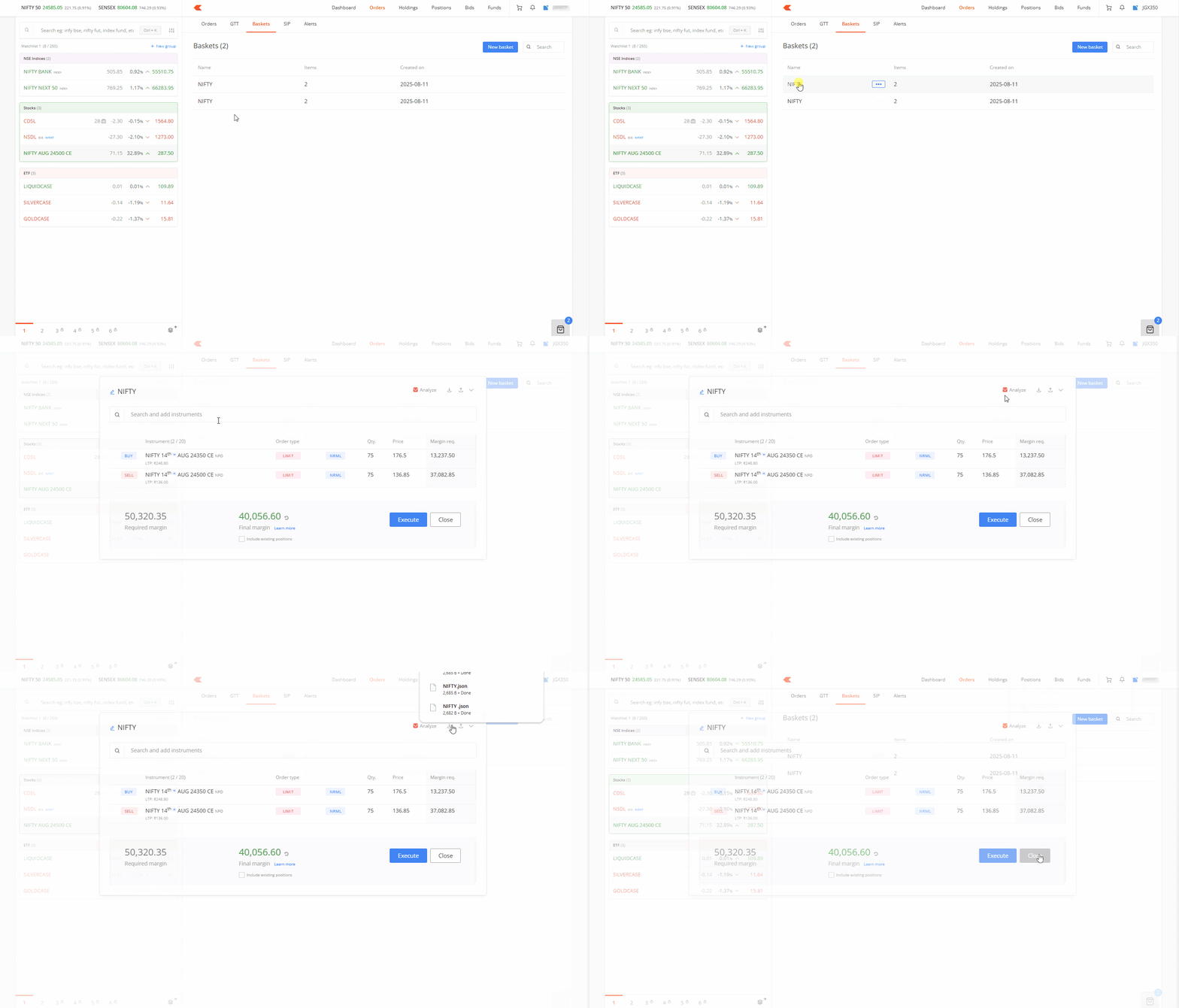
A file with the name of your basket will download in .JSON format. You can share this file with friends or family members.
Importing a basket
- Click on Orders.
- Click on Baskets.
- Click on New Basket.
- Enter the name of the basket and click on Create.
- Click on the Import basket icon and select the file.
- You can edit or execute the imported basket as it is.