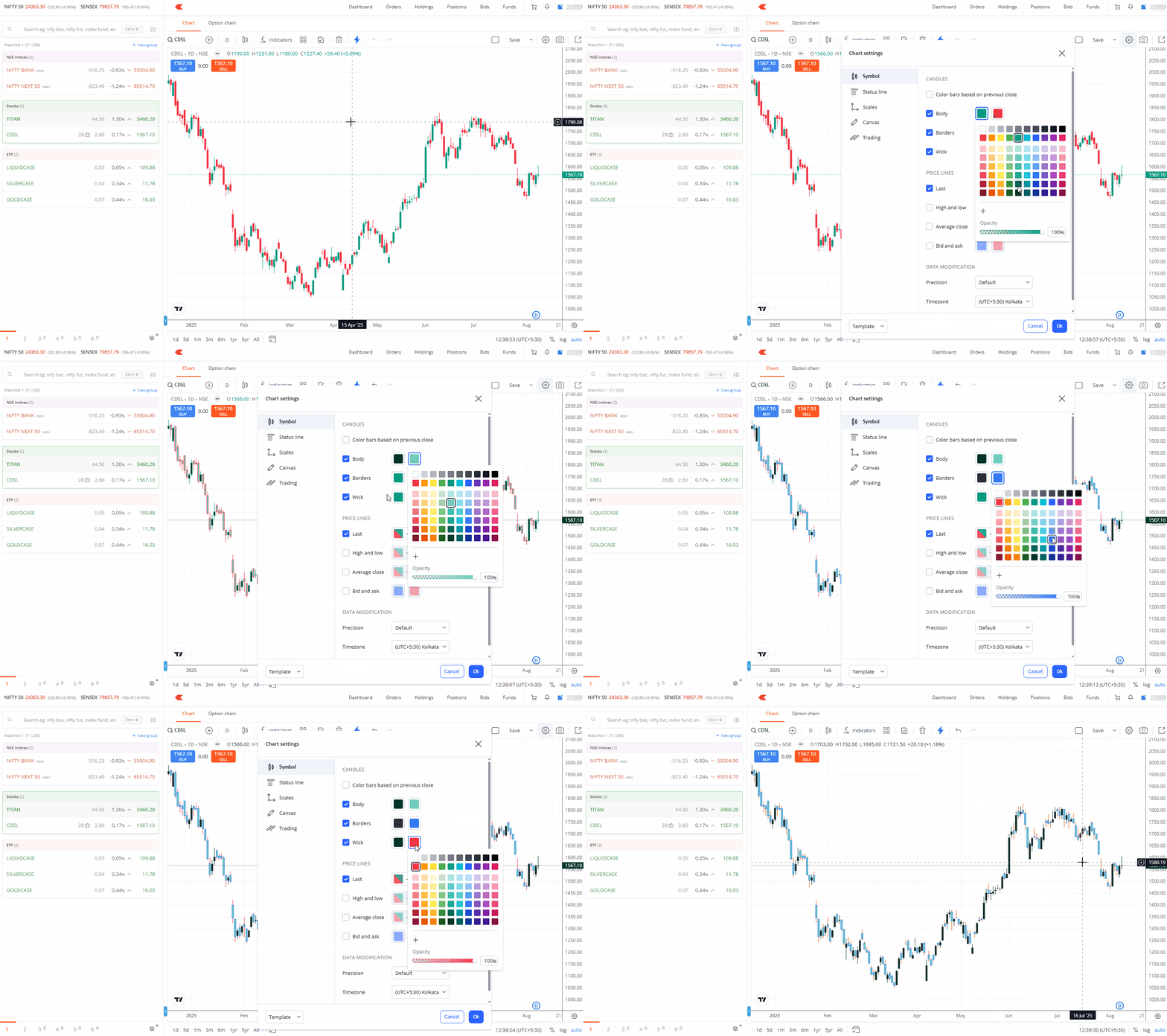
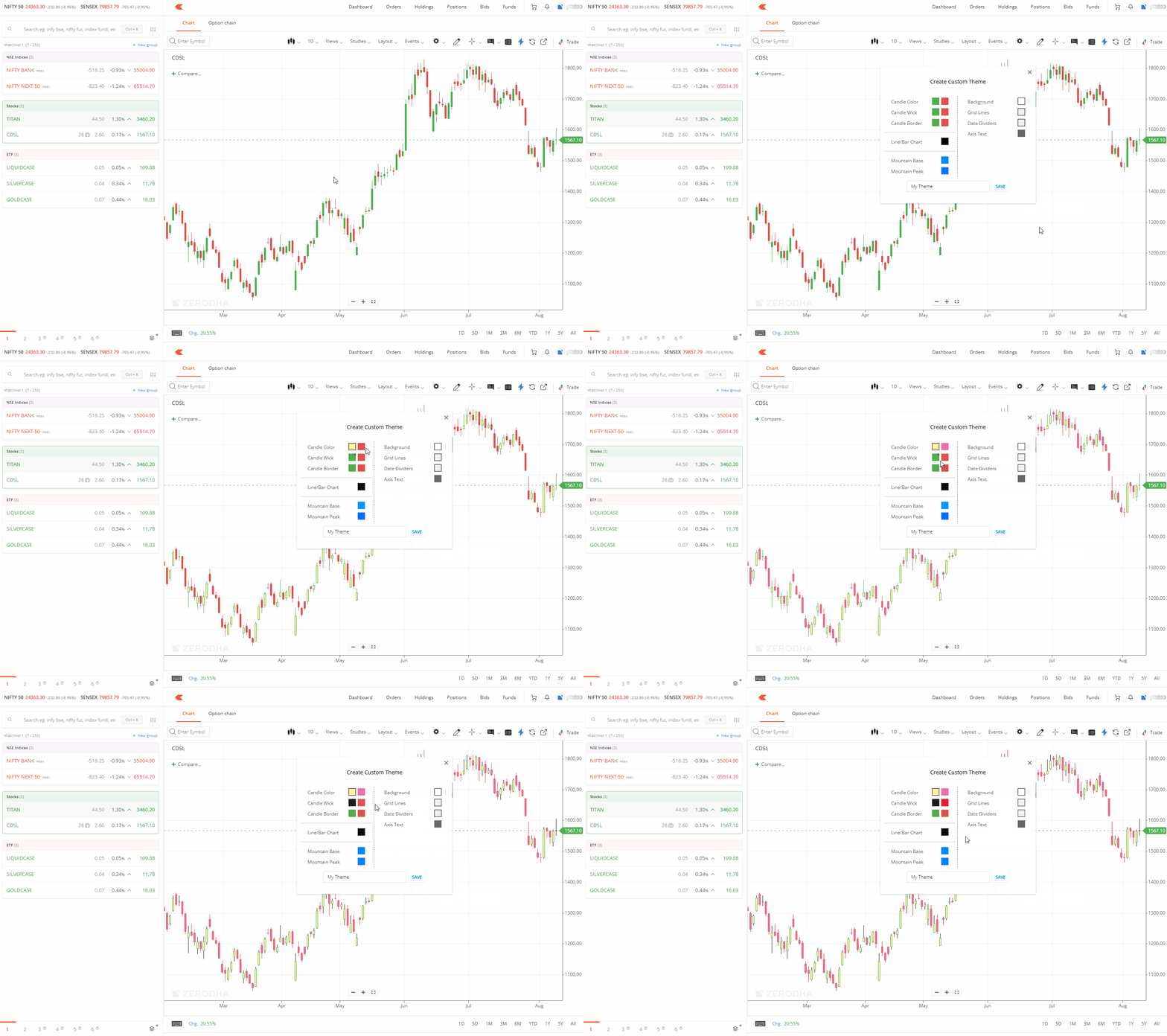
You can customise your chart's candle colours by changing the body, wick, or border colours from the default green and red scheme.
ChartIQ
- Click on Settings.
- Click on New Theme.
- Select the colour for the body, wick, and border.
-
Enter a name for the theme and click on
SAVE.
TradingView
- Click on Settings.
- Select the colour for the body, wick, and border.
-
Click on
OK.