


You can view corporate actions such as dividends, stock splits, bonus issues, and rights issues on both ChartIQ and TradingView charts. These corporate actions appear on charts from the ex-date onwards.
Viewing corporate actions on ChartIQ
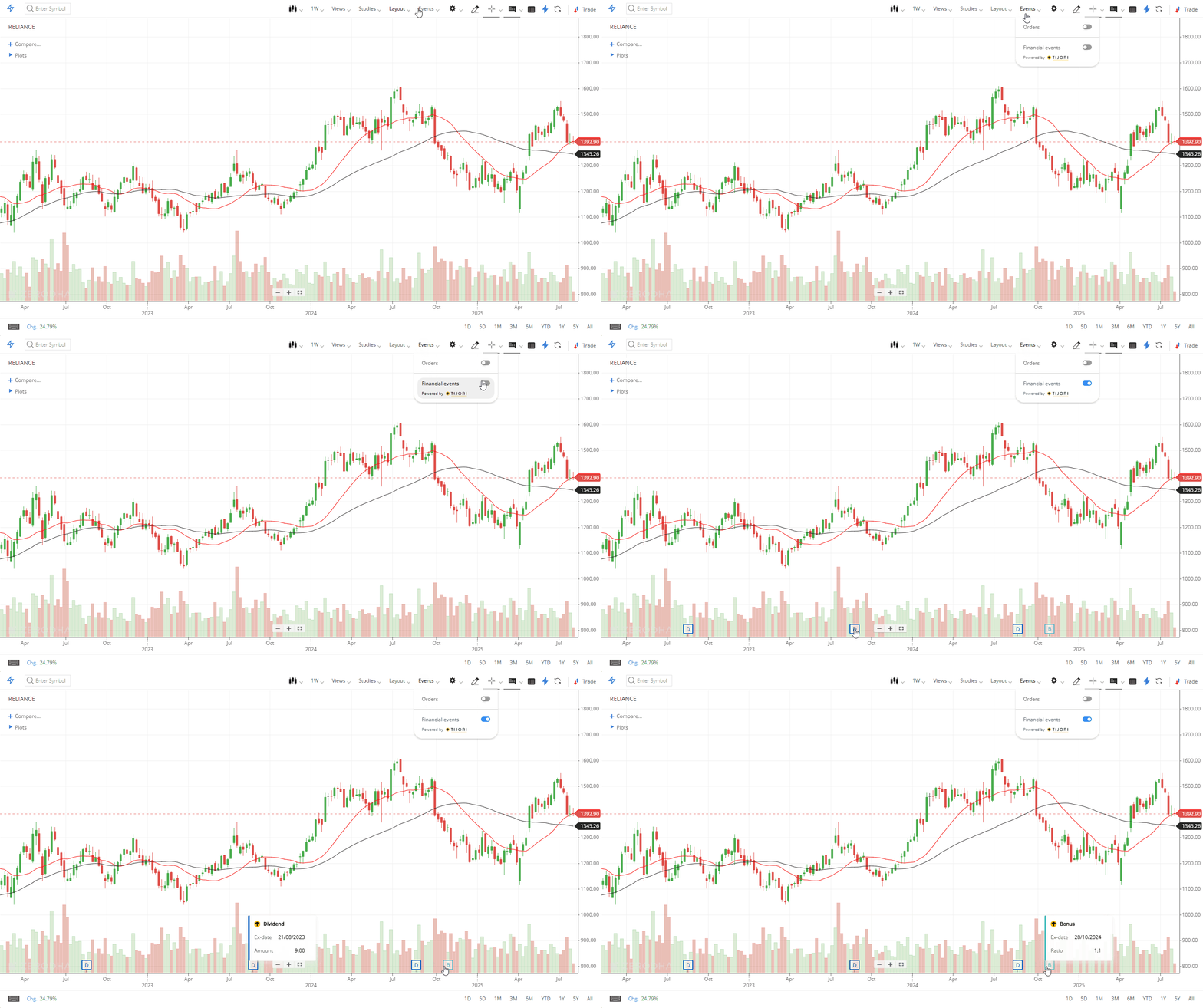
On Kite web
- Click on Events.
- Click on Financial events.
- Click on the tags to view more details about the corporate action.
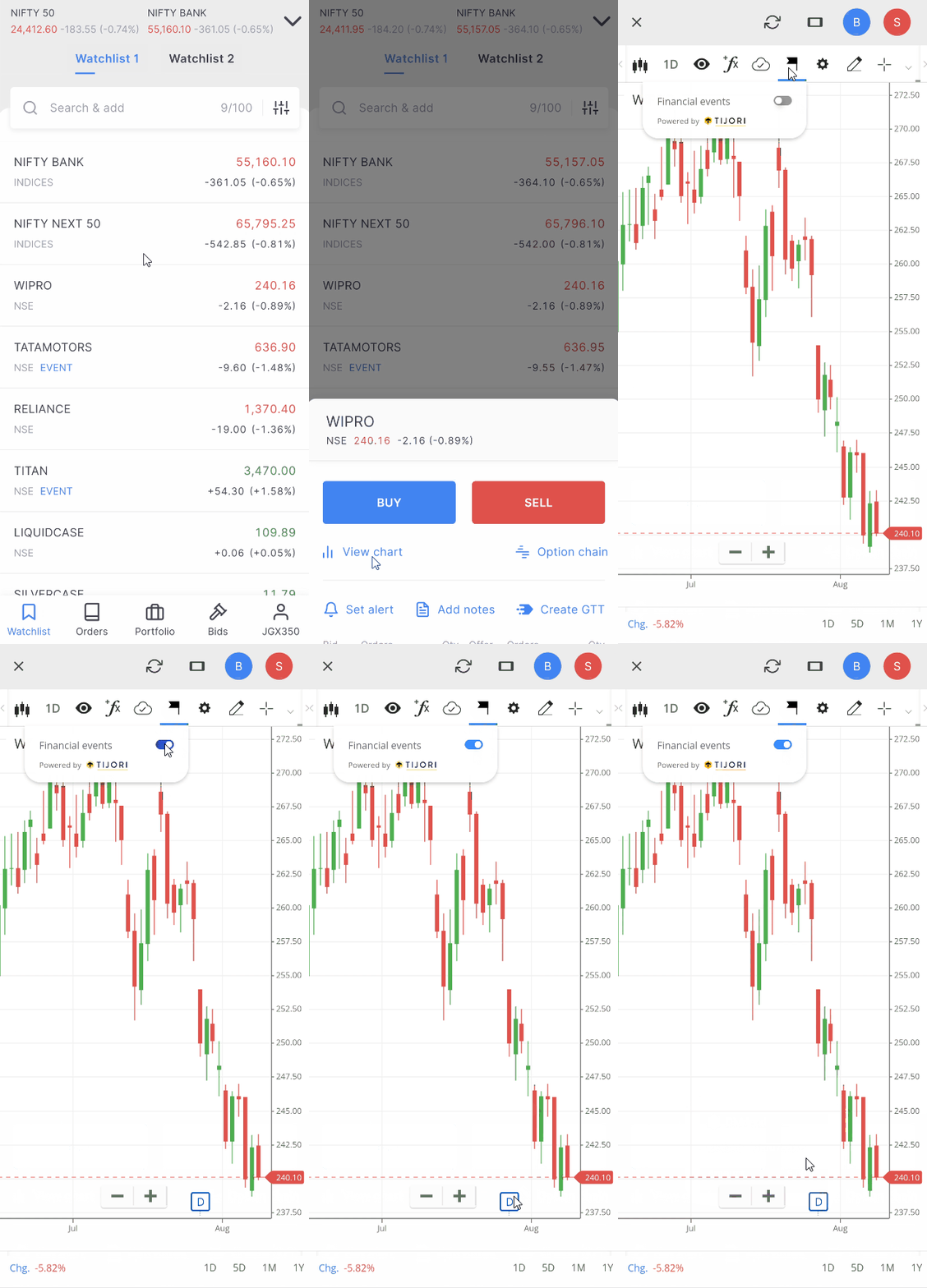
On Kite app
- Tap on the flag icon.
- Tap on Financial events.
Viewing corporate actions on TradingView
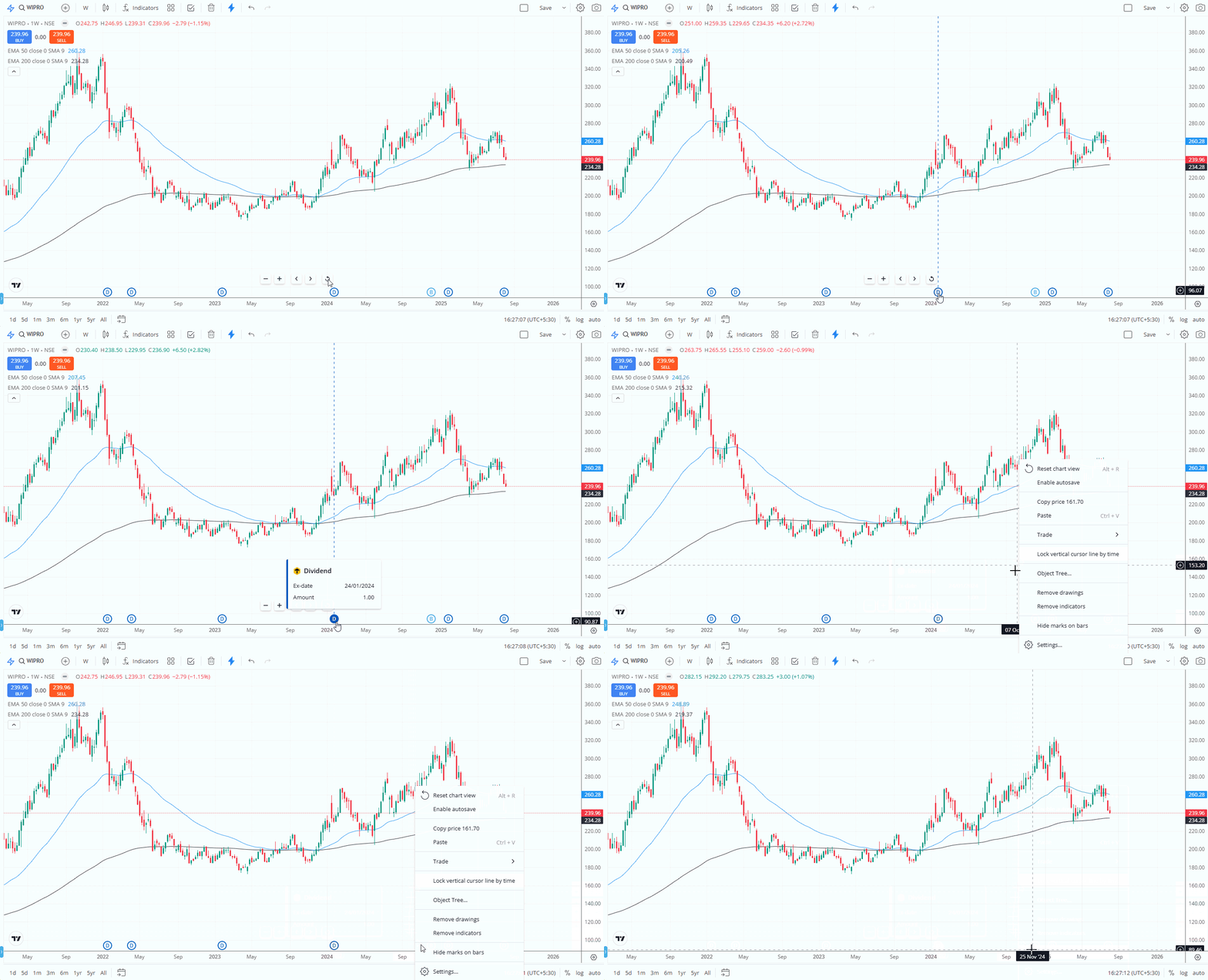
On Kite web
Corporate actions display on TradingView charts by default.
To hide them:
- Right-click on the chart.
- Click on Hide marks on bars.
To make them visible again, deselect Hide marks on bars. This preference will not be saved on the default layout.
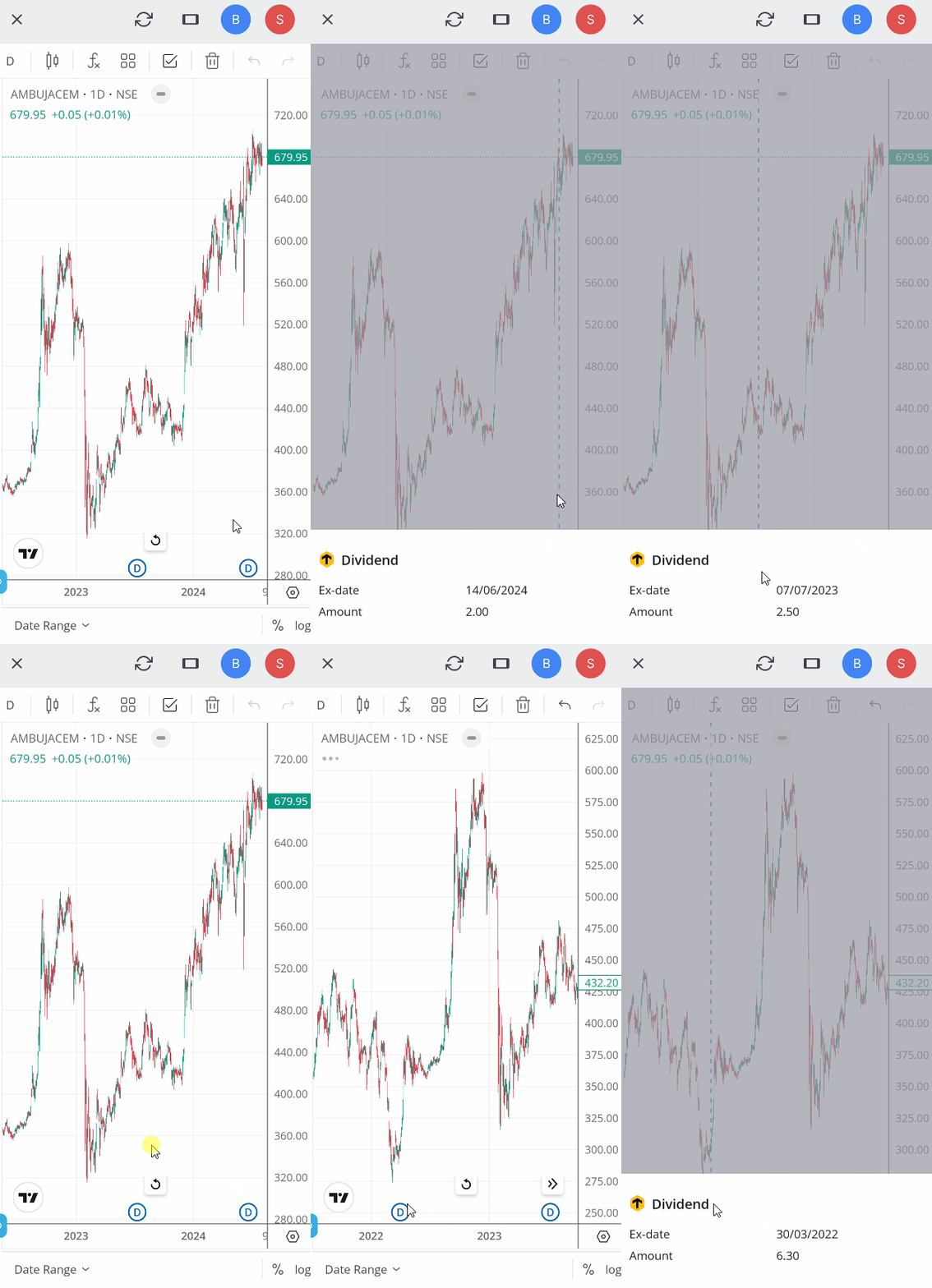
On Kite app
Corporate actions display on TradingView charts by default. Currently, you cannot hide them on the app.
Things to keep in mind
- This feature is currently unavailable on multiple charts
-
The corporate actions shown on Kite charts date back to 2014