


You can overlay indicators on ChartIQ by first adding the base indicator to your chart, then adding the overlay indicator on top of it.
Steps to overlay an indicator
To overlay an indicator (for example, moving average over RSI):
- Add the base indicator (RSI) to your chart first.
- Click on Studies.
- Add the indicator you want to overlay (moving average).
- Click on Field and select the base indicator (RSI).
- Click on Done.
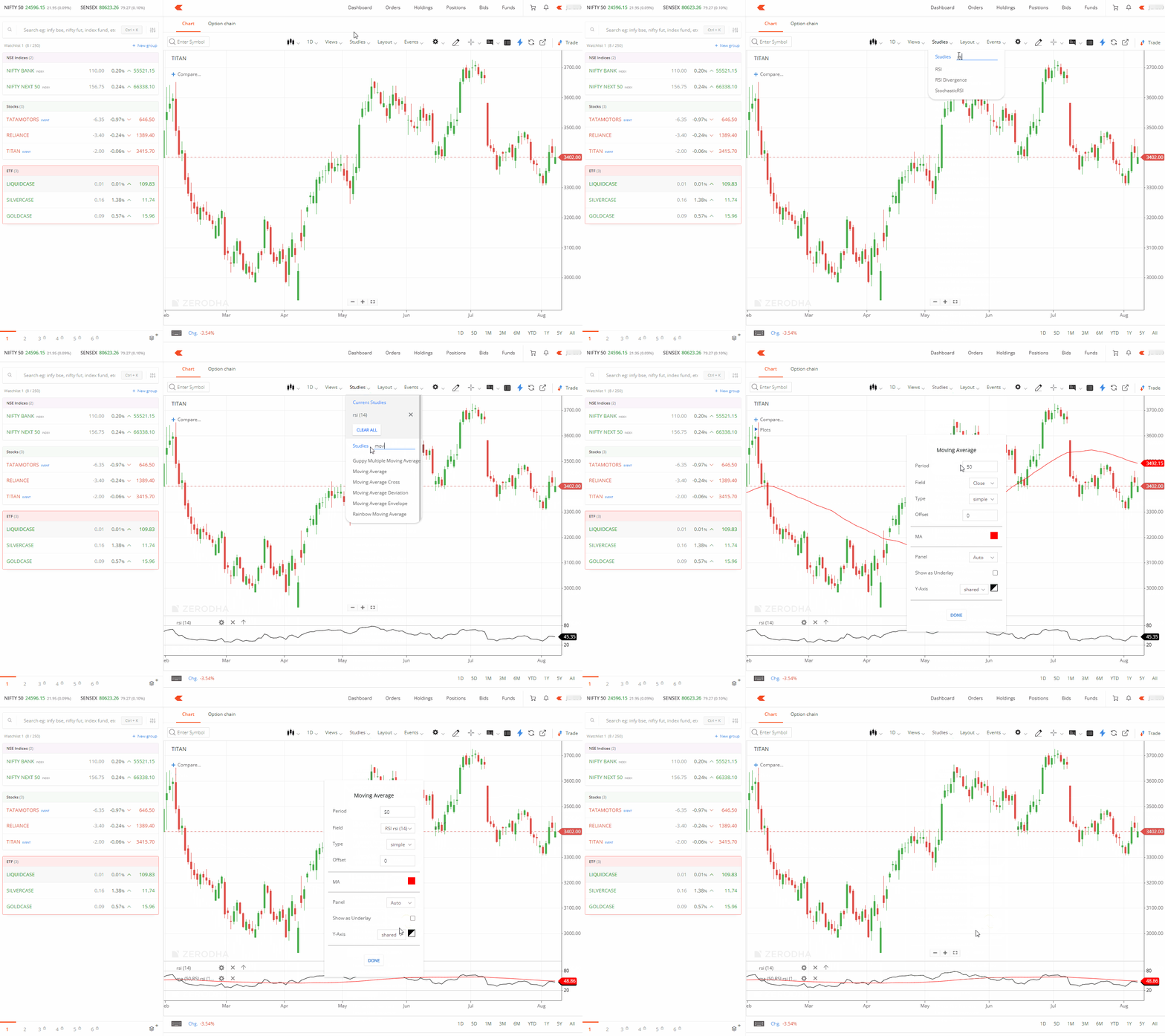
Your overlay indicator will now appear on the same panel as your base indicator.
Things to keep in mind
- You must add the base indicator to your chart before you can overlay another indicator on it. The overlay feature allows you to compare multiple indicators in the same chart panel for better analysis.
- This feature is currently available only in the ChartIQ library.