


You can set the current chart settings as the default settings on ChartIQ by following these steps:
On Kite app
- Select the necessary time frame, indicators, chart type etc.
- Tap on Saved views, tap on Save view, enter the name and tap on Save.
- Tap on Save preferences.
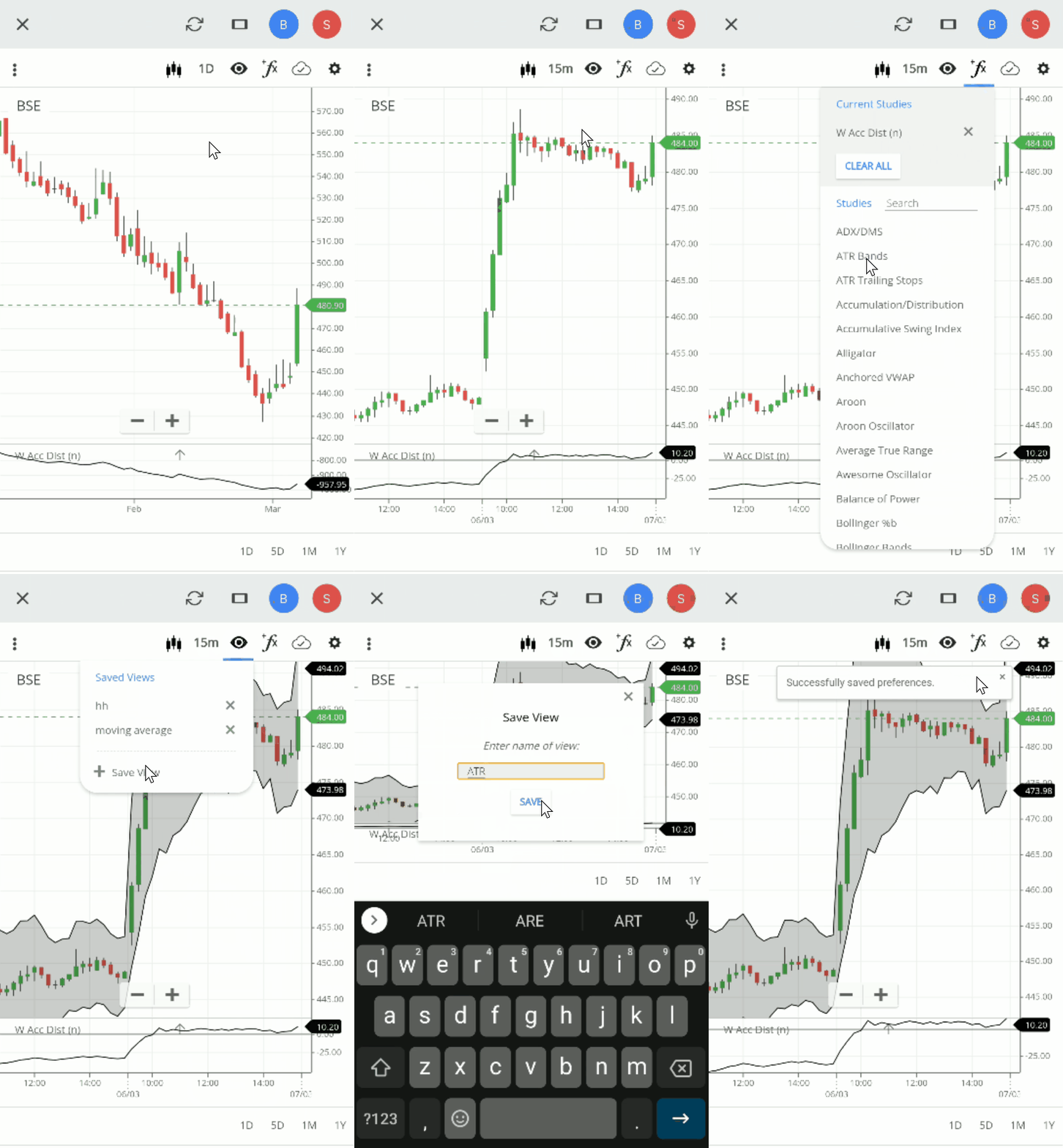
On Kite web
- Select the necessary time frame, indicators, chart type etc.
- Click on Views, Save View, enter the name and then click on Save.
- Click on Layout and then on Save preferences.

To switch between views, click or tap on the saved view under Views.
On Kite app

On Kite web

To delete specific views, click on the close button next to the saved view.
On Kite app

On Kite web

To delete all saved views, click on Clear preferences under Layouts. Clearing preferences will delete all the saved views and drawings.
On Kite app

On Kite web
