


You can place orders directly from ChartIQ charts on Kite web using the Trade From Charts (TFC) feature. This allows you to execute trades without switching between charts and order windows.
How to place orders using TFC
You can place orders by clicking on Trade on the top-right side of the chart and dragging the window up or down to set your desired price. The system automatically determines your order type based on where you place the order relative to the Current Market Price (CMP):
Buy orders
- Below CMP: A limit order is placed
- Above CMP: An SL order is placed
- At CMP: A market order is placed
Sell orders
- Above CMP: A limit order is placed
- Below CMP: An SL order is placed
- At CMP: A market order is placed
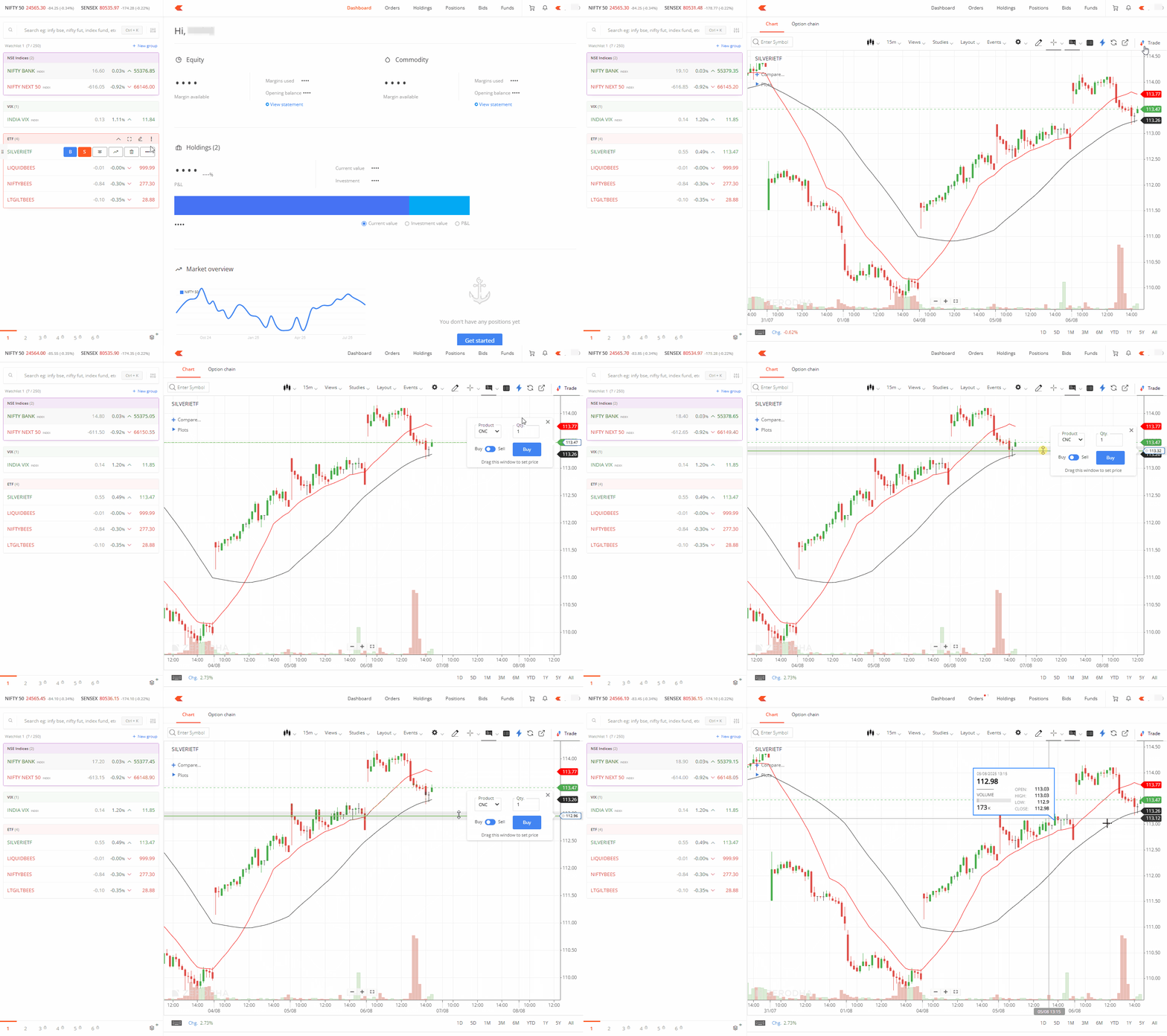
Trade panel
You can access the Trade panel feature on popout charts, which provides:
- Market depth information
- Your current positions
- Your open orders
When you click on Buy or Sell in the Trade panel, the regular order window opens for you to complete your transaction.
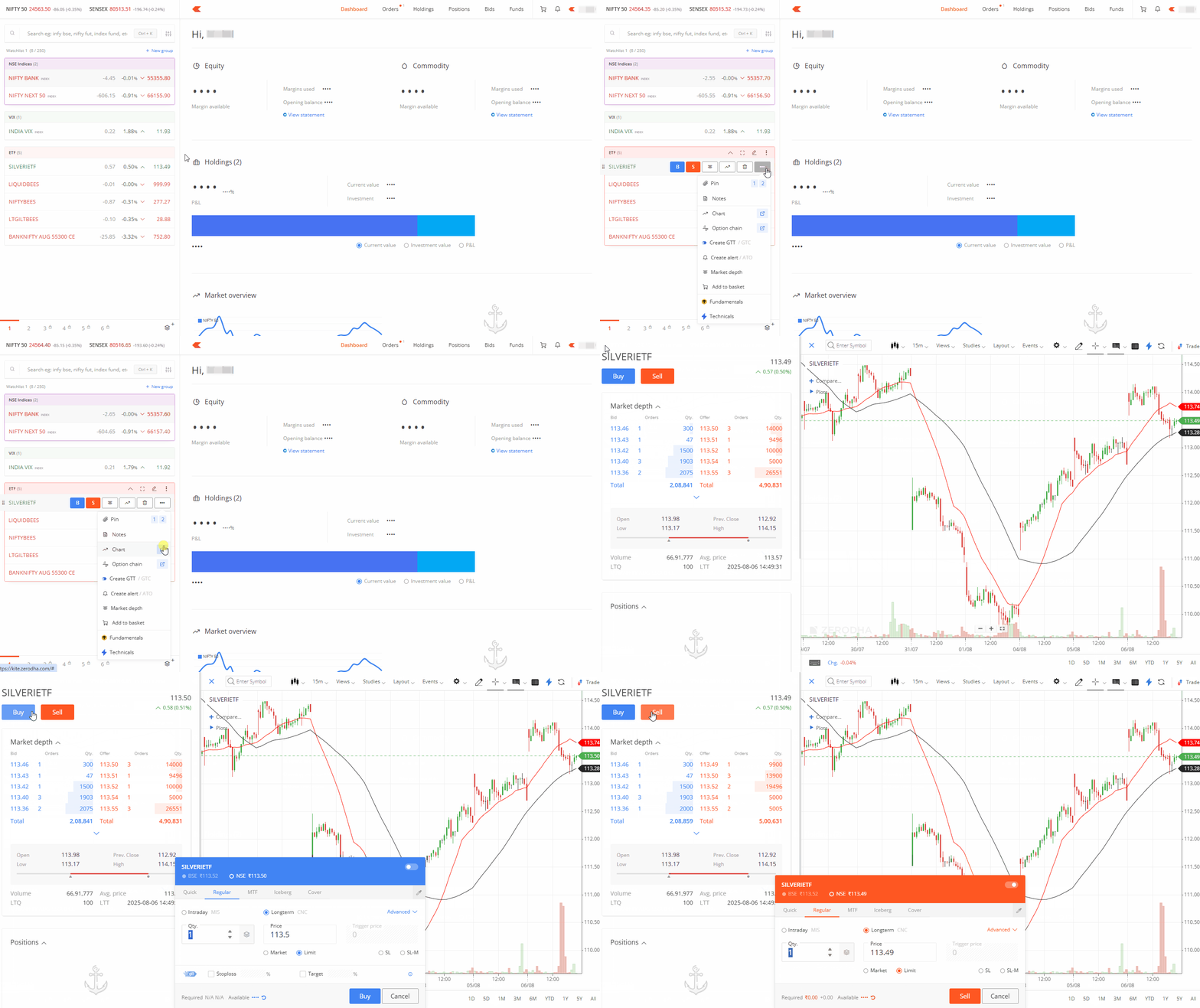
Things to keep in mind
- TFC is not available for Heiken-Ashi charts because these charts display different prices from the Last Traded Price (LTP).
-
If you place an SL-M order and modify it using TFC, your order converts to an SL order while maintaining the same trigger and limit price