


US investing is currently in
beta on Kite web
and will be live soon.
Your international investing funds statement (ledger) records all fund transfers, daily trade settlements, dividend payouts, tax deductions, and corporate action cash adjustments in your account.
To view your international funds statement on Kite web, follow these steps:
- Click on Funds.
- Click on View statement.
- Click on Category and select International.
- Select the Date range.
- Click on the arrow icon.
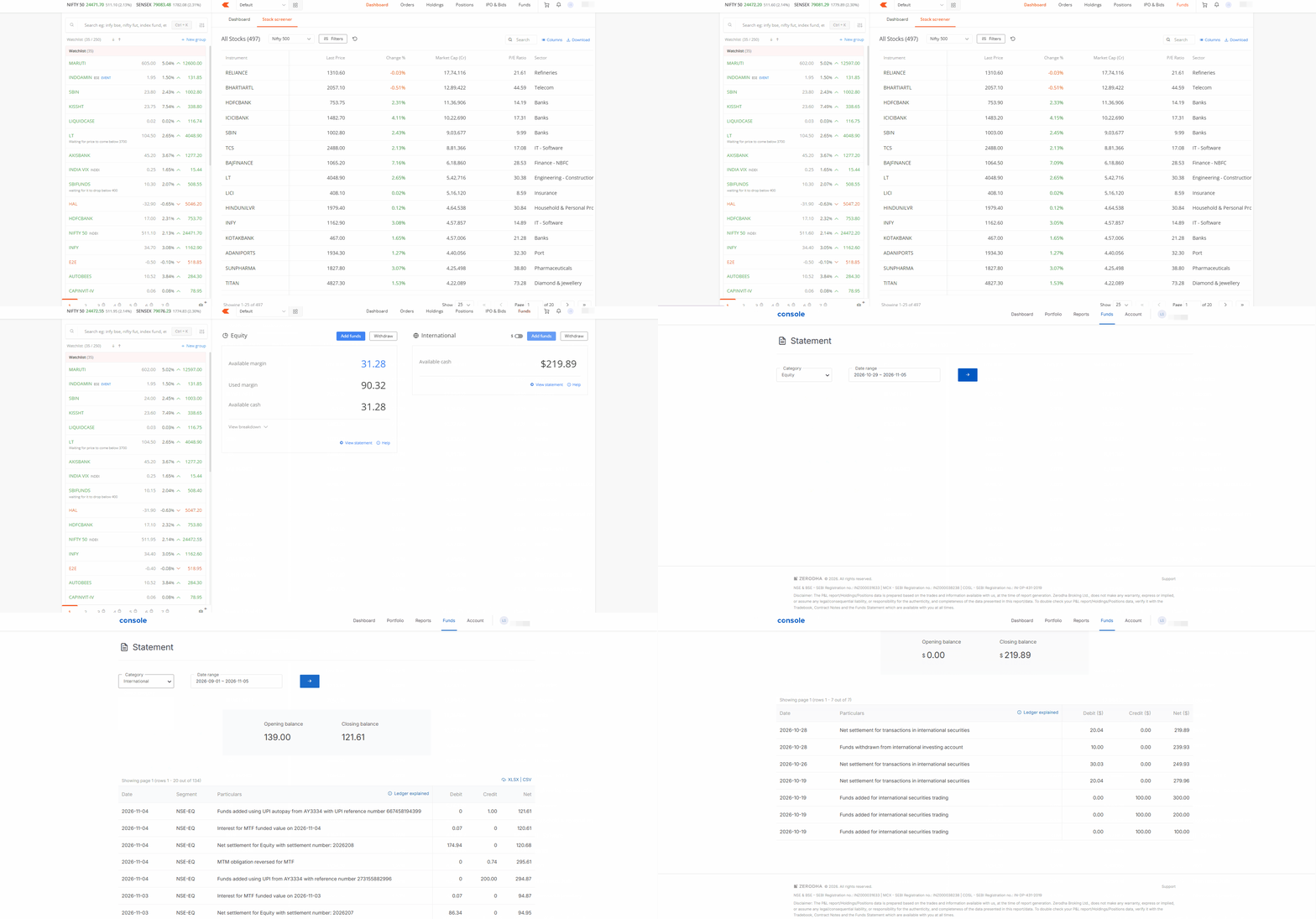
Fund transfers and trade settlements
- Funds added for international securities trading: Represents the funds you add to your account for trading international securities.
- Funds withdrawn from international investing account: Represents the funds you withdraw from your international investing account.
- Net settlement for transactions in international securities: Represents the net amount of all buy and sell transactions in international securities that you execute during the day, including applicable charges.
Dividends and taxes withheld
- Dividend credit for {Symbol}: Represents the dividend payout you receive for holding {Symbol}.
- Tax withheld on dividend for {Symbol}: Represents the withholding tax deduction on the dividend you receive for {Symbol}.
-
Tax withheld on dividend for ADR {Symbol}:
Represents the withholding tax deduction on the dividend you receive for an American Depositary Receipt (ADR)
Corporate actions
- Cash credited for merger and acquisition of {Symbol}: Represents the cash payout you receive following a merger and acquisition of {Symbol}.