


You can view commodity contract details such as lot size, expiry rules, settlement method, and timelines on the Info widget on Kite.
To access the widget:
- Click on any MCX contract in your watchlist.
- Select Info from the context menu.

You can navigate different expiries of futures and options for that particular instrument by clicking on the expiry date.
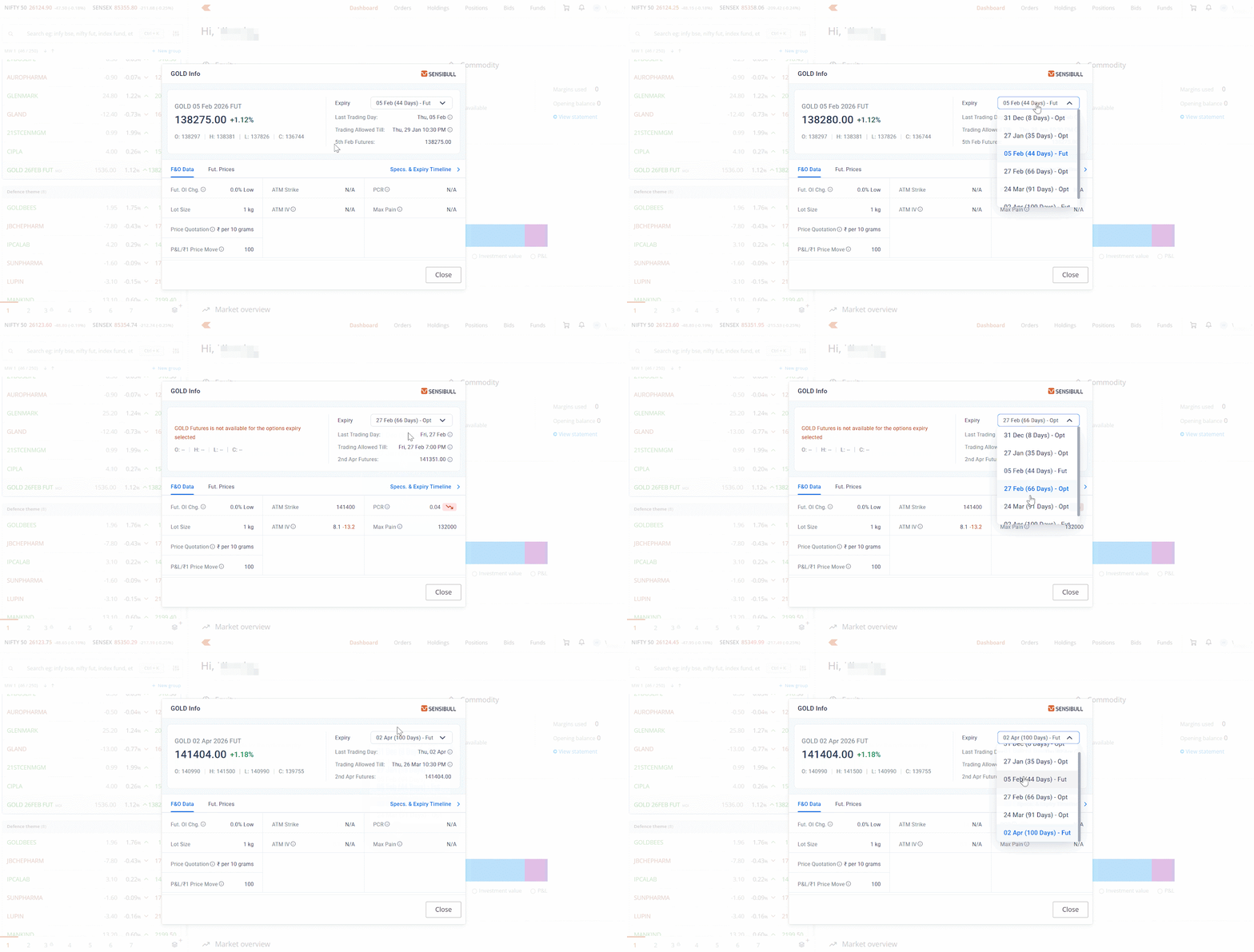
The widget displays:
Important dates
- Expiry: The date when the contract expires.
- Last trading day: The final day you can trade the contract. This typically matches the expiry date but can differ when an unplanned holiday falls on the expiry date.
- Trading allowed until: The exact time until which you can trade the contract at Zerodha. For physically settled commodities, trading ends before the tender period begins.

F&O Data
For the selected expiry, you can view:
- Futures OI % Change: Change in open interest
- Lot Size: Number of units you are trading
- ATM Strike & ATM IV: At-the-money strike price and implied volatility
- PCR (Put-Call Ratio): Market sentiment indicator
- Max Pain: The strike price where the most options contracts expire worthless, causing maximum financial loss for buyers
- P&L/₹1 Price Move: Your profit or loss for every ₹1 movement in the underlying price

Futures Prices
You can compare futures prices across current month, next month, and far month expiries in one view.

Specs & Expiry Timeline
This section displays:
- What happens as expiry approaches
- The last day for overnight orders
- Intraday-only periods
- ITM/CTM expiry behaviour
- Auto square-off timings
- The devolvement process
For physically settled contracts (such as Gold Mini): Zerodha squares off positions before the delivery window, as Zerodha does not support physical delivery.
For cash-settled contracts (such as Crude Oil): Contracts settle in cash.

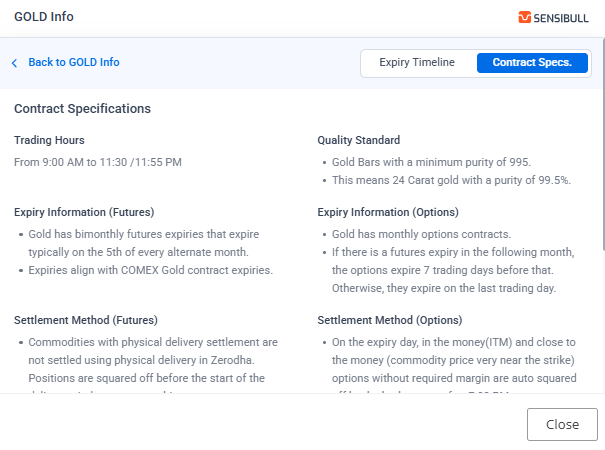
Contract Specifications
This section displays:
- Trading Hours: Market timing for the commodity
- Quality Standard: The grade or purity specification (for example, 995 purity gold bars, Light Sweet Crude Oil)
- Pricing Method: How the commodity is priced (for example, Ex-Warehouse Ahmedabad price for Gold, NYMEX reference rate for Crude Oil)
- Settlement Method: Whether the contract is physically or cash settled, and the exact process followed
The info widget is not supported for MCX agricultural and indices contracts.