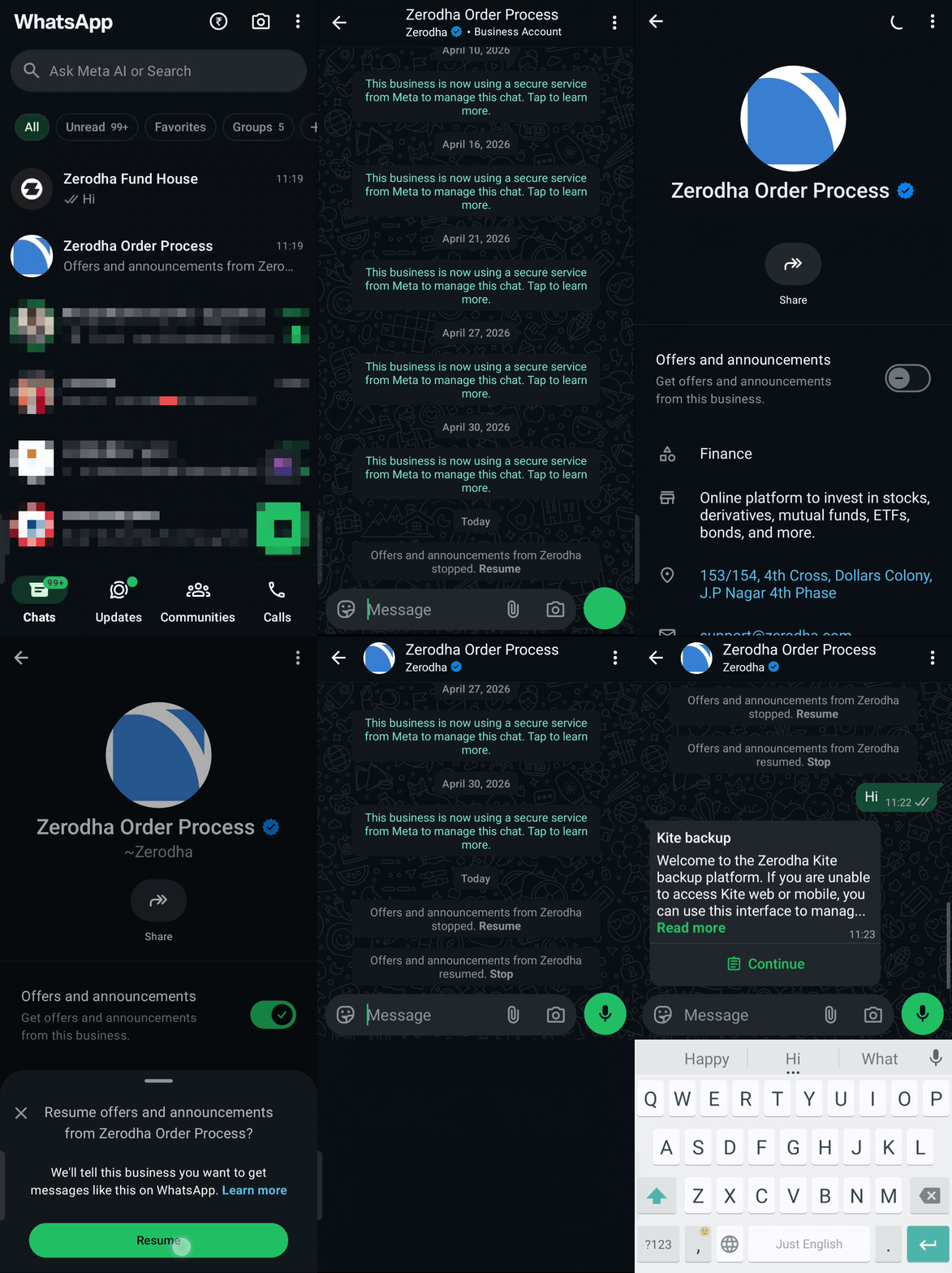
You can exit your open orders and positions through WhatsApp using Kite Backup for free. Kite Backup operates completely independently of Kite's web and mobile software systems, hardware infrastructure, and primary hosting providers (Amazon AWS Cloud and Cloudflare).
How to set up
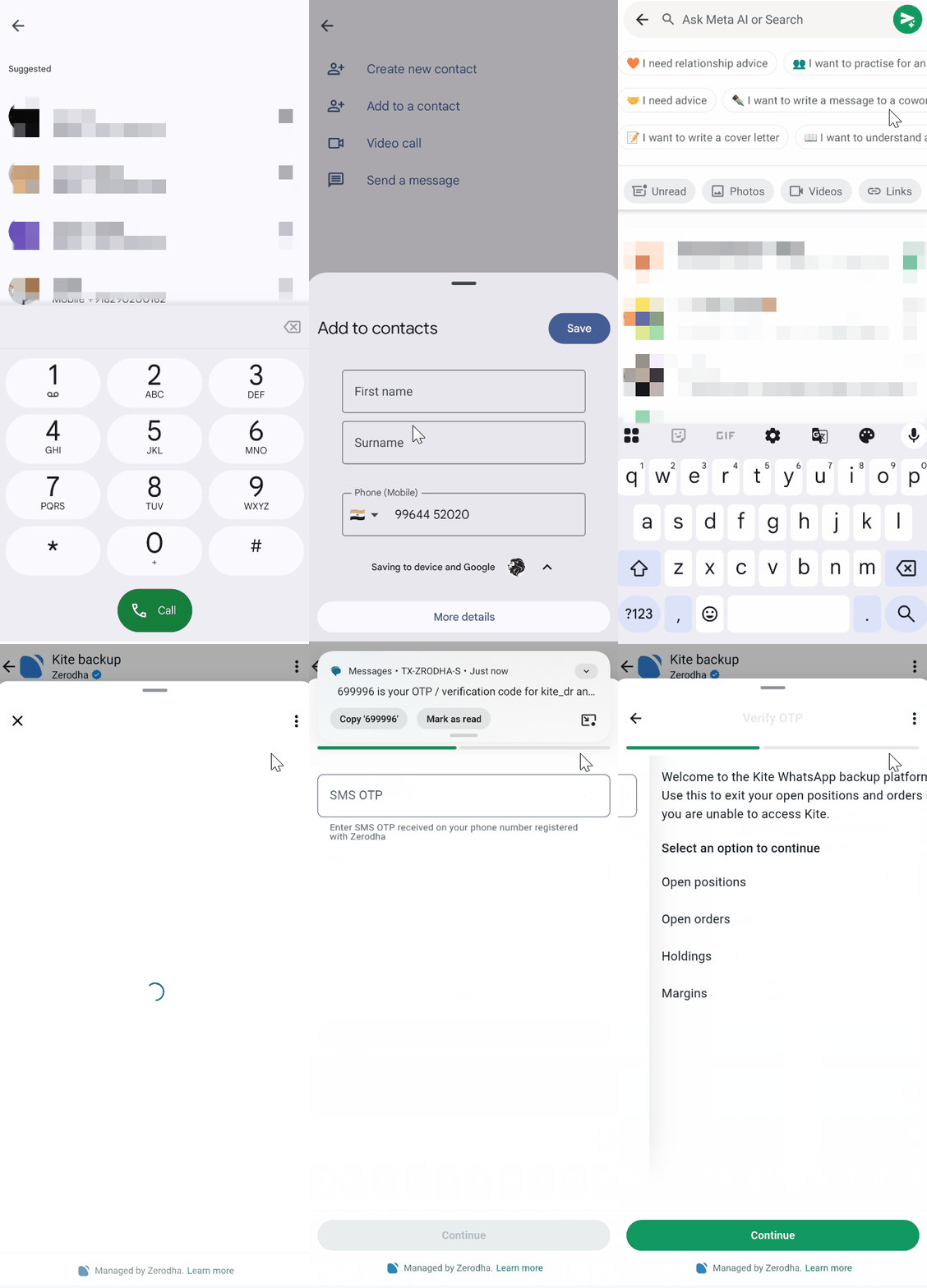
- Save the contact number +91-9964452020 to your phone.
- Send "Hi" on WhatsApp to this number from your registered number.
- Enter your Zerodha user ID and PAN when prompted.
- Enter the SMS OTP received to complete verification.
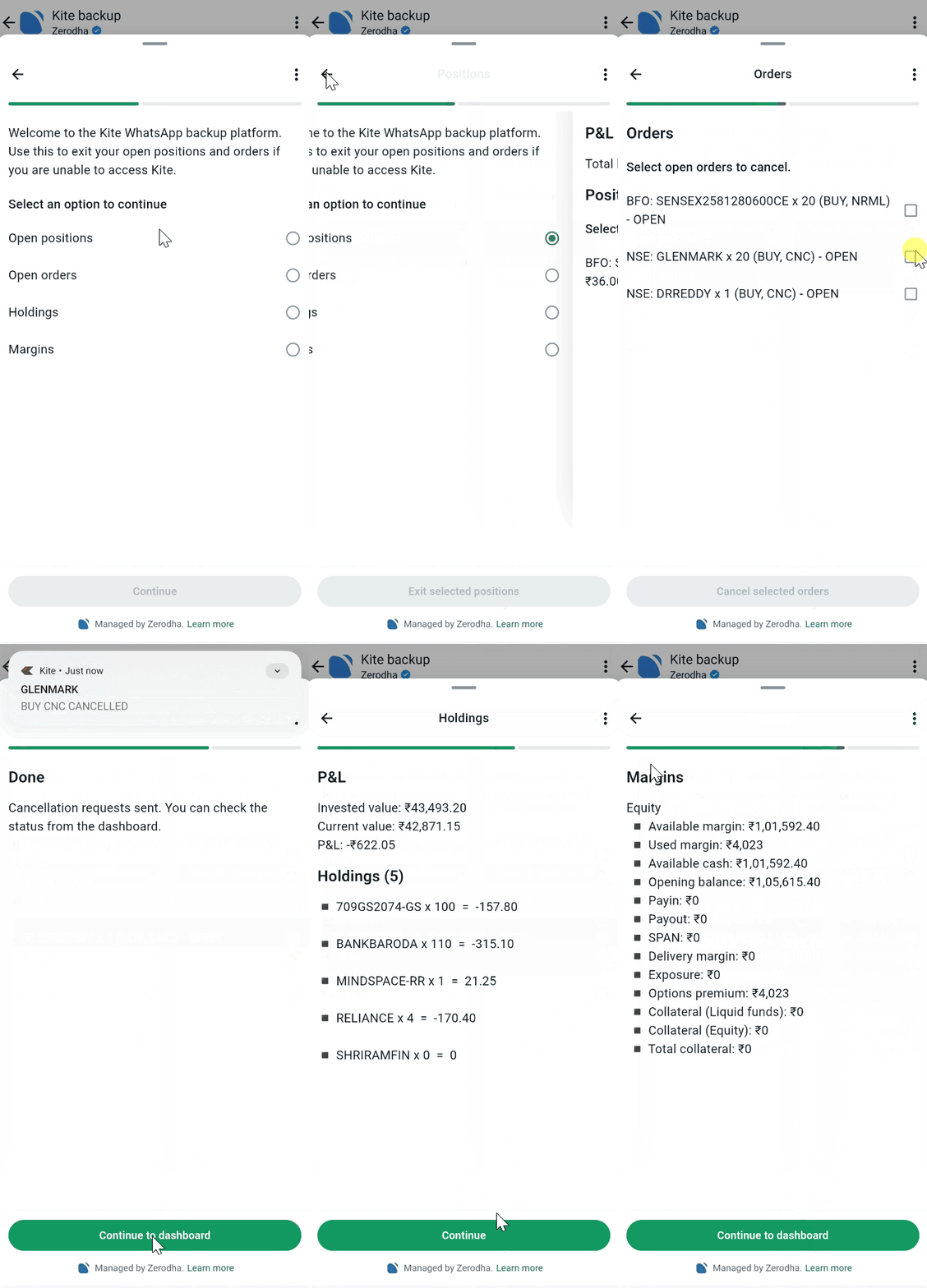
Once you authenticate, you will see four options:
- Open positions: View and square off your current positions at market price
- Open orders: Cancel pending orders
- Holdings: View your demat account holdings
- Margins: Check your available funds and margin requirements
Why is the Kite WhatsApp chatbot not responding to my messages?
If the Zerodha WhatsApp chatbot is not replying to messages, it is likely because Offers and Announcements is disabled for Zerodha’s number in WhatsApp settings. WhatsApp requires this to be turned on for business accounts to send messages.
To enable Offers and Announcements, follow these steps on your phone:
- Open WhatsApp and go to the Zerodha chat.
- Tap the Zerodha name or profile picture at the top to open Business Info.
- Find Offers and Announcements and enable the toggle.
-
Go back to the chat and send the message again.