


You can now view comprehensive mutual fund scheme information directly on Kite.
Kite app
-
Search for any mutual fund in
Marketwatch
on Kite.
-
Tap on the fund name and tap on
Fund overview.
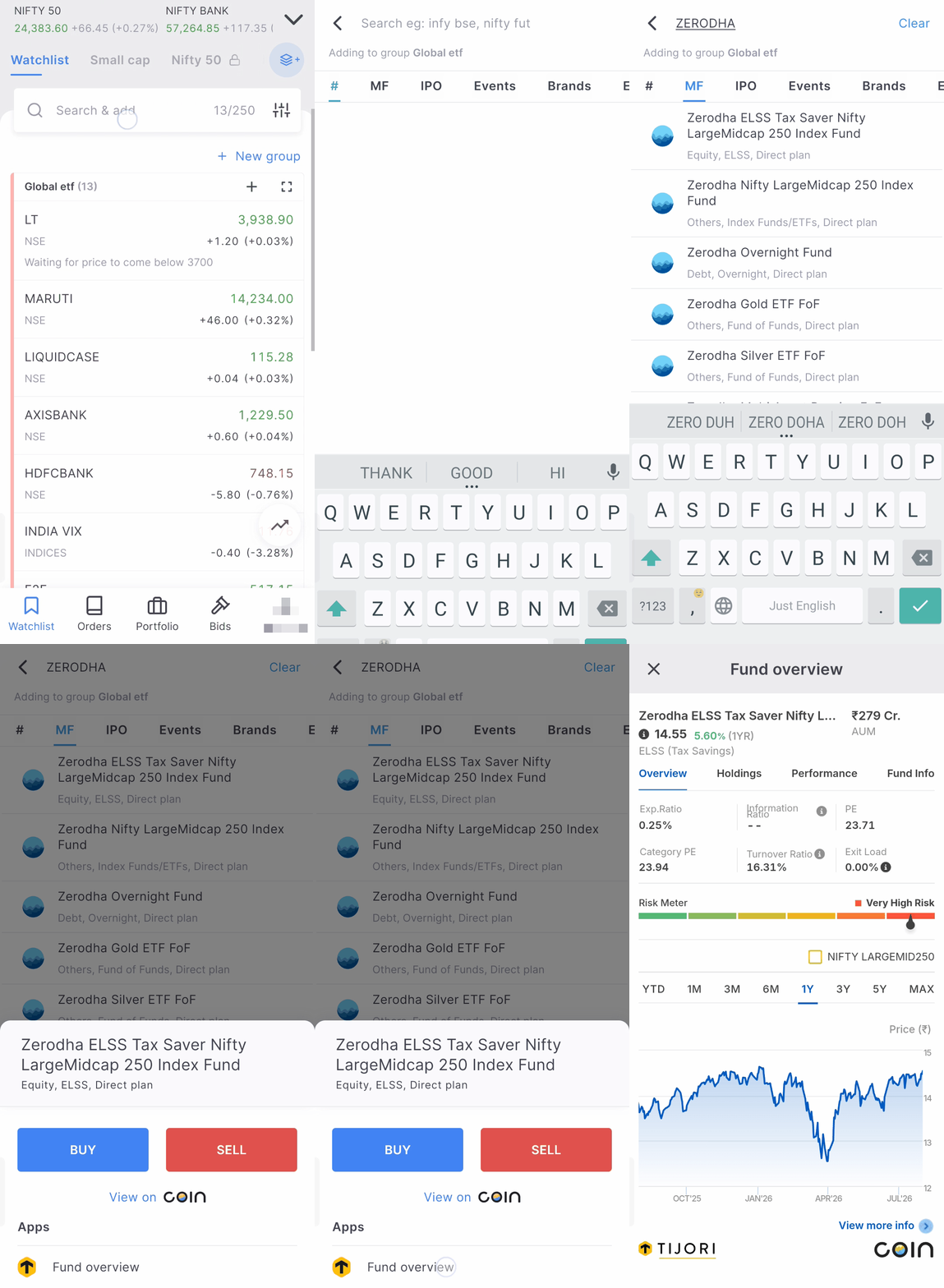
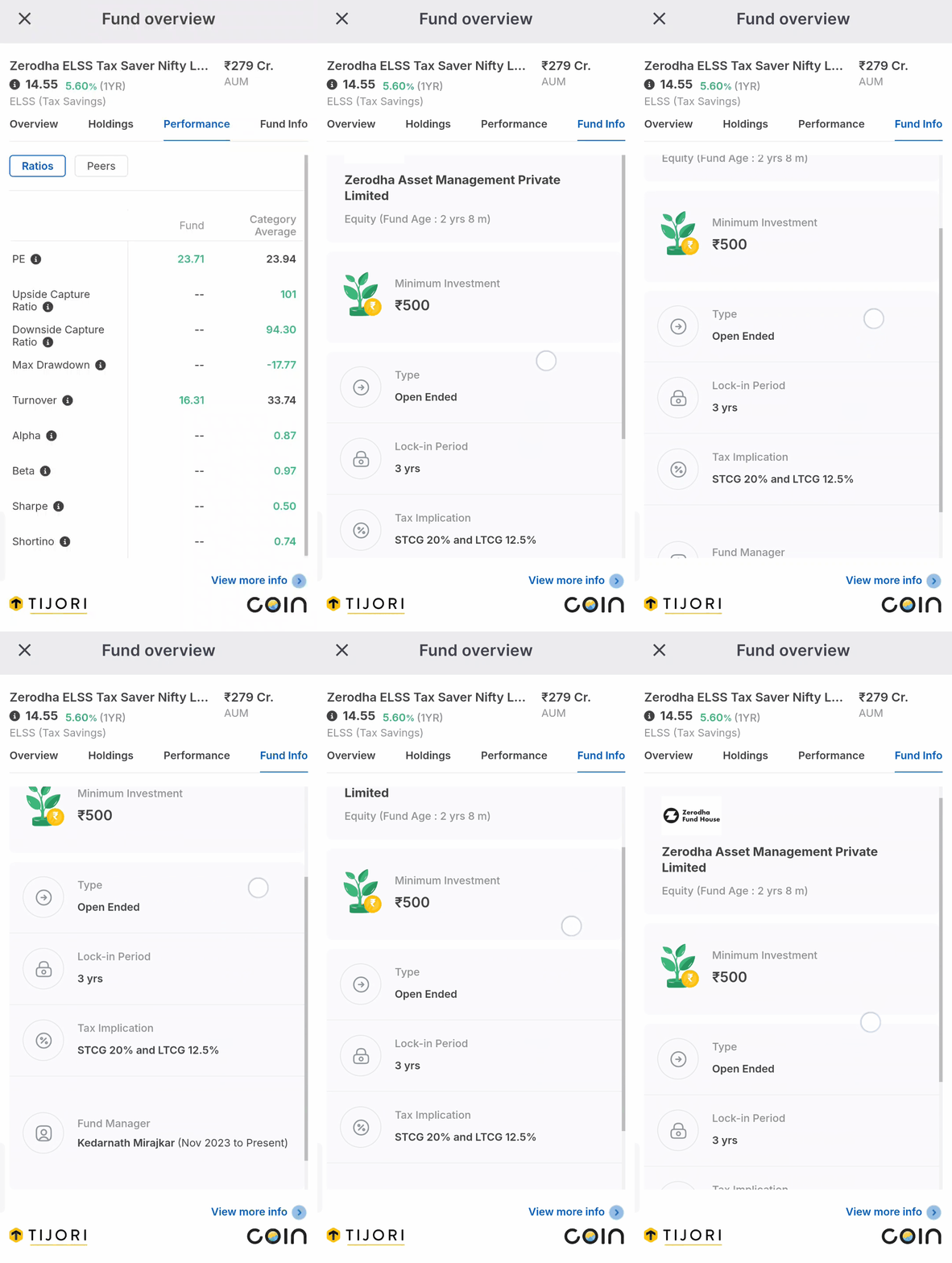
The latest NAV, AUM, and returns (which update based on the selected chart timeframe) appear at the top. Below this, four sections provide detailed information: Overview, Holdings, Performance, and Fund Info.
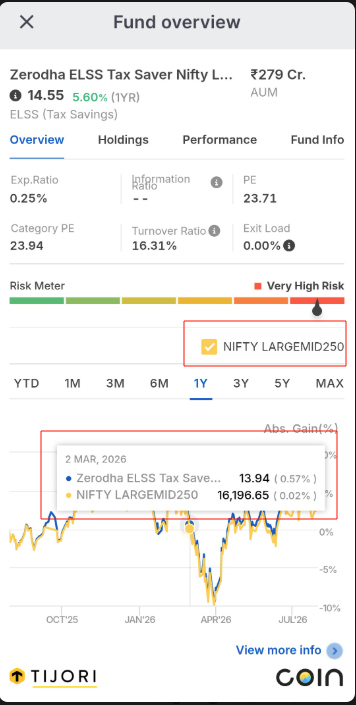
Overview
The Overview tab provides the fundamental details of the fund, including:
- Expense ratio
- Turnover
- PE ratio
- Risk meter
It also features an interactive chart with a toggle for benchmark comparison.
Holdings
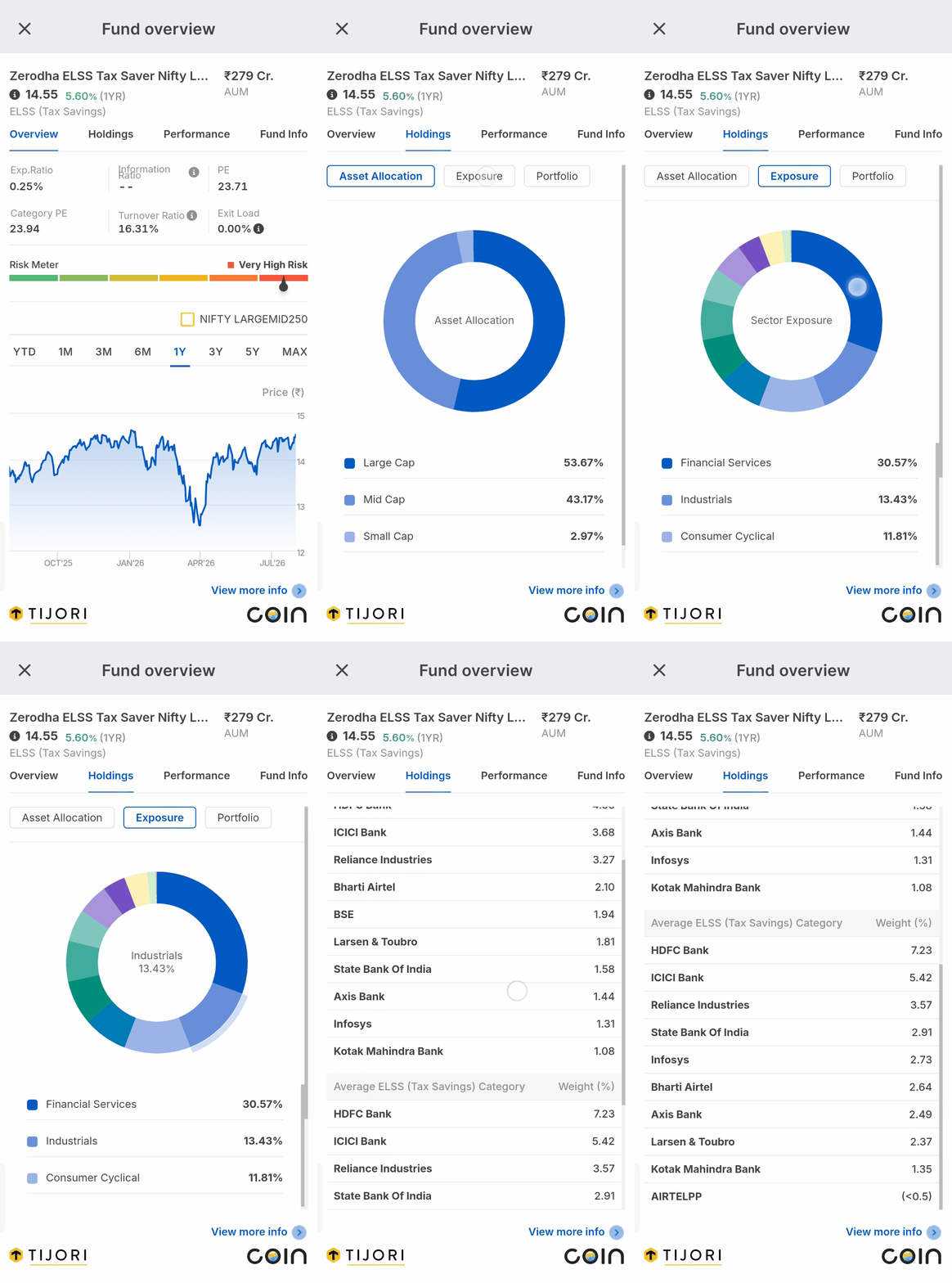
The Holdings tab shows where the fund’s money is invested. It is broken down into three sections
- Asset Allocation: Displays a breakdown of market capitalisation (large, mid, and small cap).
- Exposure: Breaks down sector-wise distribution, helping you identify if the fund is over-concentrated in any specific area.
- Portfolio: Shows the top stock holdings and their weight, right next to the category average for the same stocks. This is a quick way to see if the fund manager is making any concentrated bets compared to peers.
Performance
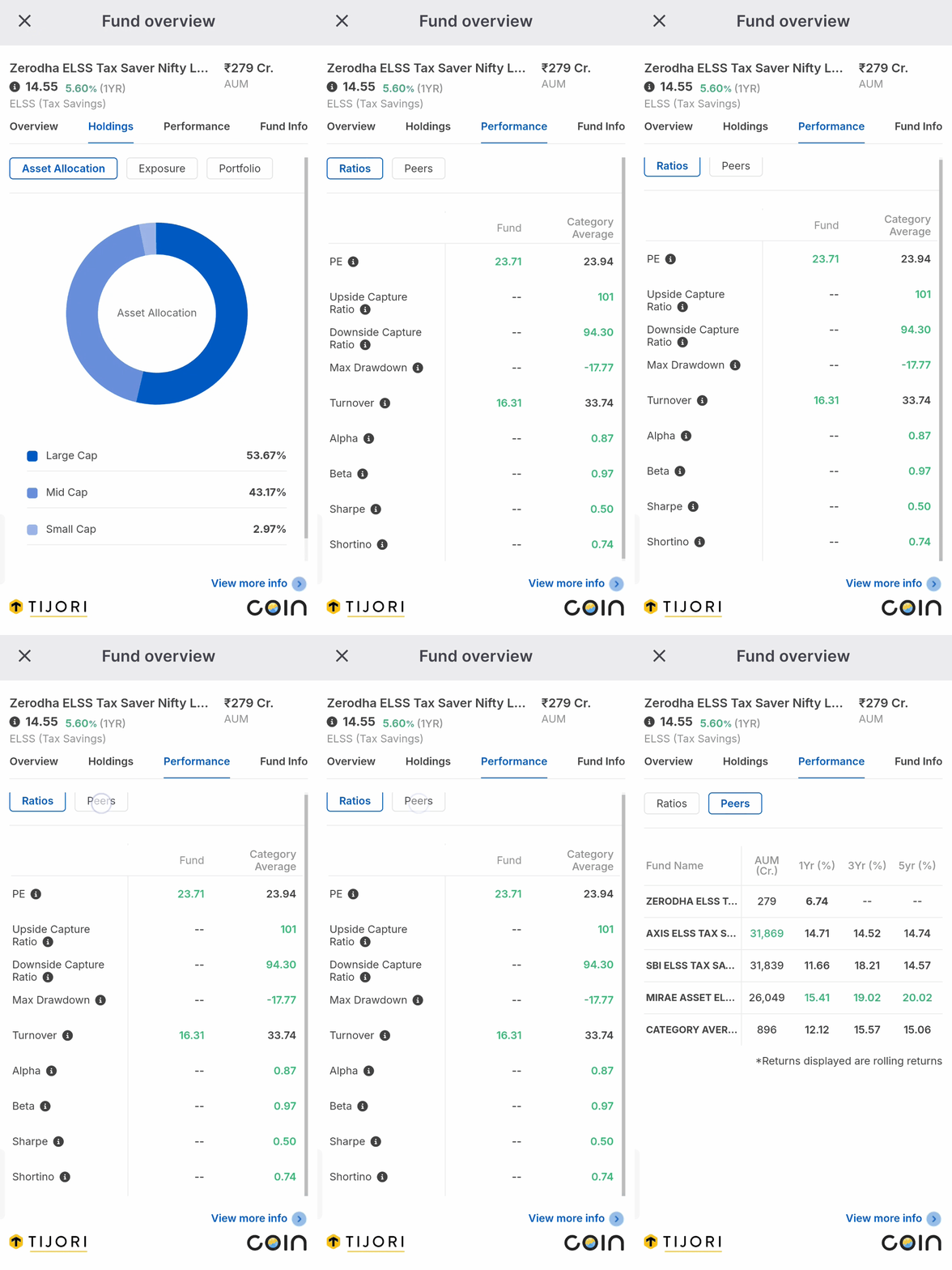
The Performance tab allows you to compare the fund’s ratios such as PE, Alpha, Beta, Sharpe, and Sortino, and peer metrics like AUM and rolling returns against category averages.
Fund Info
The Fund Info tab provides additional scheme-related information.
Kite web
- Search for any mutual fund in Marketwatch on Kite.
-
Click on the fund name to open the
Fund overview.
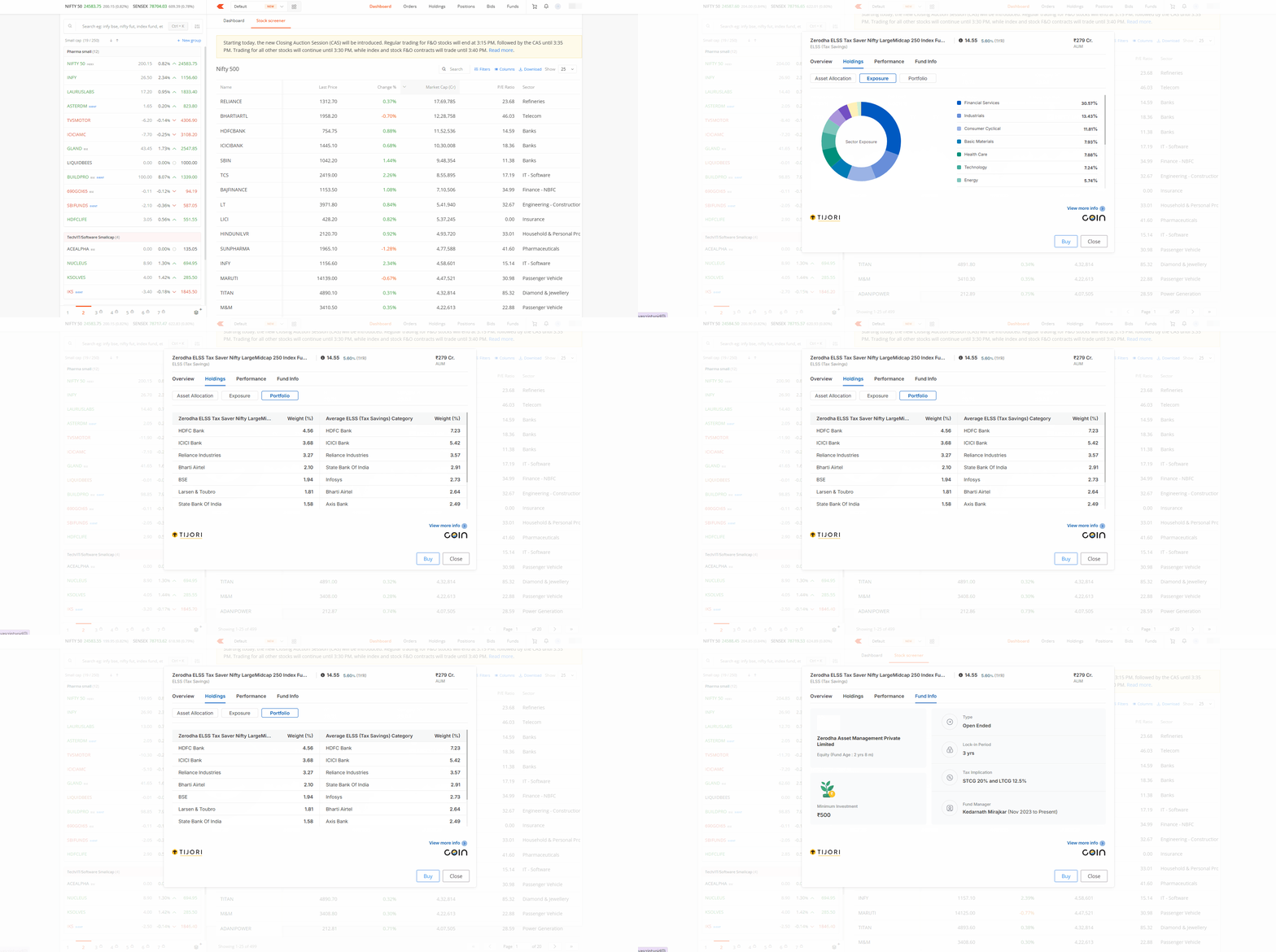
When you are ready to invest, click on Buy. Kite will redirect you to Coin to complete the transaction.