


You can watch this video in Hindi here.
You can transfer shares from other brokers to Zerodha using two methods:
- Close your existing account with the other broker and transfer to Zerodha for free (Closure cum transfer).
- Retain your existing account with the other broker and transfer to Zerodha at a charge (Off-market transfer).
Close the existing account with the other broker and transfer to Zerodha for free (Closure cum transfer)
You can use the closure cum transfer process if you want to close your account with the other broker after transferring your shares to Zerodha. Regulations mandate that brokers provide closure cum transfer for free. You cannot use this process to transfer shares to an account not in your name. If you are transferring shares from a joint demat account held with another broker to a joint demat account held with Zerodha, ensure that the primary and secondary account holders in both demat accounts are the same.
Example scenario
- Mr A can transfer shares held in the demat account with another broker to his demat account held with Zerodha. He cannot transfer his shares to anyone else.
- Mr A is the primary holder, and Mr B is the secondary holder in a demat account held with another broker. To transfer shares to their Zerodha joint demat account, Mr A must be the primary and Mr B the secondary holder of the Zerodha joint account, not vice versa.
To transfer shares through the closure cum transfer process, follow these steps:
Online
Check with the other broker to see if they facilitate the online closure cum transfer process. Zerodha offers the online closure cum transfer process for its clients.
Offline
- Obtain the closure cum transfer forms from the existing broker and fill out the forms.
- Obtain the physically or digitally signed and sealed Zerodha Client Master Report (CMR) from Zerodha.
- Submit the closure cum transfer forms and the CMR to the existing broker.
If the securities are under a lock-in period, they cannot be transferred from CDSL to NSDL or vice versa using the closure cum transfer. They can, however, be transferred within the same depositories (CDSL to CDSL or NSDL to NSDL).
Retain your existing account with the other broker and transfer to Zerodha at a charge (Off-market transfer)
If CDSL is the depository of your demat account held with the other broker, you can transfer shares online using CDSL Easiest. Check with the existing broker to see if they allow online transfer of shares.
If NSDL is the depository of your demat account held with the other broker, check with the other broker about the process of transferring the shares.
CDSL Easiest
If CDSL is the depository of the demat account held with the other broker, shares can be transferred online using CDSL Easiest. Check with the existing broker to see if they allow online transfer of shares.
If NSDL is the depository of the demat account held with the other broker, check with the other broker about the process of transferring the shares.
To transfer shares using CDSL Easiest, follow these steps:
- Register on CDSL.
-
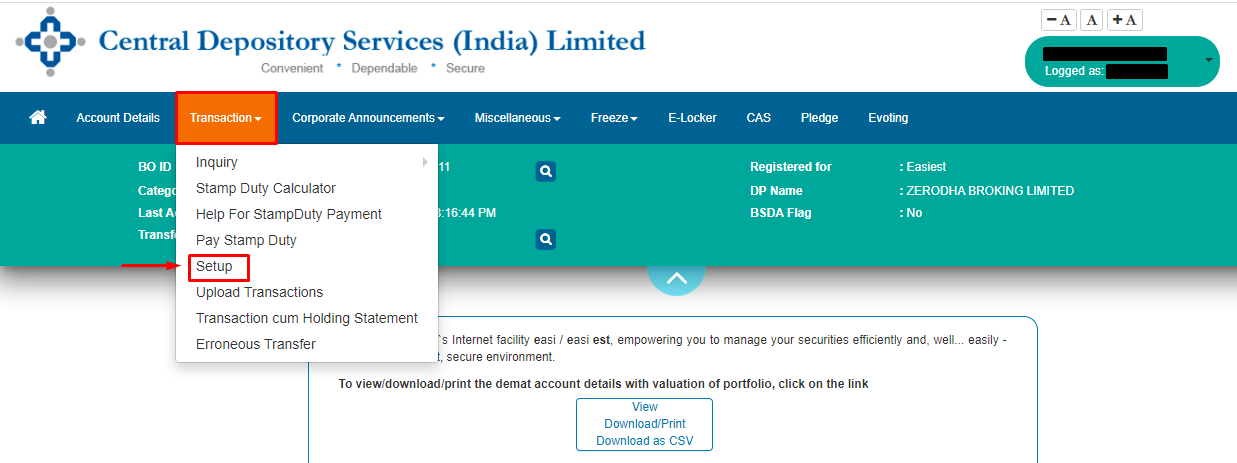
Log in to
web.cdslindia.com/myeasitoken/home/login
and click on
Setup
under Transactions.
-
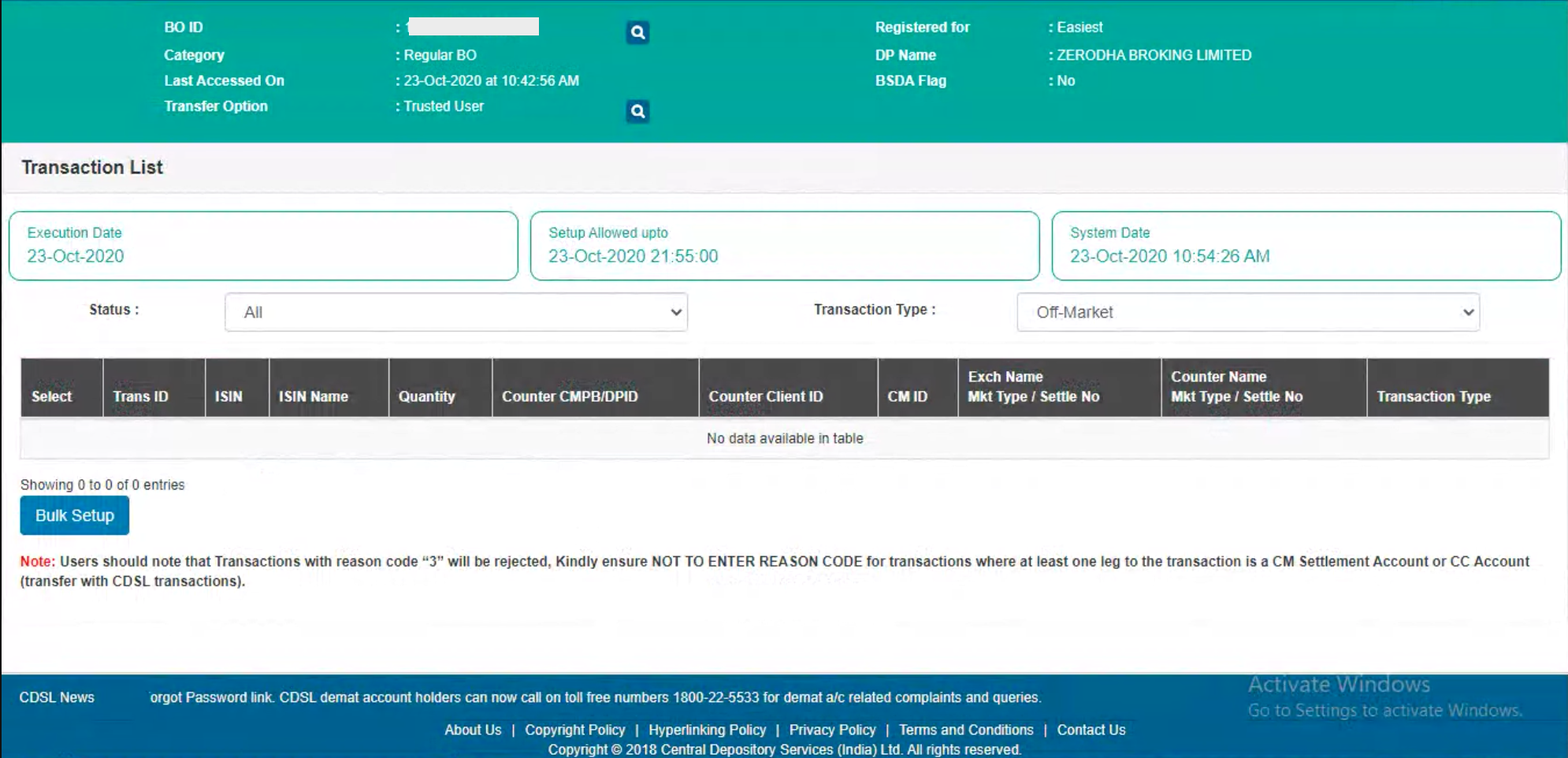
Click on Bulk Setup.
-
Click on
Transaction
and enter the execution date and enter the Beneficiary owner ID (BOID) of the person to whom the securities are to be transferred.
Add the beneficiary as a trusted account.
Select NA from the drop-down in the
Entity Identifier.

-
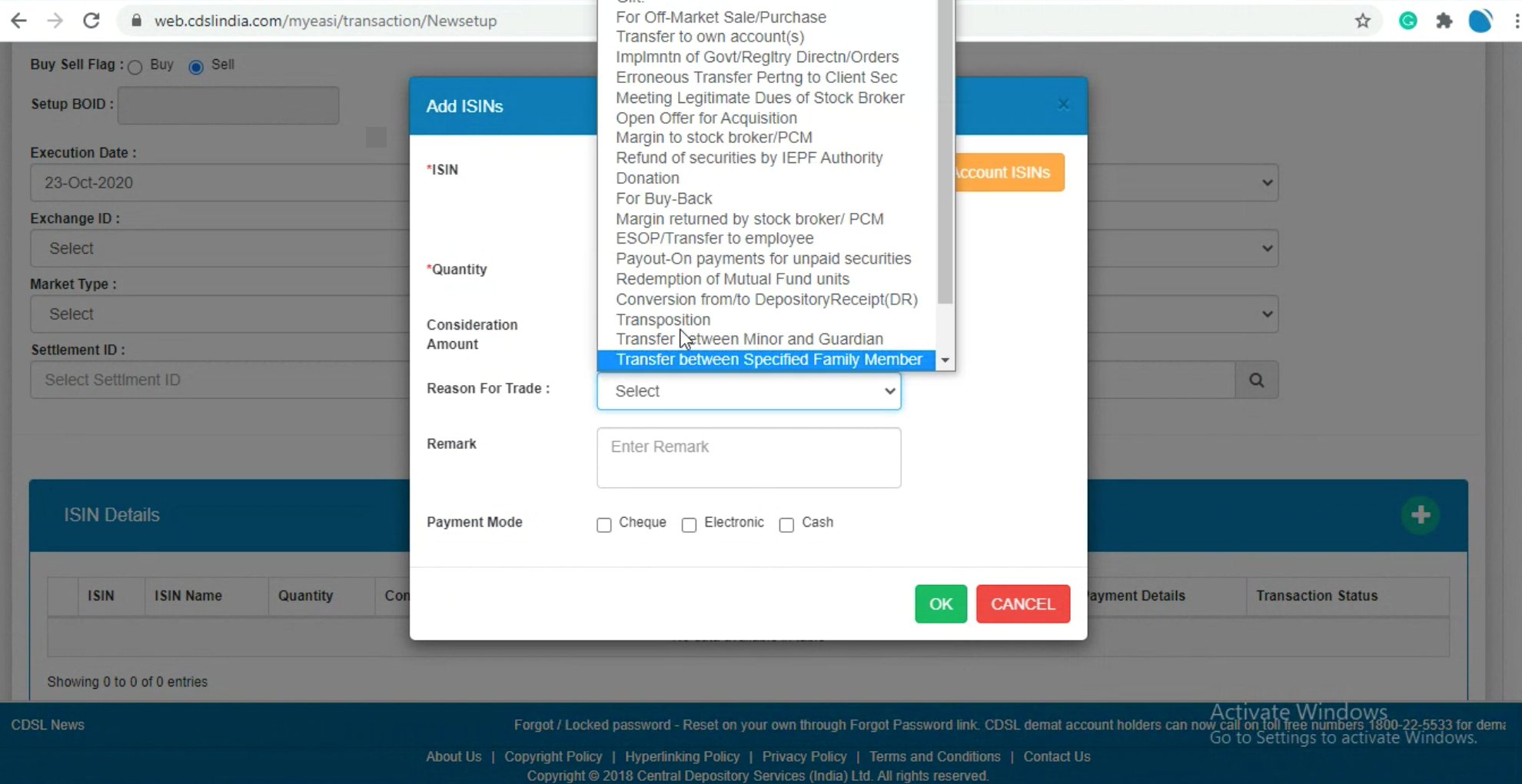
Click on Account ISINs and select the ISINs in the holdings from the list. Enter the quantity and select the reason for the trade. If the off-market transfer is not a gift or self-transfer and involves a consideration, stamp duty
(PDF)
must be paid to CDSL online
(PDF)
before making the transfer.
-
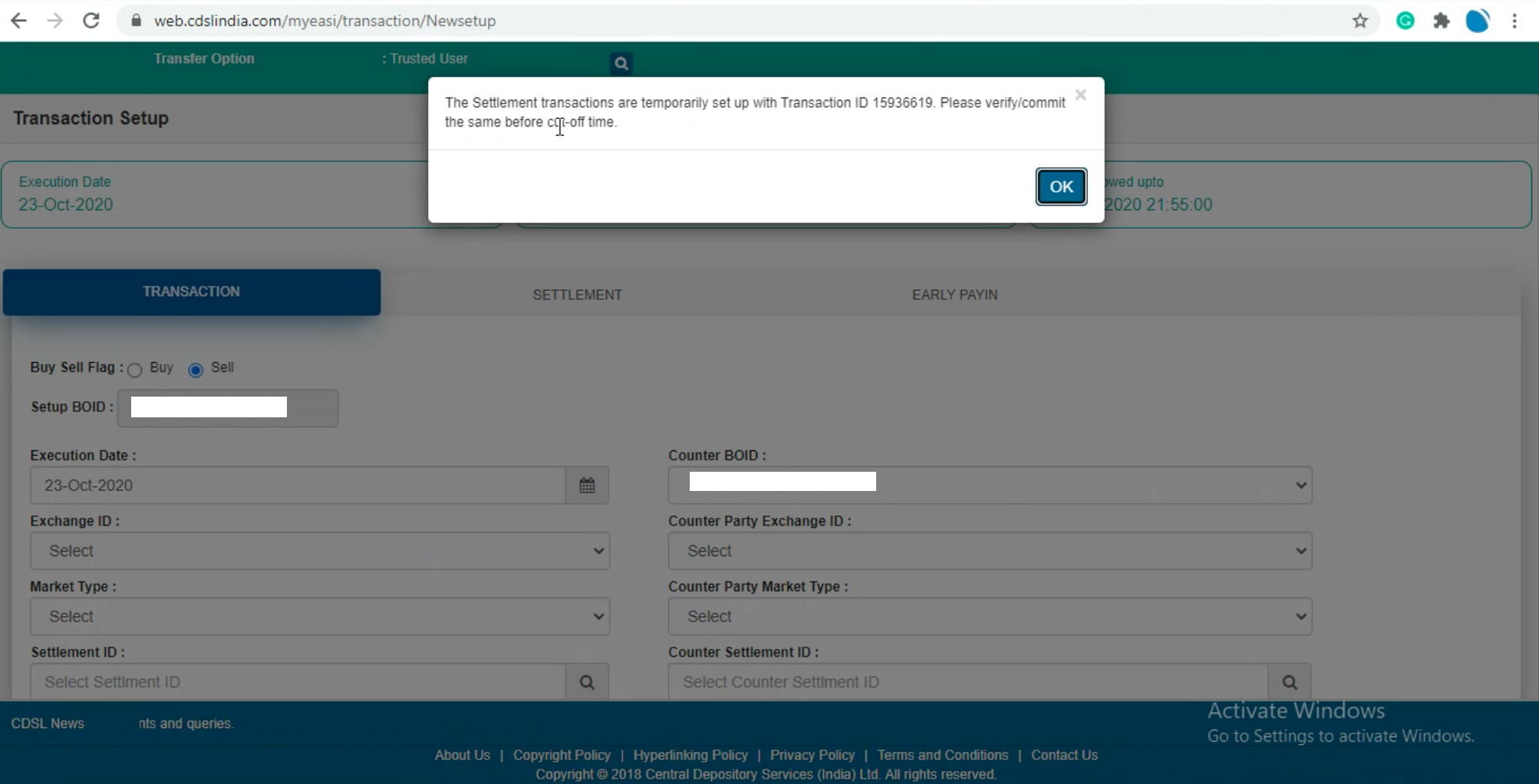
Click on
Submit.
If the receiver's beneficiary is not added, the following error will be displayed:
Active link between seller and buyer does not exist.
To learn how to add a beneficiary, see
How to add a beneficiary on CDSL to transfer securities?
-
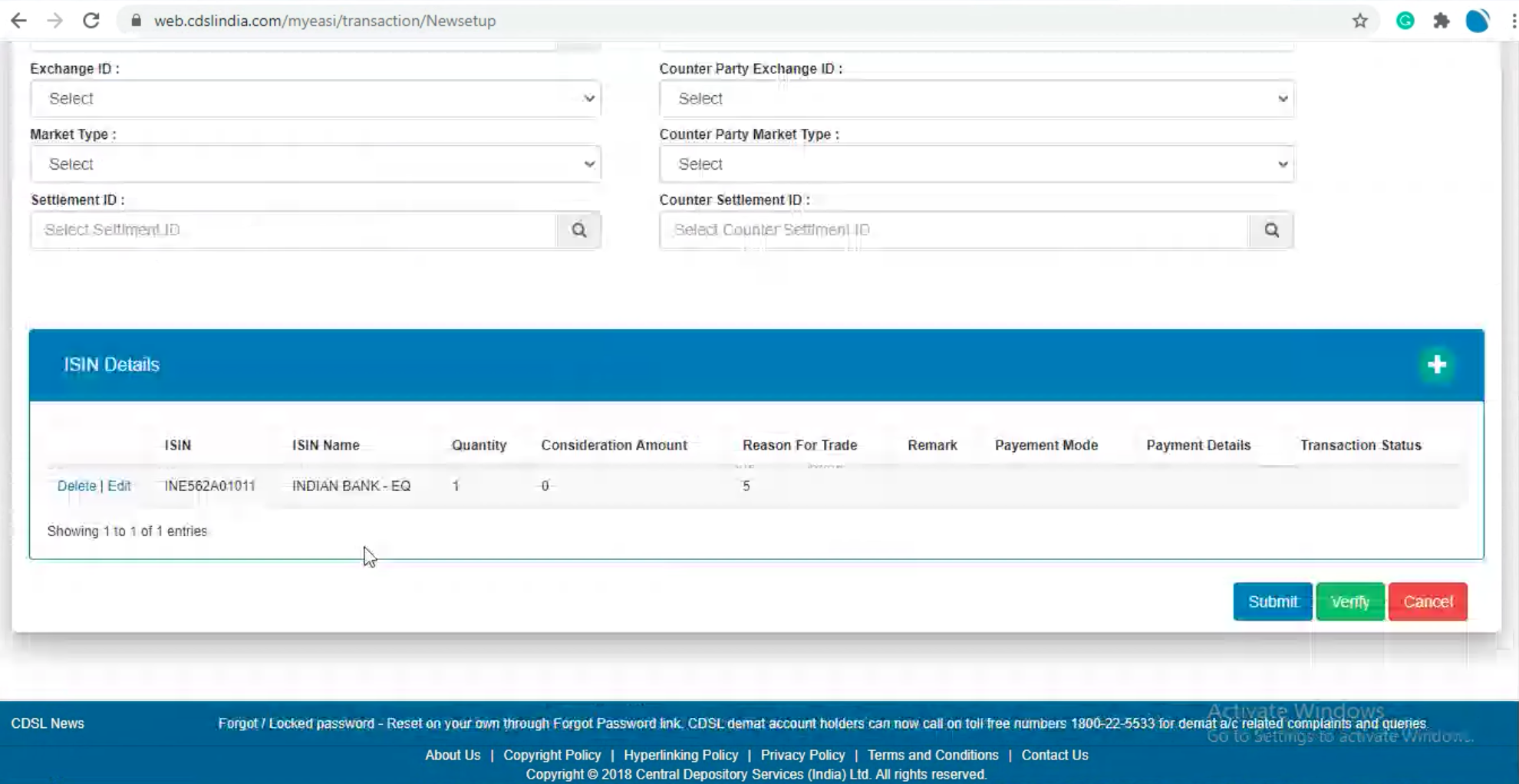
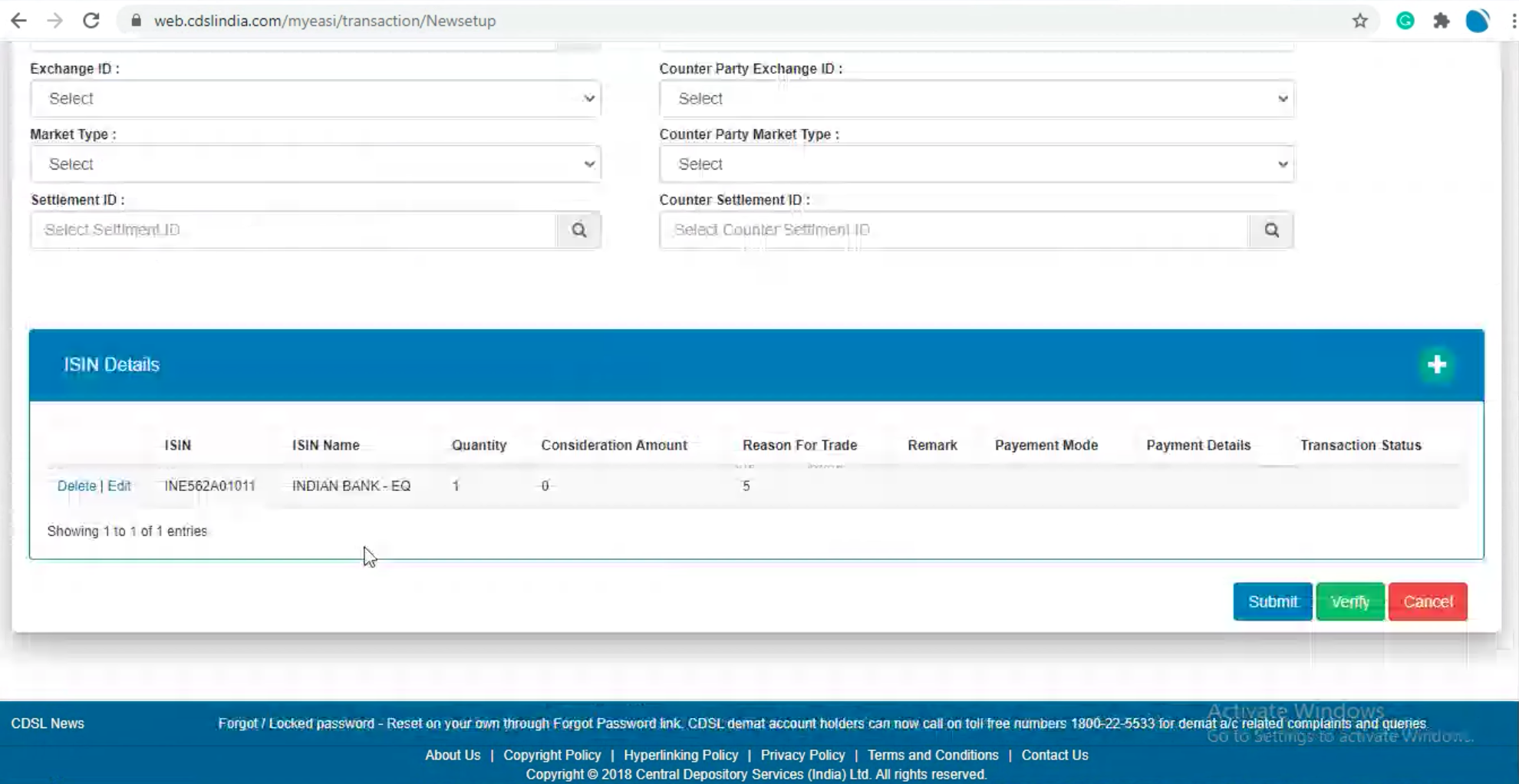
Click on
Verify.
For off-market transactions, the Exchange ID, Counter Party Exchange ID, Market Type, Counter Party Market Type, Settlement ID, and Counter Settlement ID need not be filled in.
-
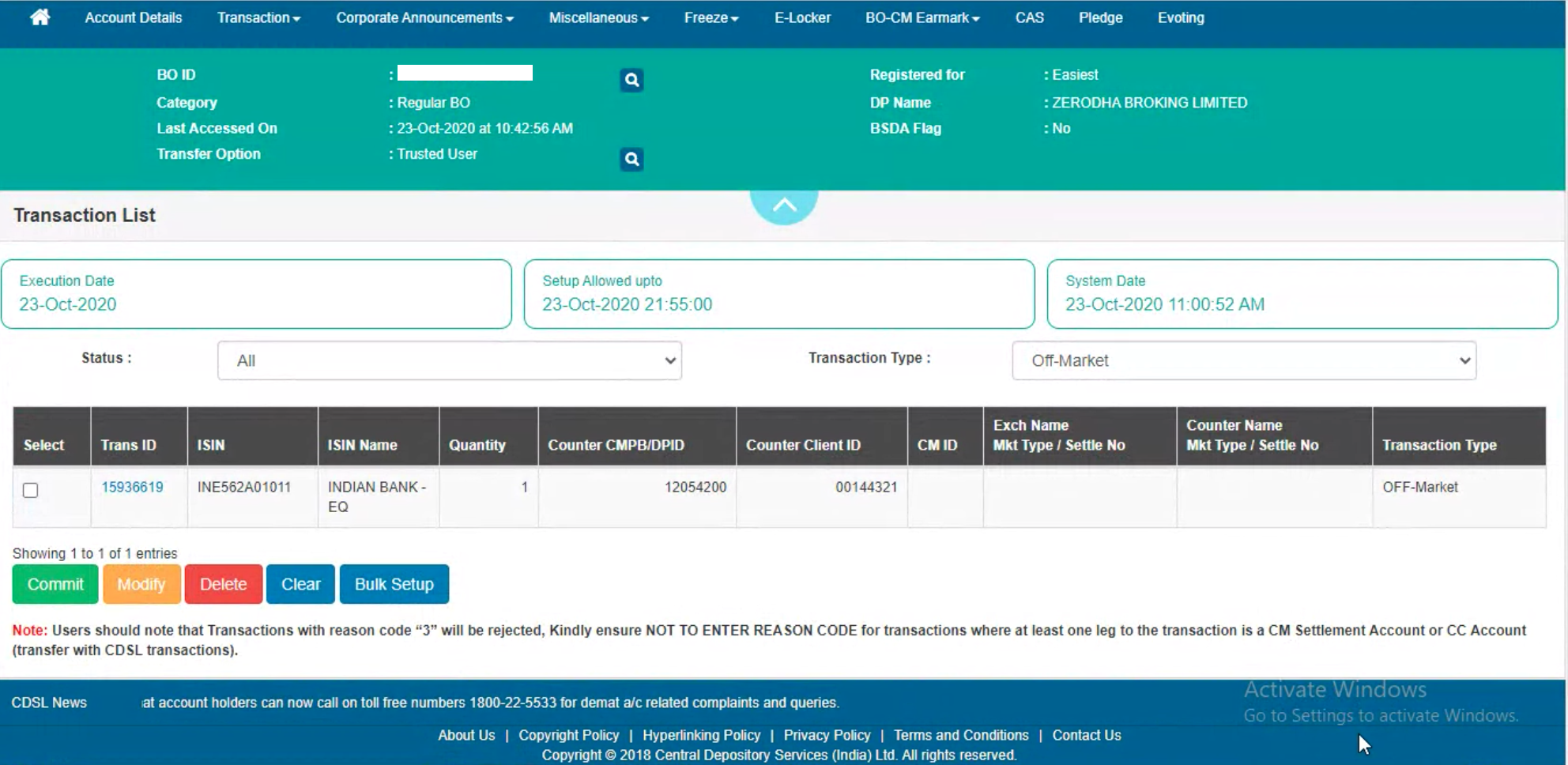
Click on
Commit
and then enter the OTP received on the registered mobile number and email.
-
Enter the 8-digit alphanumeric CDSL easiest PIN received on the registered email ID. Do not enter the 6-digit
CDSL TPIN.
First-time users must change the default PIN by visiting web.cdslindia.com/myeasitoken/home/login and, clicking on
Miscellaneous,
then on
Change PIN.
If the PIN was not received or forgotten, visit
web.cdslindia.com/myeasitoken/home/login,
click on
Miscellaneous,
and then on Reset PIN.

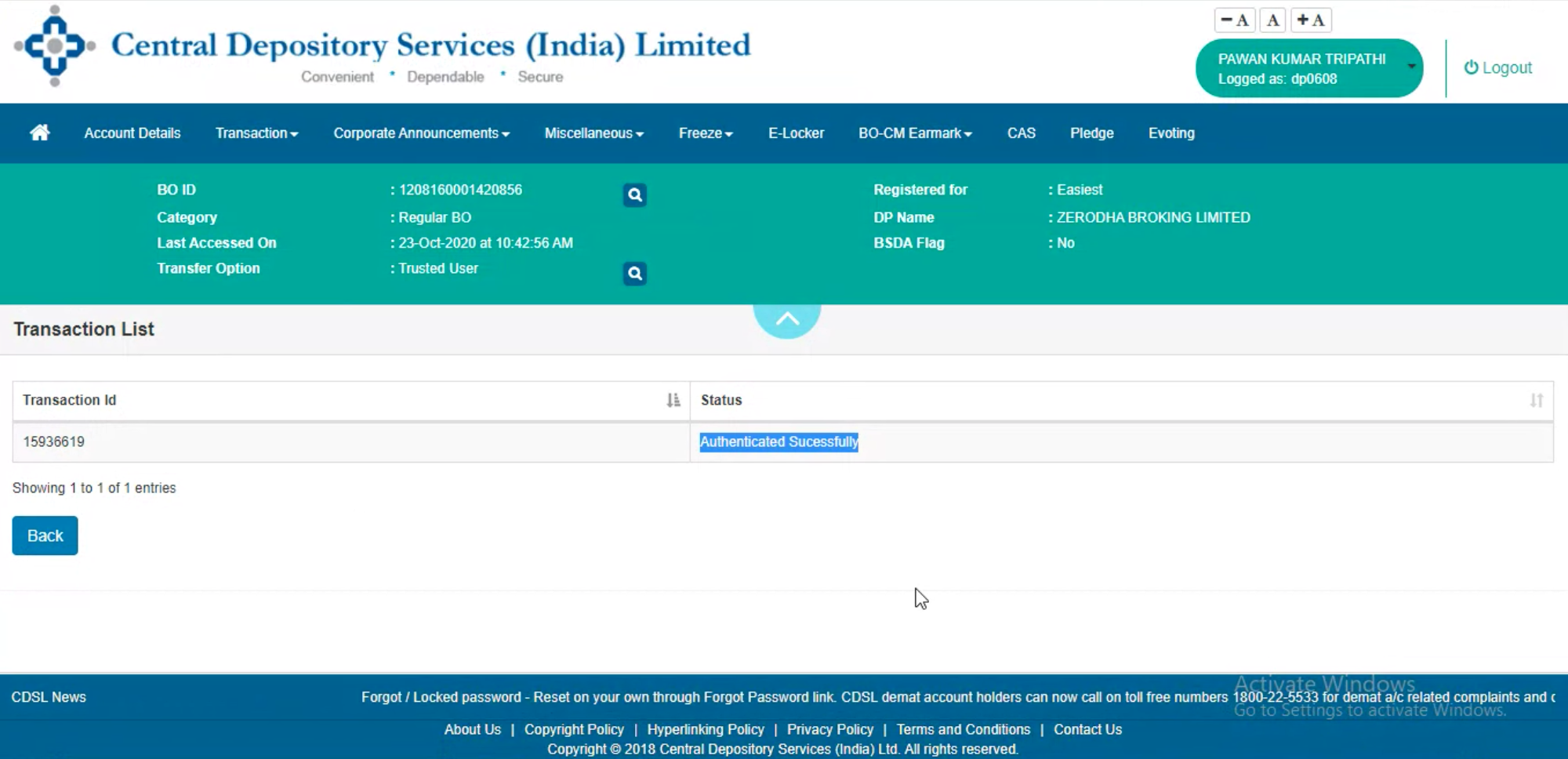
This is now sent to the broker for confirmation. Once the request is approved, the transfer will be completed.
Delivery Instruction Slip (DIS)
A DIS is a booklet similar to a chequebook. Each slip in the booklet is used whenever shares need to be transferred. The DIS must be filled out with details like the account holder's name, quantity to be transferred, name of the stock, etc.
To transfer shares using DIS, follow these steps:
- Obtain the DIS from the existing broker.
- Fill out the form with the Zerodha demat account details. If the existing broker’s depository is NSDL, use inter-depository slips, if it is CDSL, use intra-depository slips. The existing broker provides both slips.
- Submit the DIS to the existing broker.
Things to keep in mind
- You can manually update the trade dates and acquisition prices for all the securities you transfer to Zerodha for effective portfolio tracking. The buy average price for transferred securities will show as N/A until you update the price.
- Your transferred shares will be visible under holdings on Kite and Console.
- To learn how to transfer shares to an NRI Zerodha account, see How can shares be transferred from an existing demat account to an NRI Zerodha demat account?