


You need to register for CDSL Easiest to transfer shares from your Zerodha account to other CDSL demat accounts. However, if you have already registered in Myeasi, you can upgrade from Myeasi to Myeasiest.
As per CDSL's circular (WEB), to prevent incorrect transfers, all off-market transfers will be processed only if the sender (transferor) of the securities adds the receiver's (transferee’s) demat account as a beneficiary on CDSL. Once you've added the beneficiary, you need to add that beneficiary as a Trusted account on CDSL Easiest, which takes 24 working hours.
Once you've registered, follow these steps to transfer securities from your Zerodha account:
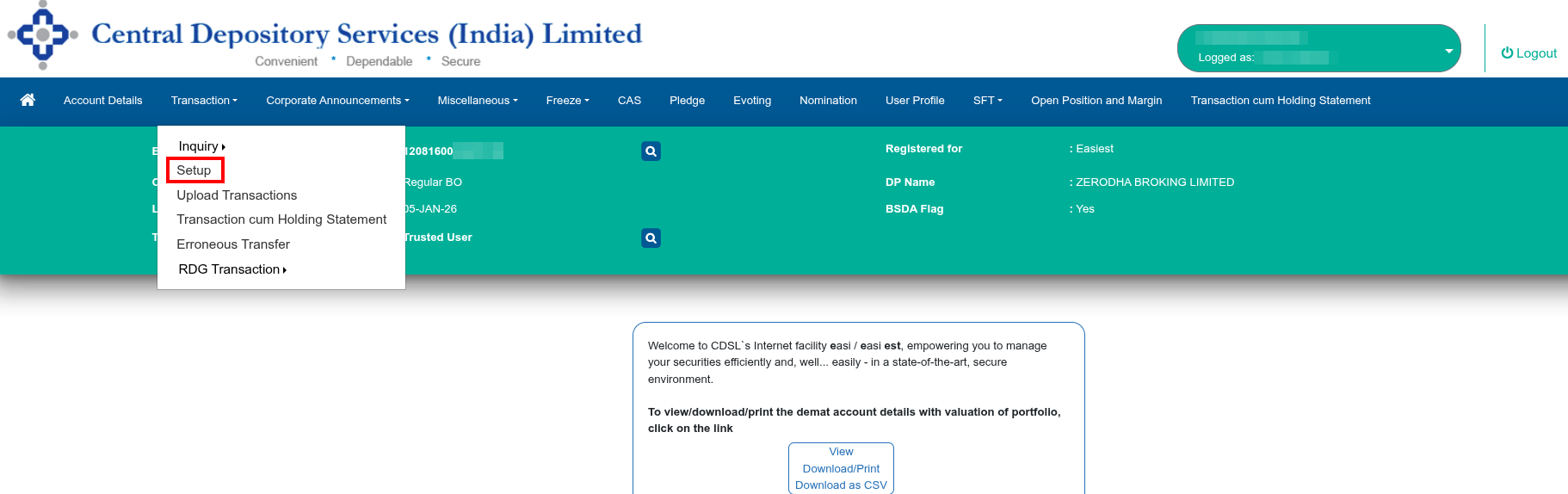
1. Log in to web.cdslindia.com/myeasitoken/home/login and click on Setup under Transactions.
2. Click on Bulk Setup.
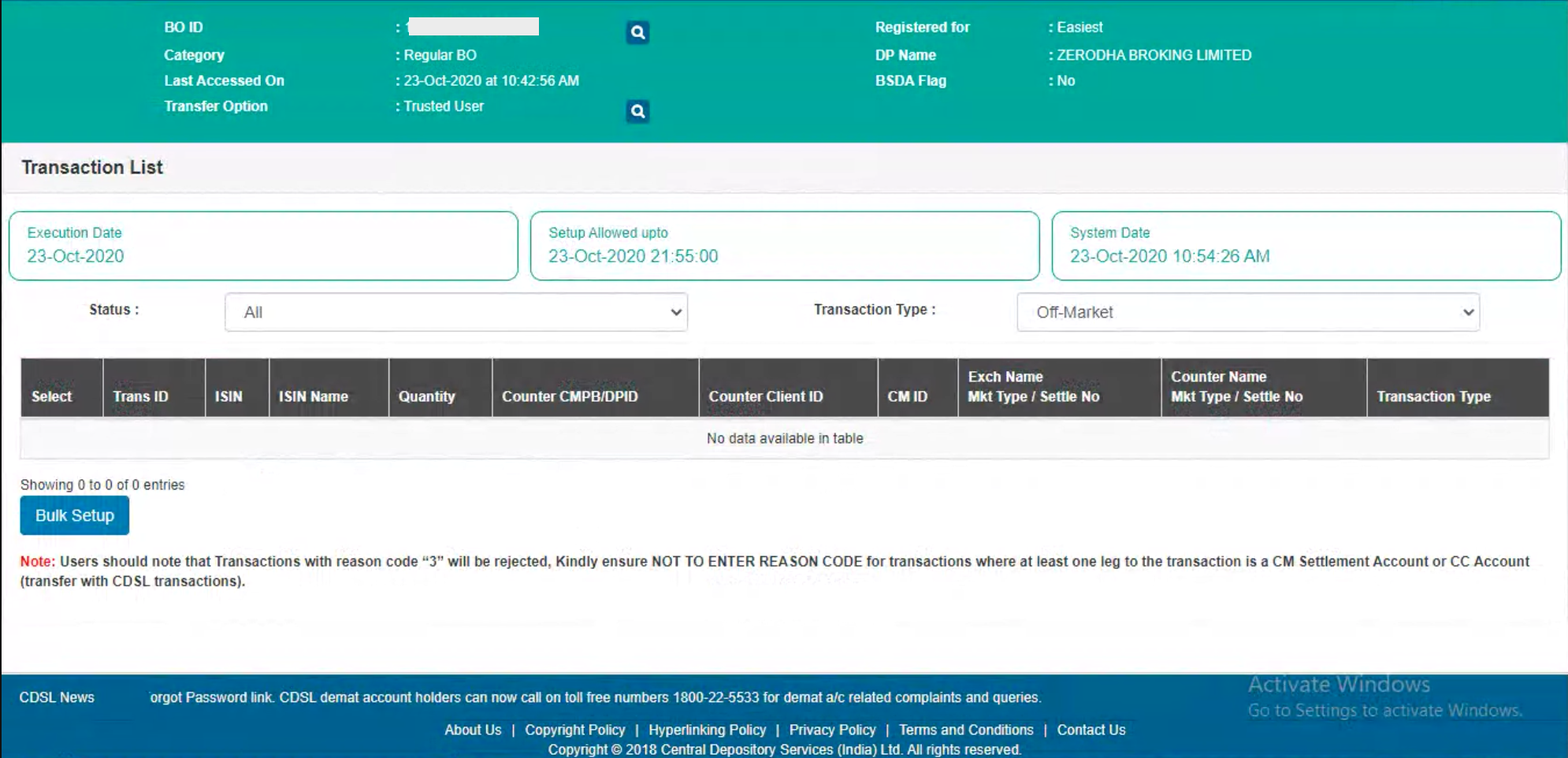
3. Click on Transaction and enter the execution date and enter the Beneficiary owner ID (BOID) of the person to whom the securities are to be transferred. Select NA from the drop-down in the Entity Identifier.

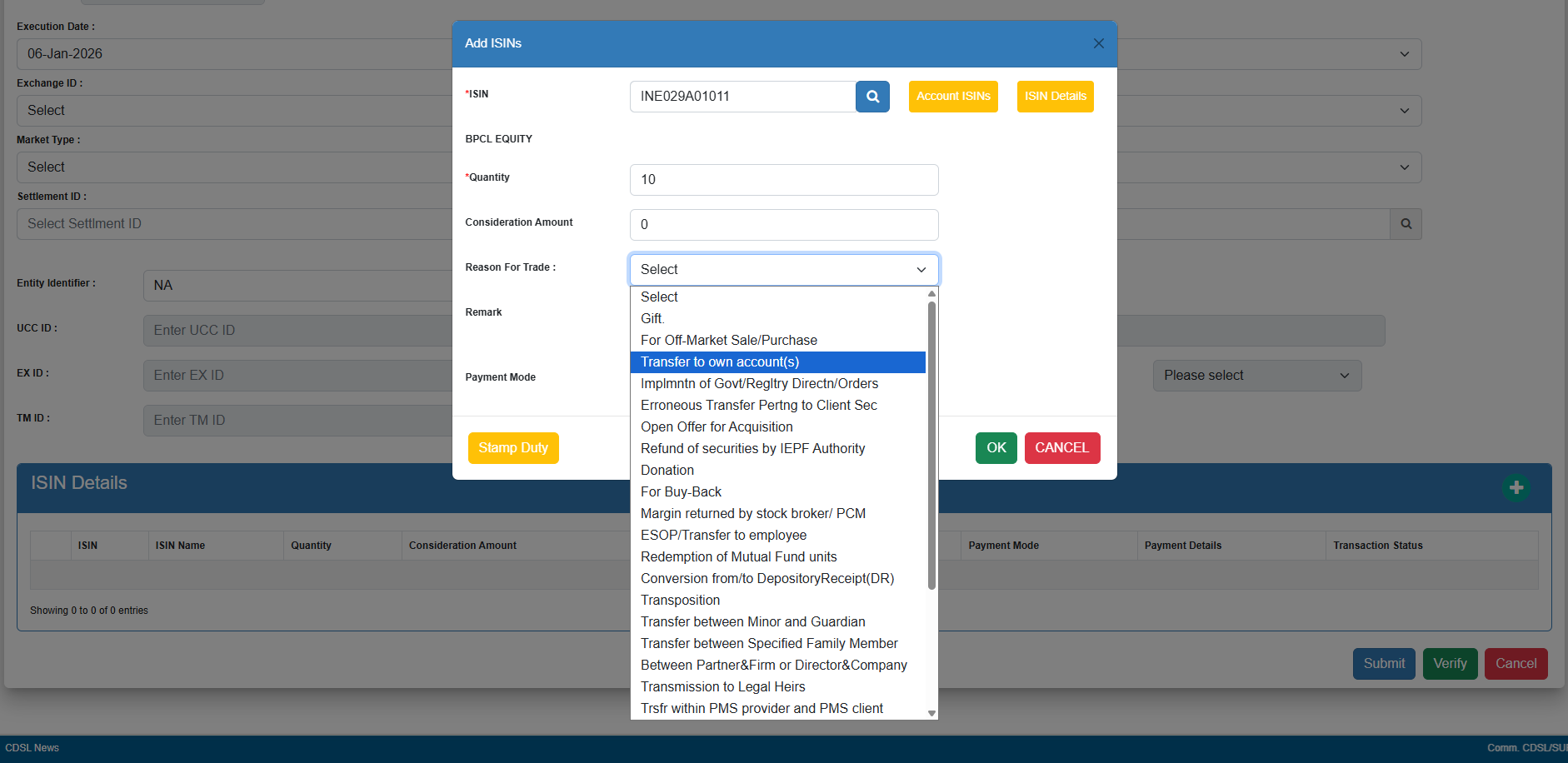
4. Click on Account ISINs, select the ISINs from the list of holdings, enter the quantity, and select the reason. You can refer to the following communique from CDSL to select the correct reason code.
-
- If the reason for transfer is due to a sale (For Off-Market Sale/Purchase) and the client is receiving money, enter the sale amount under Consideration Amount. Select the Payment mode of receiving the money and enter the bank details of the buyer. Clients must also pay stamp duty for that sale to CDSL (PDF) via their virtual account number (PDF) before making the transfer. Clients can visit cdslindia.com/stampduty/cal_stampduty.aspx to learn how much stamp duty must be paid.
- If the reason for transfer is a gift, self-transfer, transfer to family members, etc., where money has not been transferred, the consideration amount must be filled out as zero, and the payment mode must not be selected.
- You can add up to 10 ISINs at a time, once 10 ISINs are set up and authenticated temporarily. You can click on Transaction and then on Bulk setup to add another 10. You can repeat this process in multiples of 10 to set up as many transactions as you need. In your final batch, you'll see a complete list of all transactions. To complete the setup, simply select the transactions and authenticate them using your OTP and PIN.
5. Click on Submit. If the receiver's beneficiary is not added, the following error will be displayed: Active link between seller and buyer does not exist. To learn how to add a beneficiary, see How to add a beneficiary on CDSL to transfer securities?
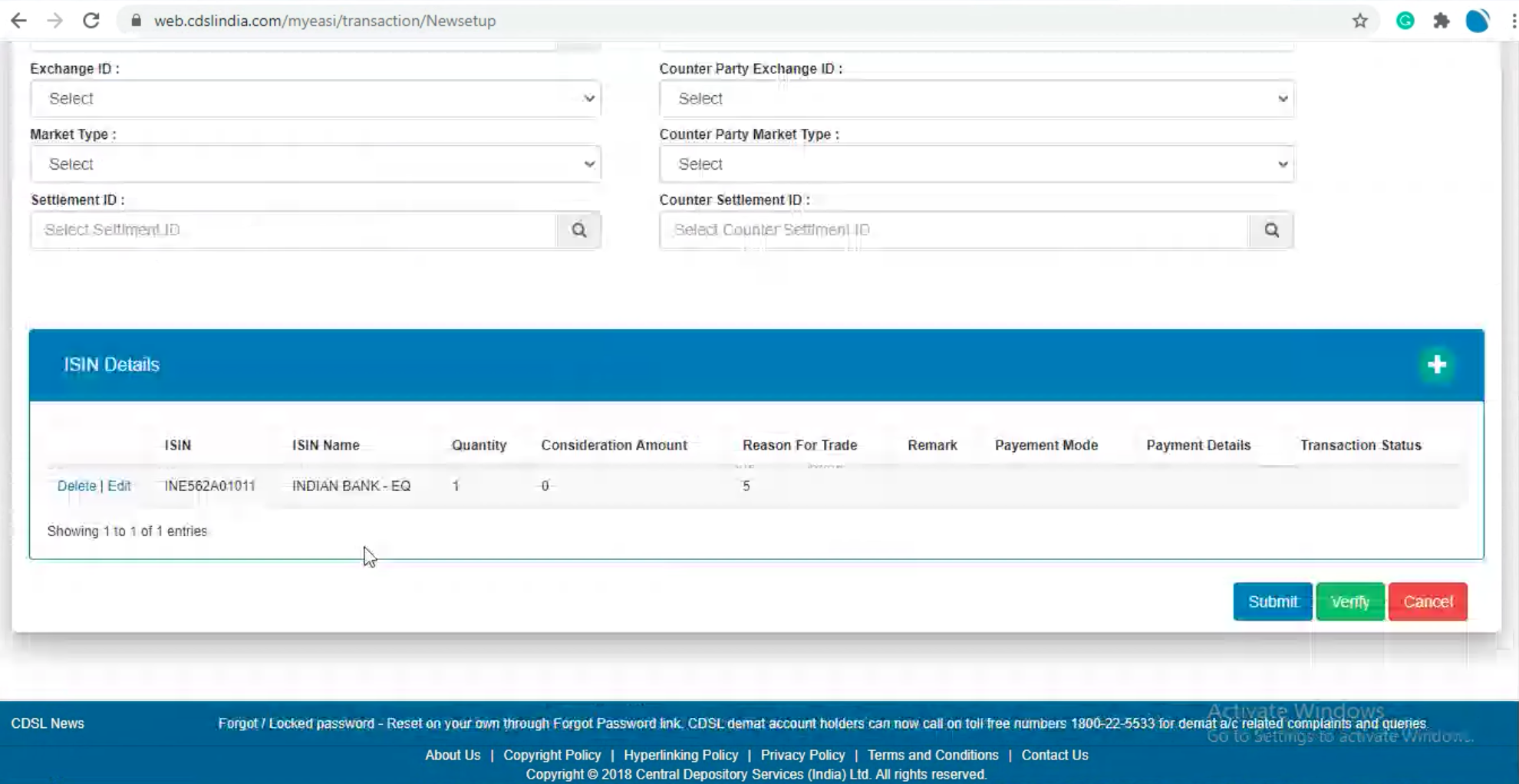
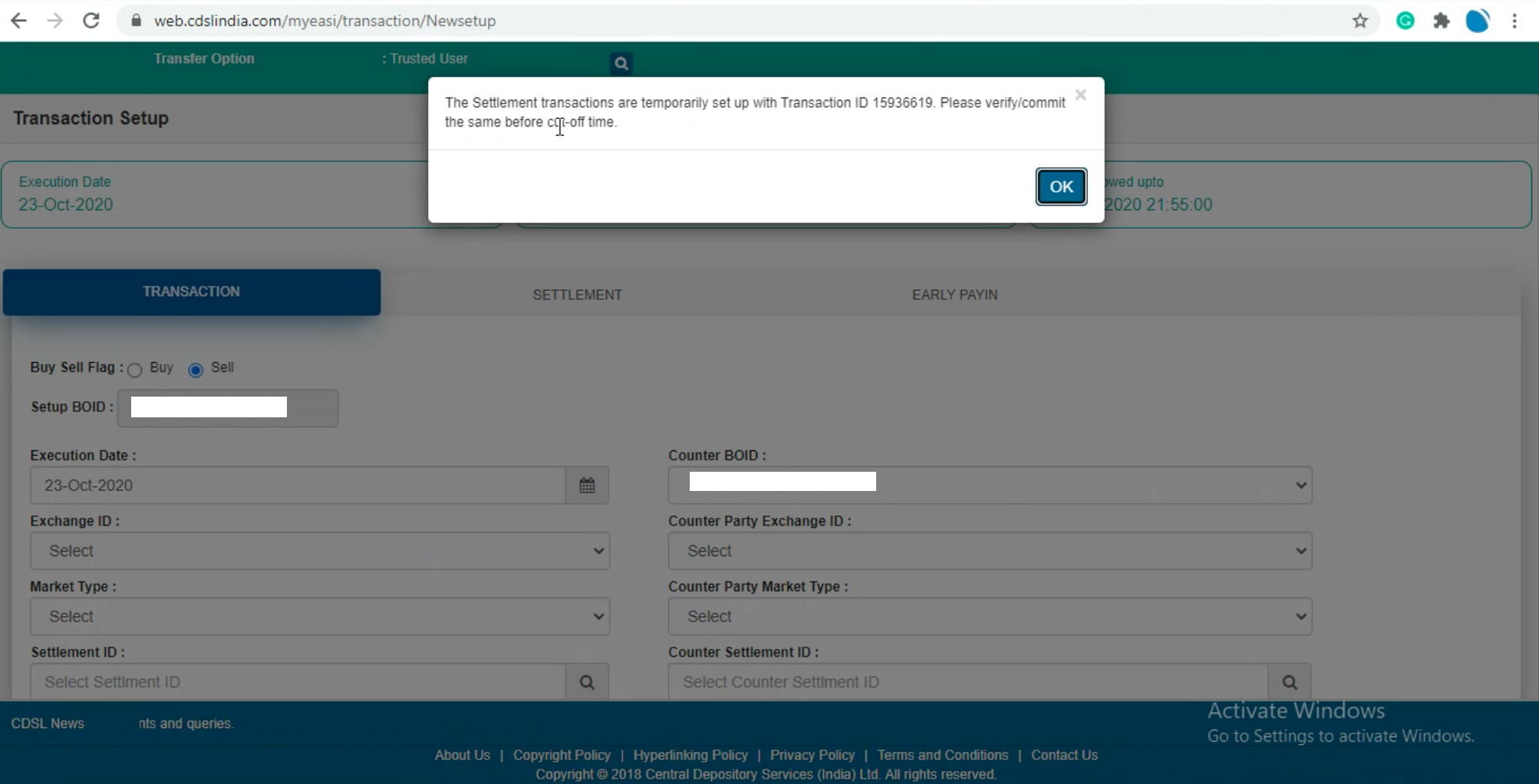
6. Click on Verify. Exchange ID, Counter Party Exchange ID, Market Type, Counter Party Market Type, Settlement ID and Counter Settlement ID need not be filled in for off-market transactions.
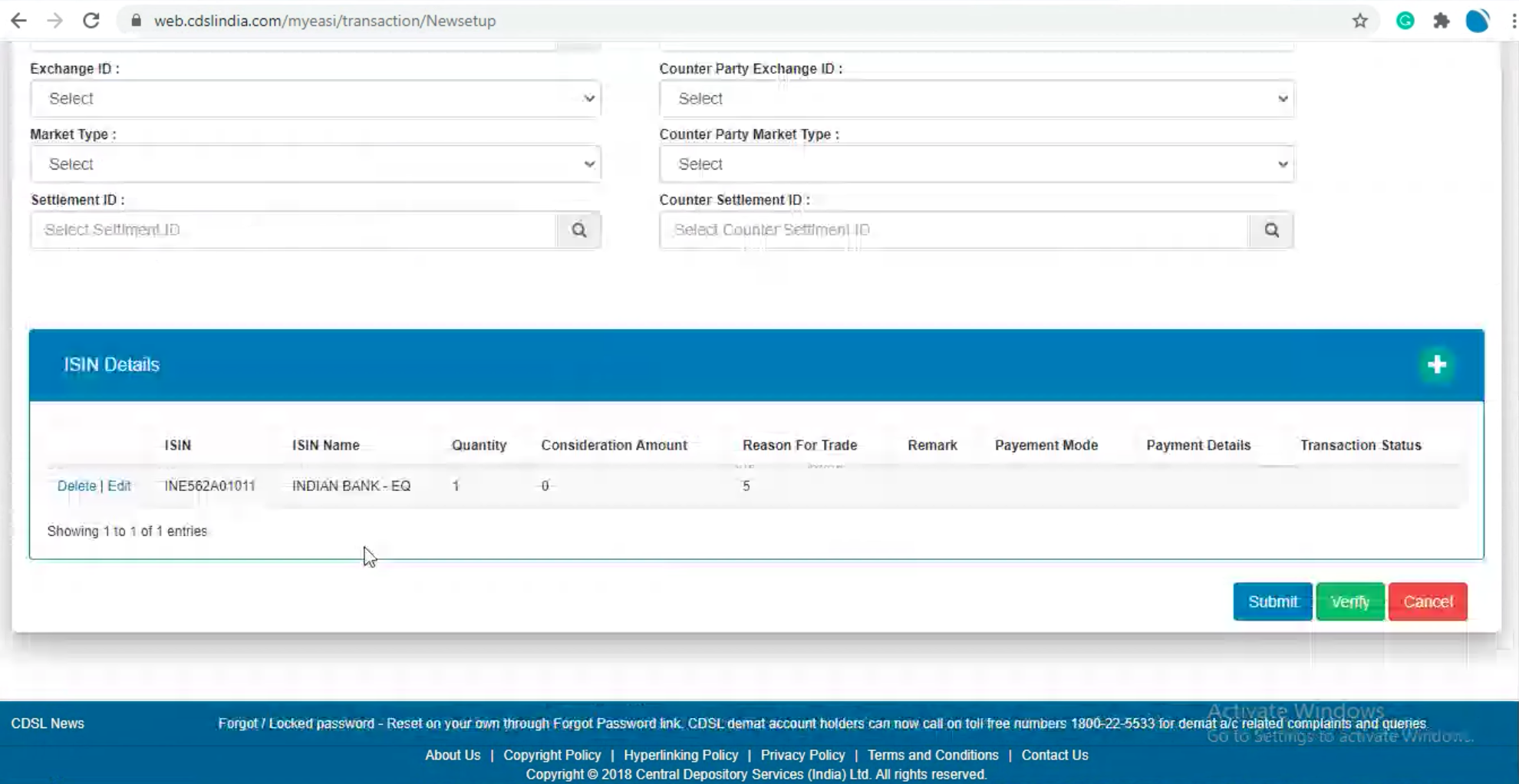
7. Click on Commit and then enter the OTP received on the registered mobile number and email.
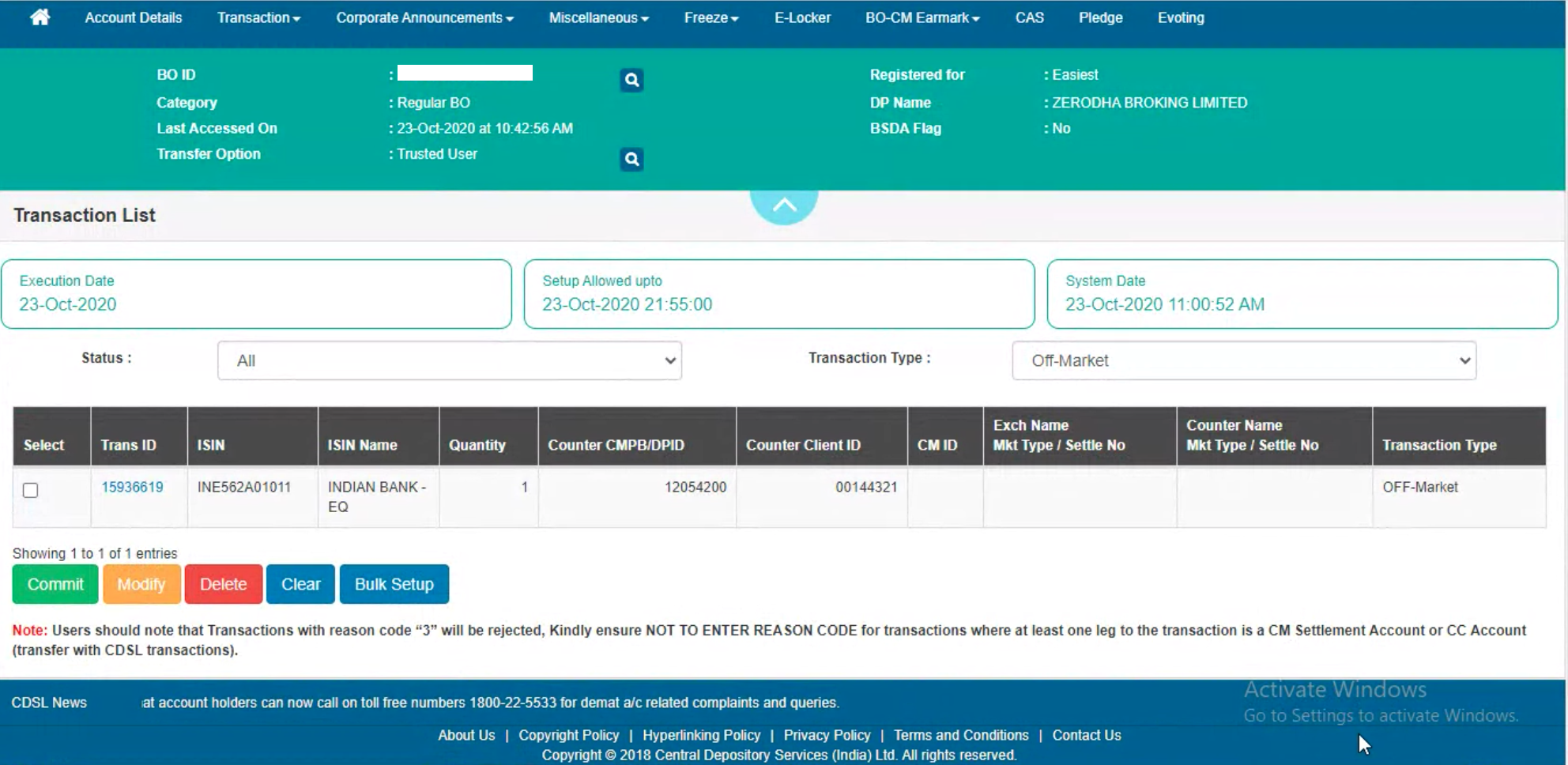
8. Enter the 8-digit alphanumeric CDSL easiest PIN received on the registered email ID. Do not enter the 6-digit CDSL TPIN. First-time users must change the default PIN by visiting web.cdslindia.com/myeasitoken/home/login and, clicking on Miscellaneous, and then on Change PIN.
If the PIN was not received or forgotten, visit web.cdslindia.com/myeasitoken/home/login, click on Miscellaneous and then on Reset PIN.

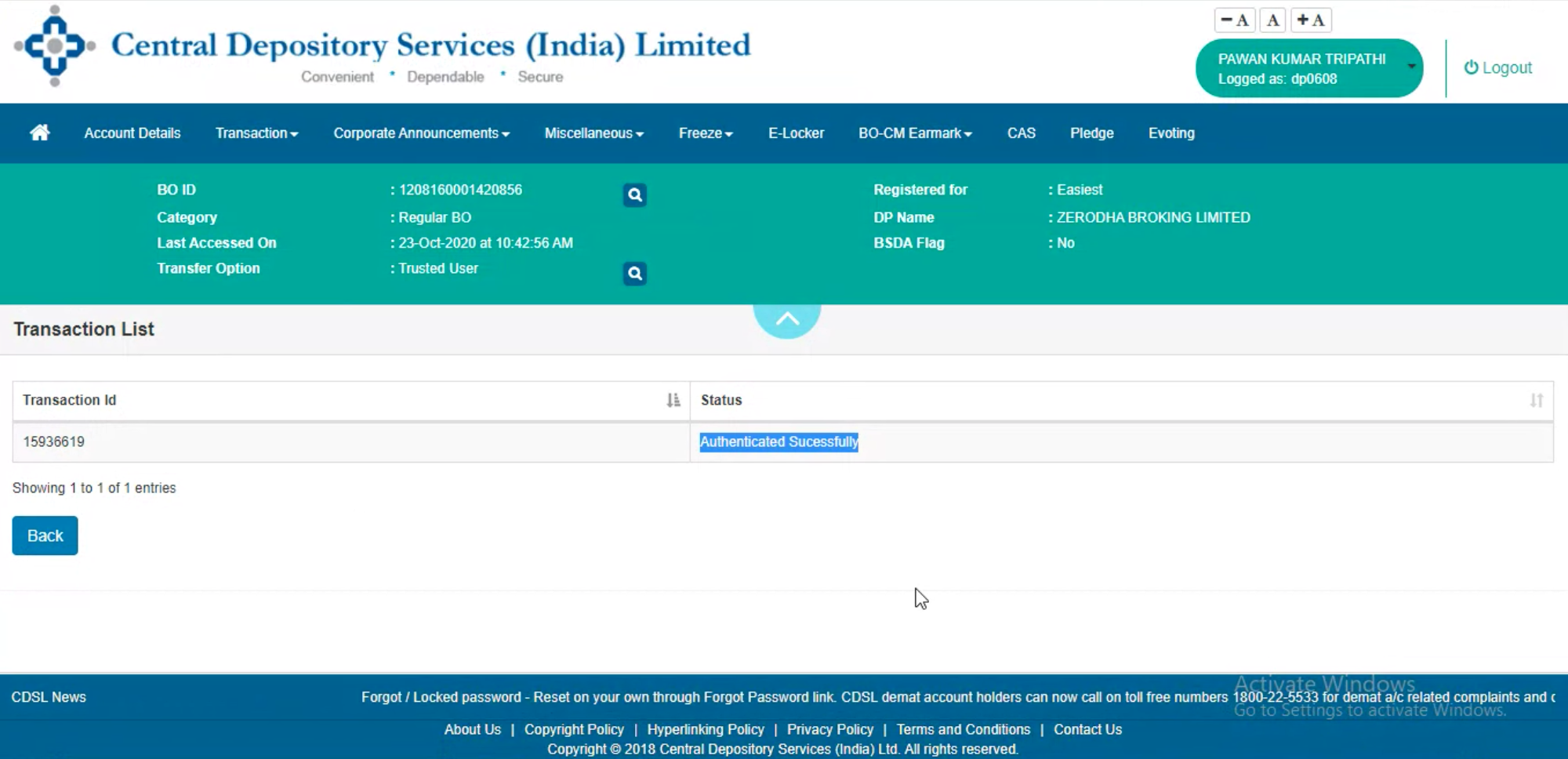
This is now sent to the Depository Participant (DP) for confirmation. The request is approved on confirmation, and the transfer will be done.
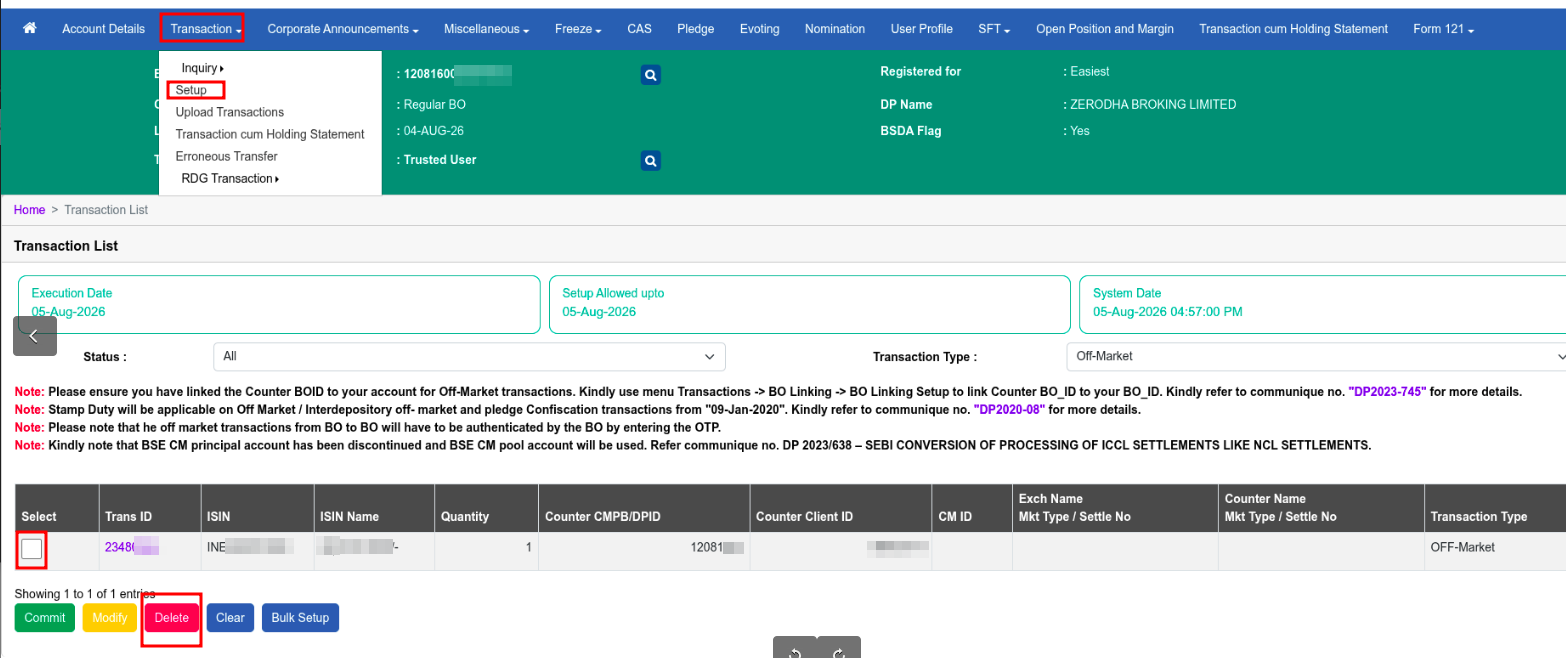
How to delete or cancel a set-up transfer transaction on CDSL Easiest?
If a transfer transaction has been set up on CDSL Easiest but you no longer wish to proceed with it, you can delete the pending transaction directly from the CDSL portal before it is confirmed by Zerodha (DP). You do not need to contact Zerodha support via a ticket or call.
To delete a set-up transfer transaction on CDSL Easiest, follow these steps:
- Log in to web.cdslindia.com/myeasitoken/home/login .
- Click on Transaction and then click on Setup.
- Select the check box next to the set-up transaction you wish to delete.
- Click on Delete.
- Enter the 8-digit alphanumeric CDSL PIN to confirm the deletion.
Things to keep in mind
- Transfer requests are not processed immediately because Zerodha needs to verify the availability of shares in the customer's demat account. This verification is necessary because there may be instances where the client has initiated a transfer request for a security and sold it on the same day. For an off-market transfer, if the request is submitted before 6 PM on a trading day, it will be processed on the same day. However, requests submitted after 6 PM must have the execution date set for the next working day. Otherwise, the request will not be approved.
- Shares and mutual funds under lock-in, pledge or frozen status cannot be transferred using this flow.
- Transfer charges of ₹25 per security, per transaction, plus 18% GST are applicable. For example, if you transfer 10 shares of HDFC, 5 shares of Reliance and 2 shares of Infosys in one transaction, the charges would be ₹75 + 18% GST. If you transfer 10 shares of HDFC in two transactions, the charges would be ₹50 + 18% GST. Clients must maintain the required balance for the charges to be debited.
- Your share transfer request will be rejected if your trading account has a zero or negative balance, or if your account is dormant. If you add funds to clear a negative balance, the funds will be reflected by the end of the day (EOD), and you can initiate the transfer process on the following day. If your account is dormant, you must complete re-KYC to reactivate it before proceeding with the share transfer.
- To avoid rejection of share transfer, do not sell shares being transferred before the approval of the easiest transaction. In rare cases, the sale transaction may not be rejected and can go to auction. In these cases, auction charges are to be borne by the client. The share transfer will also be rejected if the balance in the trading account is negative.
- If the account is dormant, clients must complete the Re-KYC process. To learn how, see Why did Zerodha send an email requesting KYC details to be updated?
- Inactive ISINs cannot be transferred.
- Transfer requests will not be processed if the account is frozen. To learn the reasons, see Why is my demat account frozen?