


Visually impaired and illiterate clients cannot open a Zerodha account online. They must complete the offline account opening process.
Documents required
Fill out these documents in the presence of a Zerodha representative:
- Equity application form (PDF)
- Declaration form (PDF)
- Vernacular risk disclosure document (RDD) (PDF)
- Notarised Demat Debit and Pledge Instruction (DDPI) (PDF)
- Disability certificate or Medical certificate (issued by the government hospital) Applicable for visually impaired account only
- A bank account proof in the client's name. The bank proof can be one of the following: A personalised cancelled cheque with the name printed on it, bank statement, bank passbook copy with the bank account number, bank logo, seal, MICR, and IFSC code clearly visible
How to fill the account opening forms
Refer to the sample copy (PDF) for guidance on completing these forms.
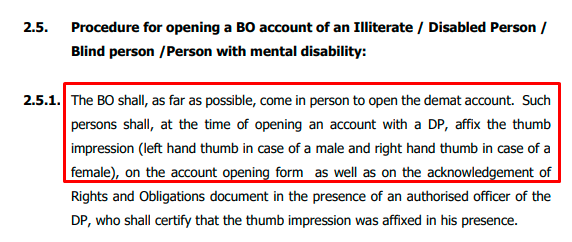
Thumb impressions instead of signatures
- Use left thumb impression for males
- Use right thumb impression for females
- Apply thumb impressions wherever signatures are required in the application forms and supporting documents
Notary
- Get a notary on the top right-hand corner of the Zerodha logo on the KYC page
- Get a notary on PAN and address proof documents
- Complete all details, including witness information, on the declaration form
Risk Disclosure Document requirements
- The person assisting with documentation must sign the Risk Disclosure Document (RDD)
- Include the name and signature of the witness to the documentation
- The representative must explain the RDD implications in vernacular language (PDF)
- Sign the RDD in the client's vernacular language
There are two options to get assistance with account opening:
1. Schedule a representative visit: Create a ticket from the registered email ID to request a visit from a Zerodha representative. There's no charge for this service. The representative will visit the residence free of cost. Once they collect the completed forms and send them to Zerodha's support office, the account will be opened within 72 working hours.
2. Visit a Zerodha office: Alternatively, someone can accompany the account holder to a Zerodha partner or support office where the account opening can be completed with assistance.
For help with either option, call 080 4719 2020 or 080 7117 5337, or create a ticket.