


Portfolio XIRR (Extended Internal Rate of Return) combines your current holdings and displays the annualised returns. It does not take into account historical buy and sell trades.
When you calculate returns on investments over multiple years with various transactions, relying only on absolute returns, which ignore the investment time period, may not provide an accurate result. For more accuracy, especially when dealing with multiple investments at different times, such as Systematic Investment Plans (SIPs), you can use XIRR.
How to view portfolio XIRR
Kite app
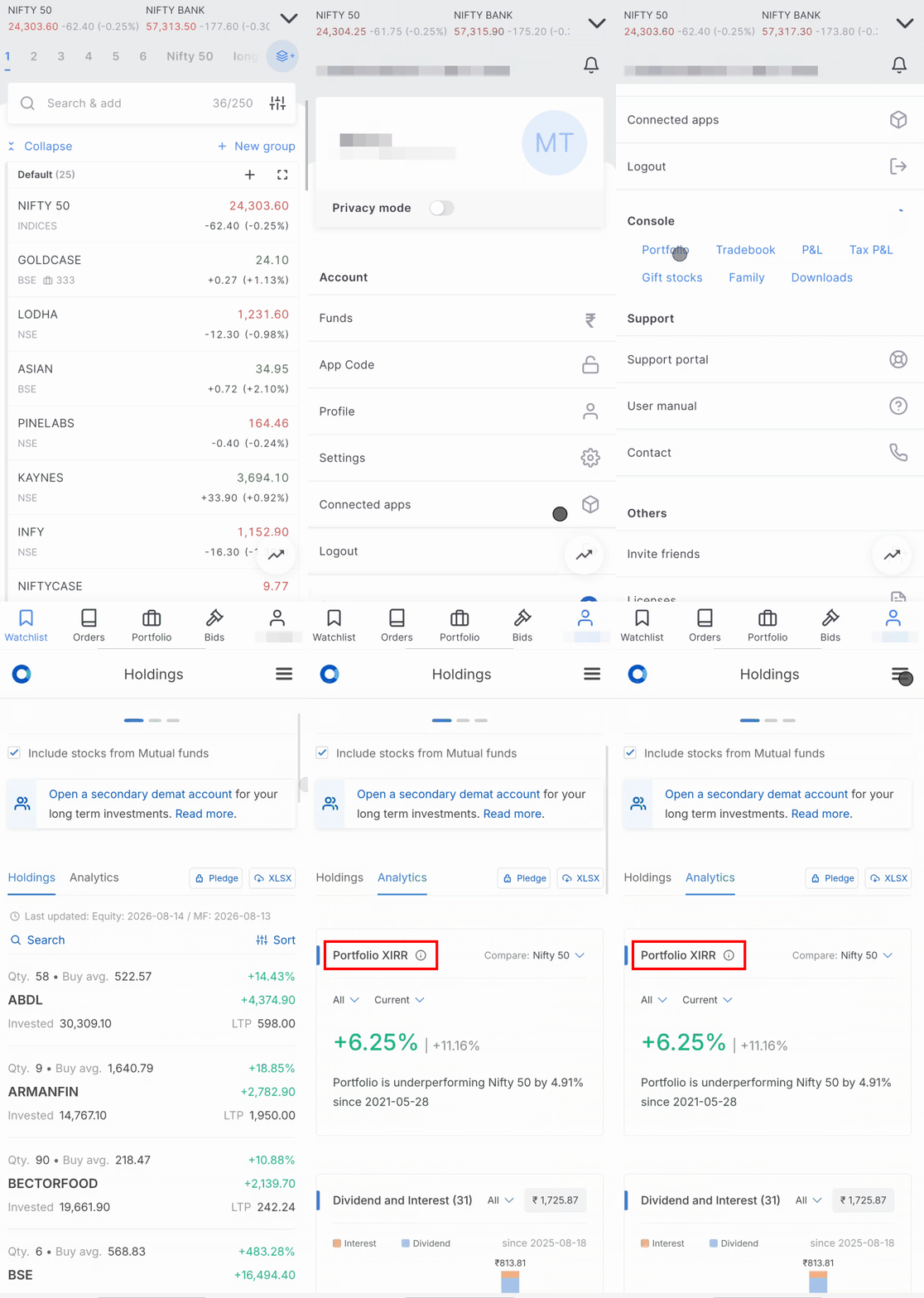
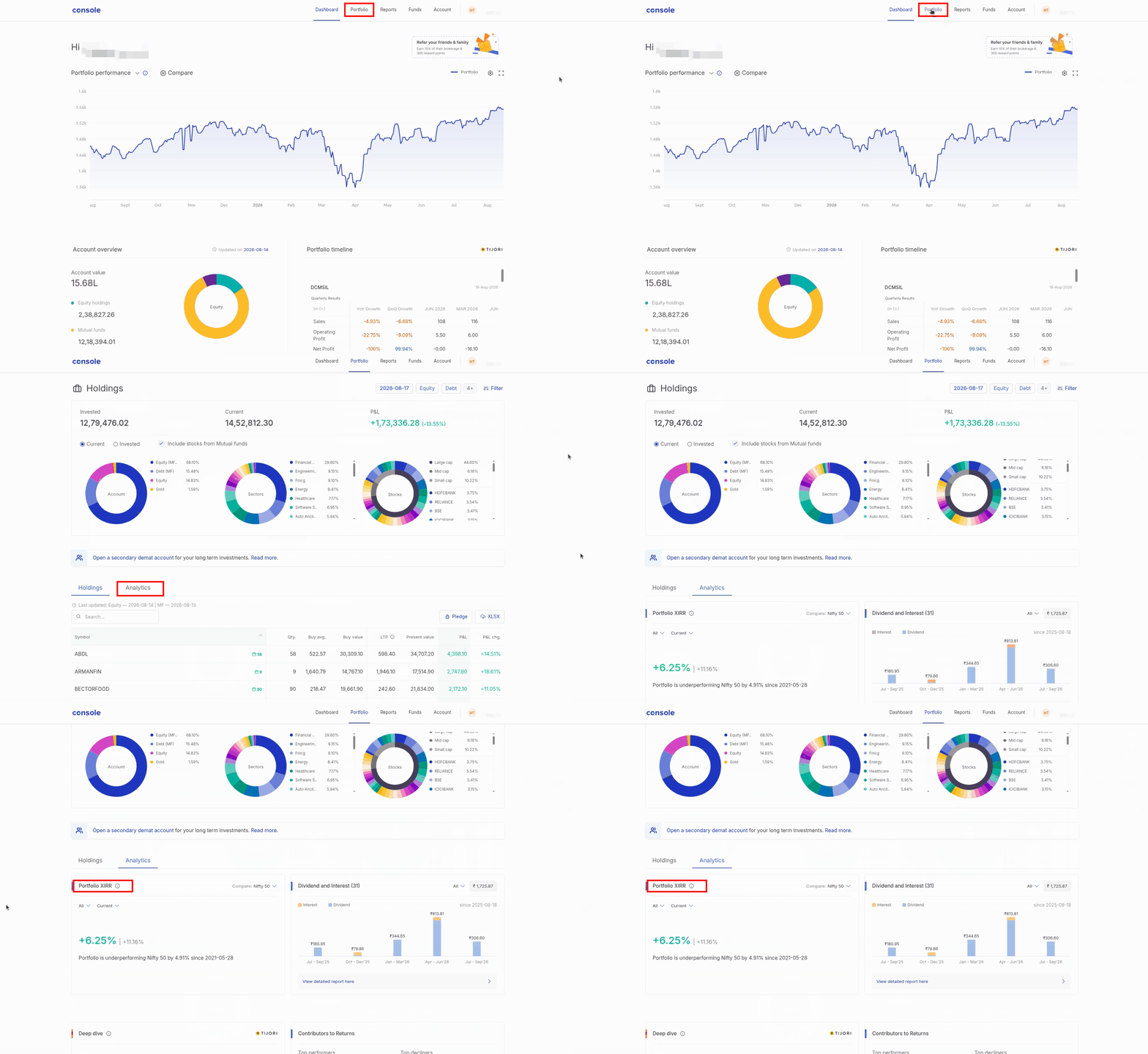
Kite web
- Log in to Console.
- Click on Portfolio.
- Click on Holdings.
- Click on Analytics.
Did you know? Zerodha has partnered with Mprofit through its fintech incubator, Rainmatter. Mprofit provides an option to calculate portfolio XIRR using the historical buy and sell transactions across all securities and also displays XIRR across different time frames. To sign up for Mprofit, visit mprofit.in/sign-up/investors.