


You can check your Extended Internal Rate of Return (XIRR) through Console, which calculates your annualised returns by considering the timing and amounts of multiple cash flows across all your trades since FY 2017.
XIRR helps you calculate annualised returns on investments when you have made multiple transactions at different times, particularly for Systematic Investment Plans (SIPs). Unlike absolute returns that ignore investment time periods, XIRR provides more accurate results for investments spanning multiple years with various transaction points.
How XIRR works
XIRR aggregates multiple Compound Annual Growth Rates (CAGRs) and focuses on investments like SIPs. You will find it particularly valuable for calculating performance on investments with multiple transaction points lasting beyond one year.
Most platforms calculate XIRR only on existing holdings, often neglecting past trades in the same stock. This approach provides incomplete results since XIRR should evaluate performance across longer timeframes, including all cash flows regardless of timing.
Console's XIRR feature for equity holdings gives you comprehensive XIRR for any stock, including all trades from FY 2017. You get a complete view that considers all cash flows after adjusting for corporate actions like bonus issues, splits, demergers, and buybacks.
XIRR for short-term investments
For investments with combined holdings and P&L breakdown lasting less than 365 days, you will see this message when loading XIRR: XIRR is less suited for short-term investments. Consider absolute returns instead. This appears because XIRR works better for longer-term assessments.
XIRR might display unusual numbers if you frequently buy and sell stocks within short timeframes. Despite mathematical accuracy, it may not represent your true profit and loss (P&L) accurately for such trading patterns.
XIRR for mutual funds
You can also apply XIRR to mutual funds using a similar approach that considers all corporate actions related to mutual funds for precise annualised gains. To learn more, visit Measuring Mutual fund Returns module on Varsity by Zerodha.
How to check XIRR
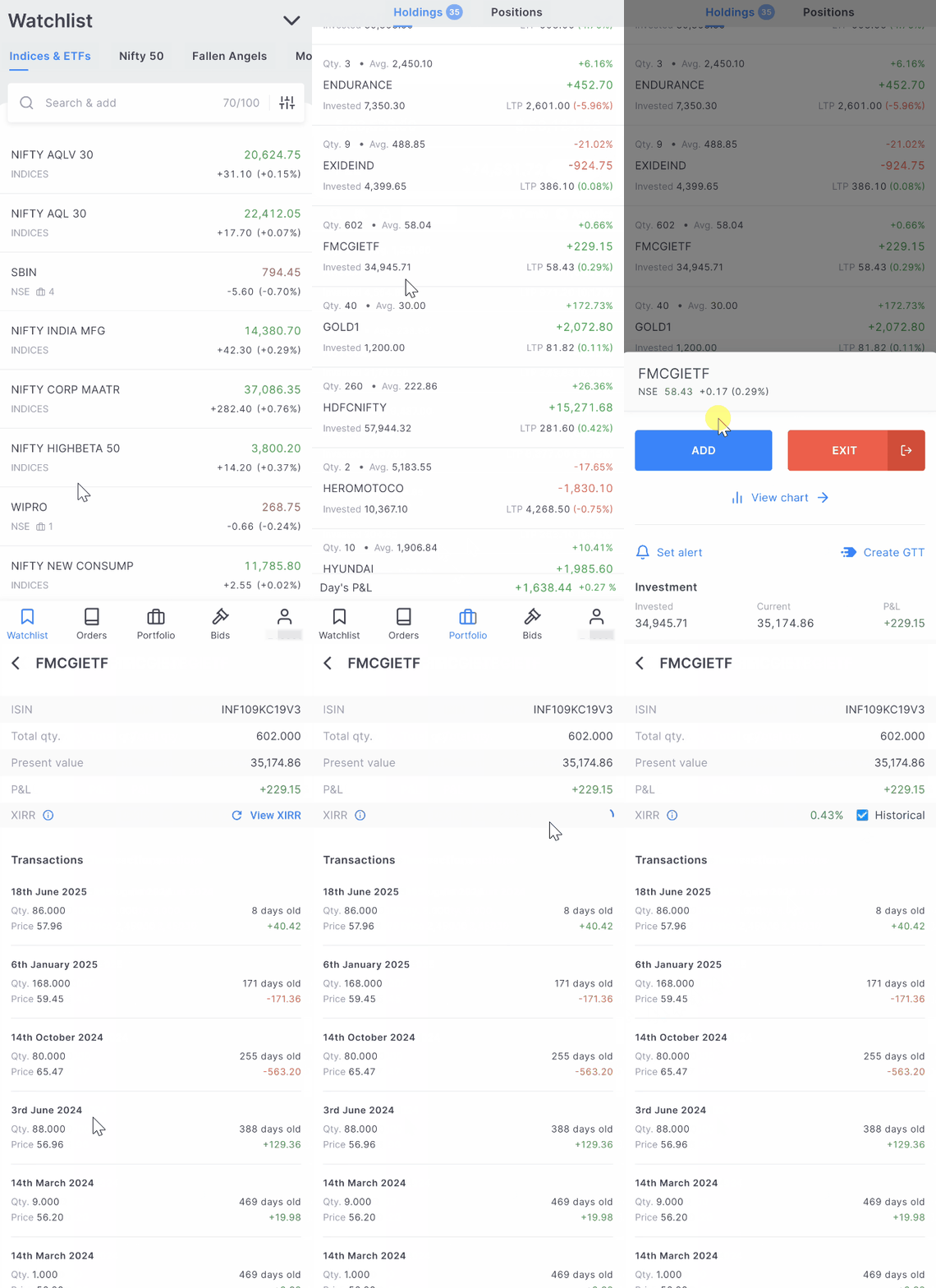
Kite app
- Tap on Portfolio.
- Select the stock.
- Tap on View breakdown.
-
Tap on
View XIRR.
Kite web
- Click on Holdings.
- Hover over an instrument and click on Options.
- Click on View Breakdown.
- Click on View XIRR.
