


You can create a Systematic Investment Plan (SIP) on Coin through the app or the web. To ensure your SIP starts within the current month, set it up at least 2 days before your preferred execution date. For example, if you want your SIP to execute on the 5th of each month, it must be set up by the 2nd. If it is created after the 2nd, the first installment will begin next month.
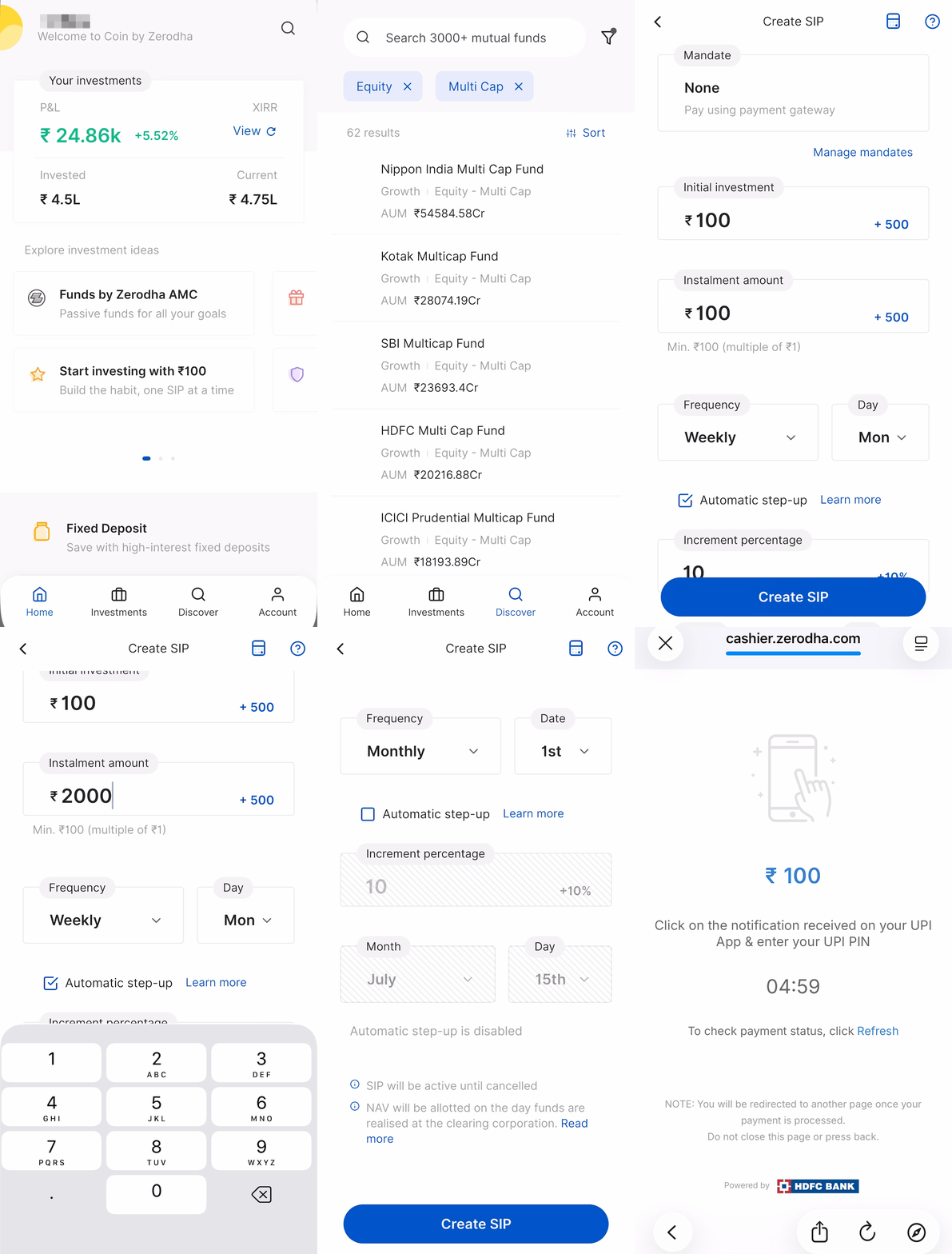
Coin app
- Tap on Discover.
- Select the fund and tap on SIP.
-
Select a
Mandate,
or by default,
None
(Pay using payment gateway) is displayed.
- Enter the Initial investment amount and instalment amount.
-
Select the
frequency
(Daily, Weekly, 15-day, Monthly, or Quarterly). If you select
Weekly,
you can also choose specific days.
- Tick the Automatic step-up checkbox, enter the Increment percentage, and select the month and date to step up the SIP automatically. Untick to prevent automatic step-up.
- Tap on Create SIP and then Create.
- Tap on Pay now and complete the payment.
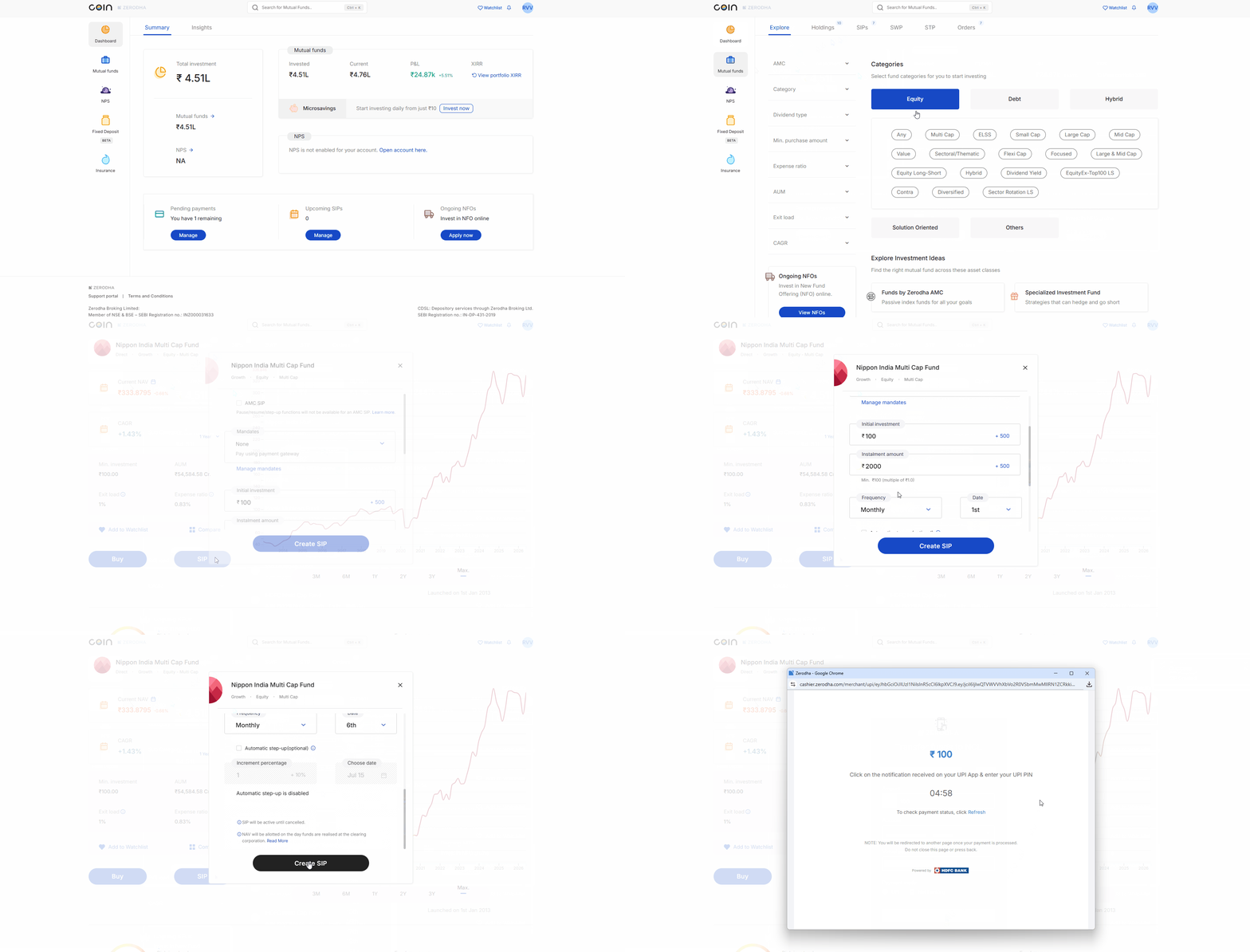
Coin web
- From the Dashboard, click on Mutual funds.
- Click on Explore.
- Select the fund and click on SIP.
- Select a Mandate, or by default, None (Pay using payment gateway) is displayed.
- Enter the Initial investment amount and Instalment amount.
- Select the frequency (Daily, Weekly, 15-day, Monthly, or Quarterly). If you select Weekly, you can also choose specific days.
- Click on Create SIP.
- Click on Confirm and complete the payment.
If there are no mandates, complete the payment via the Pending payments page.
Things to keep in mind
- If you do not complete the initial investment, the order will be deleted after T+4 days. Your SIP will remain active, but no orders will be triggered. If you have redeemed all units of a mutual fund, you can set up a new SIP in the same fund without an initial payment. It will be treated as a regular SIP.
- The NAV allotted to your order depends on when BSE Clearing Limited (BSECL) receives your funds relative to the cut-off time, not when you place your order on Coin.
- You can use the SIP calculator to calculate the estimated returns.