


You can apply for a New Fund Offer (NFO) when Asset Management Companies launch new mutual fund schemes. An NFO allows you to buy units of a mutual fund at its initial offer price before it opens for regular trading.
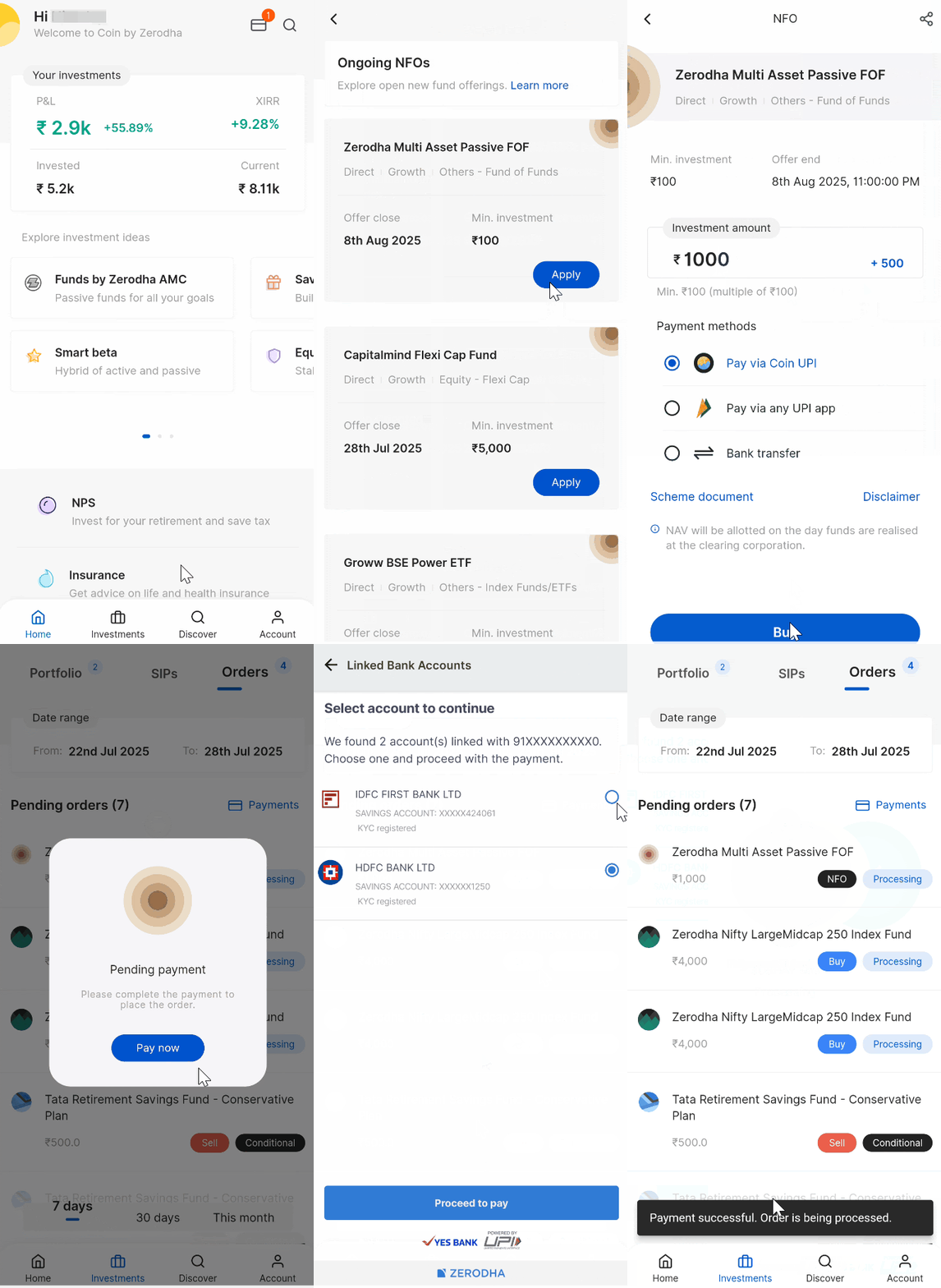
On Coin app
- Tap on Discover.
- Tap on Ongoing NFOs.
- Tap on Apply from the list of open NFOs.
- Enter your investment amount and select your payment method.
- Tap on Buy and then on Invest.
- Tap on Pay now and complete your payment.
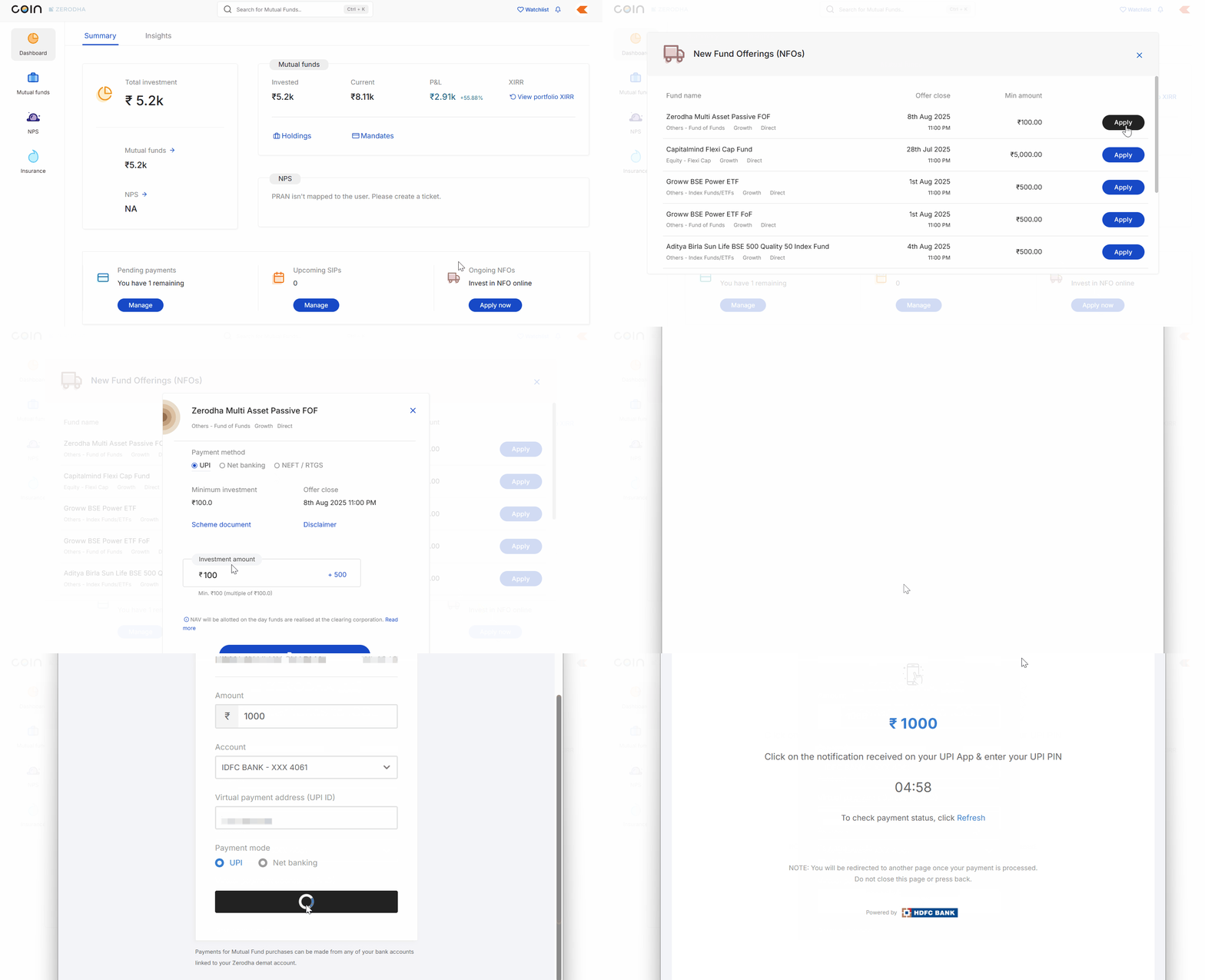
On Coin web
- Click on Apply now in the Ongoing NFOs section.
- Click on Apply from the list of open NFOs.
- Select the payment method and enter your investment amount.
- Click on Buy and then on Confirm.
- Click on Pay now and complete your payment.
After you apply
- You will not see your NFO in order history or holdings from closure until it gets listed for regular purchase (up to 2 working days for price updates).
- The AMC allots units after NFO closure.
Did you know? Normal scheme NFO is open for 15 days, and ELSS can be open for up to 3 months.