


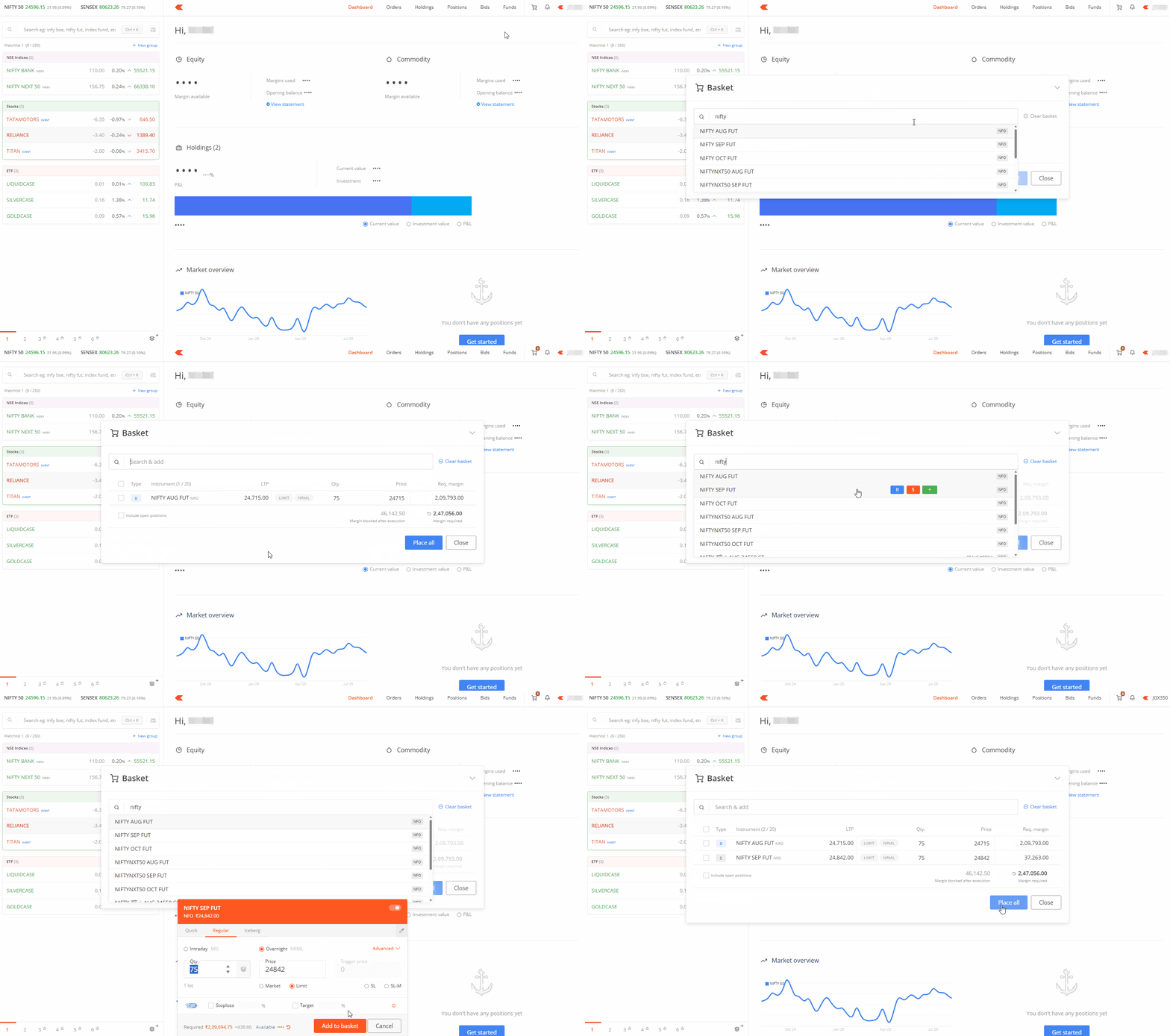
You can use the quick baskets feature on Kite web to create and place multiple orders instantly from any page or section you navigate to.
Basket orders allow you to place multiple orders simultaneously, making it faster and more efficient to trade multiple stocks or F&O contracts. Instead of placing each order individually, you can group them together and execute them all at once.
You can access the quick baskets feature through the basket order icon that remains visible on Kite web regardless of which page or section you navigate to.
To use quick baskets:
- Click on the basket order icon available on any Kite web page.
- Search and add instruments directly to your basket.
- Fill in the quantity, price, and order type for each instrument.
-
Click on
Place all
to execute your basket order.
Your quick baskets cannot be saved. The instruments you add will not be visible if you log out and log in using a different account, if you access Kite web through an incognito browser, or if you use a different browser or device.
Adding instruments from other sections
You can also add instruments to the basket from the marketwatch, orders, holdings, or positions. Simply hover over the instrument, click on more, and then on Add to baskets.
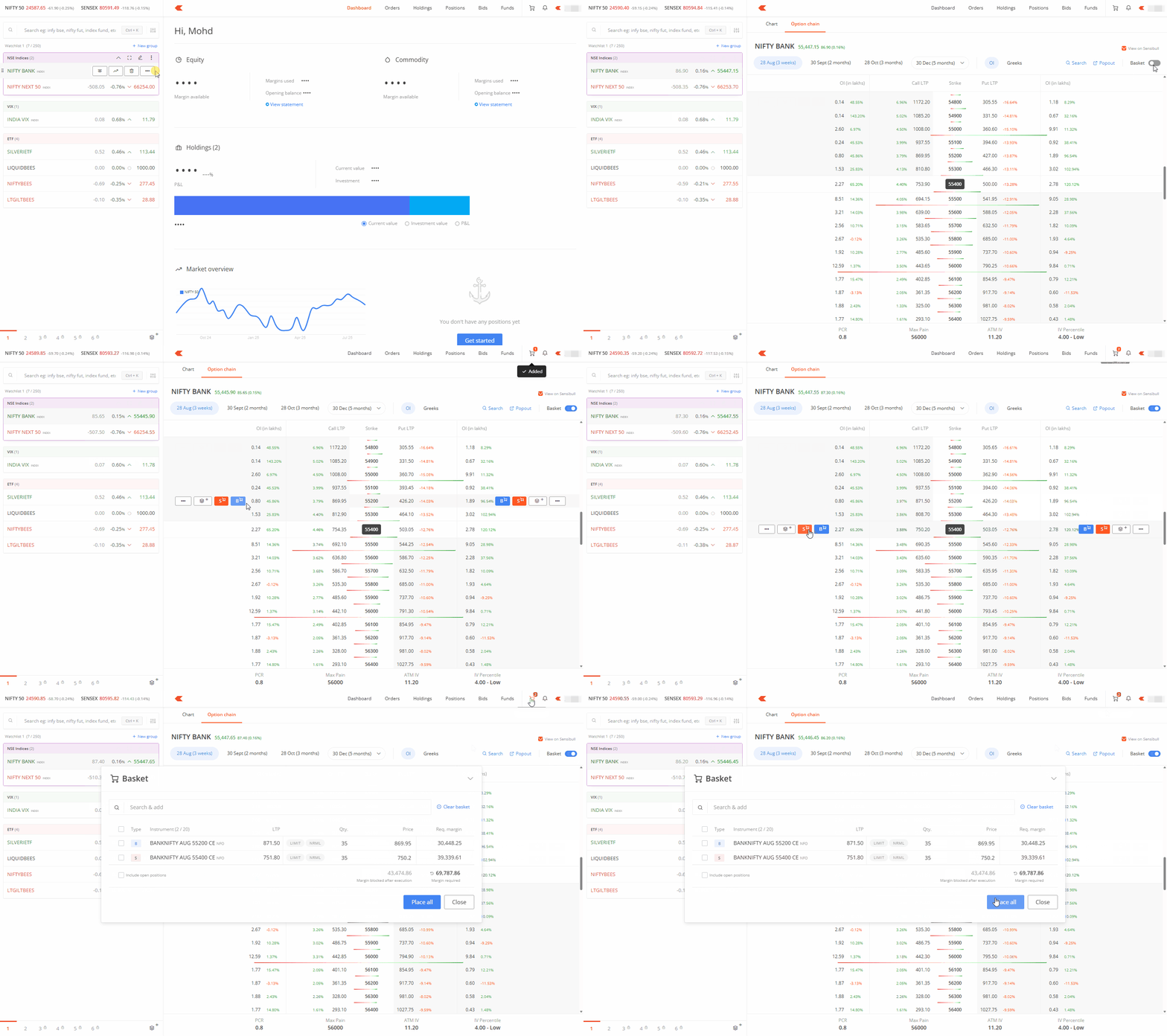
Quick baskets on Option chain
You can enable the basket option in the option chain and add buy or sell orders for strike prices directly to your basket by hovering over the strike price and clicking B or S.
Partial execution
If you have insufficient funds to fulfil the entire basket order, only the orders that can be processed with your available funds will be executed. Each order within the basket undergoes the same checks as individual orders.