


You cannot see your saved views on ChartIQ for three main reasons: preferences not saved properly, views deleted from your account, or page loading issues.
Your preferences are not saved
You must save your preferences after adding views. Click on Save preferences to ensure your views remain available for future sessions. Without saving preferences, ChartIQ will not retain your custom views.
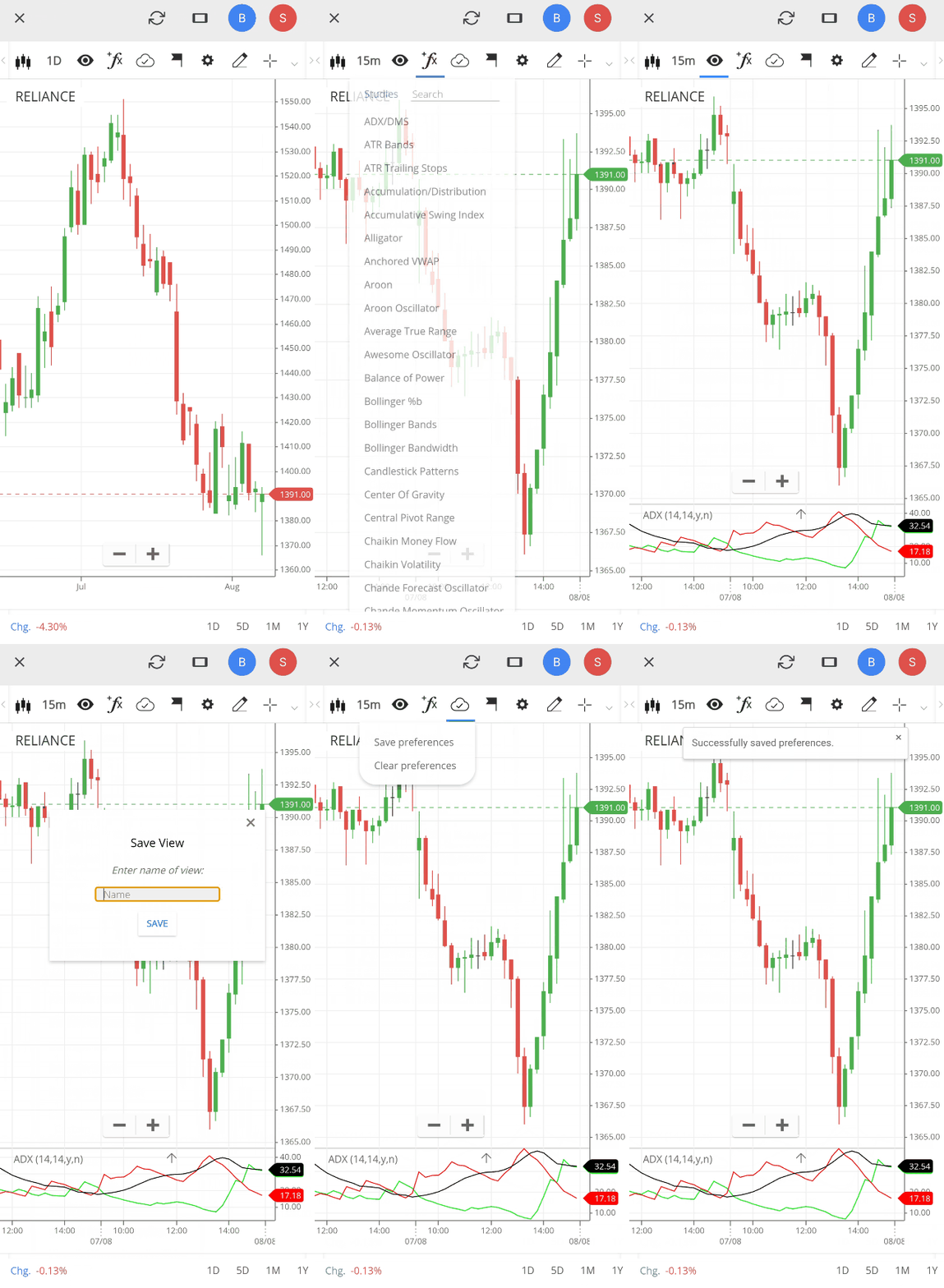
You have deleted views from your account
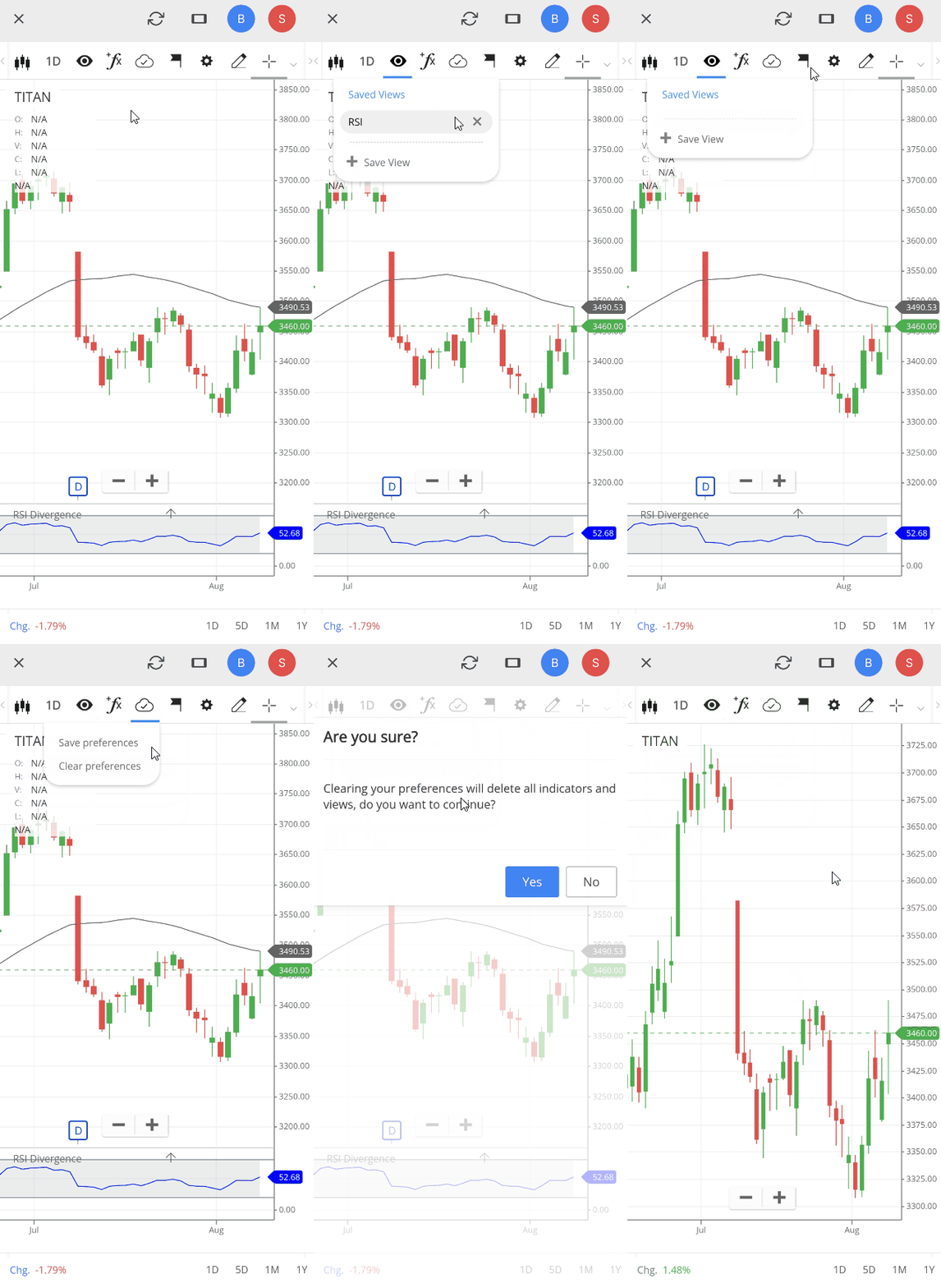
You can remove views in two ways:
Individual view deletion:
- Click on Views.
- Click on the close button next to the specific view you want to delete.
Complete reset: Click on Clear preferences under Layout to remove all saved views and reset all preference settings to default.
The page has not loaded correctly
Your saved views might not appear if ChartIQ has not loaded properly. Perform a hard refresh using CTRL+SHIFT+R and check if your views appear.