


You can delete only active Good Till Triggered (GTT) orders. You cannot delete triggered GTT orders. To delete a GTT order, follow these steps:
Kite app
- Tap on Orders.
- Tap on GTT.
- Tap on the instrument.
- Tap on Delete and confirm.

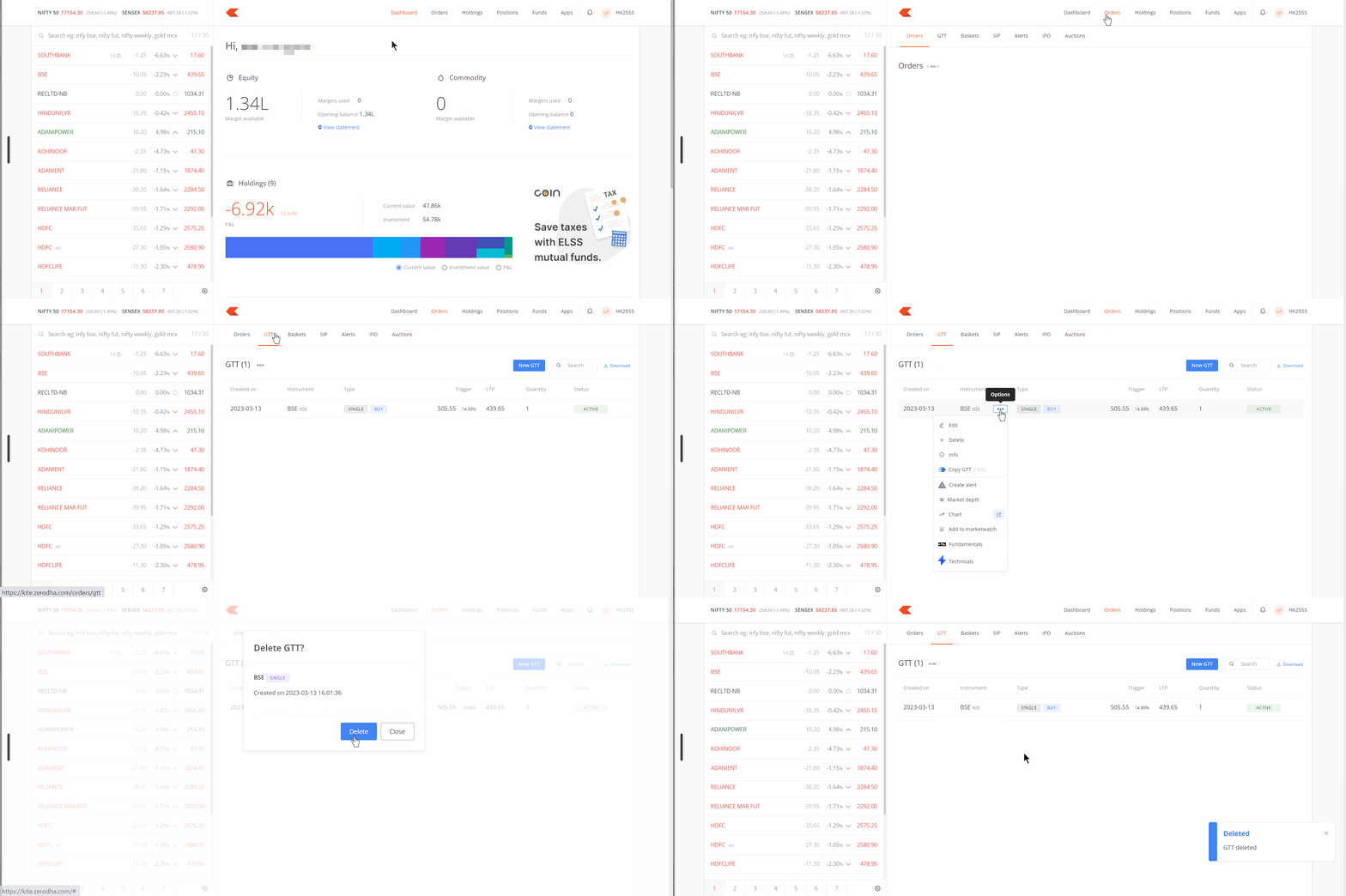
Kite web
- Log in to Kite.
- Click on Orders.
- Click on GTT.
- Click on Options and then on Delete.
- Click on Delete.
Visit zerodha.com/tos/gtt to know all the terms and conditions.