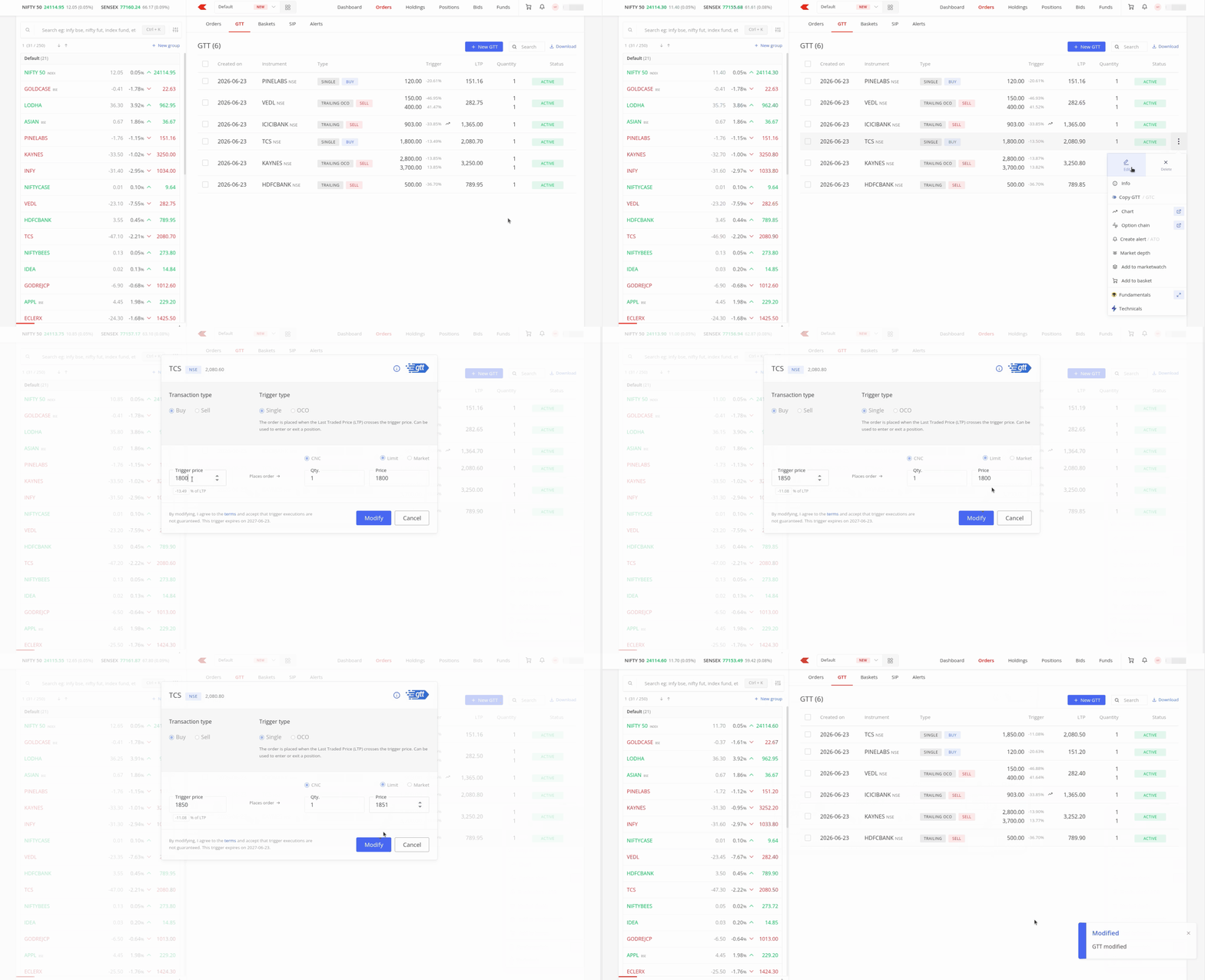
You can modify only active Good Till Triggered (GTT) orders. Once your GTT order triggers, you cannot modify it.
On Kite app
- Tap on Orders and then on GTT.
- Tap on the instrument and then on Modify.
- Make the required changes and swipe Modify GTT.

On Kite web
- Click on Orders and then on GTT.
- Click on Options and then on edit.
- Make the required changes and Click on Modify.