


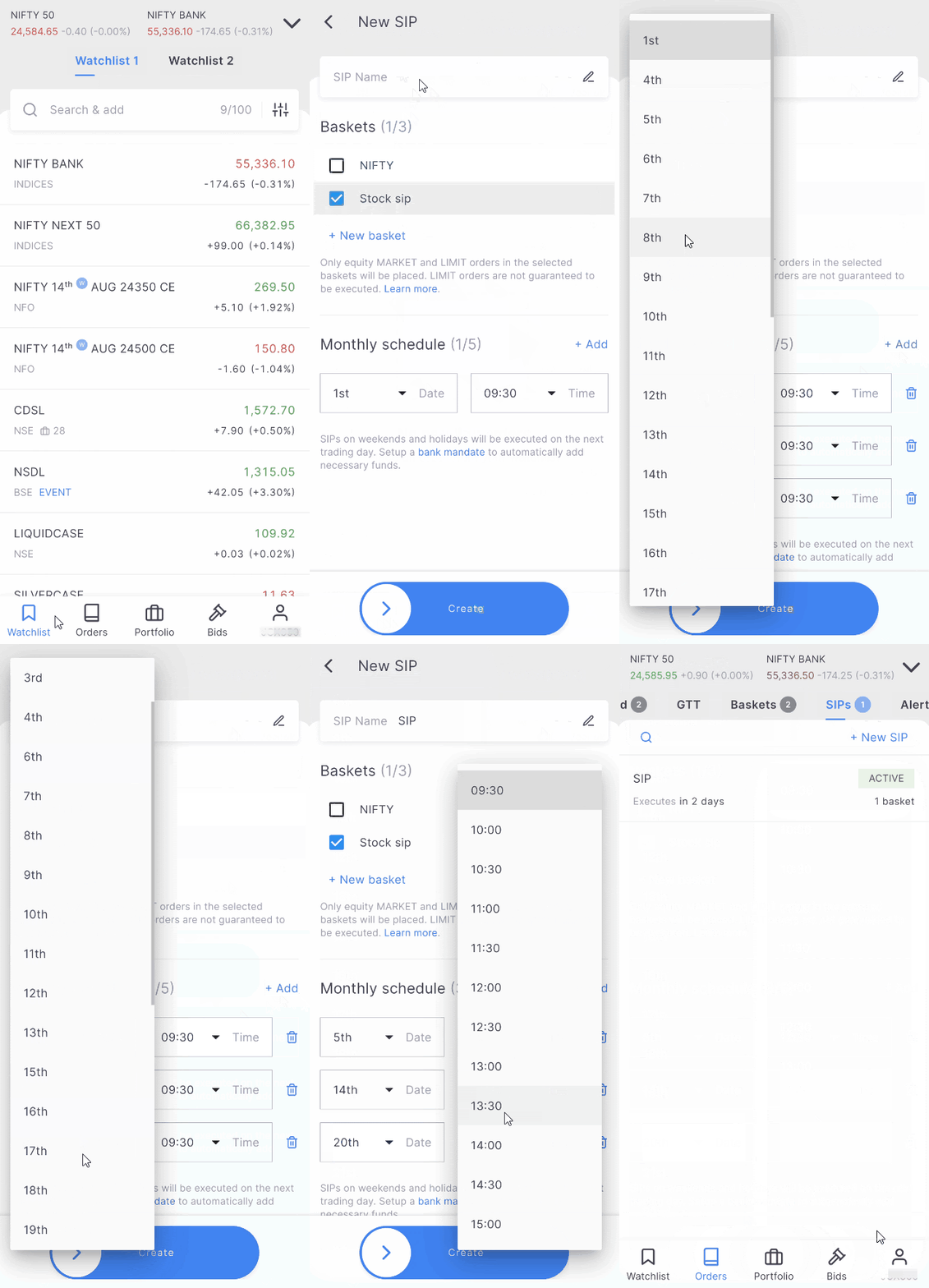
You can modify stock SIPs by following these steps:
Kite app
- Tap on Orders.
- Tap on SIP.
- Tap on the SIP that is to be modified.
- Tap on Edit and make the required changes.
- Swipe the Save button.
Kite web
- Click on Orders and then on SIP.
- Hover over the SIP and click on More.
- Click on Edit and make the required changes.
-
Click on
Save.
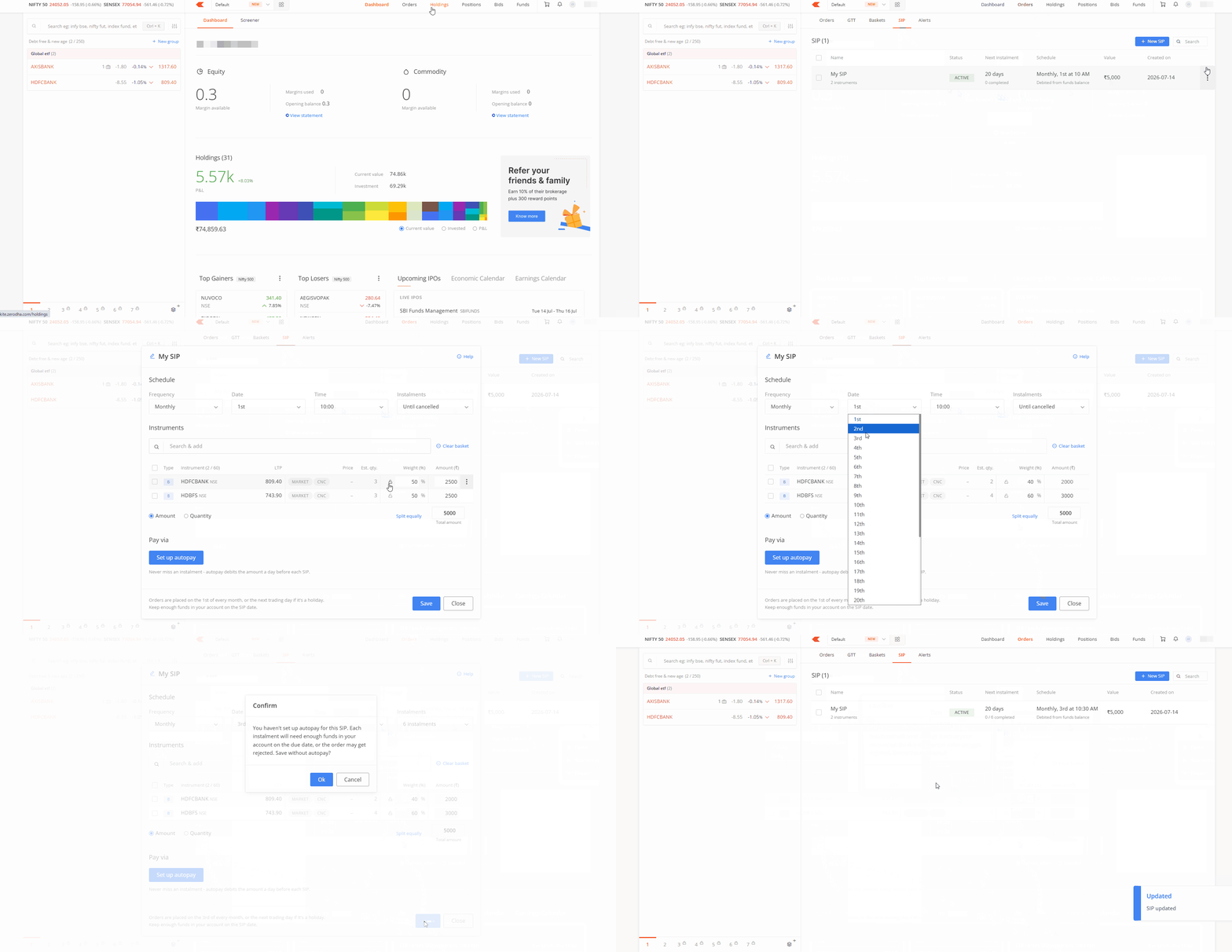
You can modify the following:
- Frequency
- Date
- Time
- Number of instalments
- Payment modes
You can also Pause, Resume, Skip the next instalment, or delete the SIP from the options menu. If you pause a SIP, your orders will not go through from the next scheduled date unless you resume it.
Things to keep in mind
- Modifications for Daily or Weekly SIPs are not permitted until the revamped SIP is live on the Kite app.
- SIPs created before this update remain unaffected and will continue to execute according to their original schedule. However, you cannot modify existing SIPs with multiple schedules. To make changes, you must remove any extra schedules first.