


You can fix push notification issues on Kite by enabling notifications in your device settings. Push notifications will not work if you have disabled them on your device.
Enable push notifications on Kite app
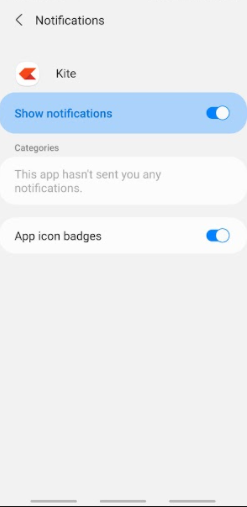
Follow these steps to enable notifications on your mobile device:
- Open your device Settings.
- Navigate to Apps or Installed Applications section.
- Find and select the Kite application.
- Access the notification settings for Kite.
- Enable push notifications for the app.
Enable push notifications on Kite web
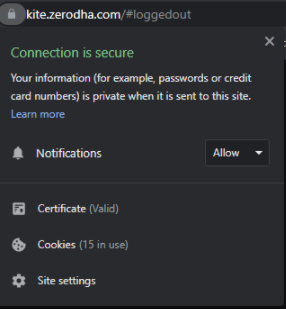
You can enable notifications for Kite web through your browser settings:
- Click on the lock symbol next to the URL in your browser.
- Select Notifications.
- Click on Allow.
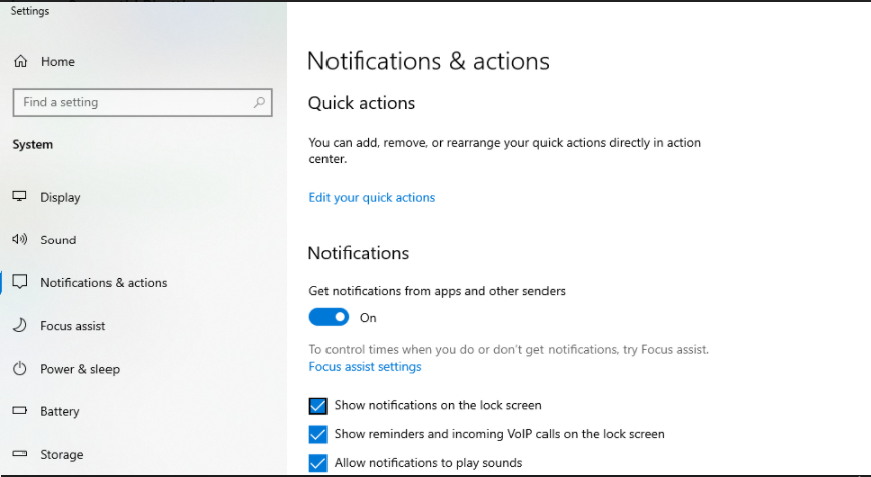
Additionally, ensure your device notifications are enabled:
- Go to your device Settings.
- Navigate to System > Notifications.
- Turn on notifications.
Enable notifications on iOS devices
For detailed instructions on enabling notifications on iOS devices, visit
support.apple.com/en-in/HT201925.