


A Good Till Triggered (GTT) order stays active for up to 365 days and triggers automatically when the stock price reaches your specified level. When the trigger activates, Kite places a limit order or market order with market protection on the exchange on your behalf. Placing a GTT is free of charge.
GTT is available for the Longterm (CNC), NRML (Normal), and MTF (Margin Trading Facility) orders.
Types of GTT orders
Single trigger
You set one trigger price. When the LTP (Last Traded Price) reaches or crosses it, a limit order or market order with market protection is placed on the exchange. You can use a single trigger to enter new positions or exit existing ones.
OCO (One Cancels the Other)
You set two triggers simultaneously: a stoploss and a target. When either trigger activates,a limit order or market order with market protection, and the other trigger is cancelled automatically. You can use OCO on both buy and sell GTTs.
Trailing Stoploss (TSL)
A Trailing Stoploss (TSL) is a stoploss that moves your trigger automatically as the price moves in your favour and locks in the moment the price reverses. You can add a trailing stoploss to both Single and OCO orders by ticking the Trailing checkbox in the Stoploss section and entering a trailing point value.
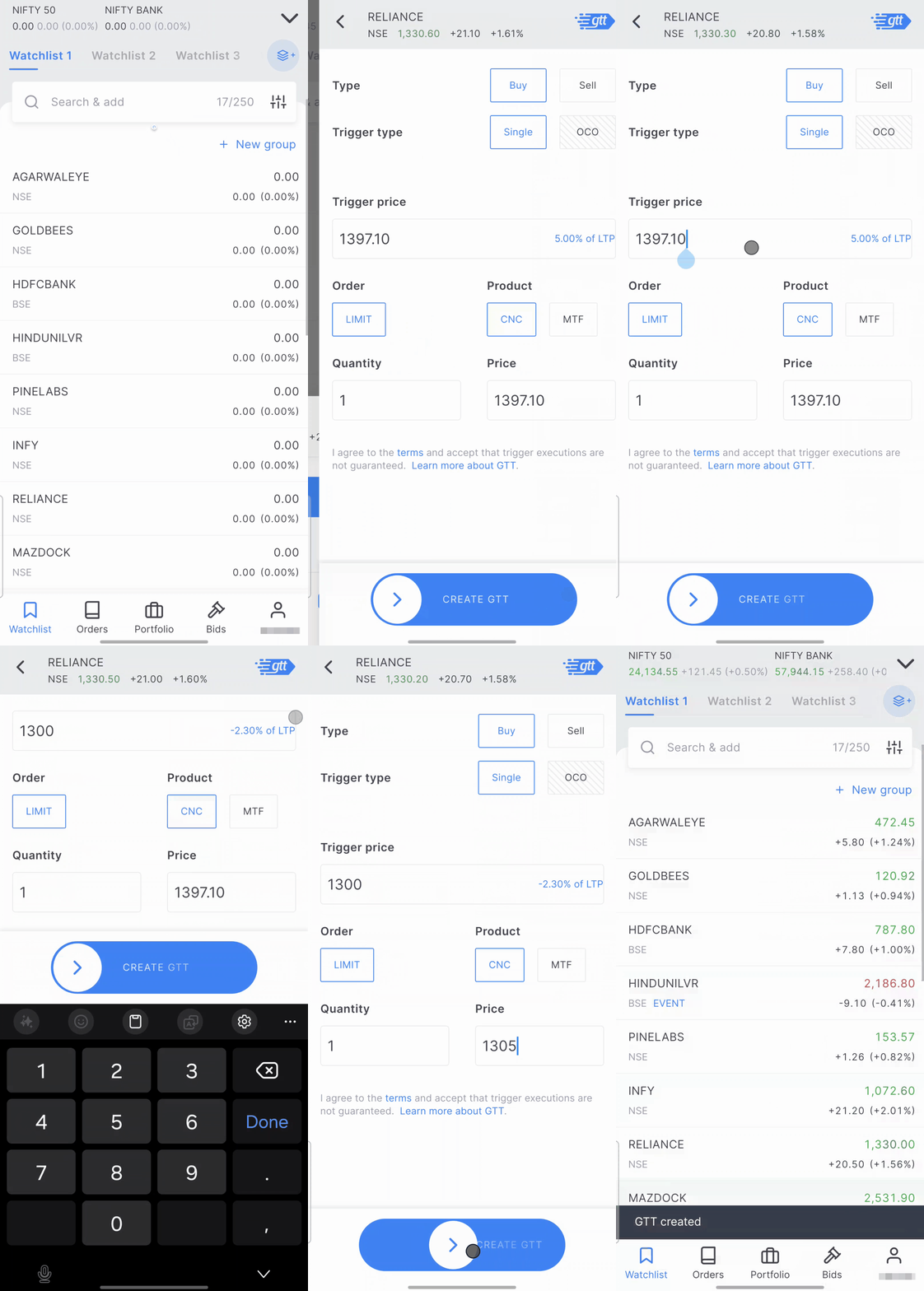
How to place a GTT on Kite app
- Tap on the instrument.
- Tap on Create GTT.
- Enter the trigger price, quantity, and select market or limit price.
- Slide the Create GTT button.
How to place a GTT on Kite web
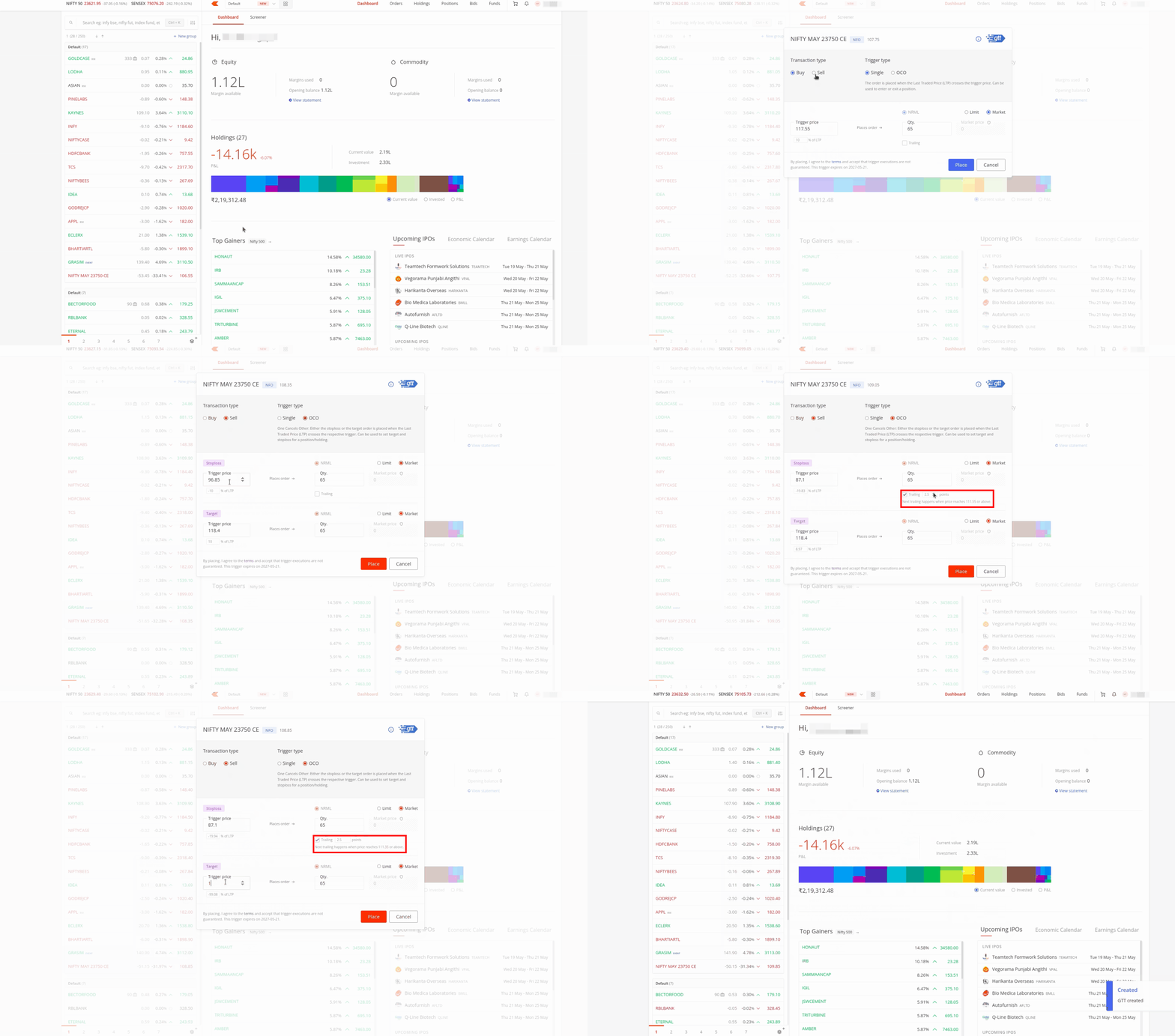
- Go to your marketwatch and hover over the stock or contract you want.
- Click on the three dots and select Create GTT.
- Select Buy or Sell under the transaction type at the top left.
- Select Single or OCO under the trigger type at the top right.
- Enter the trigger price, quantity, and select limit or market price.
- To add a trailing stoploss, enable the Trailing checkbox in the Stoploss section and enter a trailing point value.
- Click on Place to submit the GTT.
For better execution, use a market order or set the limit price as follows:
- For a buy GTT, keep the limit price higher than the trigger price.
- For a sell GTT, keep the limit price lower than the trigger price.
Example scenarios
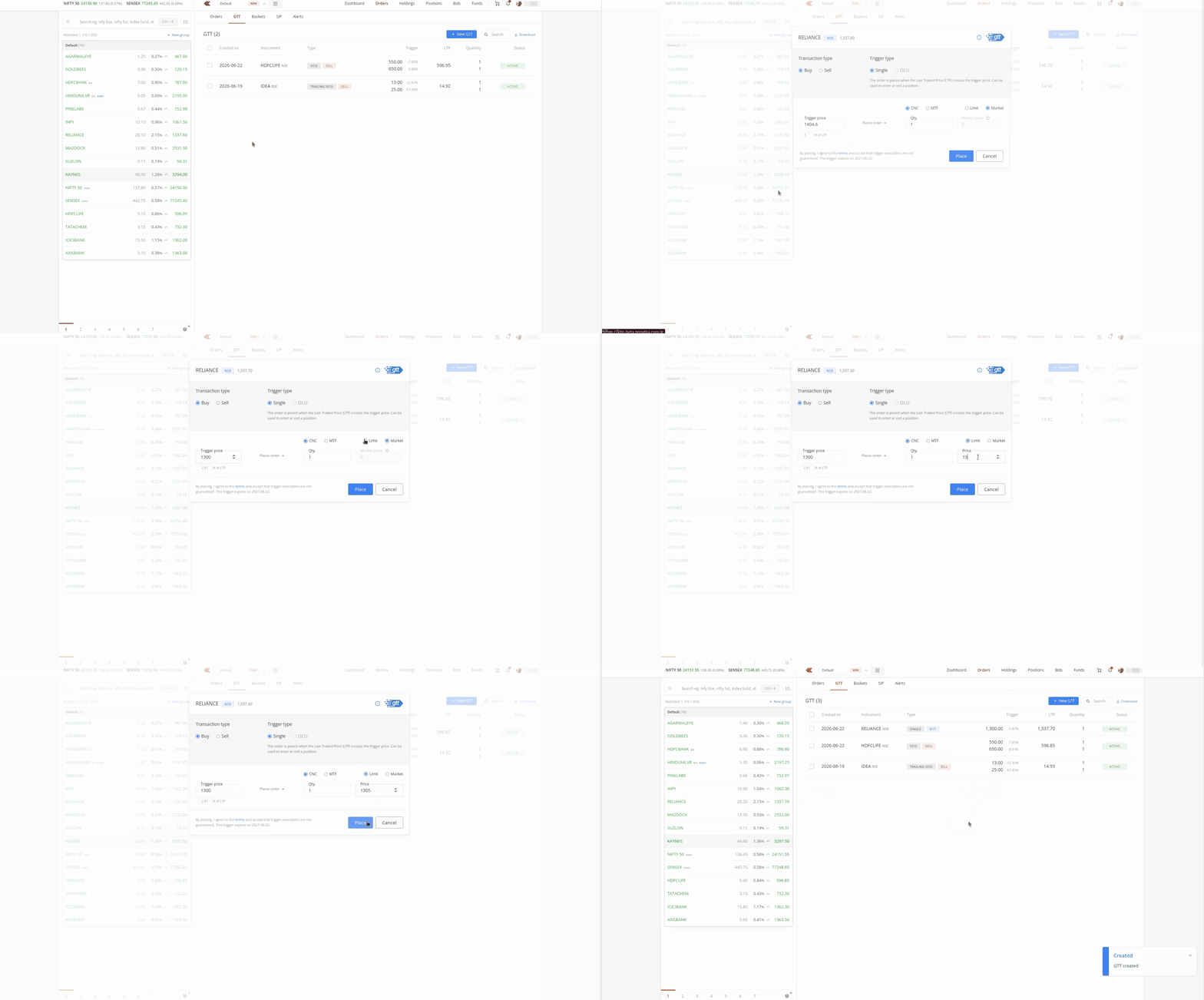
Buy GTT
The current market price (CMP) of Reliance is ₹1,337. You set a trigger price of ₹1,300 and a limit price of ₹1,305. When the CMP drops to ₹1,300, a buy limit order for ₹1,305 is placed on the exchange.
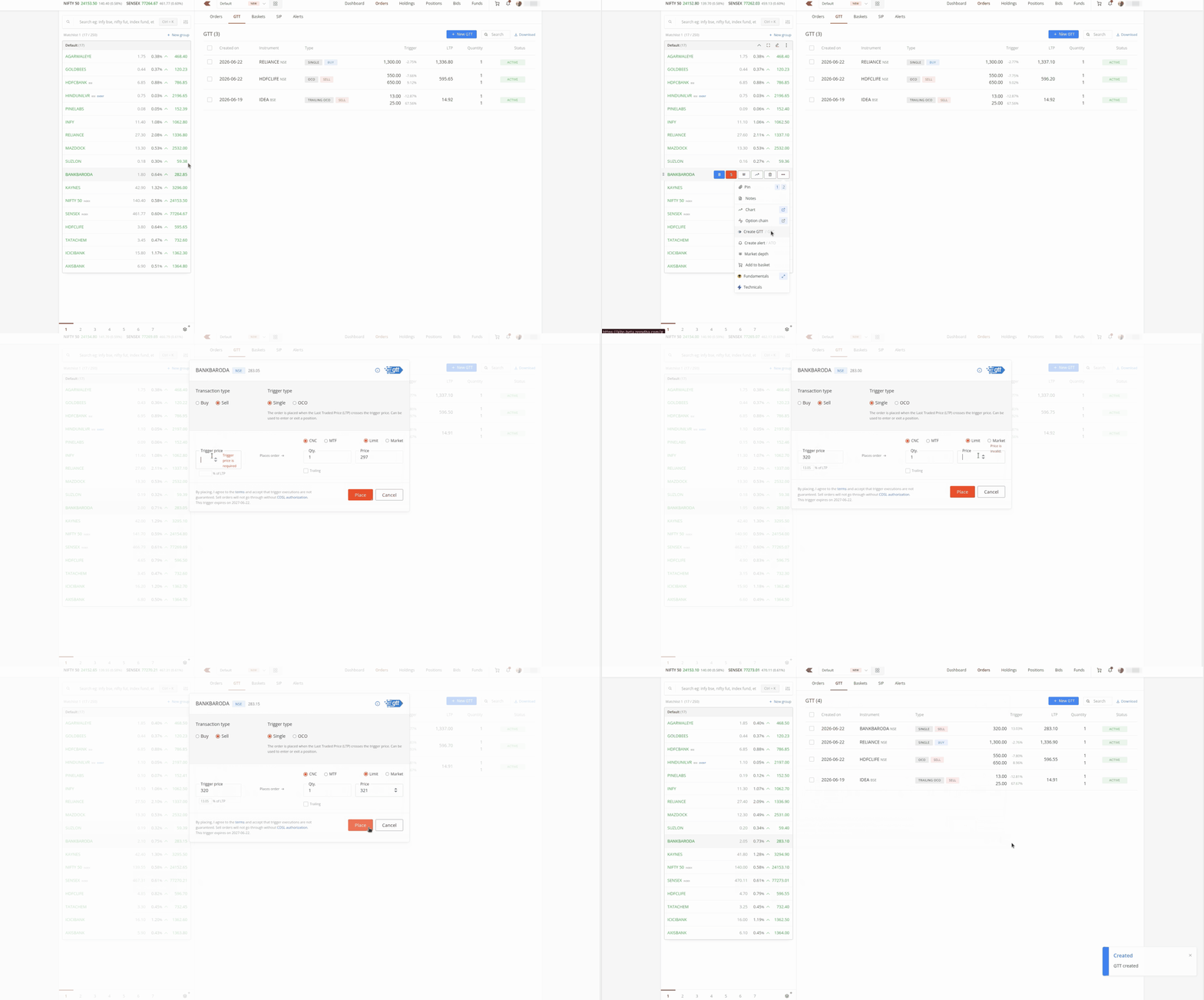
Sell GTT (single)
The CMP of Bank of Baroda is ₹283. You set a trigger price of ₹320 and a limit price of ₹321. When the CMP rises to ₹320, a sell limit order for ₹321 is placed on the exchange.
Sell GTT (OCO)
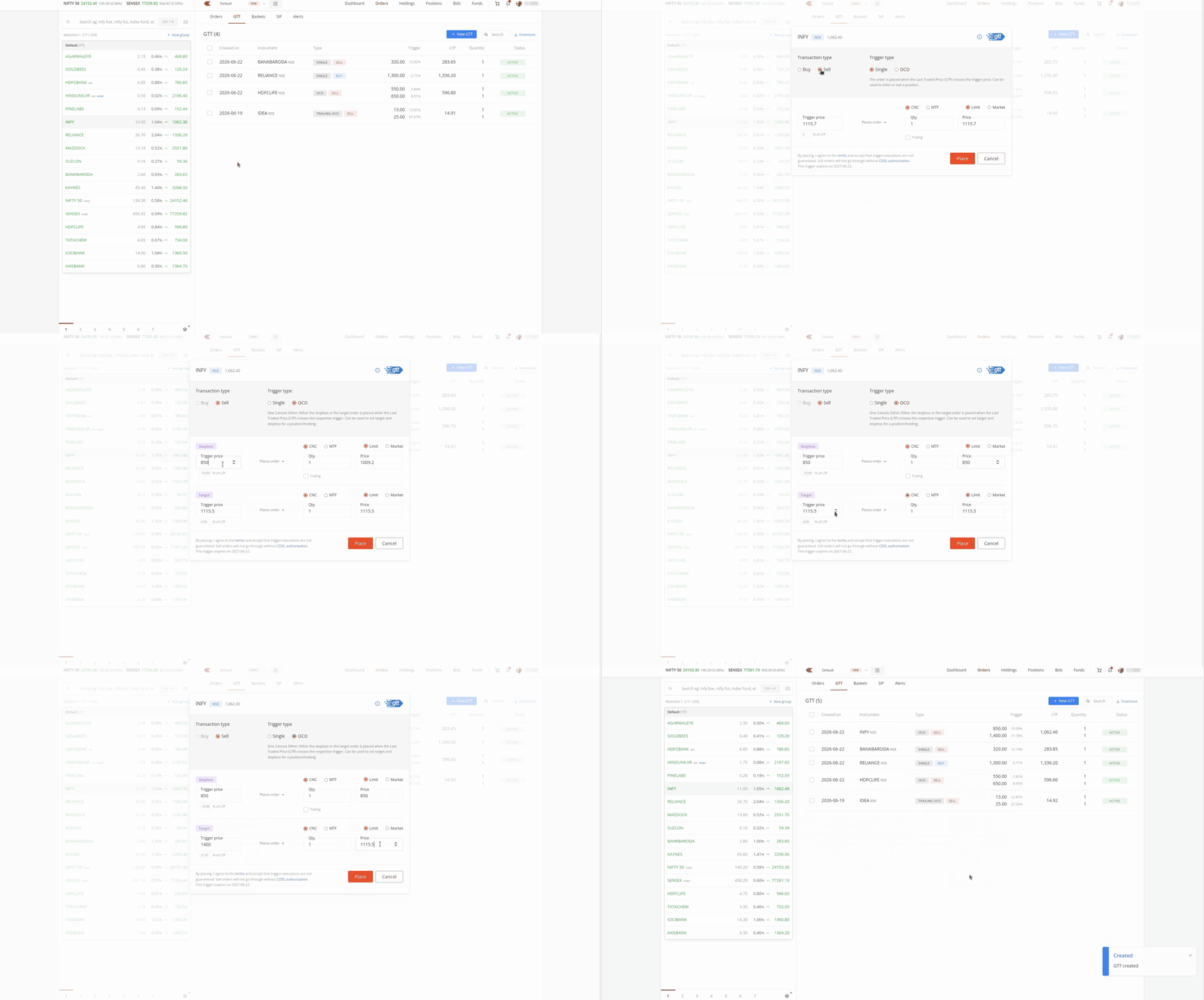
The CMP of Infosys is ₹1,062. You set a target trigger at ₹1,400 with a limit price of ₹1,400, and a stoploss trigger at ₹850 with a limit price of ₹850. If either condition is met, the corresponding sell order is placed, and the other trigger is cancelled.
Things to keep in mind
- F&O stocks trigger until 3:15 PM, non-F&O stocks trigger until 3:30 PM, and F&O contracts trigger until 3:40 PM.
- Your GTT triggers even if the stock opens with a gap beyond your trigger price. For example, if a stock closes at ₹90 and opens at ₹110 the next day, and your buy GTT trigger is ₹100 with a limit of ₹102, the order triggers and is placed at ₹102. If it does not execute by the end of the day, it is cancelled like a normal order.
- The trigger is valid only once. If the order triggers but does not execute, you must place a fresh GTT.
- You must authorise sell GTT orders on equity holdings using the CDSL TPIN. This does not apply if you have submitted a POA (Power of Attorney) or DDPI (Demat Debit and Pledge Instruction).
- Zerodha places GTT orders only during market hours. You can place, cancel, or modify GTTs at any time, but triggers activate only during market hours.
- Zerodha's dealing desk does not support GTT orders. You must place, modify, or cancel them yourself.
- GTTs are cancelled for stocks with corporate actions such as bonuses, splits, rights, or amalgamations where the impact is greater than 2% of market value on the ex-date or record date. You must place a fresh GTT after the corporate action if needed.
- GTTs are cancelled if a stock changes category.
- Your account can have a maximum of 500 active GTTs.
- The order history for a triggered GTT appears only on the day it triggers and is not visible from the next day.
- You can place buy GTT OCO only in F&O (Futures and Options) contracts.
- For index futures and options GTT OCO orders, only the NRML order type is supported.
For full terms and conditions, visit
zerodha.com/tos/gtt.