


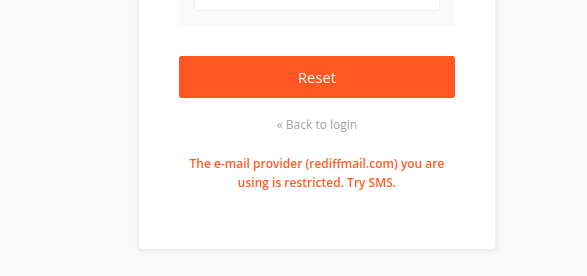
Zerodha has noticed higher chances of cyberattacks when accounts are linked with Rediffmail email IDs, and therefore restricts such accounts from resetting Kite password using email.
Once you reset the password using SMS, change your Rediffmail email ID to another email provider like Gmail, iCloud, or Yahoo.
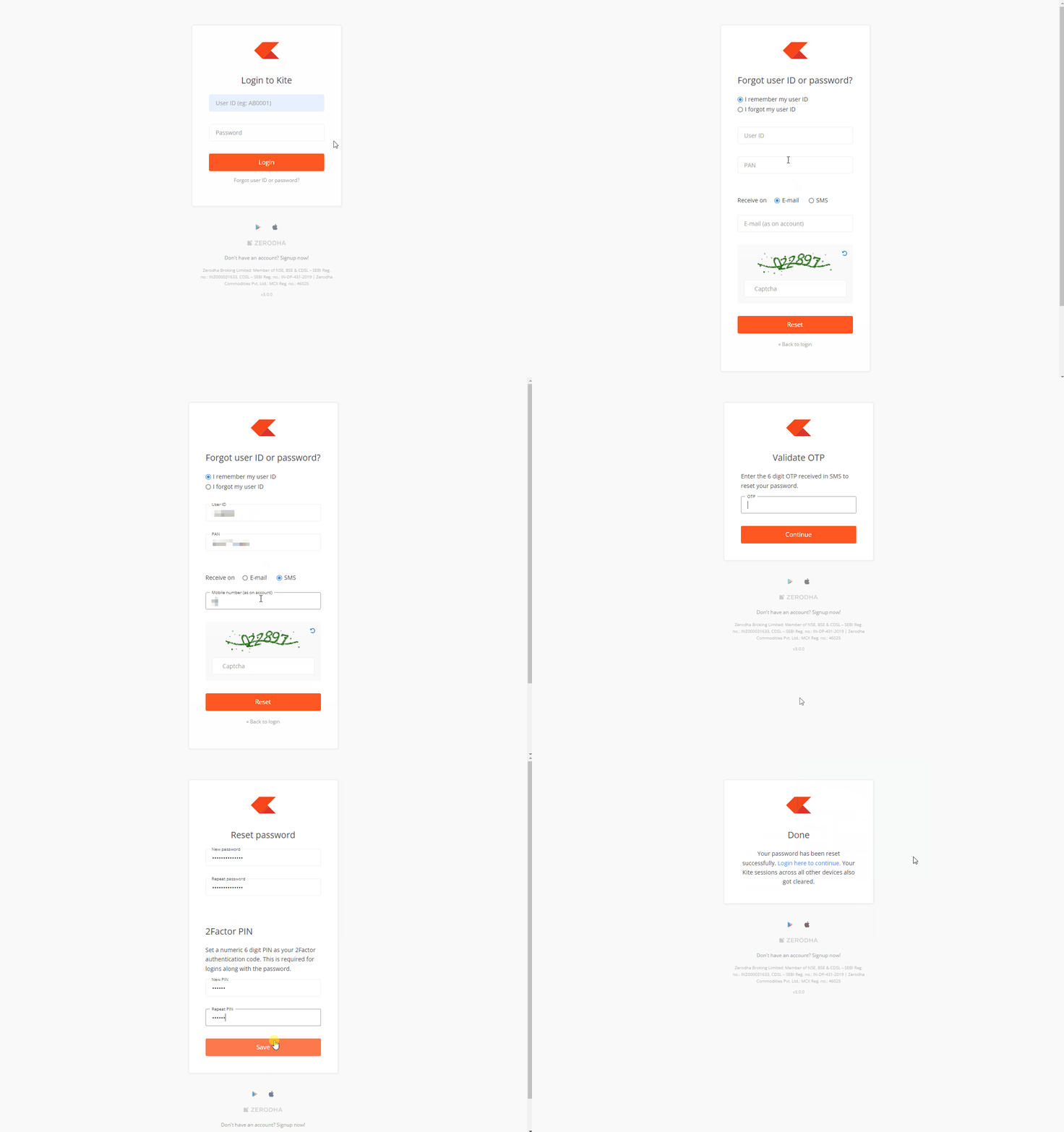
You can reset the Kite password using SMS, follow these steps:
- Visit Kite.
- Click on Forgot user ID or password?.
- Enter your user ID and PAN and select SMS.
- Enter the Captcha and click on Reset.
- Enter the OTP received and click on Continue.
-
Enter and repeat the new password and PIN and click on
Save.
If your registered mobile number is on DND, you may not receive the OTP. Reset your password and 2Factor PIN using your newly registered email ID.