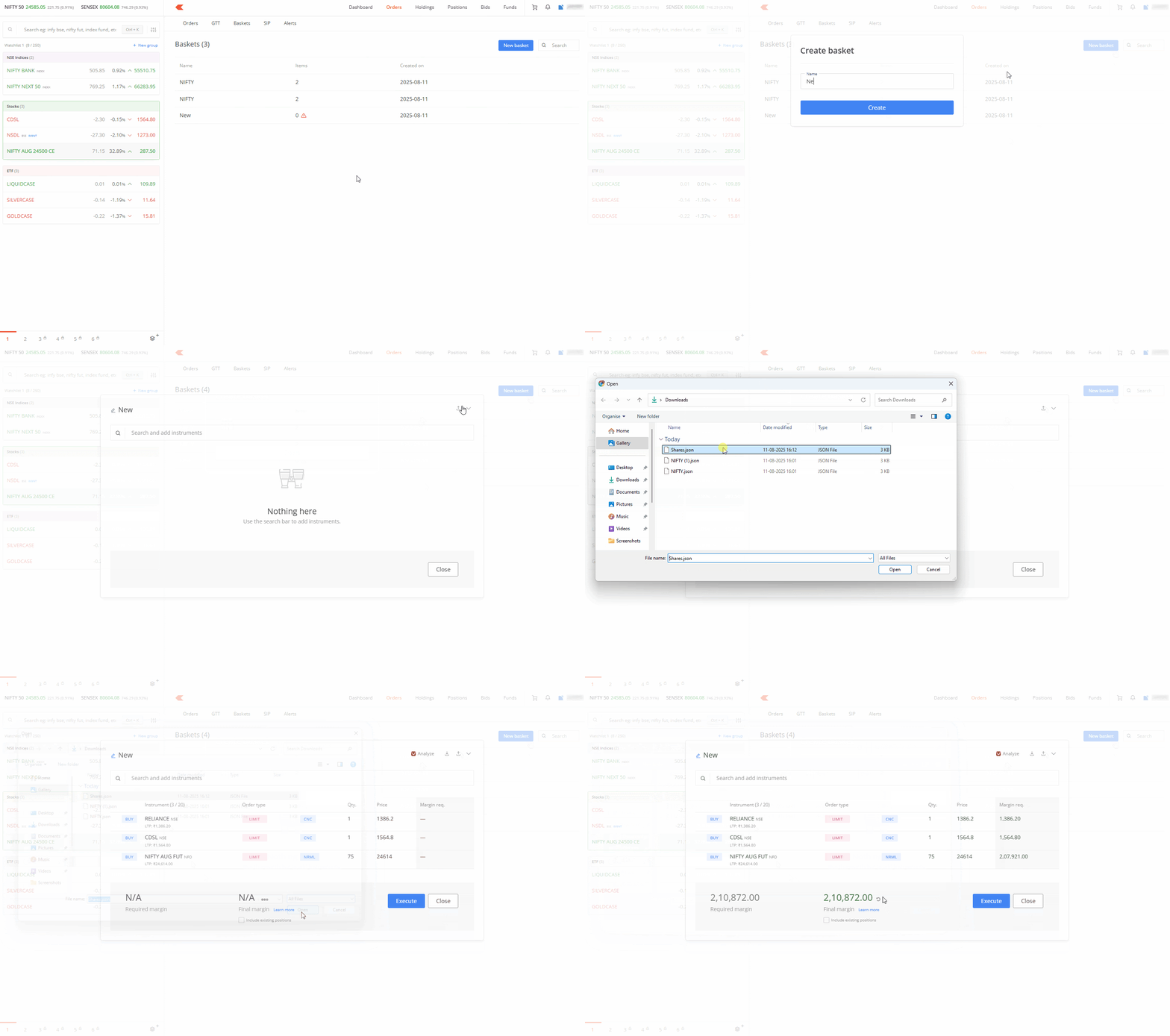
You can import basket files to execute trades on Kite web. This feature is only available on Kite web and not on the Kite app.
Importing baskets
- Click on Orders.
- Click on Baskets.
- Click on New Basket.
- Enter the name of the basket and click on Create.
- Click on the Import basket icon and select the file.
- The imported basket can be edited or executed as it is.