


You can place multiple orders simultaneously using basket orders on Kite. This feature allows you to save your baskets and reuse them anytime.
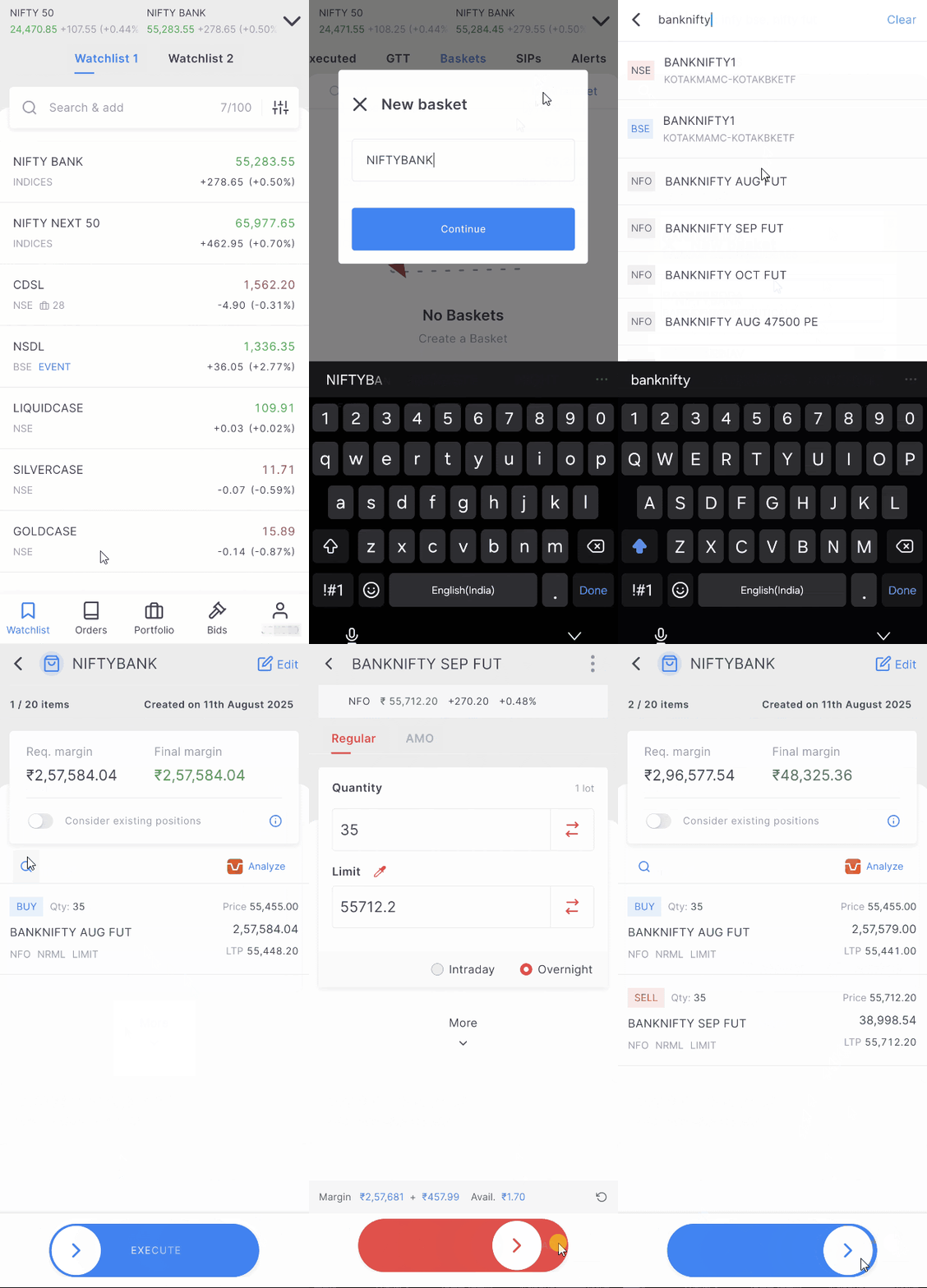
Kite app
- Tap on Orders.
- Tap on Baskets.
- Tap on + New basket.
- Enter the name of the basket.
- Tap on search and add the orders.
-
Swipe on
Execute.
Kite web
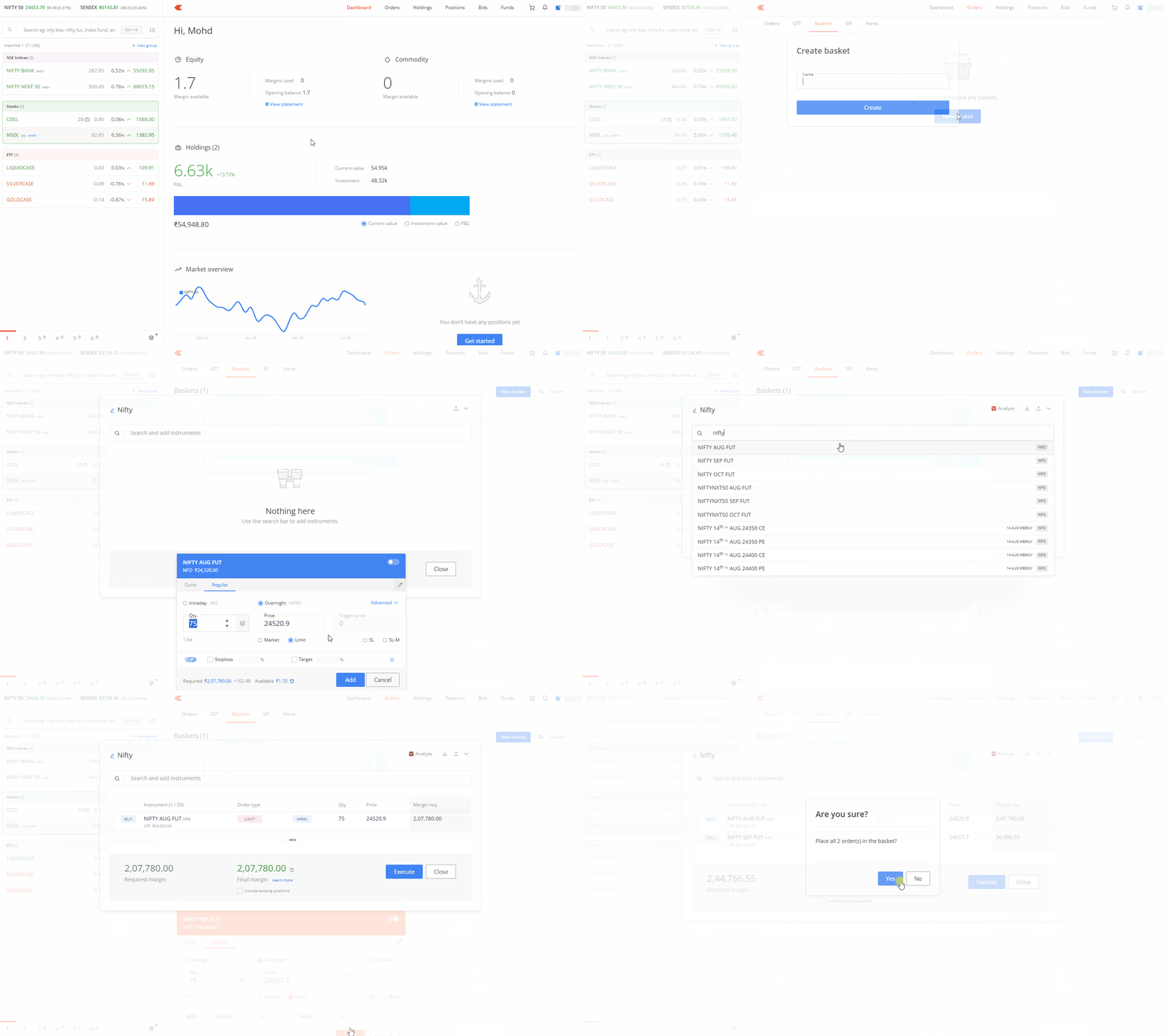
- Log in to Kite.
- Click on Orders.
- Click on Baskets.
- Click on New basket.
- Enter the name of the basket.
- Search and add instruments.
- Click on Execute.
You can also use the quick baskets feature on Kite web to create and place multiple orders instantly from any page or section you navigate to.
Understanding margin requirements
- Required margin displays the margin you need to place all orders in your basket.
- Final margin displays the eventual margin that Kite will block in your Zerodha account after executing the orders.
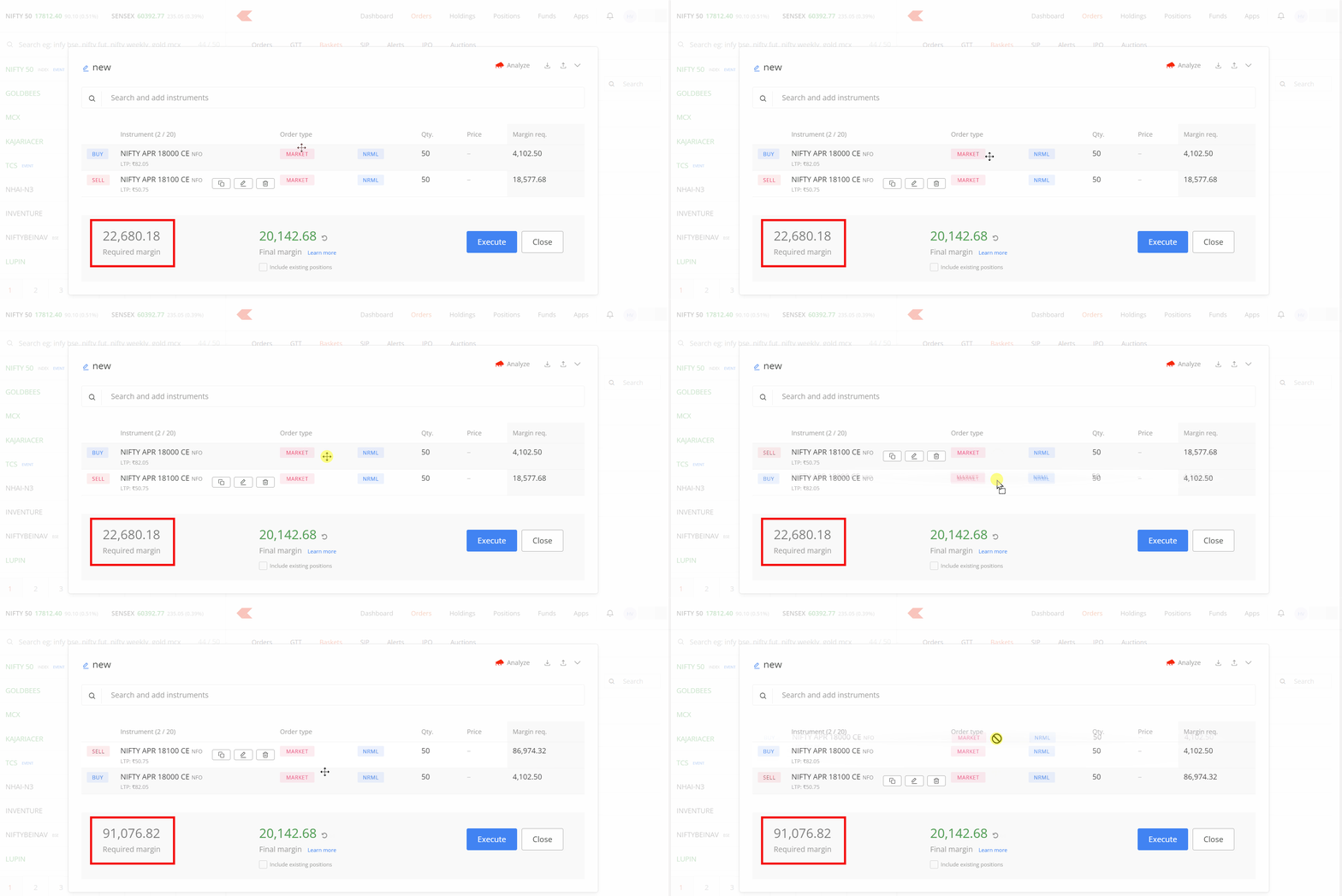
You can delete, duplicate, or edit individual orders by hovering over them. You can also change the order sequence by dragging and dropping. The required margin will differ based on the sequence of individual orders, while the final margin remains the same.
For F&O strategies, place buy option orders before future or short/writing option orders. This approach executes your F&O strategy with the least margin requirement, as shown below:
The order sequence does not matter when you place an equity basket order or when you have adequate margins to place individual orders.
Select the Include existing positions option to include open positions that are not part of your basket and check margin requirements. However, this option may display a required margin of 0 even when you need margin to place the order. This happens because an order in your basket might reduce the overall margin while still requiring margin for placement. If this creates confusion, disable the option.

Executing basket orders
After you click the execute option on Basket, Kite places orders in the same sequence as in your basket. Confirm the status of all individual orders within the basket or on the Kite order book to verify whether they were placed, executed, or rejected once you execute the basket order.
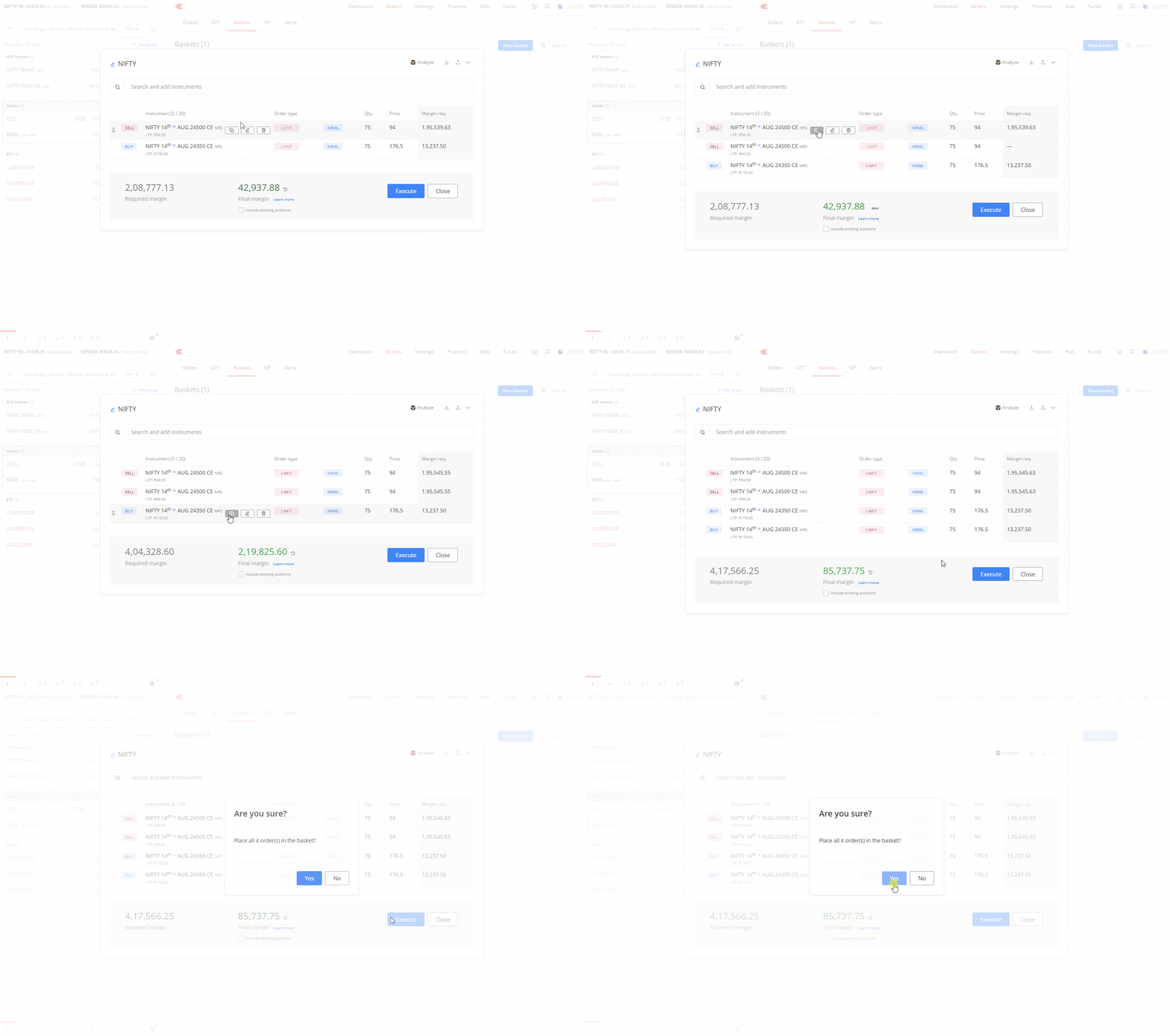
Using the duplicate option for order limits
Kite sets maximum limits per order when you trade stocks and F&O. If your orders exceed these limits, you must place them multiple times. Baskets simplify this process, especially with the duplicate order function.
Replacing rejected orders
If some orders in your basket are rejected, you can modify and manually execute them from the order window of the basket.

Things to keep in mind
- You can include up to 20 orders in each basket and create a total of 50 baskets.
- Zerodha doesn't charge any additional fees for basket orders.