


You can save your time frame, chart style, and indicator settings as custom views in ChartIQ. These views sync across all your devices through cloud storage, allowing you to access them from any device when you log into your Zerodha account.
Save views on Kite web
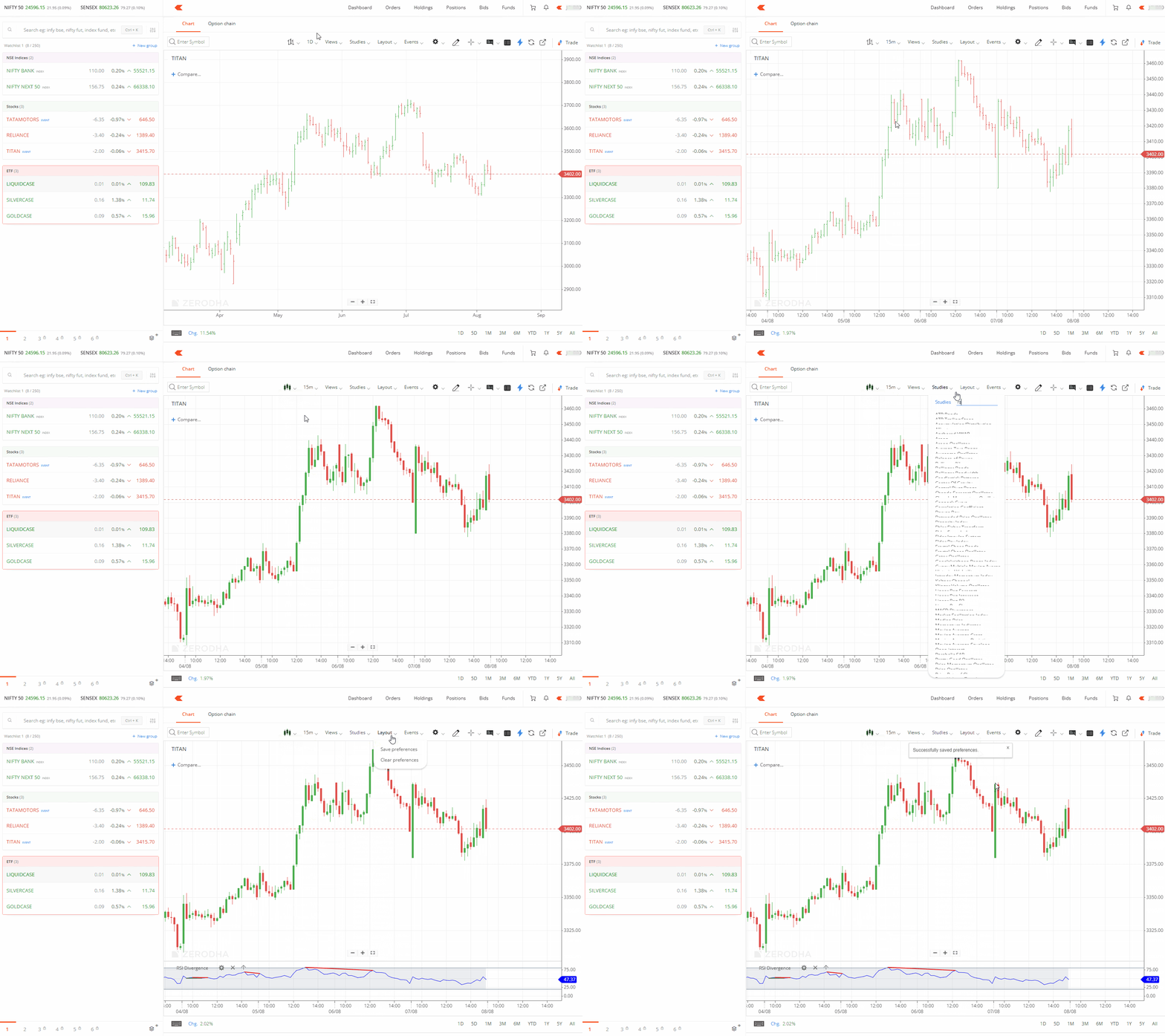
- Select the required time frame and chart type.
- Apply the required indicators from the display.
- Click on Views, then Save View, enter the name of the view and click on SAVE.
- Click on Layout and then on Save preferences.
Save views on Kite app
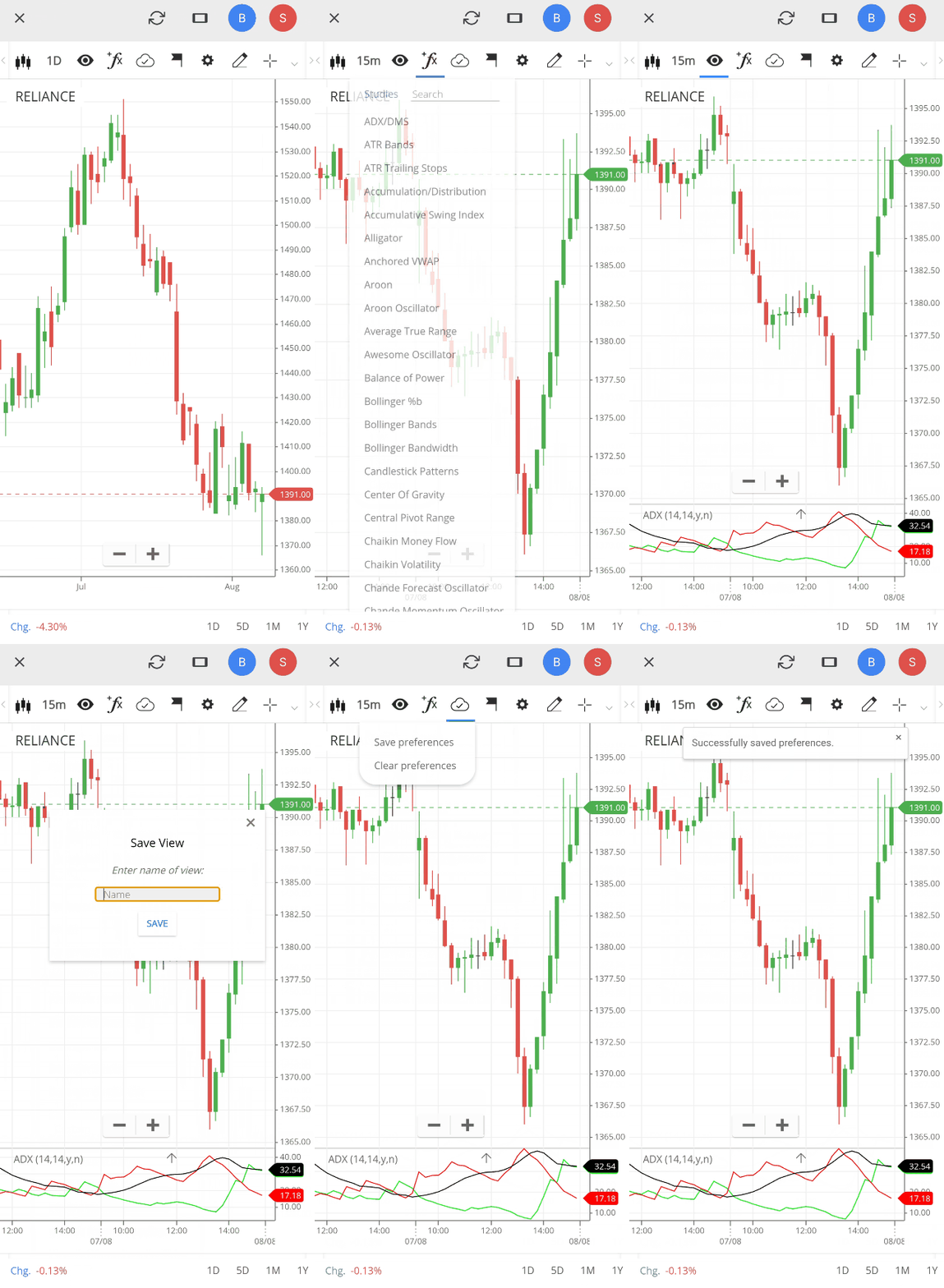
- Select the required time frame and chart type.
- Apply the required indicators from the display.
- Tap on the eye icon.
- Tap on Save View, enter the name and tap on SAVE.
- Tap on the cloud check symbol and then on Save preferences.
Your views remain accessible from any device when you log into your Zerodha account. The system saves views in cloud memory and syncs them across all your devices, including mobile and desktop platforms.