


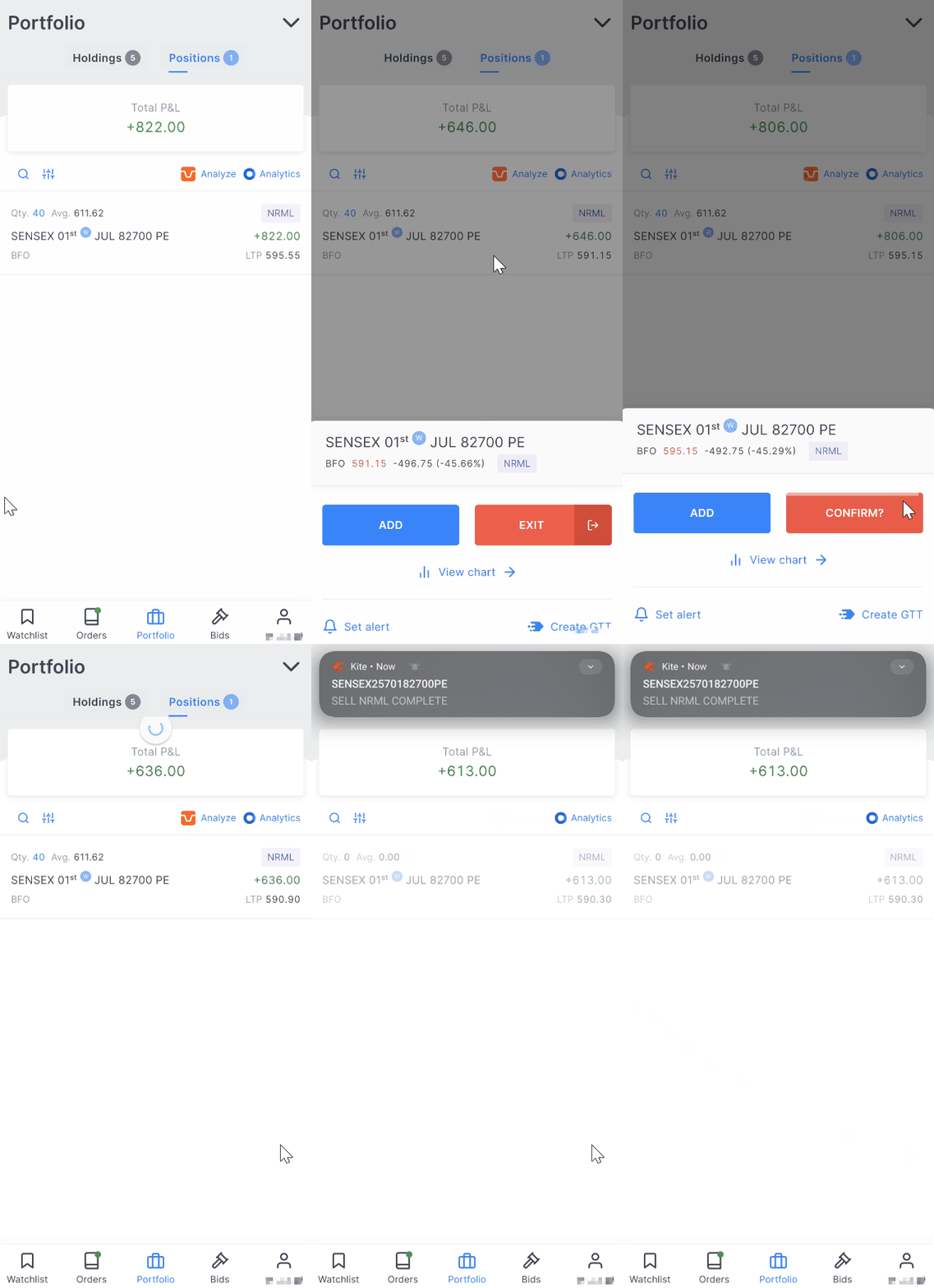
The quick exit feature on Kite app allows you to close your positions or exit your holdings with just two taps without opening the order window. All quantities execute at market price.
How it works
- Tap on your holding or the open position.
- Tap on the quick exit icon.
- Tap on Confirm within three seconds.
- An exit order for the entire quantity of the selected holding or position will be placed as a market order.
If DDPI/POA isn't active for your account, you will need to authorise the debit of your holdings using CDSL TPIN.
If you do not confirm within three seconds, your order will not be executed.