


You can pin your favourite stock or index to the top of the marketwatch for quick access. First, add the instrument to your marketwatch, then follow these steps:
On Kite app
- Tap on the instrument.
- Scroll down and select Spot 1 or Spot 2.

On Kite web
- Hover on an instrument and click on More.
- Click on 1 or 2 next to the Pin option.
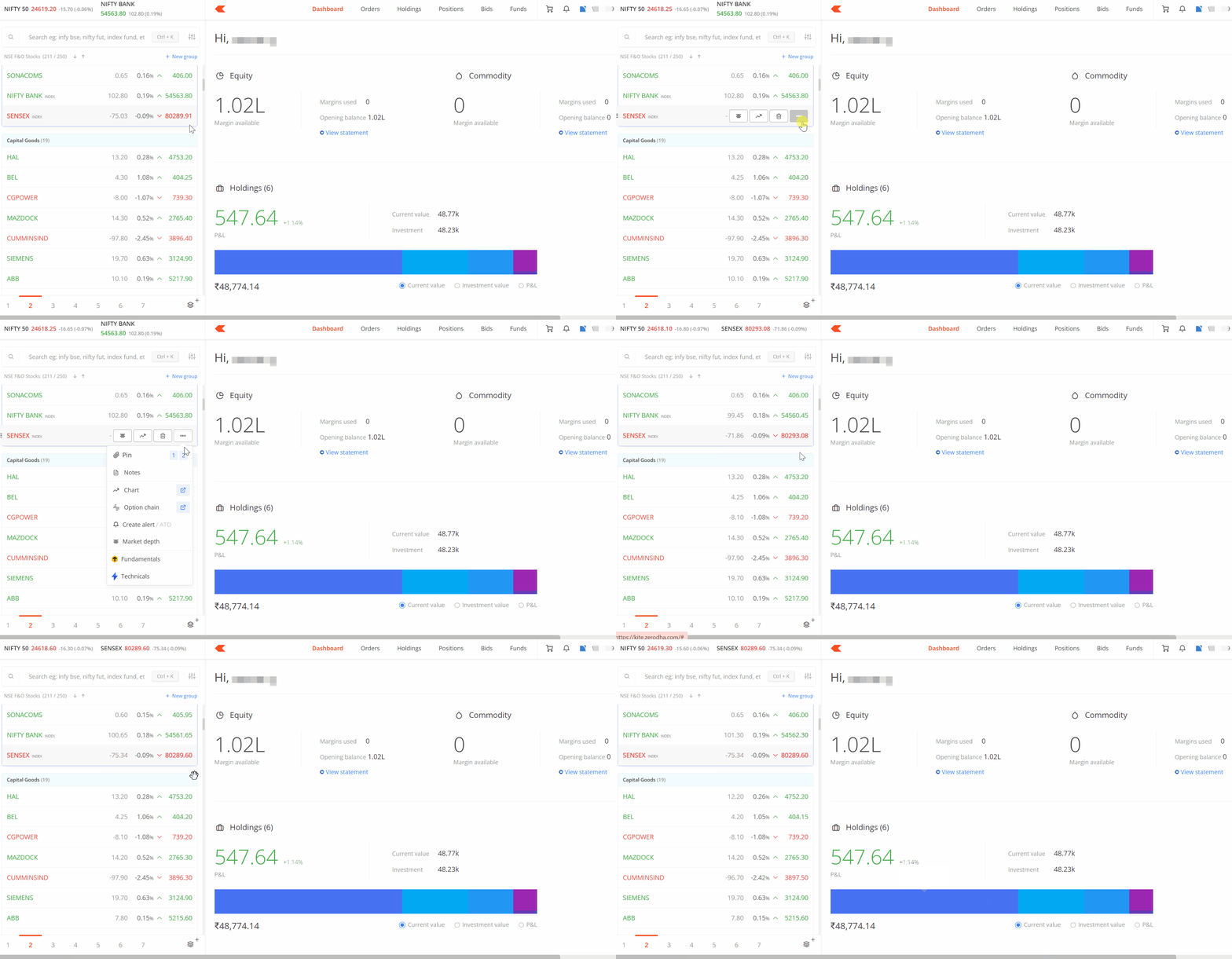
Pinned instruments appear only when the downward arrow icon is clicked. To display pinned instruments across all sections without needing to click the arrow, enable sticky pins in the settings. This ensures that pinned instruments remain visible at the top of every screen.

If changes are made to the cache by clearing browser history or memory, the pinned overview will reset to default.