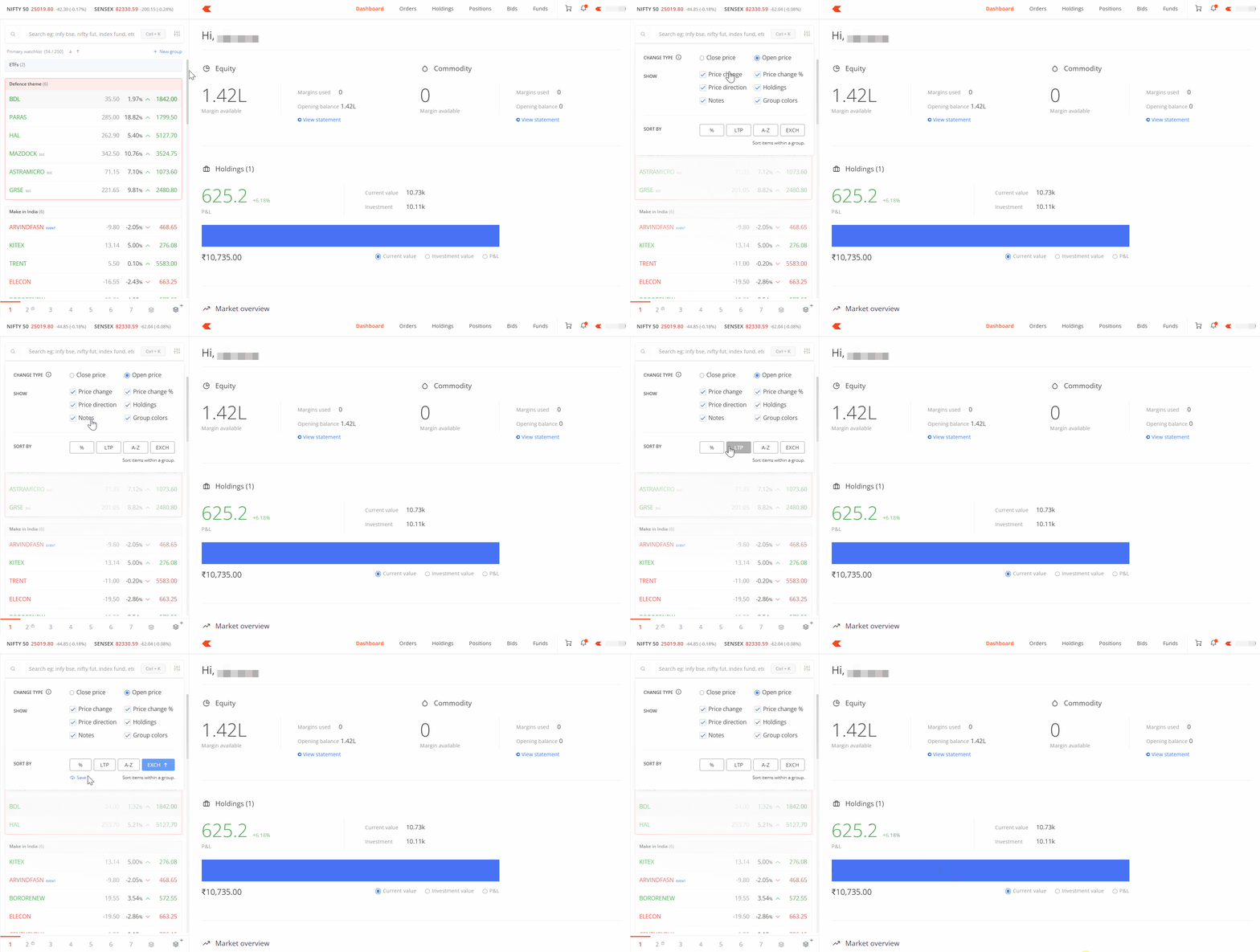
You can save your marketwatch settings to organise instruments by alphabetical order, percentage change, last traded price (LTP), or exchange. You can also choose to show or hide price changes, percentage changes, and the direction of movement.
On Kite app
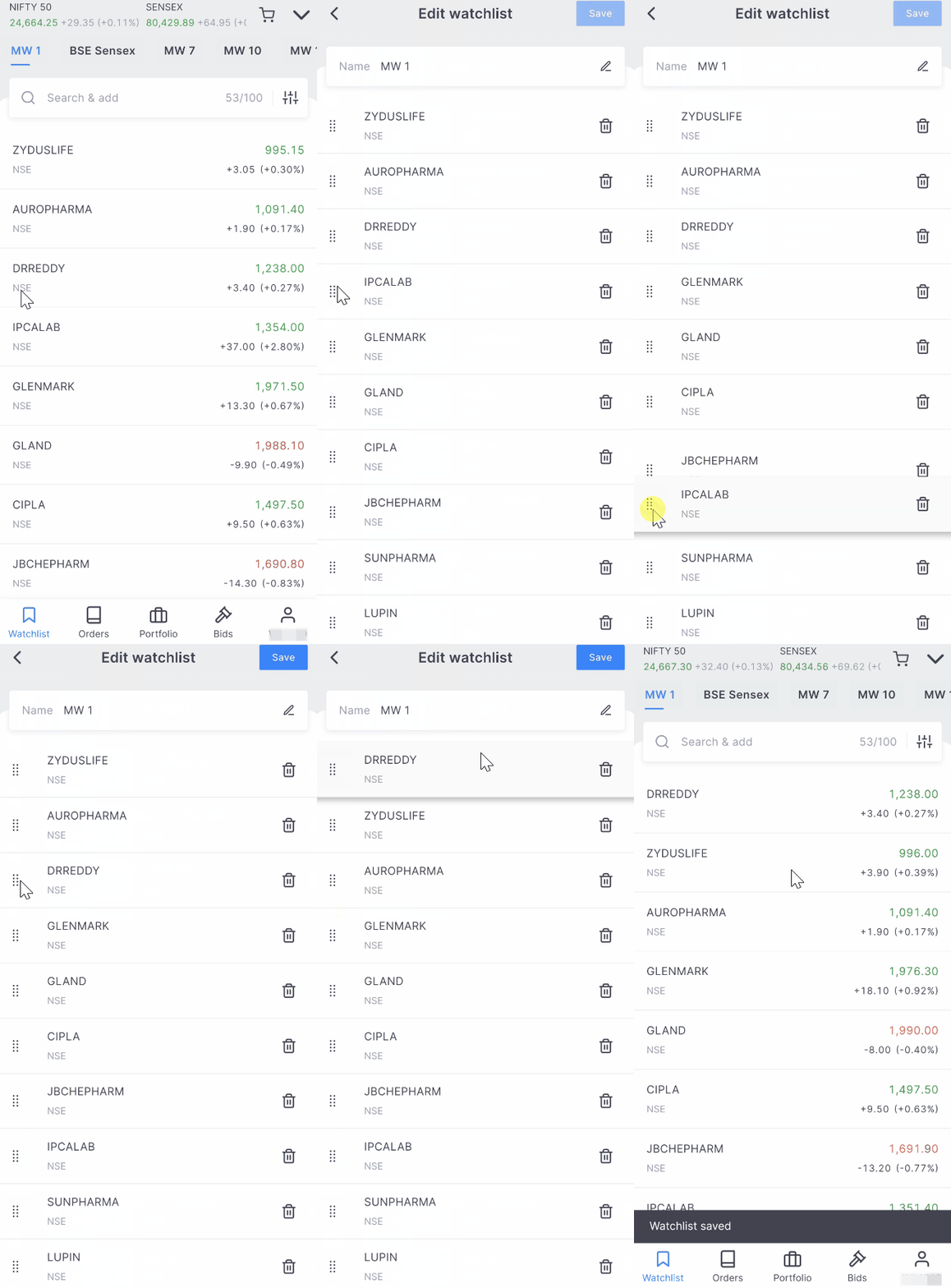
To rearrange your marketwatch list:
- Long press on any instrument.
- Drag it to your preferred position.
- Tap on Save.
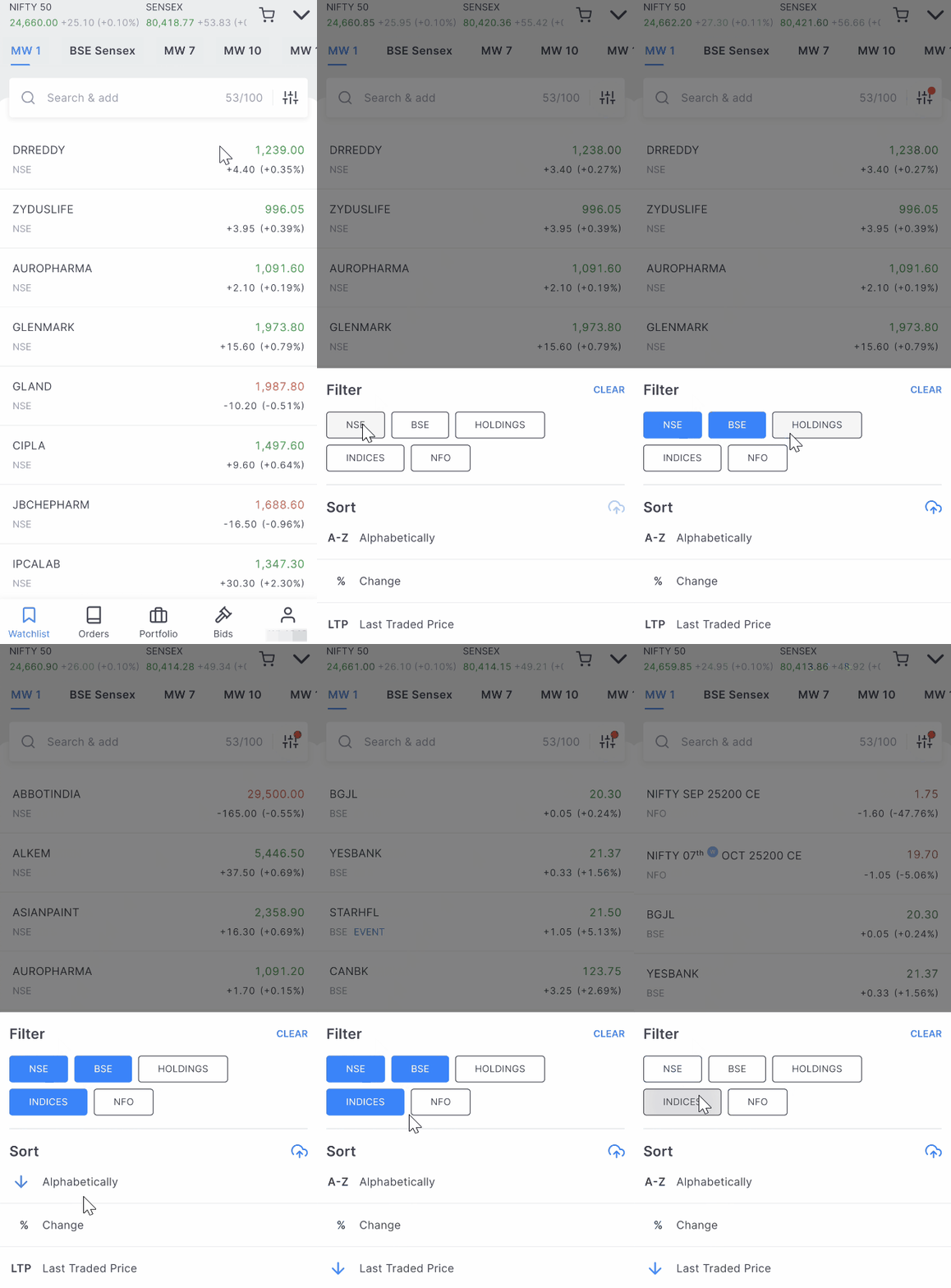
To sort or filter your marketwatch:
- Tap on the filter button near the search box.
-
Filter or sort based on your preference.
On Kite web
You can customise your marketwatch display through the settings menu:
- Choose whether to display price changes based on the previous close price or today's open price.
- Show or hide specific elements: Price change, Price change percentage, Price direction, Holdings, Notes, and Group colours.
- Select your preferred sorting method for instruments within your watchlist.