


You need to change the chart theme separately from your Kite theme. When you switch Kite to dark mode, this will not automatically change your chart theme.
How to change your chart theme
To change your chart theme on Kite web:
- Open the chart you want to view.
- Click on Settings.
- Click on Night to switch to dark theme.
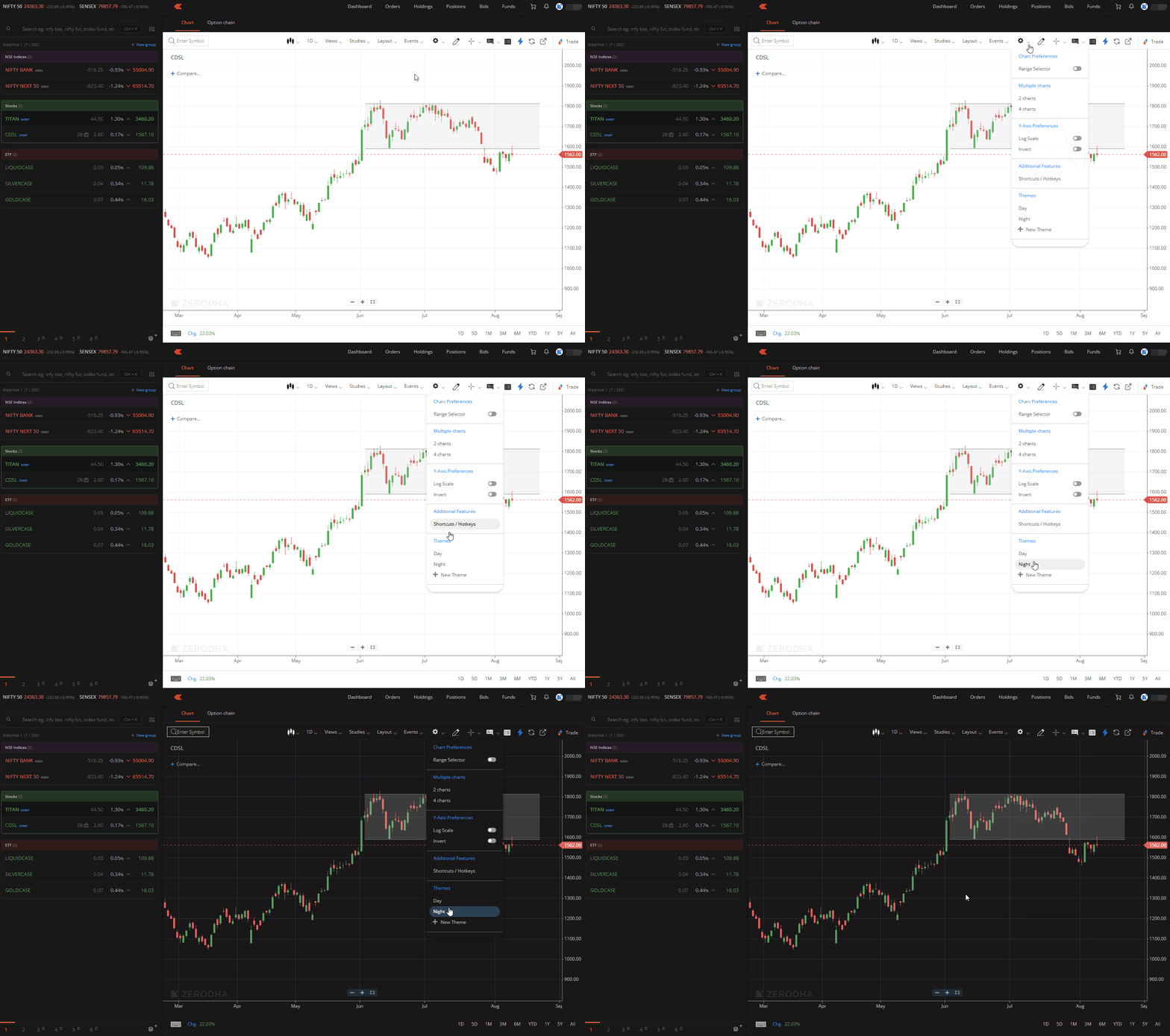
Your chart theme will now match your preferred viewing mode independently of your main Kite theme setting.