


You can invest in
government securities
on Kite by following these steps:
- Log in to Kite.
- Click on Bids.
- Click on Govt. securities.
- Click on Place bid.
- Enter the amount.
- Click on Place bid.

Ensure you have sufficient funds in your Zerodha account on the bid closing date.
The minimum investment amount in G-secs is ₹10,000 (100 quantities), and the maximum is ₹2 crores (2 lakh quantities). The amount you enter will be adjusted based on the price. For example, if you enter ₹1,00,000 and the price is ₹105, the amount will be updated to ₹94,500 and the total quantity to 900.
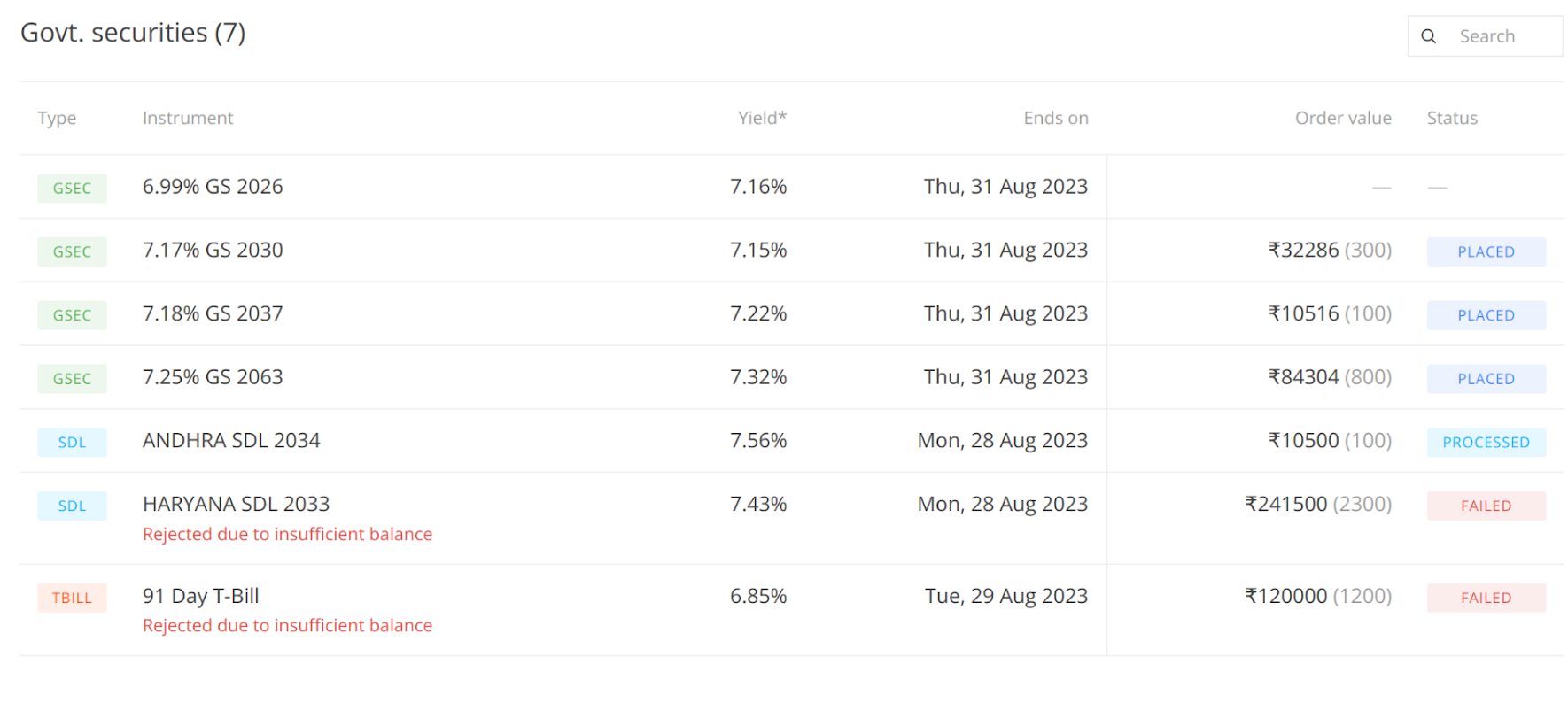
You can view your order status under
Status
until one day after the settlement day. Orders that are cancelled cannot be viewed. If your order is rejected, the reason appears under the instrument.
Things to keep in mind
- Your available balance on execution day includes your opening balance plus any fund transfers made during the day. Credits or debits from trades made during the day are not included.
- You can change the total quantity by editing the entered amount.
- The order window shows indicative yield, price, maturity date, settlement date, total quantities, total amount and entered amount.
- Interest payment dates are mentioned in your allotment email.
- You can modify or cancel your G-sec orders.