


You can log in to the Coin app using your Zerodha login ID and password. You use the same login ID and password for all Zerodha platforms, such as Kite, Console, and Coin. You can also recover your user ID if you cannot find it.
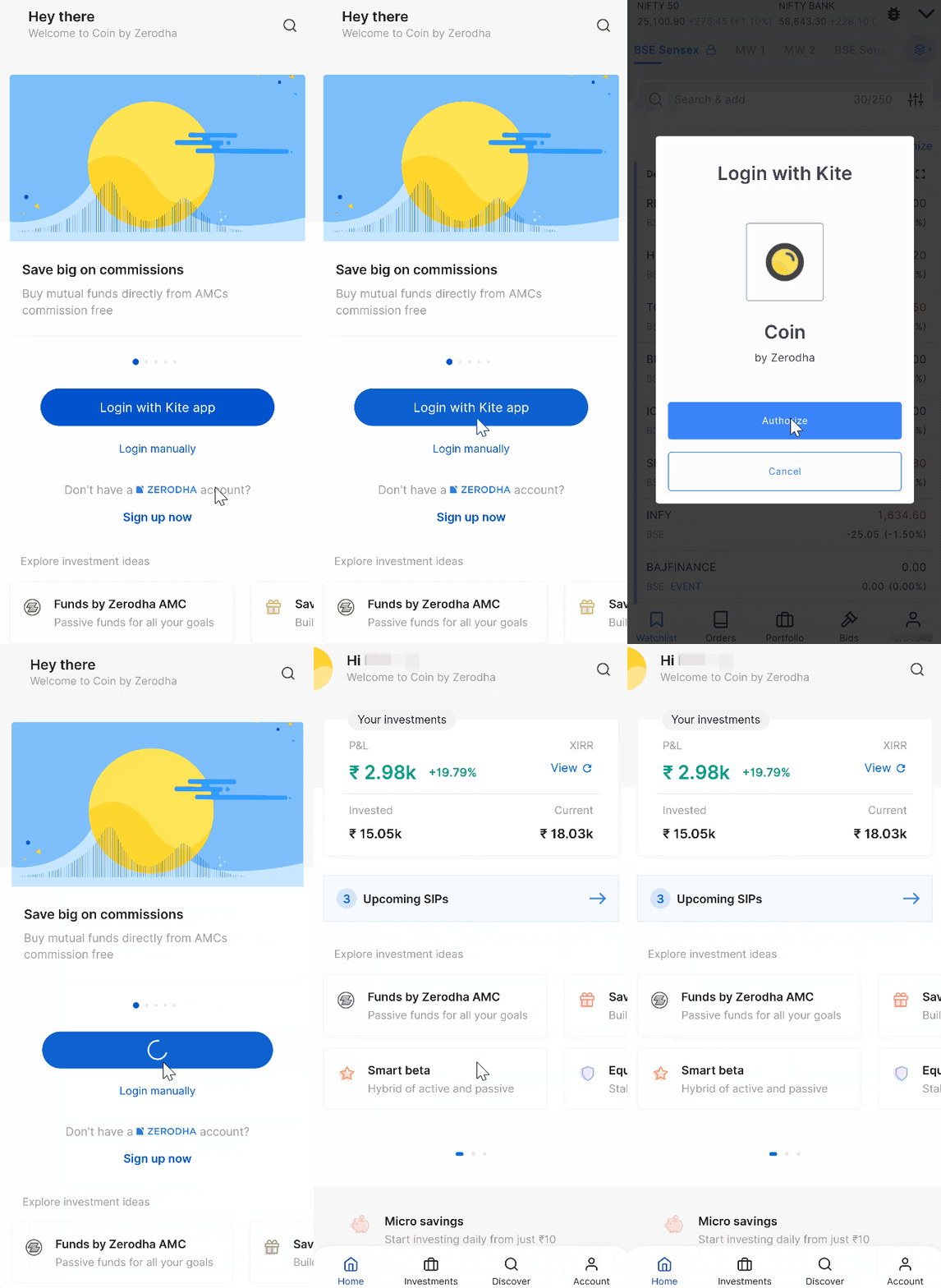
To log in to the Coin app, follow these steps:
- Tap on Login.
- Enter your Zerodha login ID and password.
- Tap on Authorize.
You may see the error Account not active and cannot place orders until your account is activated. If you recently opened your Zerodha account, Coin can take up to 24 working hours to be activated automatically after account opening. You do not have to take any action.